Get In Touch
10/A, Indira Gandhi Street,
Sengeniammal Nagar, Orlean Pet,
Pondicherry – 605005. (INDIA)
Work Inquiries
info@venkidesigns.com

Strategy | UI/UX | Web App

IVR Web Application

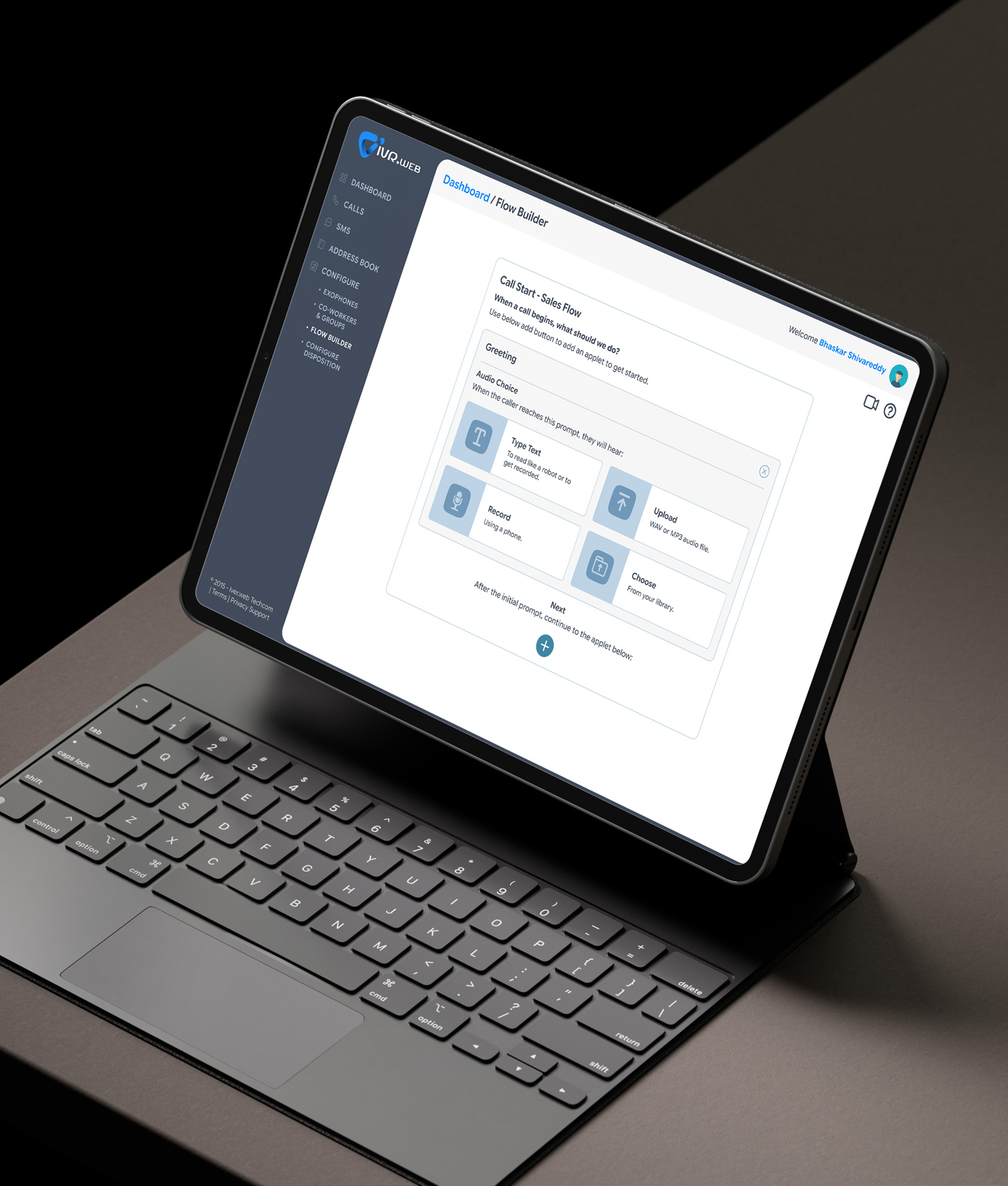
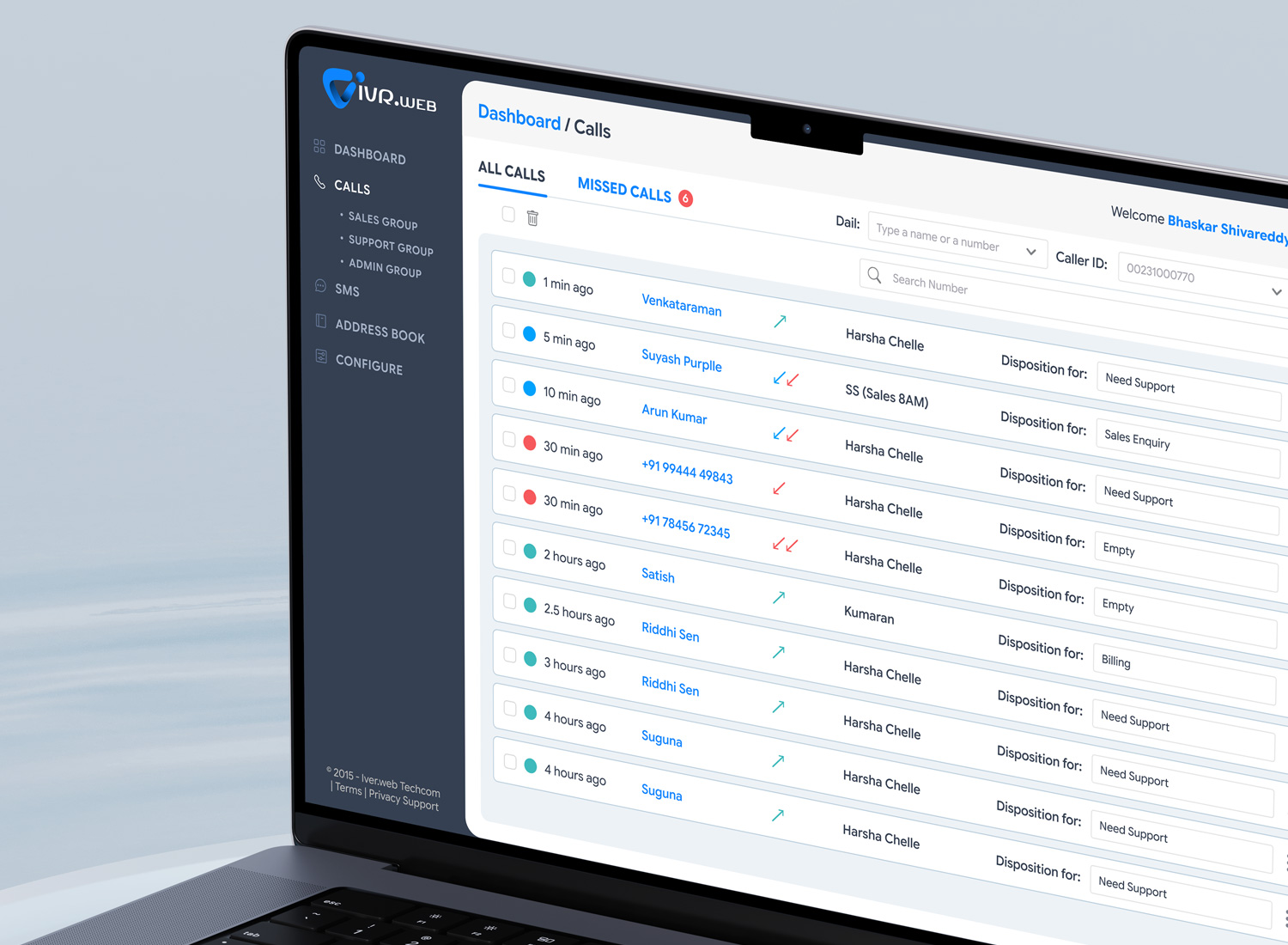
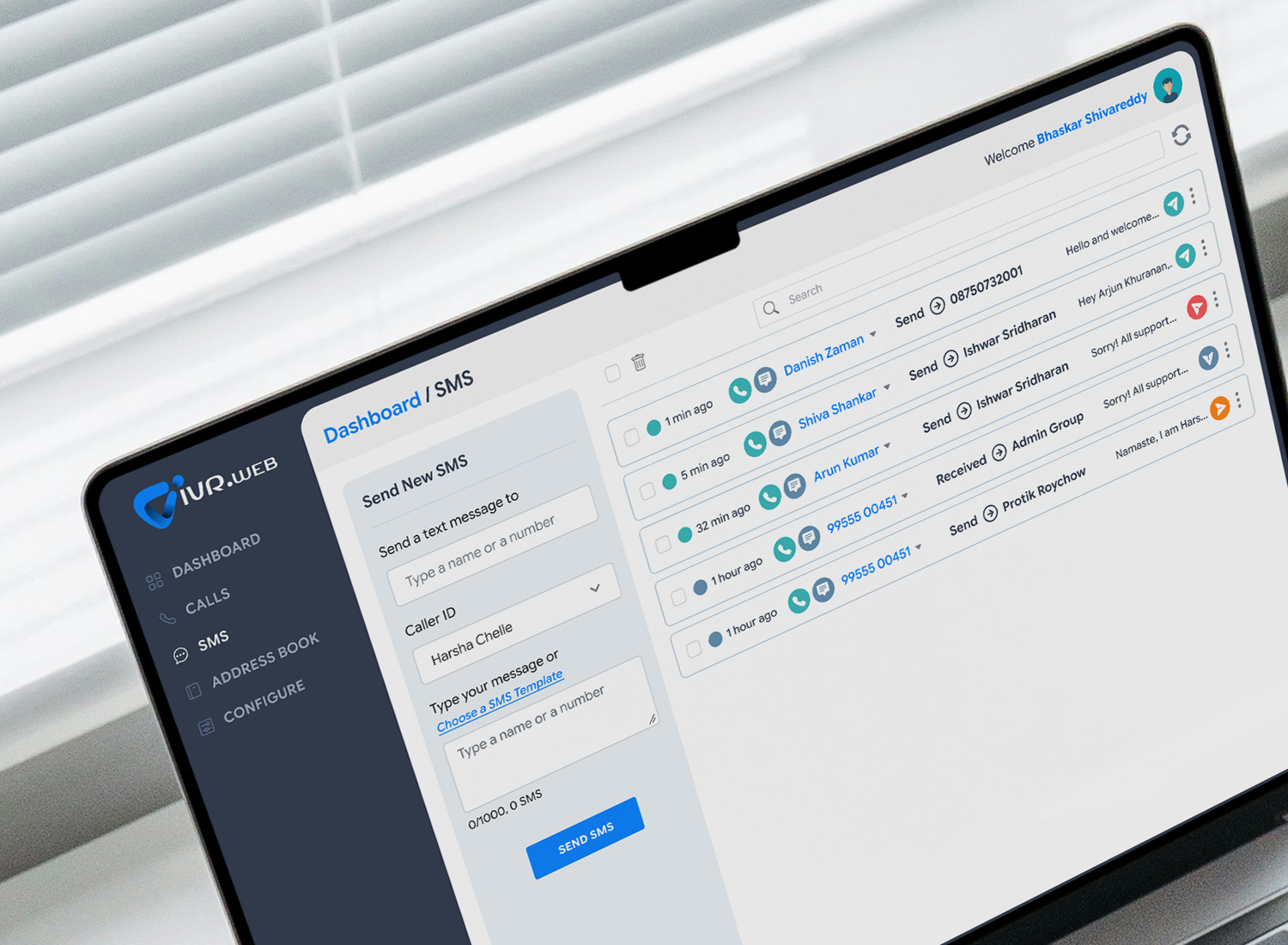
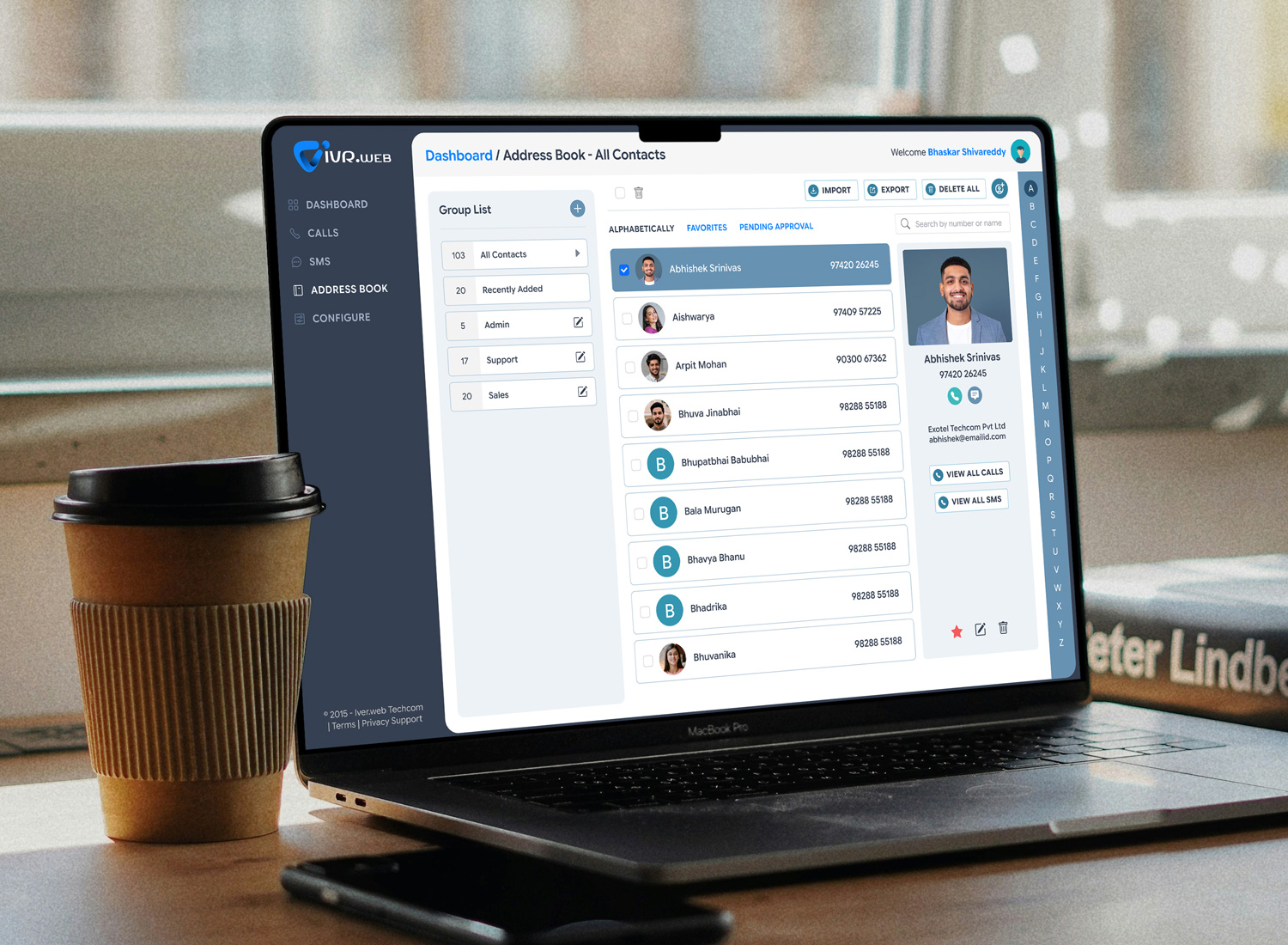
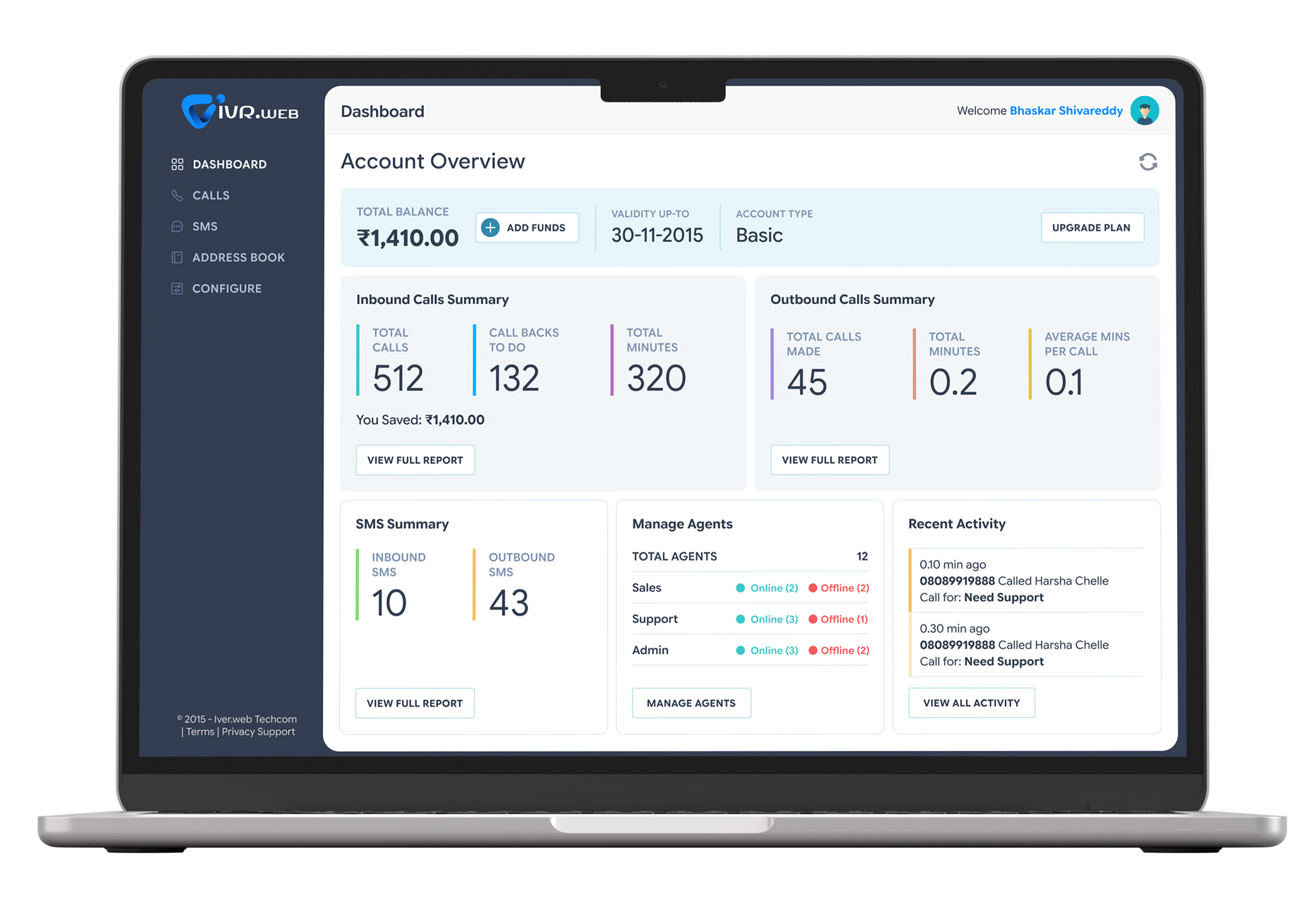
IVR Cloud Telephony Enterprise communication should be a simple plug and play system. This web application makes Voice, SMS and Authentication program. Build a personalized experience for your customers over voice calls. Track, manage and build call flows using Exotel.

Exotel-home

Project Overview

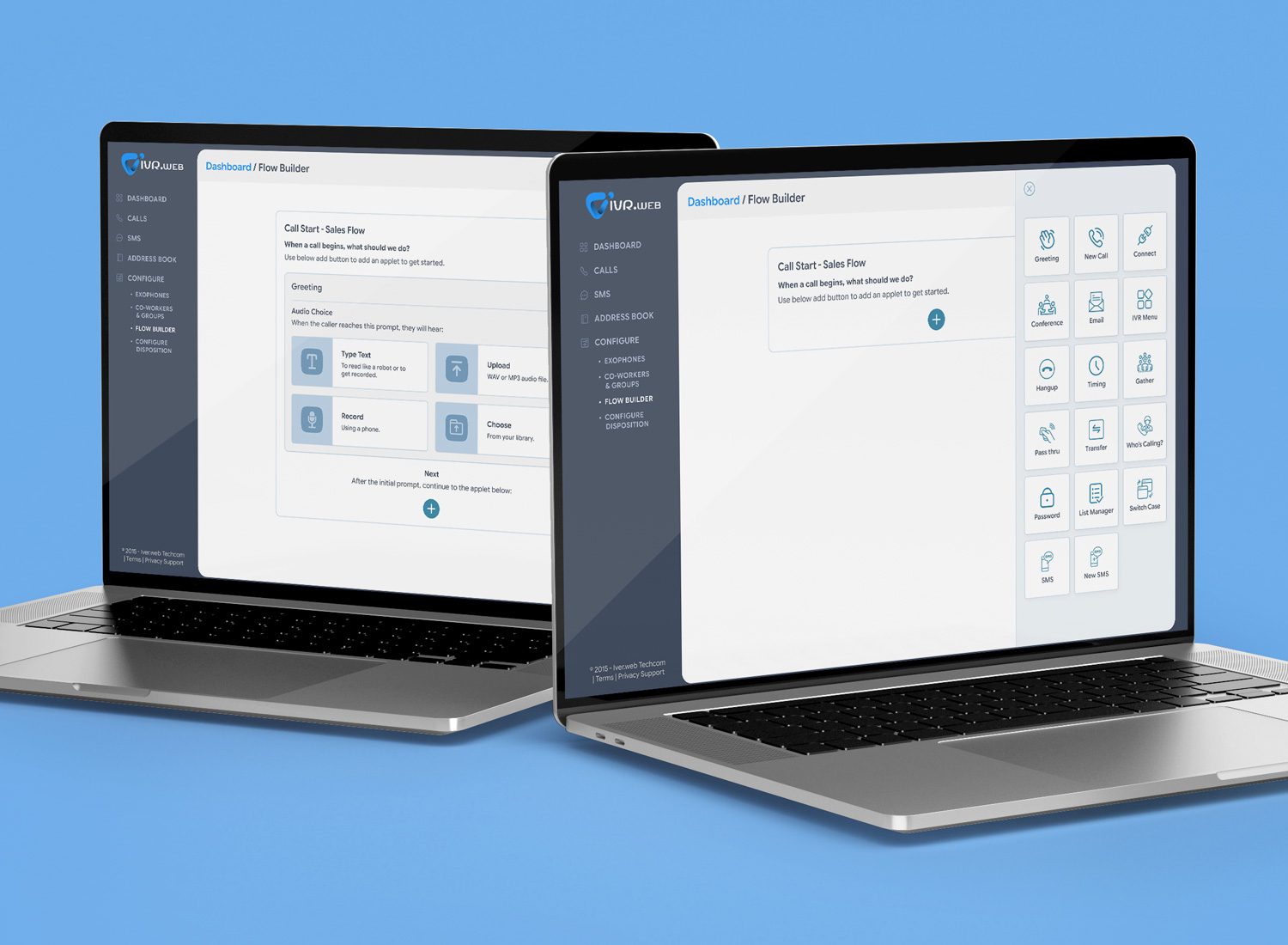
This web application is a SaaS platform that allows non-technical users to design, deploy, and manage Interactive Voice Response (IVR) systems. By utilizing a drag-and-drop visual interface, users can create sophisticated call flows (e.g., “Press 1 for Sales”), integrate with customer databases, and manage call routing instantly.

Design

UI/UX Design, Art Direction

Strategy

Brand Strategy, UX Strategy
Client

Exotel

Problem Statement

The core problem is the disconnect between the people who design the customer experience (Support Managers, Marketers) and the tools required to build it (Code, APIs, Telecom Infrastructure).:

  • High Technical Barrier: Traditional IVR setup requires knowledge of telephony languages (like vXML) or complex backend coding (Twilio/Vonage APIs).
  • Slow Iteration: Marketing and support teams often have to wait for IT/Developers to make simple changes to call scripts or holiday greetings.
  • Lack of Visualization: Text-based scripts make it difficult to visualize the “customer journey” through a phone call, leading to dead-ends and frustrating user experiences.
exotel-home7
The Solution

A "What You See Is What You Get"

(WYSIWYG) editor that treats a phone call as a visual flowchart.
  • Drag-and-Drop Interface: Users drag “Nodes” from a sidebar onto an infinite canvas
  • Node Linking: Users draw lines (edges) between nodes to define the logic flow (e.g., If user presses ‘1’, go to Node B)
  • In-Browser Simulator: A “Test Call” button opens a softphone in the browser, allowing the builder to interact with the flow immediately without picking up a real phone
  • Debug Mode: Highlights the active node in real-time during the test call to troubleshoot logic errors
I play a role of
  • Design Strategy
  • Problem Solution
  • Insights & Analytics
  • User Research
  • User Persona
  • Information Architecture
  • Wireframe
  • Prototyping
Deep Understanding

The Users and the Industry

This deep dive analyzes the Two-Sided Marketplace of an IVR system: the Business Users (who build the flows) and the Callers (who endure them). Understanding the friction between these two groups is where your design opportunity lies.

  • Market Shift: The market is moving from “On-Premise Hardware” (server racks in a basement) to CCaaS (Contact Center as a Service). This confirms your web-based SaaS approach is right on trend
  • The “Deflection” Economy: For a business, a live agent call costs ₹2–₹5. An automated IVR resolution costs ₹0.05–₹0.25. The entire industry is driven by this 50x cost difference.
  • AI Integration: The current trend is “Conversational IVR” (Generative AI) replacing “Menu-based IVR” (DTMF). Your tool needs to support both: visual trees for logic and AI nodes for flexibility
I made a

Personas
& User Journey Maps

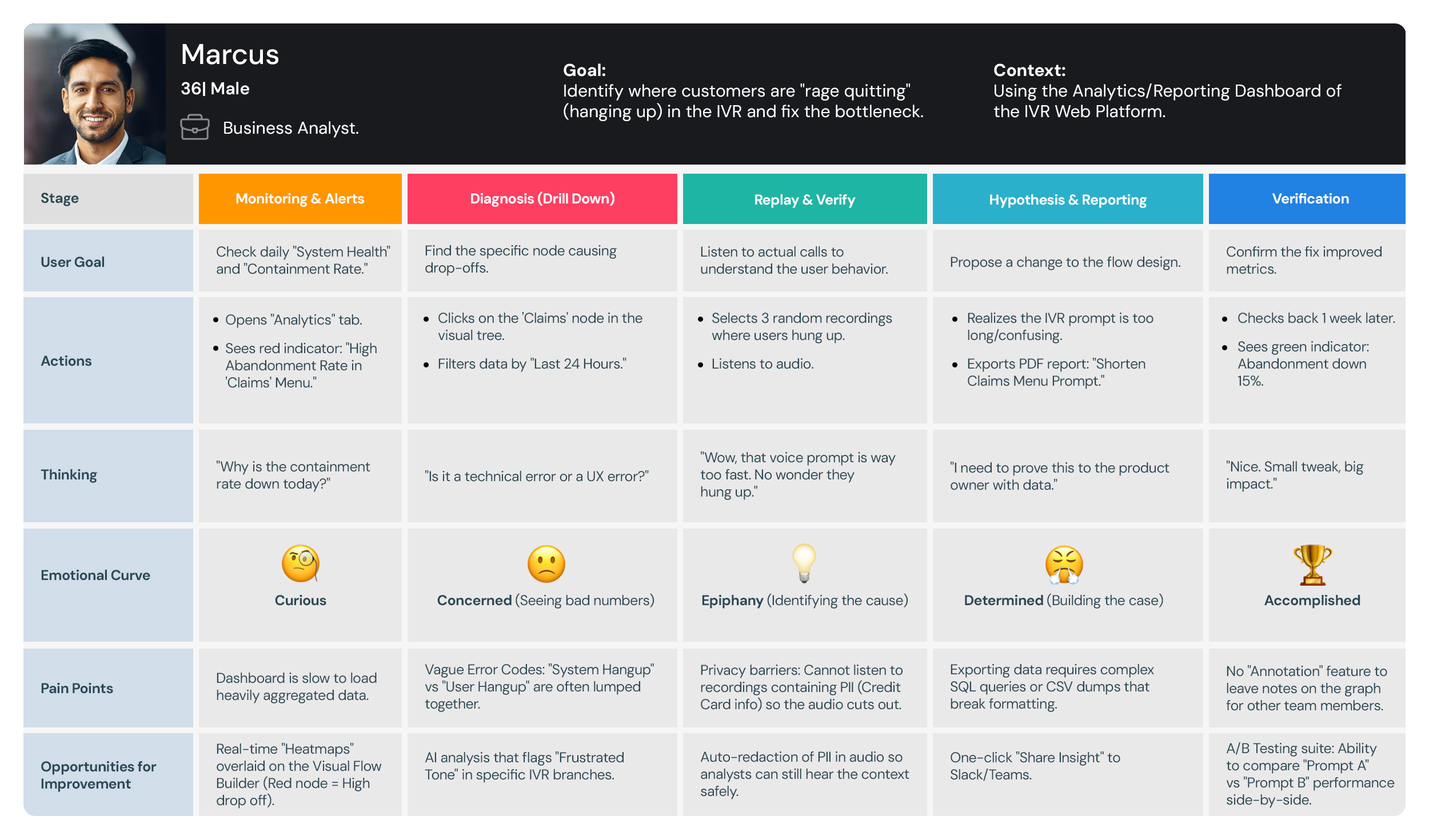
My interviews with the Business Users and Callers provided critical, detailed information. This foundation allowed me to successfully create the resulting personas and journey maps.

Personas

Personas

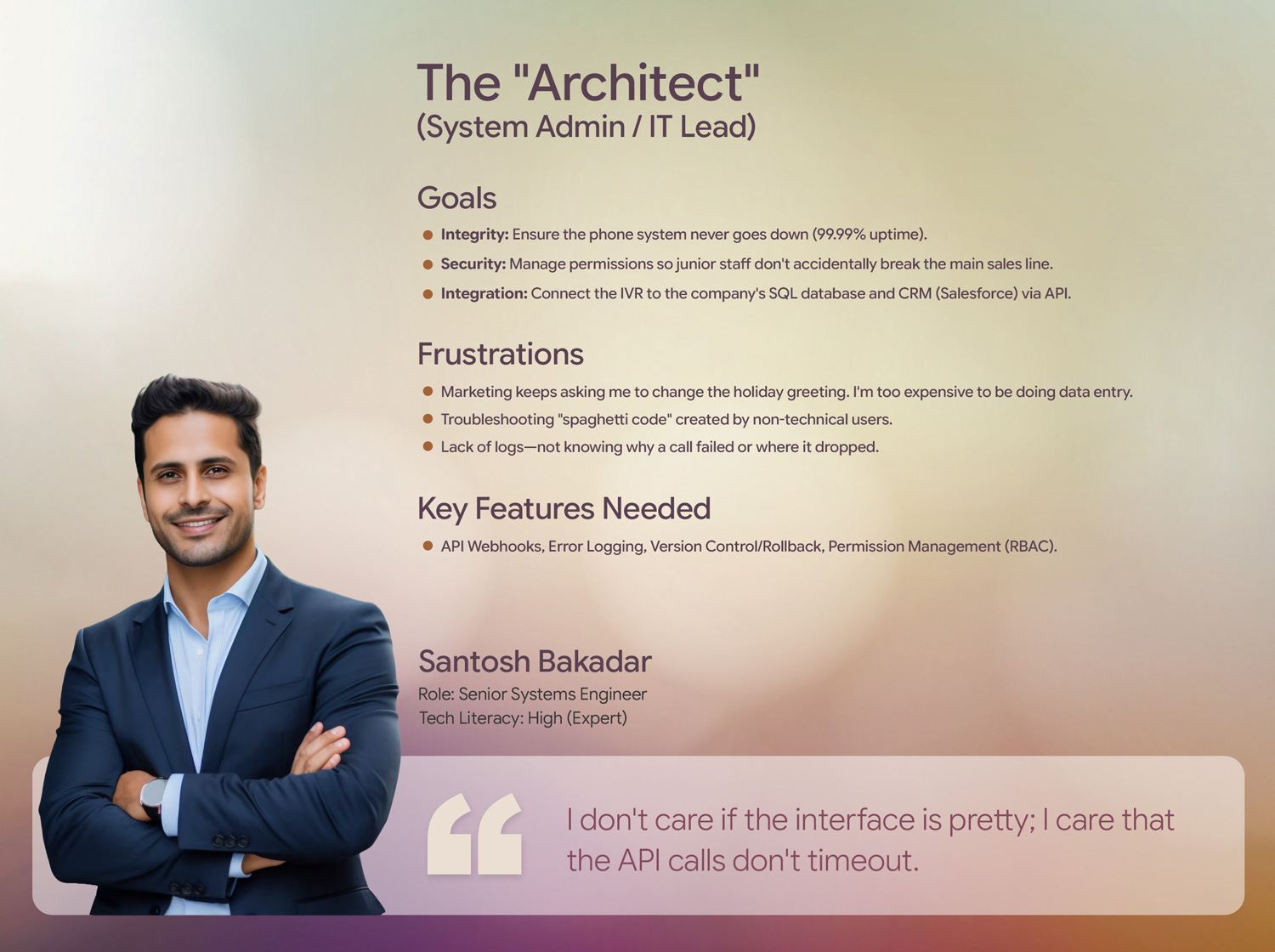
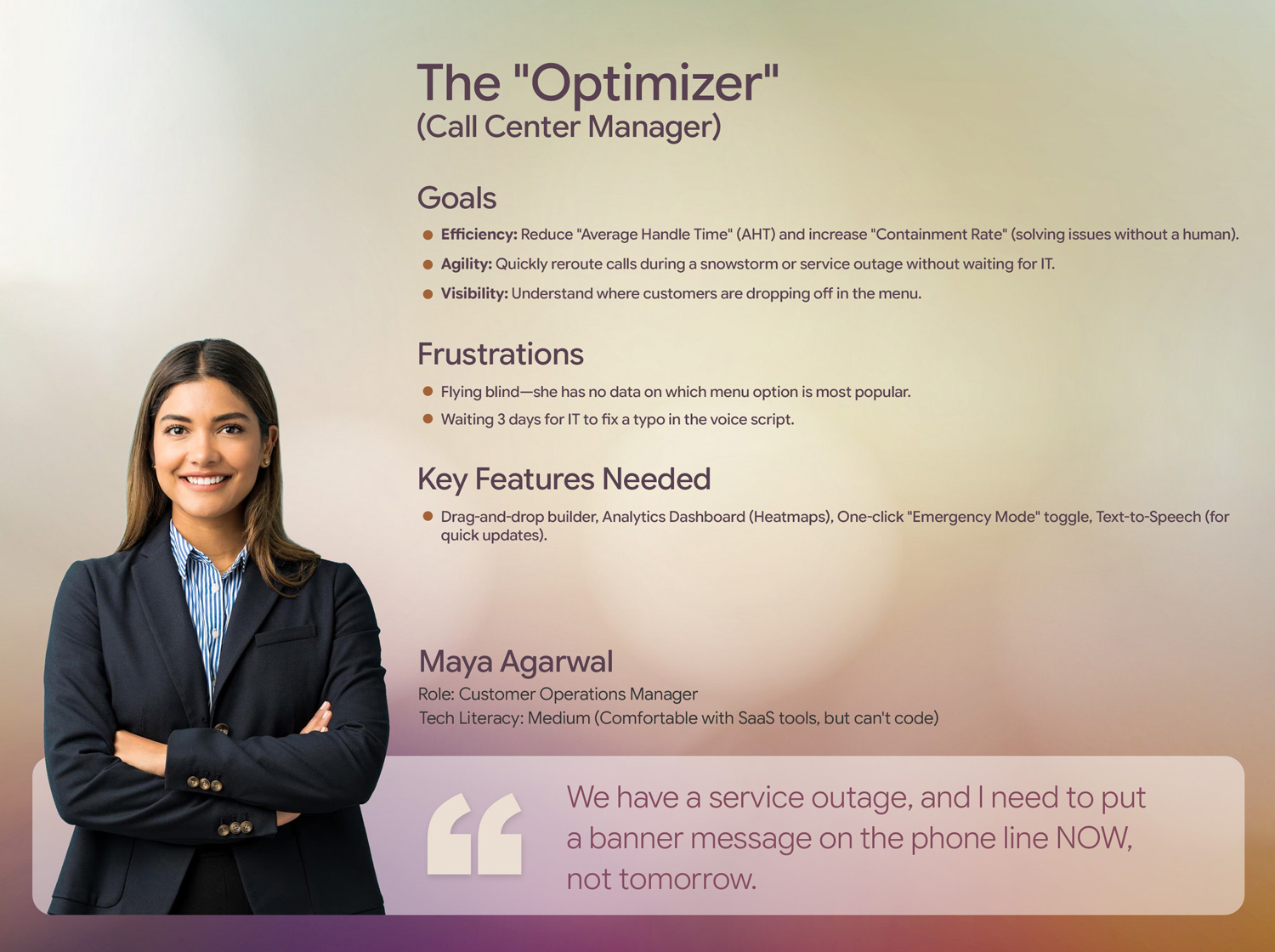
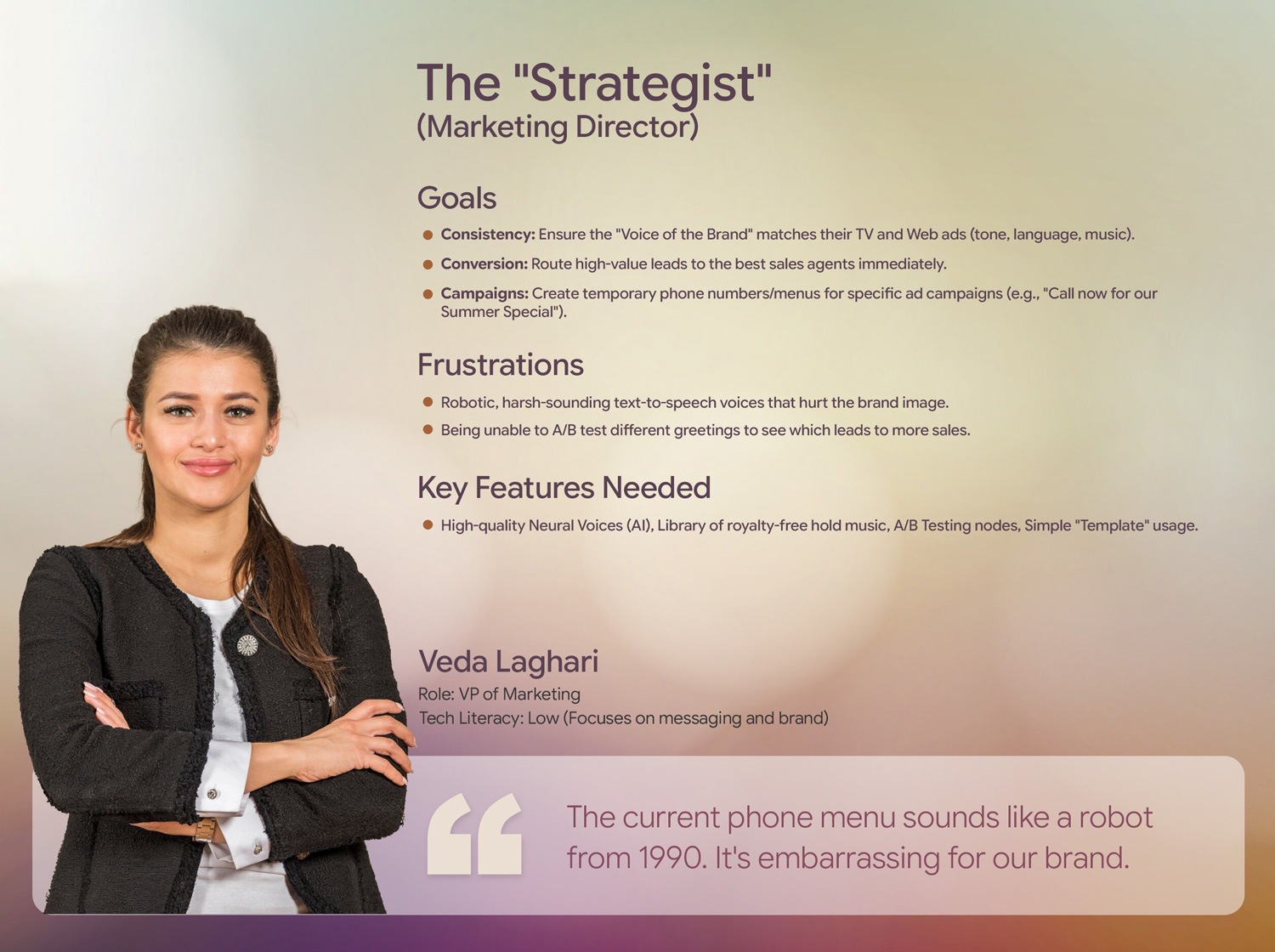
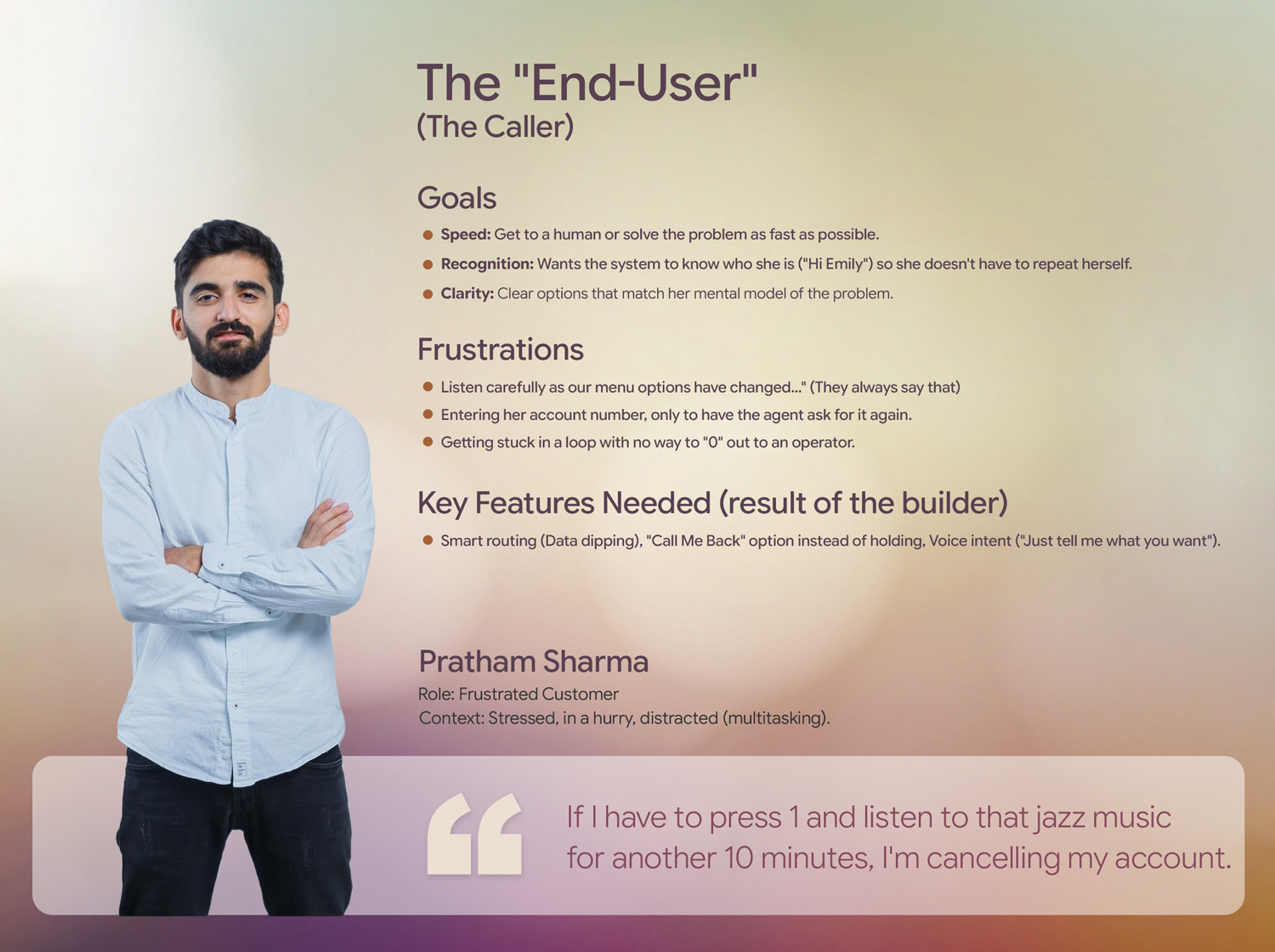
Empathy is the foundation of great design. I develop UX Personas to humanize our target audience, allowing us to step into the user’s shoes. Understanding their ‘why’ helps me design interfaces that don’t just look good, but feel relevant and intuitive to the people using them.
exotel-Personas-01
The Architect Persona
exotel-Personas-02
The Optimizer Persona
exotel-Personas-03
The Strategist Persona
The End User Persona
User-Journey-Maps-img

User Journey Maps

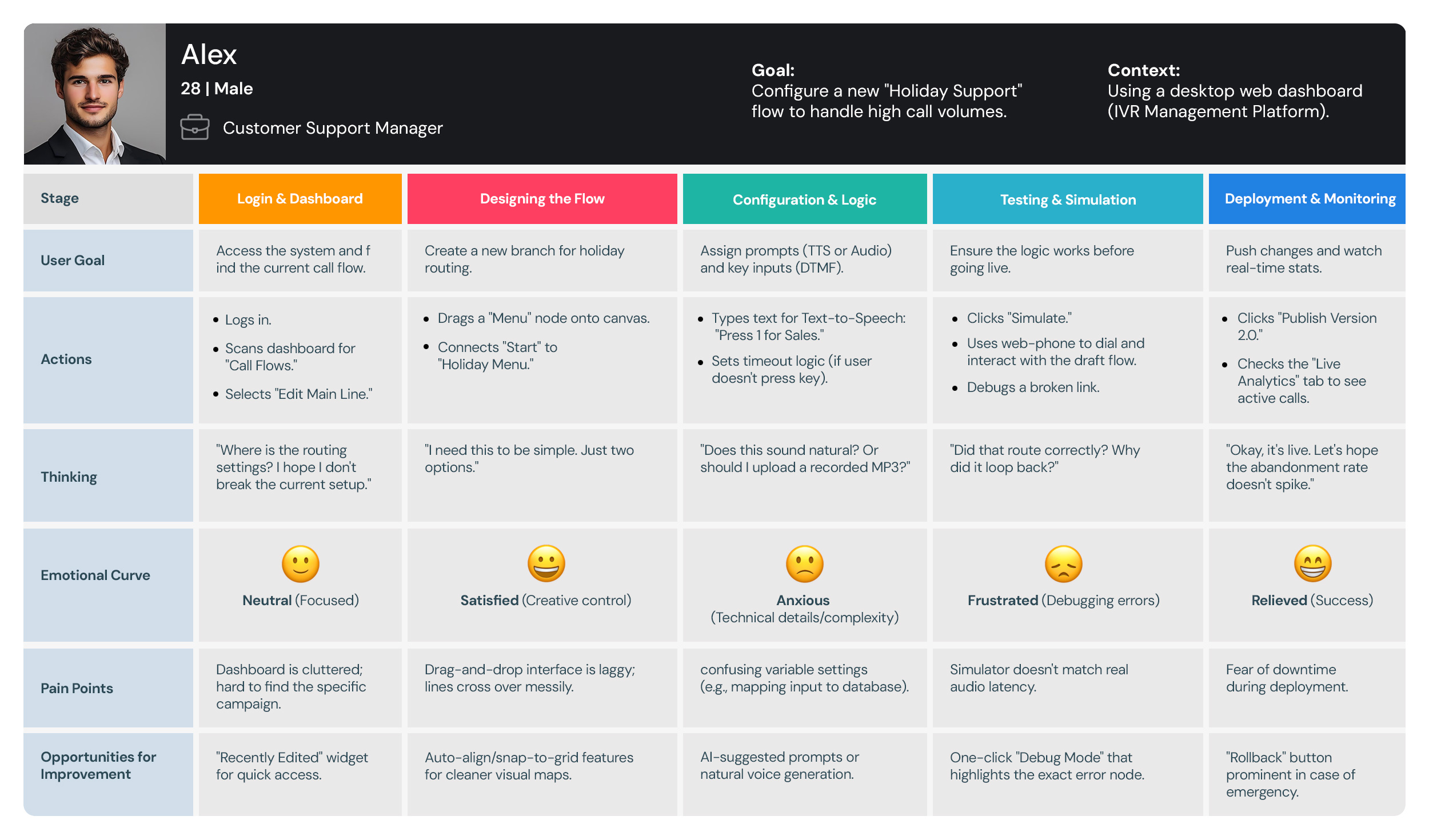
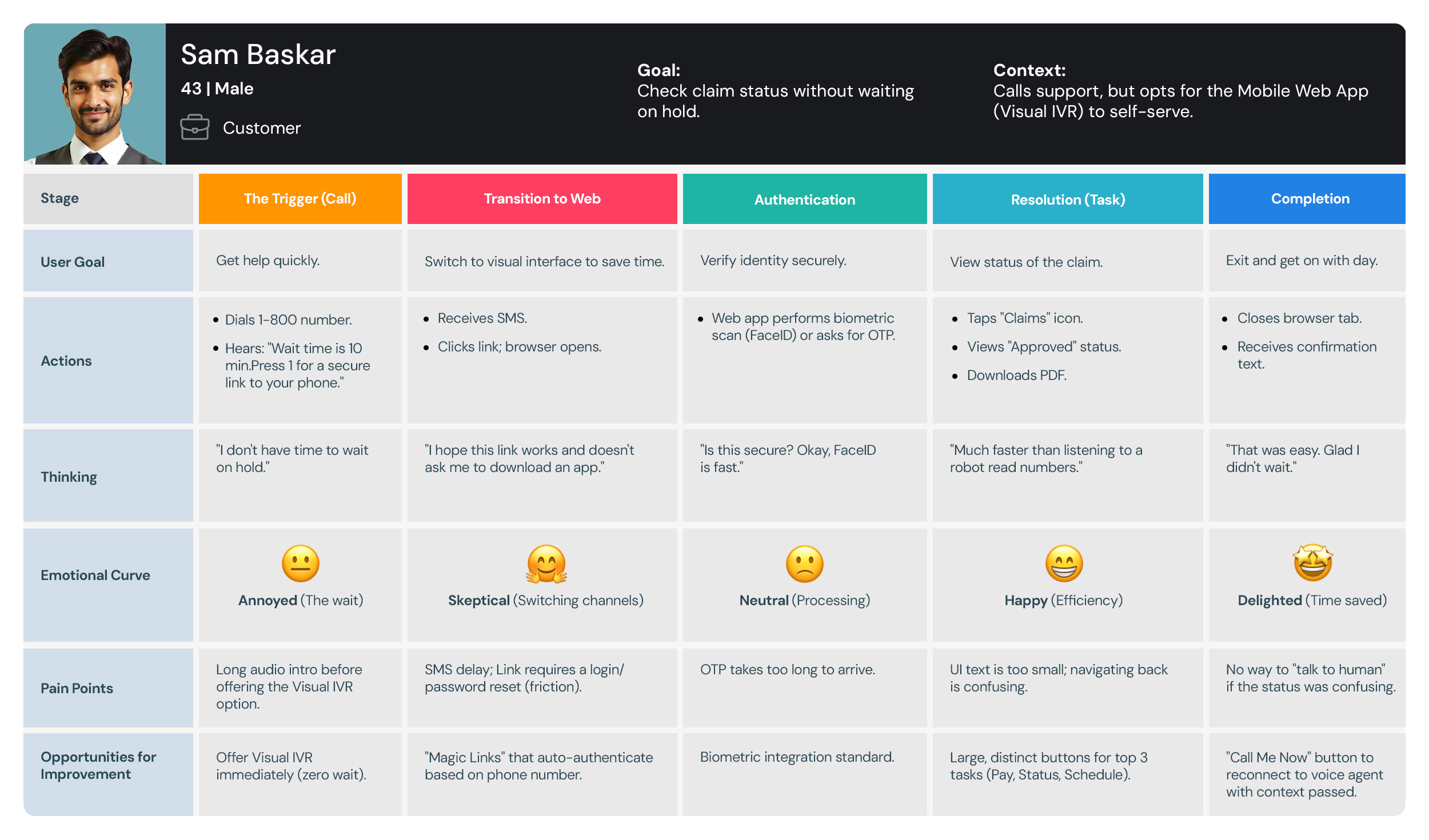
I use User Journey Maps to visualize the end-to-end experience and uncover hidden friction points. By mapping out every touchpoint—from discovery to conversion—I identify where users get frustrated or lose interest. This allows us to turn ‘drop-off points’ into opportunities for engagement.
User Journey Maps
Sales Representatives User Journey Maps
Store Manager User Journey Maps
User Journey Maps
Retail Store Administrator User Journey Maps
The blueprint

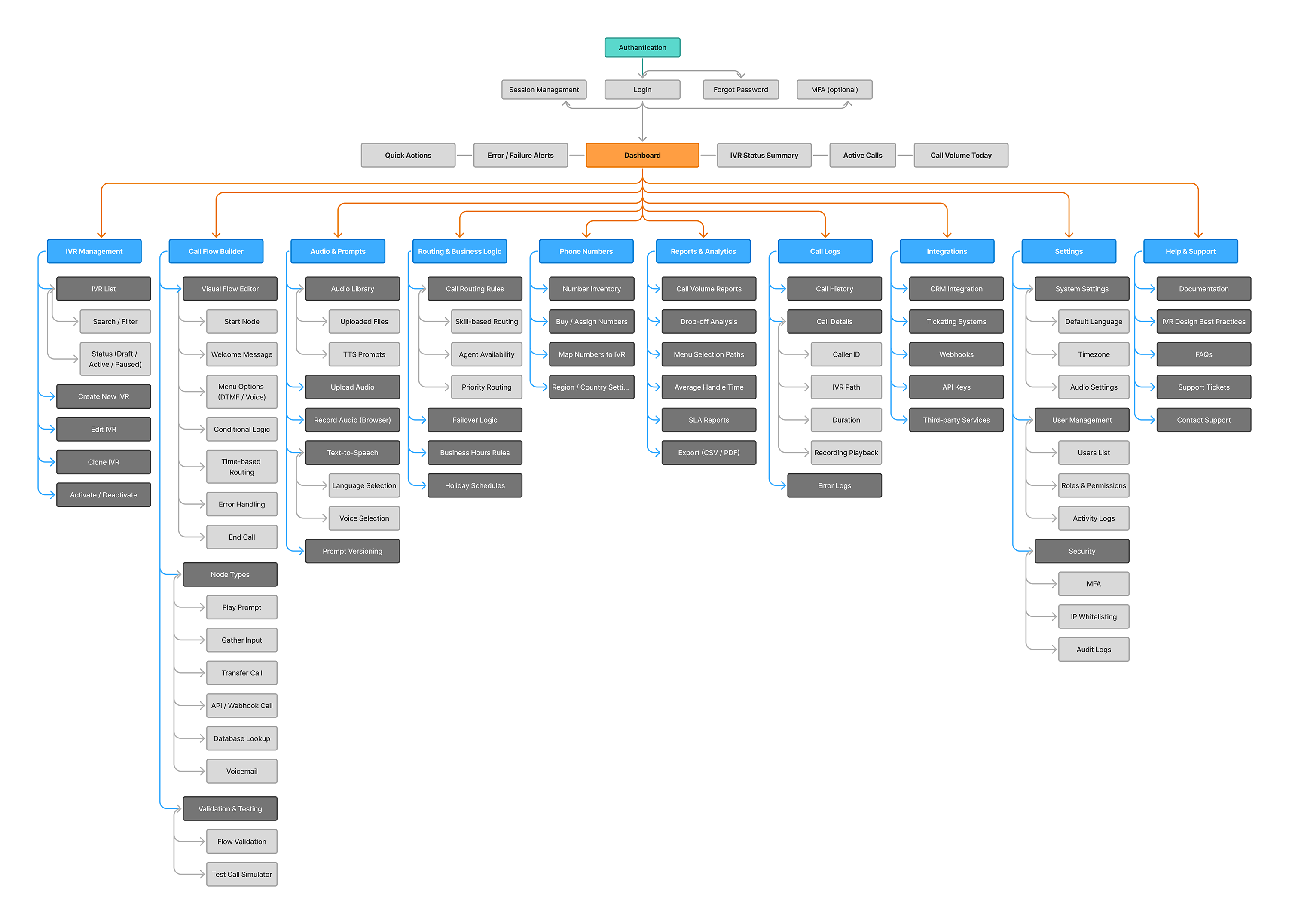
Information
Architecture.

Information Architecture (IA) is rarely a “one size fits all” discipline. Even within the same software ecosystem, different users approach the system with vastly different mental models, goals, and time constraints.

To illustrate this, let’s look at two distinct workflows for a retail application: the Sales Representative and the Store Manager. By analyzing the sitemaps and user flows for these two personas, we can see how IA must shift to accommodate specific user needs.

1. The Sales Representative: The “Tunnel” Architecture

The Sales Representative’s primary goal is efficiency and conversion. Their IA is designed to reduce friction and guide the user through a linear process.

The Hub-and-Spoke Model

Looking at the Sales Representative Flow, the architecture begins with a Dashboard acting as a central hub. However, unlike a managerial dashboard designed for monitoring, this dashboard is designed for action initiation.

  • Quick Launch & Tools: The presence of Quick Launch and Tools (like the Trade-In Calculator) indicates an IA prioritized for speed. The user needs immediate access to utility features without digging through menus.
  • Customer Account 360: This is the critical anchor point. The IA consolidates Overview, Bill Pay, and Troubleshooting under one parent node. This prevents the rep from hopping between disparate sections of the app to answer a single customer question.

2. The Store Manager: The “Broad and Shallow” Architecture

The Store Manager’s primary goal is oversight and administration. Their flow is less about completing a single linear task and more about managing multiple concurrent buckets of information.

Categorical Grouping

The Store Manager Flow utilizes a broad, shallow hierarchy. Notice that there are no deep, multi-step tunnels like the Sales flow. Instead, the IA is organized into distinct administrative silos:

  • Team & User Management: (Rosters, Permissions)
  • Operations & Inventory: (Stock, Cash Drawer)
  • Reporting & Analysis: (Sales vs Targets, Labor Costs)
  • Approvals & Overrides: (Discounts, Returns)

Why this works: This structure supports “Berry-picking” behavior. Managers often need to jump in, approve a discount, check a labor report, and jump out. They need high-level visibility across many categories rather than a deep dive into one specific transaction.

Sales Representative Flow
Store-Manager-Flow
Store Manager Flow
The

Wireframing

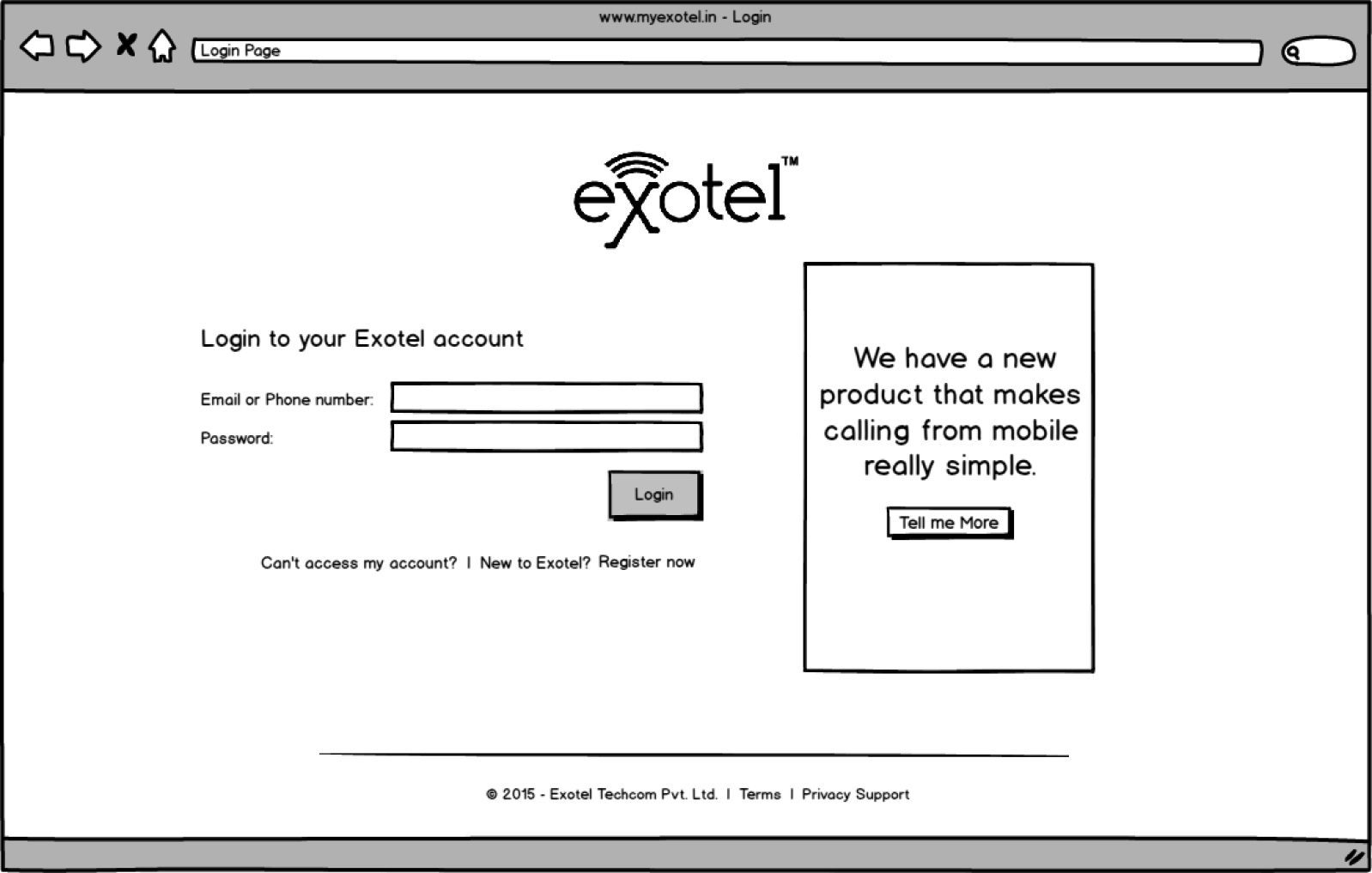
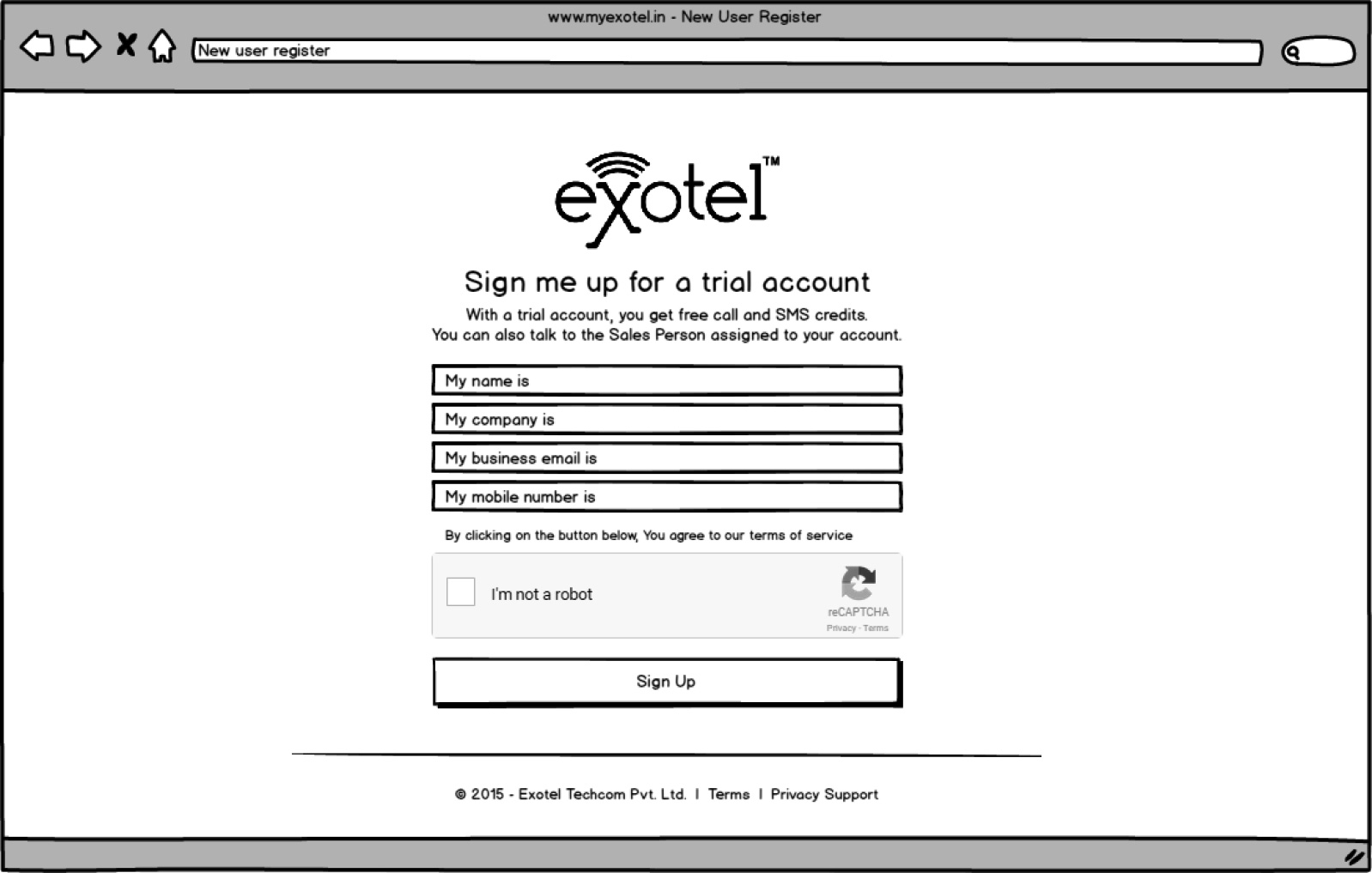
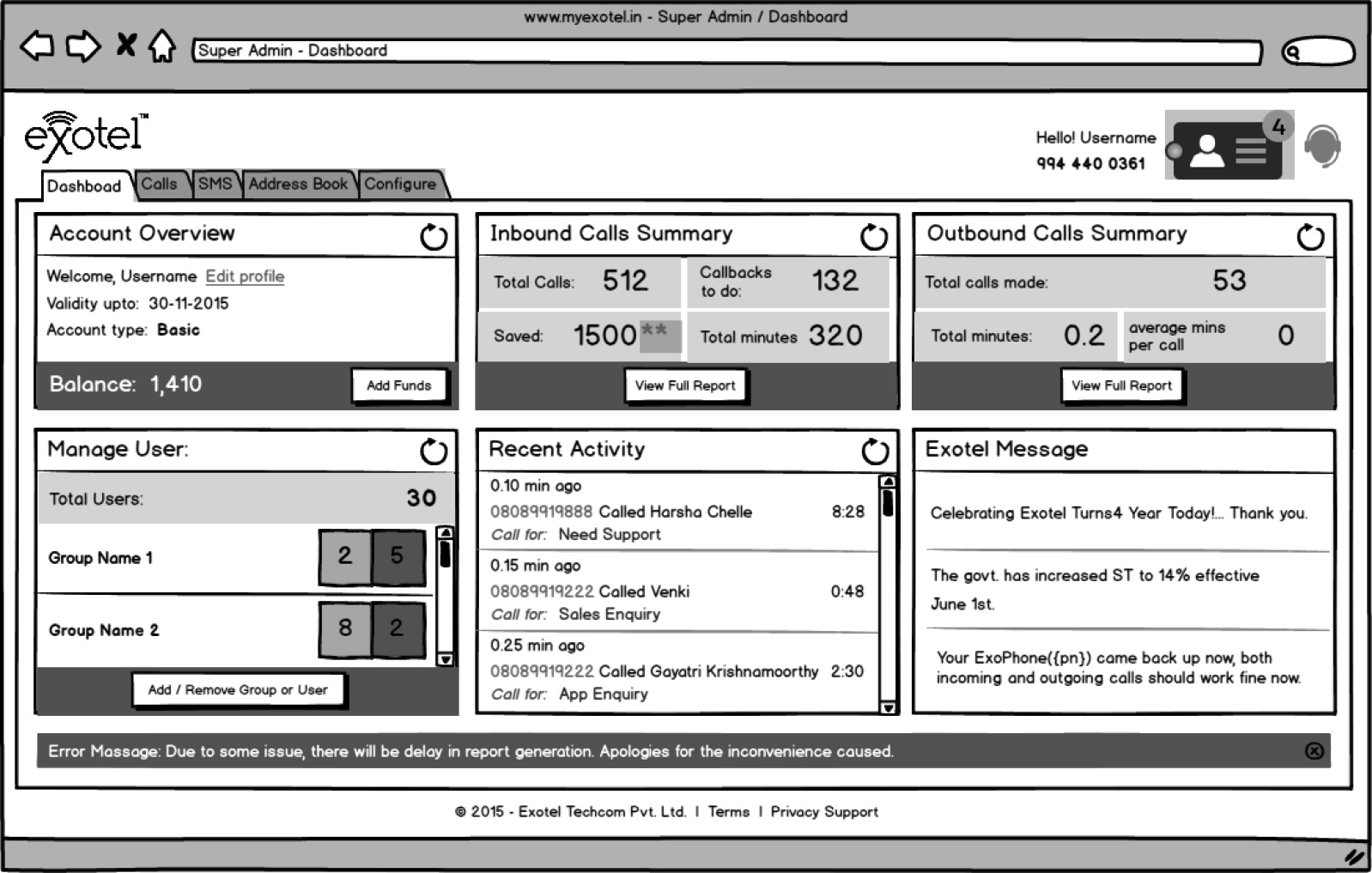
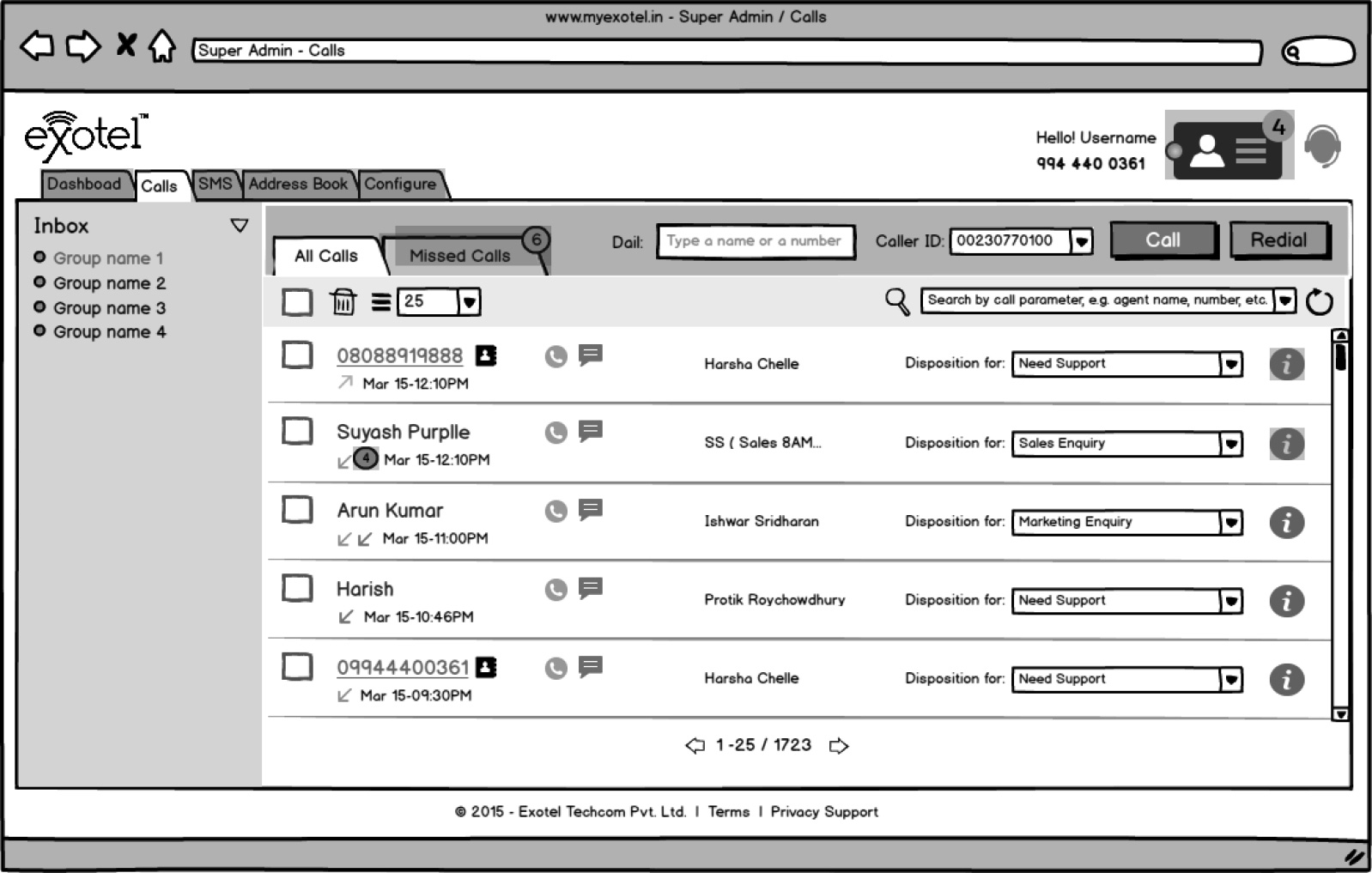
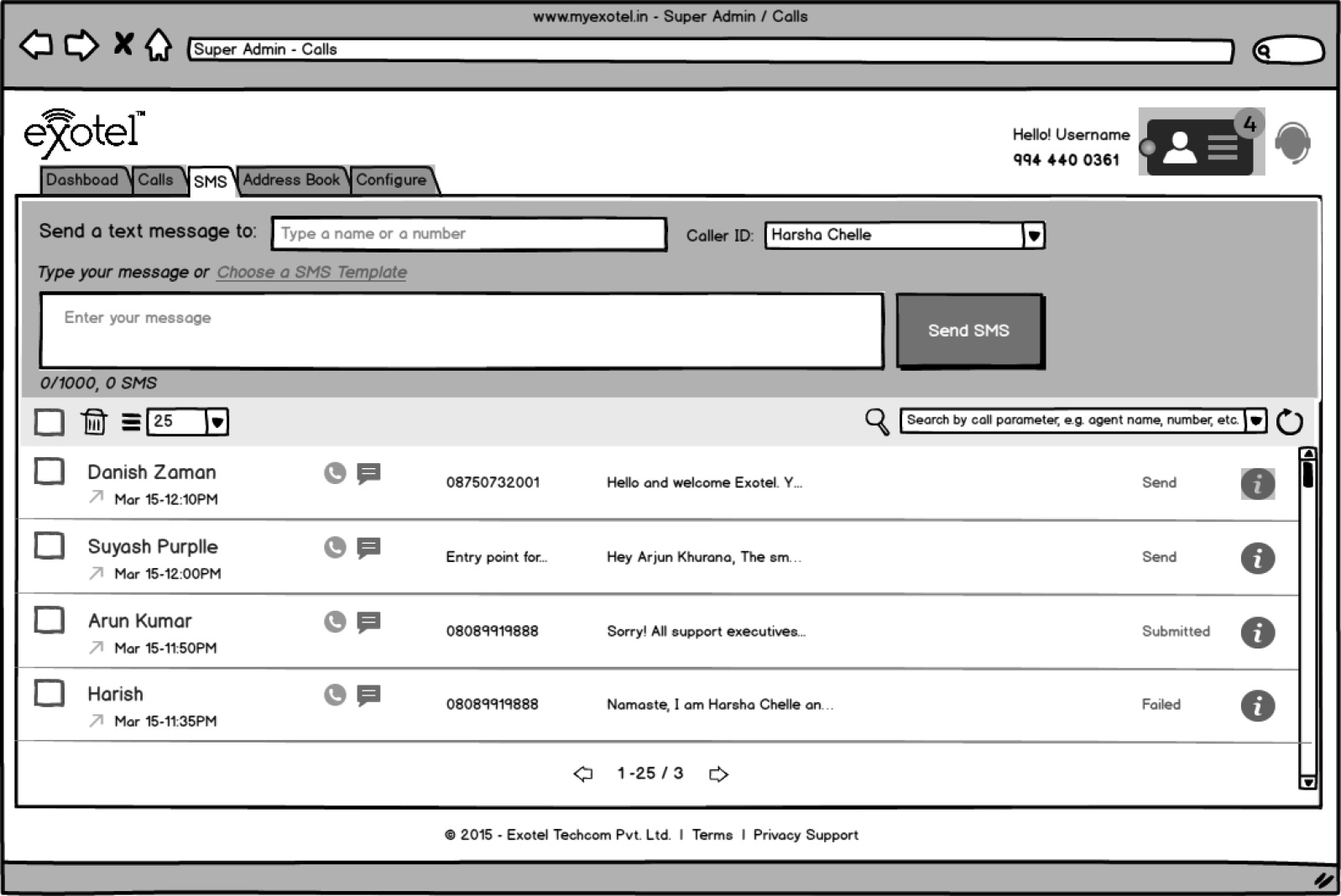
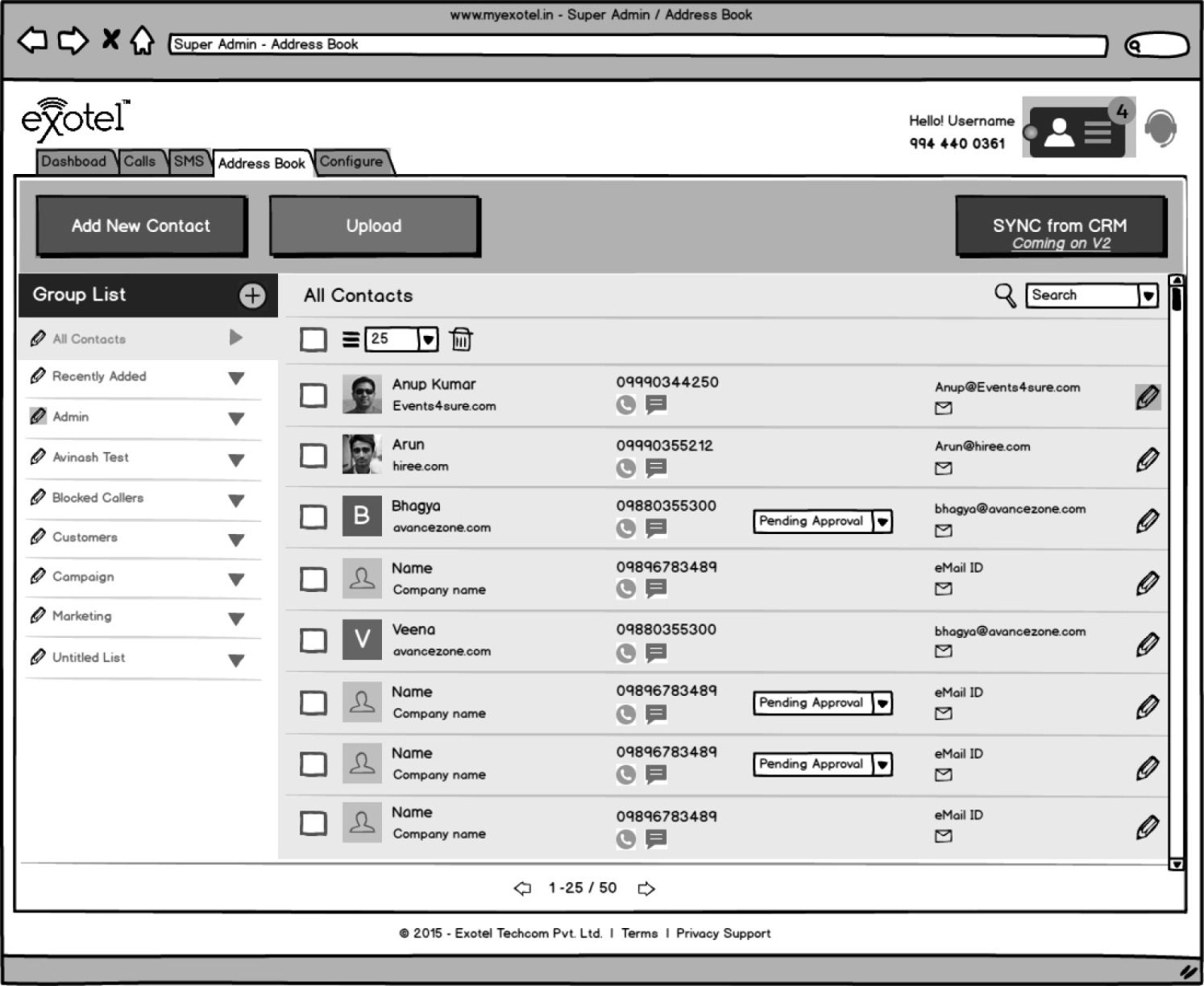
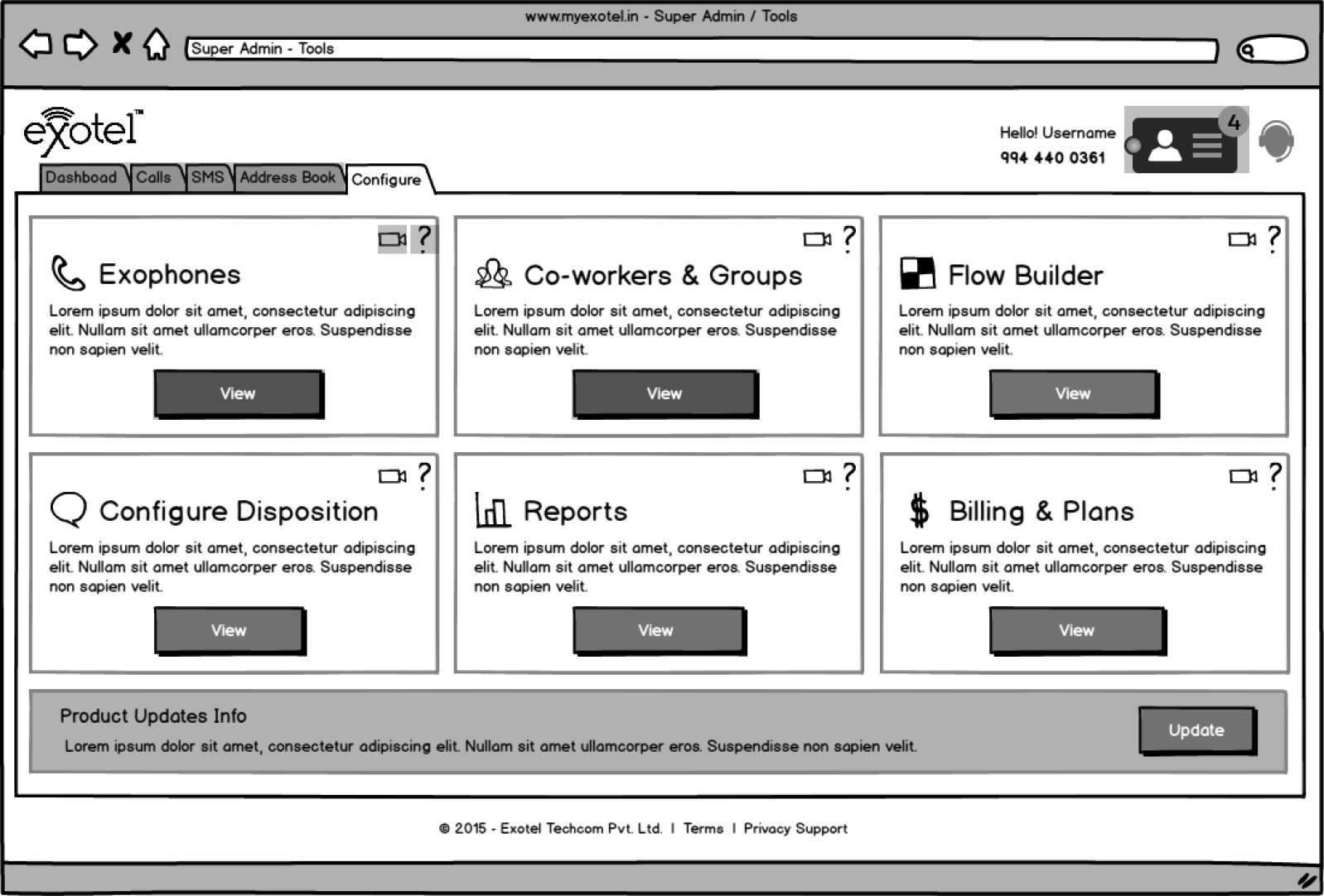
Our internal process challenges eventually surfaced in our design output. In just two months, we generated over 400 artboards in a high-speed sprint to meet deadlines. However, the volume came at a cost: documentation suffered, and many screens were unintentional replicates. It was a powerful lesson in how ‘moving fast’ can sometimes get in the way of ‘moving right.
wieframe-01
Dashboard
AccountPage
New Line

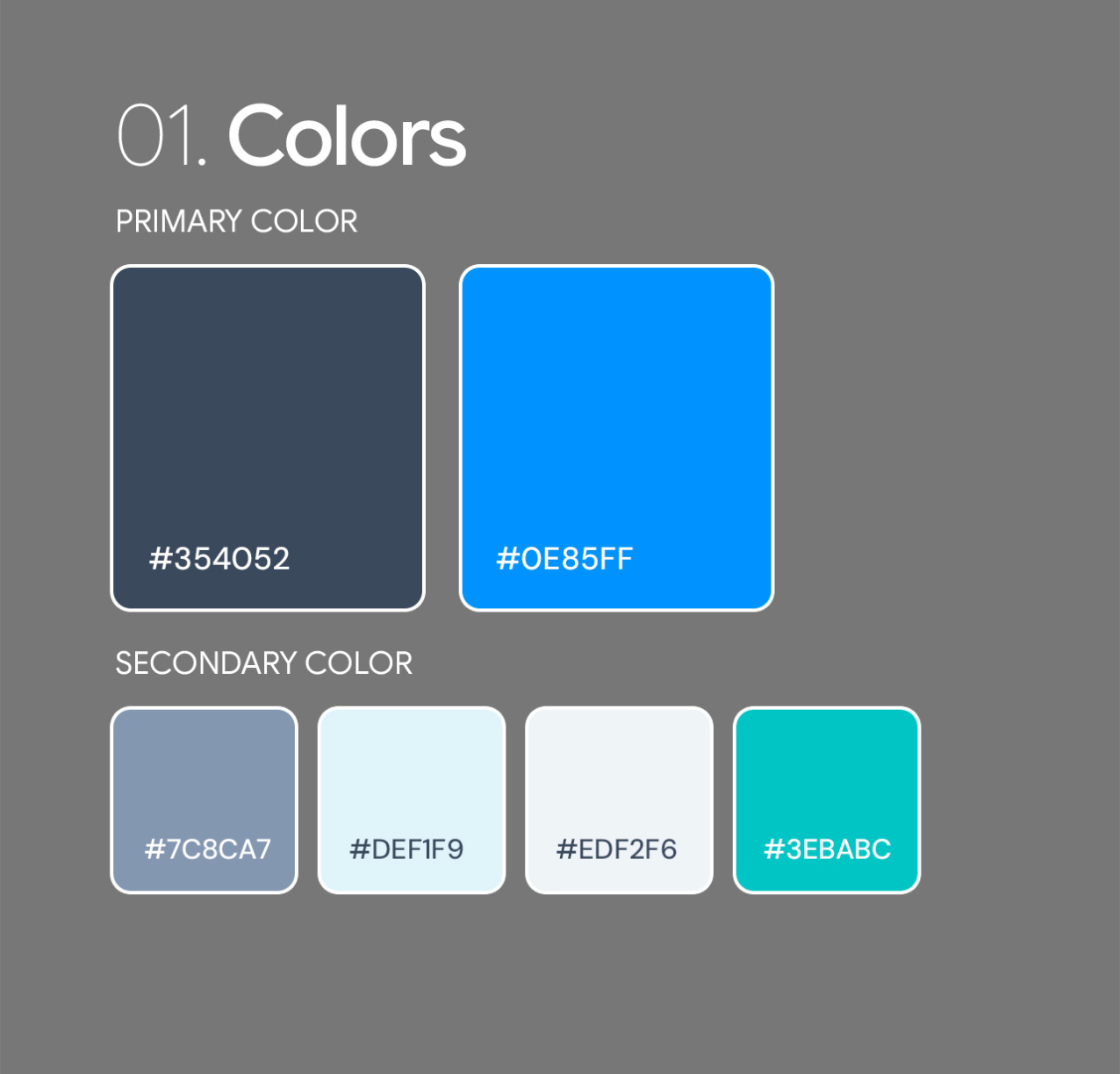
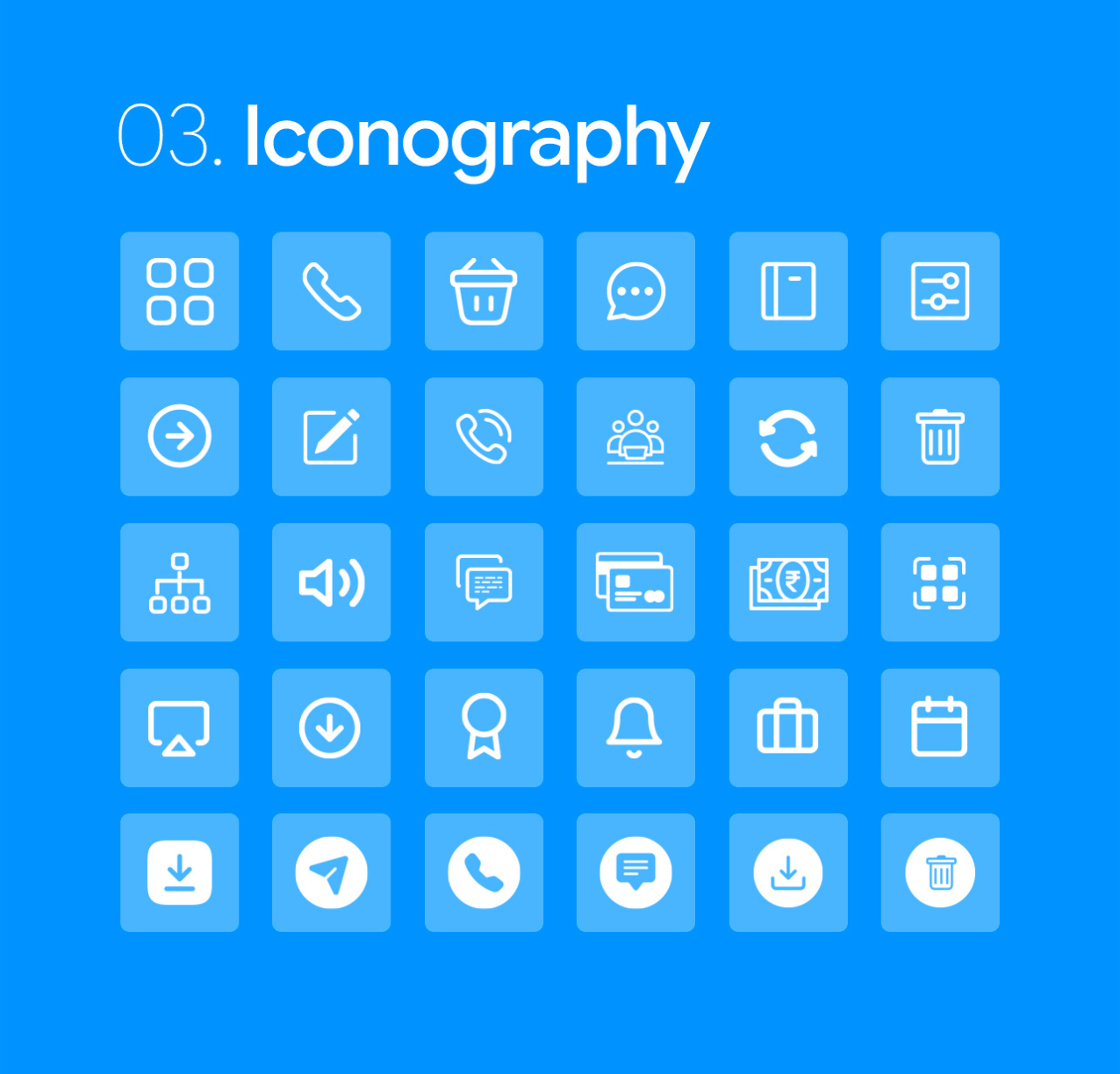
Style Guide

I developed a comprehensive design system that eliminated inconsistencies and cut down production time, allowing the team to focus on delivering a superior user experience.
colors
typography
The

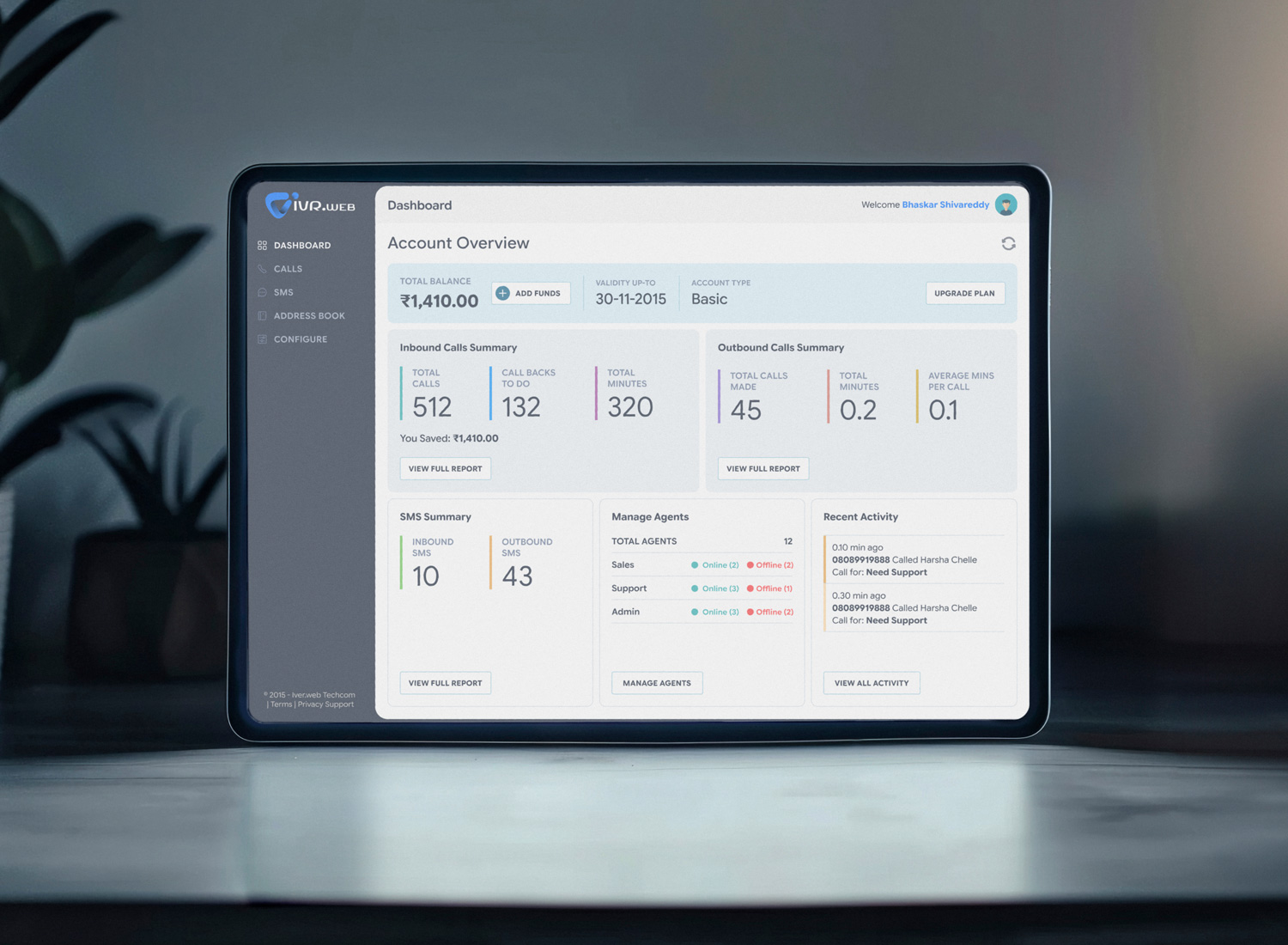
Visual Design

To me, Visual Design is more than just aesthetics—it’s a communication tool. I use typography, color theory, and spacing to create a clear visual hierarchy that guides the user’s eye to what matters most.

  • Address

    VenkiDesigns
    10/A, Indira Gandhi Street,
    Sengeniammal Nagar, Orlean Pet
    Pondicherry – 605005. (INDIA)
  • Sign up for the newsletter

This website stores cookies on your computer. Cookie Policy