The StoreFront
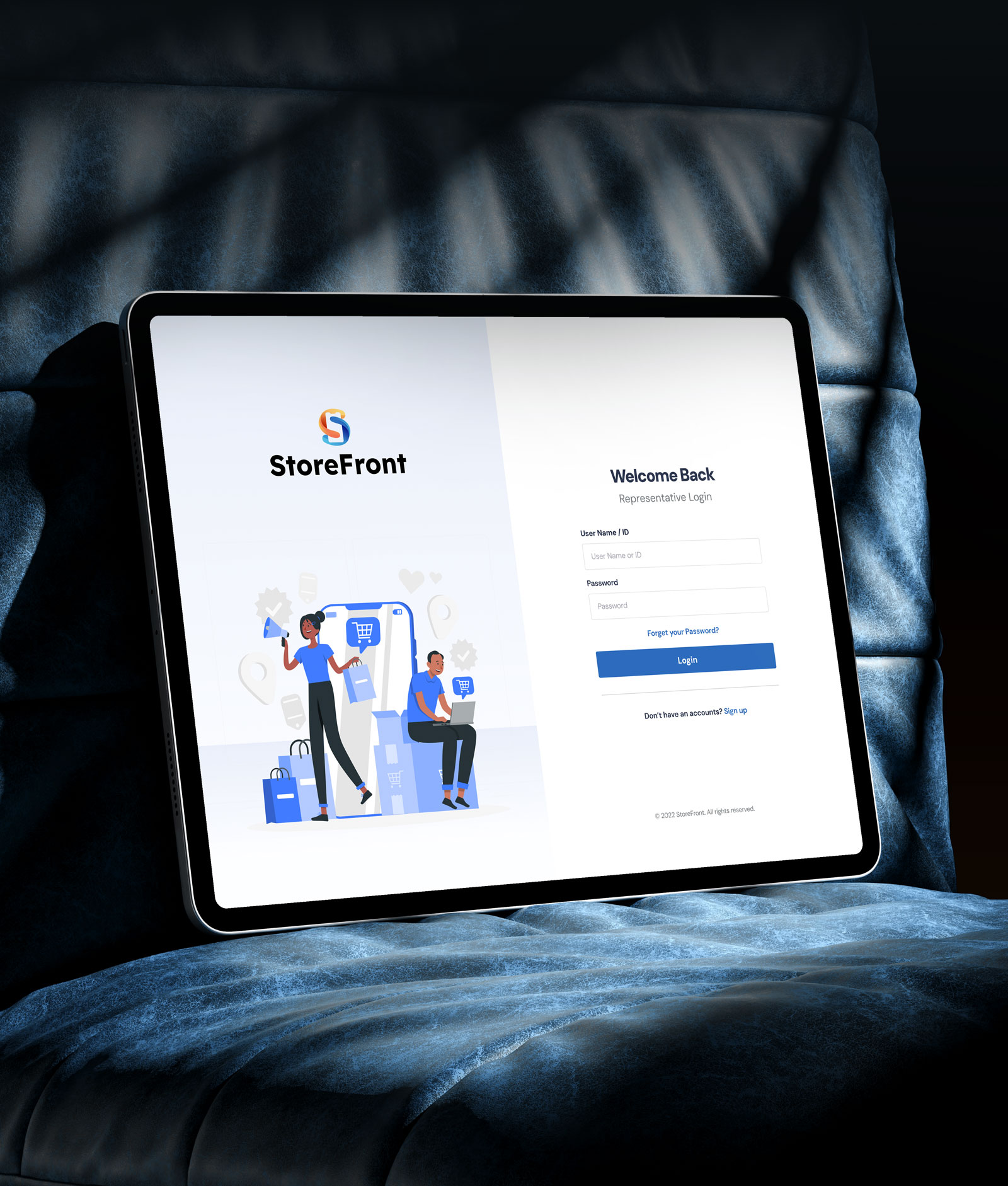
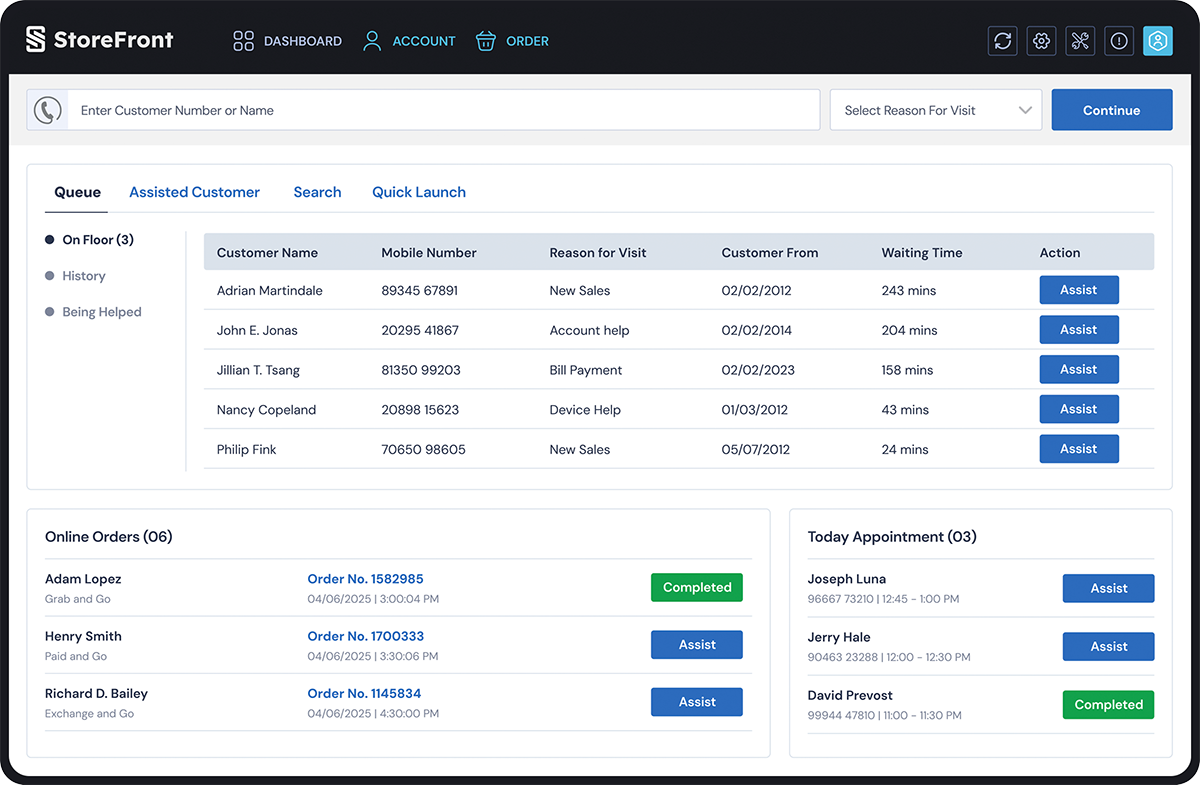
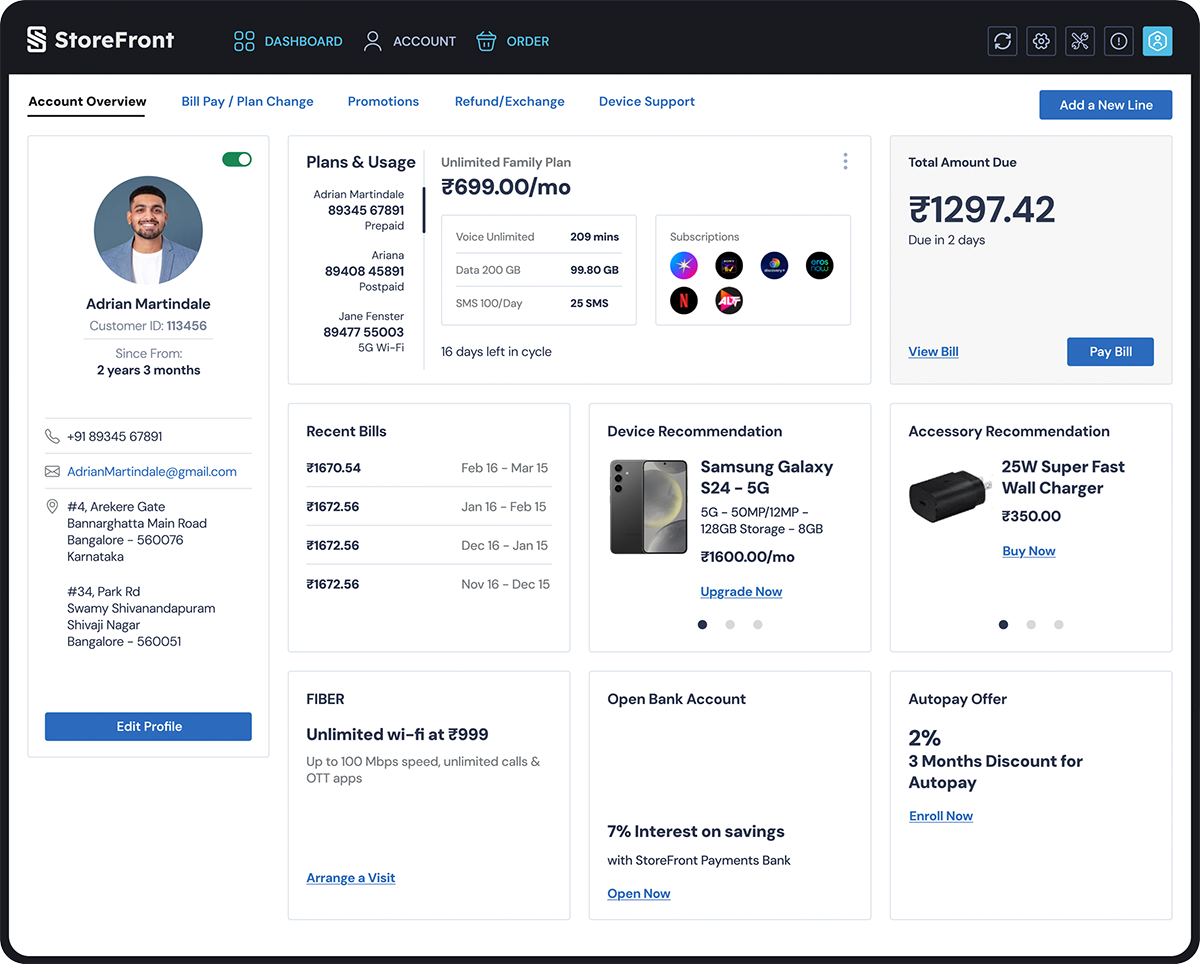
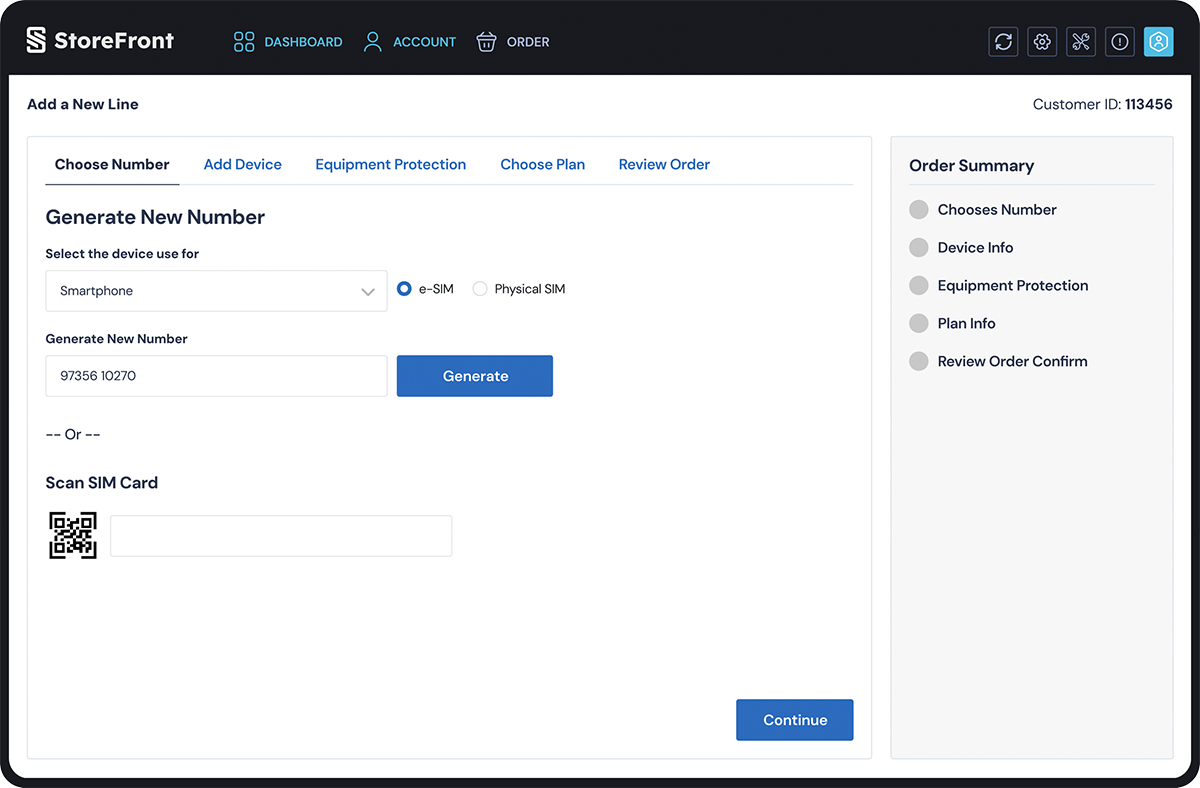
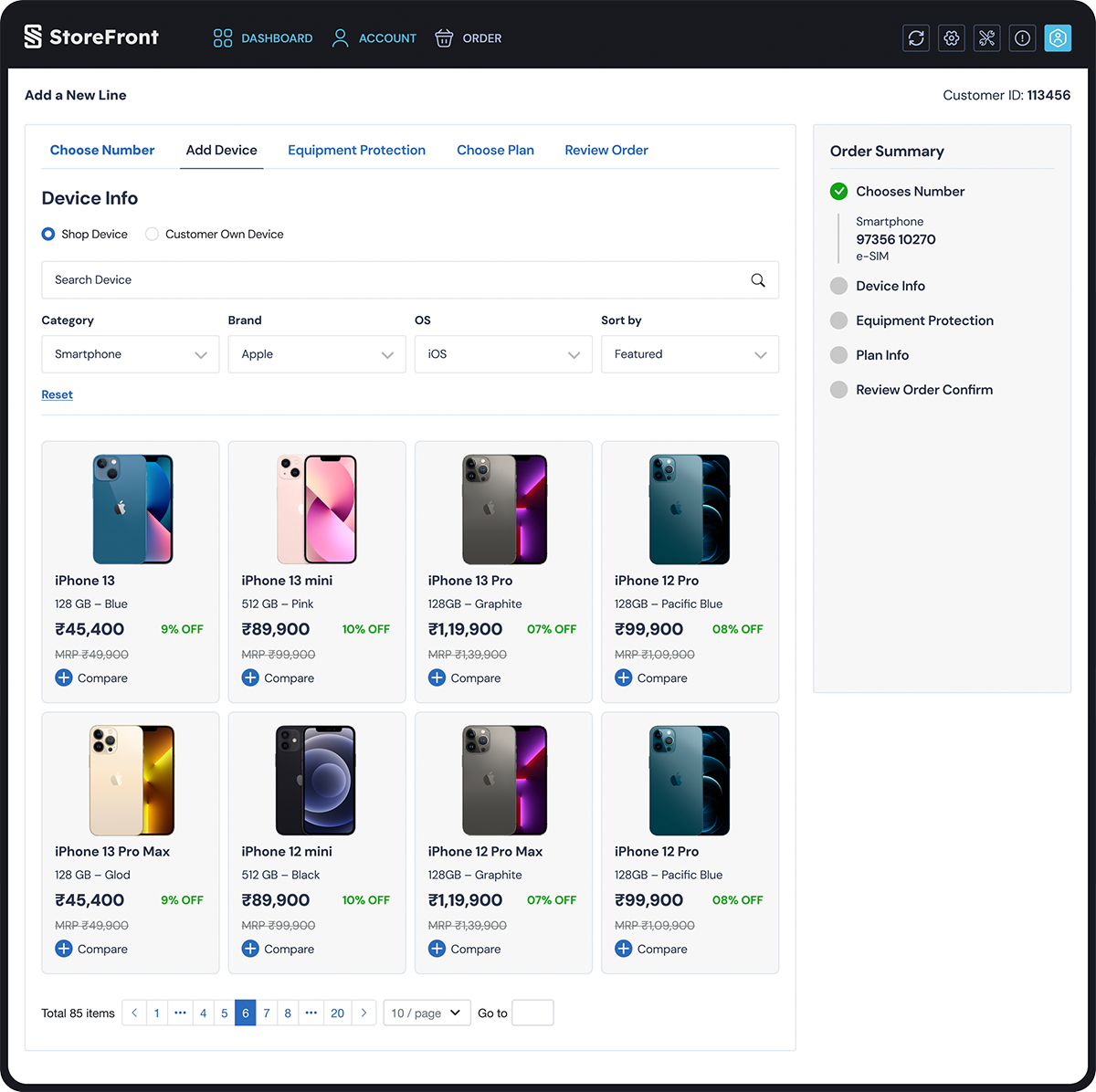
StoreFront is the essential Telecom Customer Service Application designed to empower sales representatives. It streamlines store management and provides the tools needed to efficiently.
Project Overview
Design
Strategy
Client
Problem Statement
- Increased average handling time (AHT) for retail store associates
- Frustration for both customers and employees due to prolonged service times and navigation errors
- Higher training costs and a steeper learning curve for new store personnel
Design and implement a simplified, intuitive, and task-based workflow.
The Customer Service Application to reduce the average transaction time by 50% and improve employee satisfaction with the tool, thereby enhancing the overall in-store customer experience.
I play a role of
- Design Strategy
- Problem Solution
- Insights & Analytics
- User Research
- User Persona
- Information Architecture
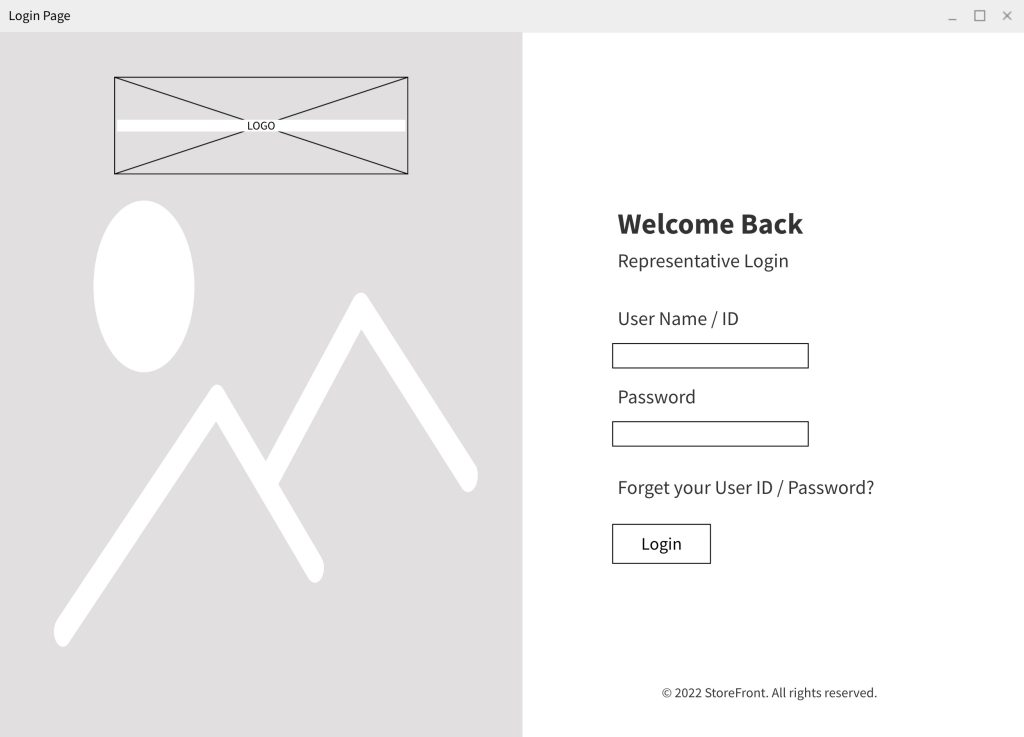
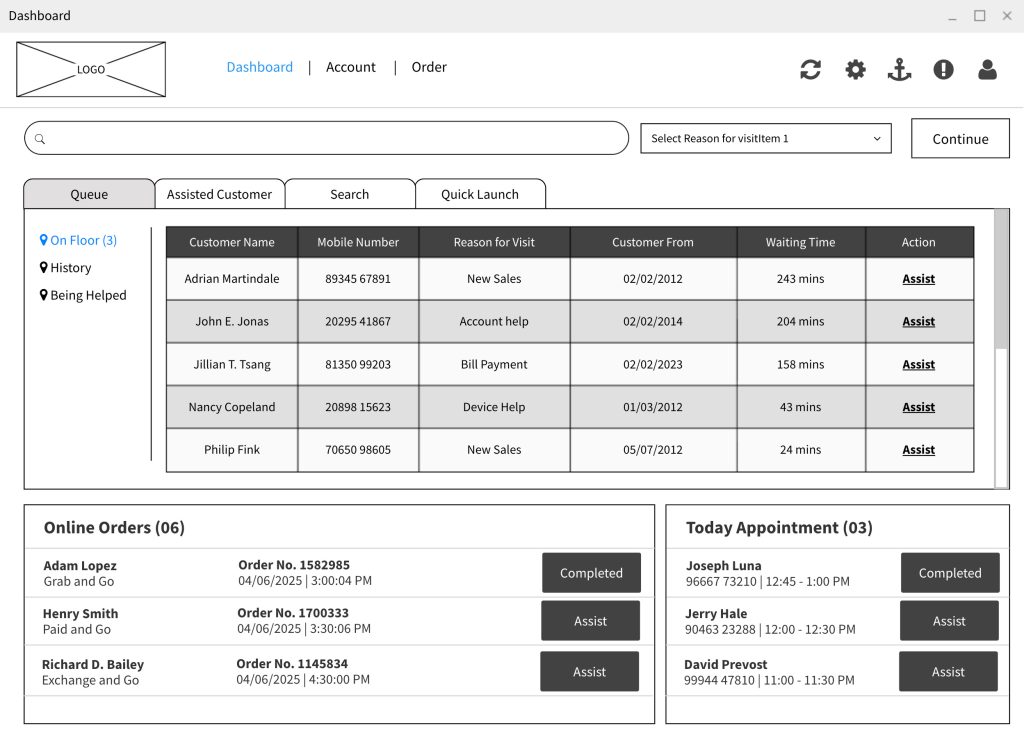
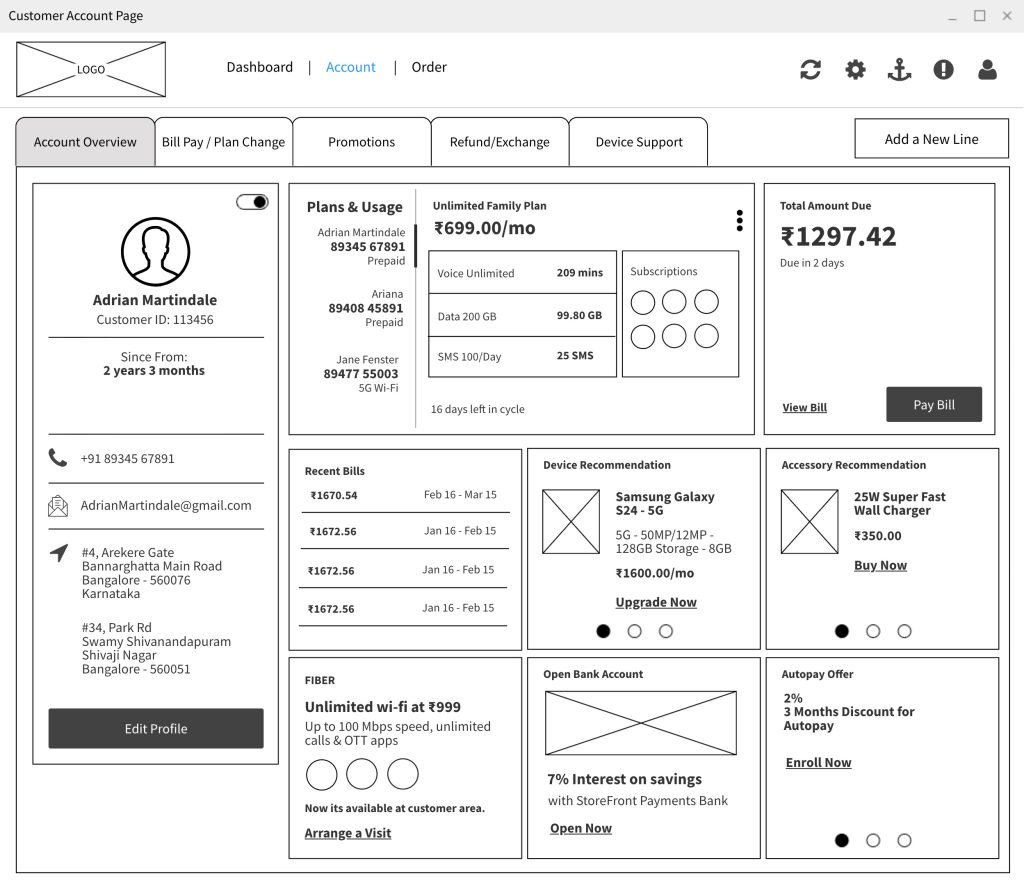
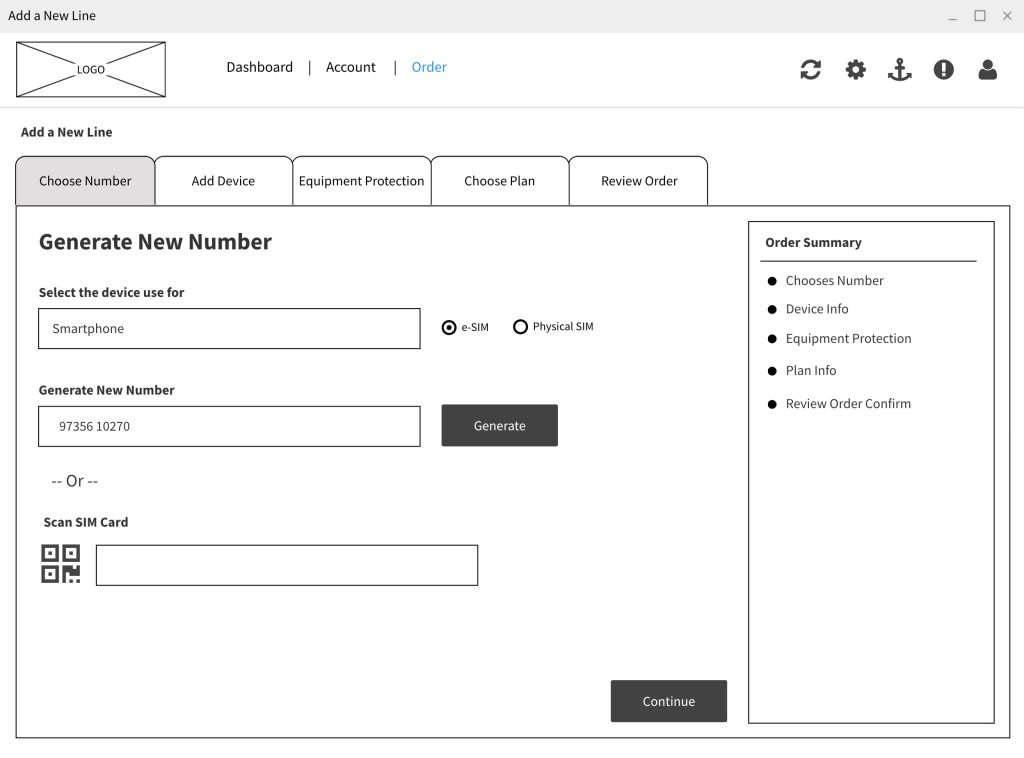
- Wireframe
- Prototyping
The Users and the Industry
During the initial week of the project, I conducted in-depth user research by visiting company retail locations. I interviewed a store manager and subsequently met with store sales representatives who are the primary users of the iPad web application.
This research provided a deep understanding of the application’s current challenges in supporting customers and the time involved in support workflows, particularly concerning the merged support modules.
I also gathered external perspectives by interviewing friends about their own customer service interactions.
Key Findings
The interviews confirmed the core functions of the application: customer support checks, onboarding, bill pay, service/number additions, new mobile sales, in-store pickup, product exchanges, and new home internet setup.
The most critical insight identified was two-fold: excessive application loading times and a complex information architecture that made key options difficult for sales representatives to locate quickly.
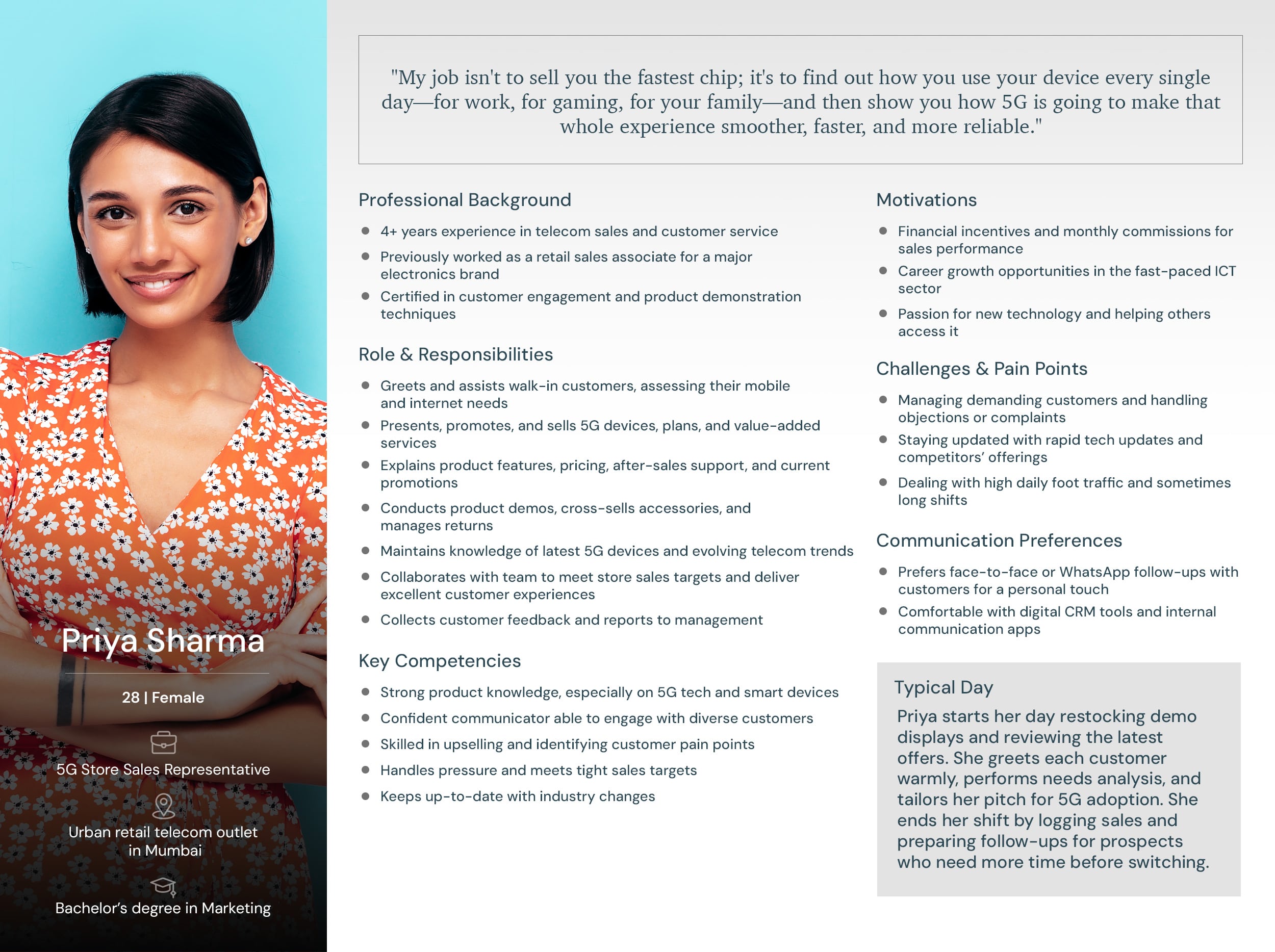
Personas
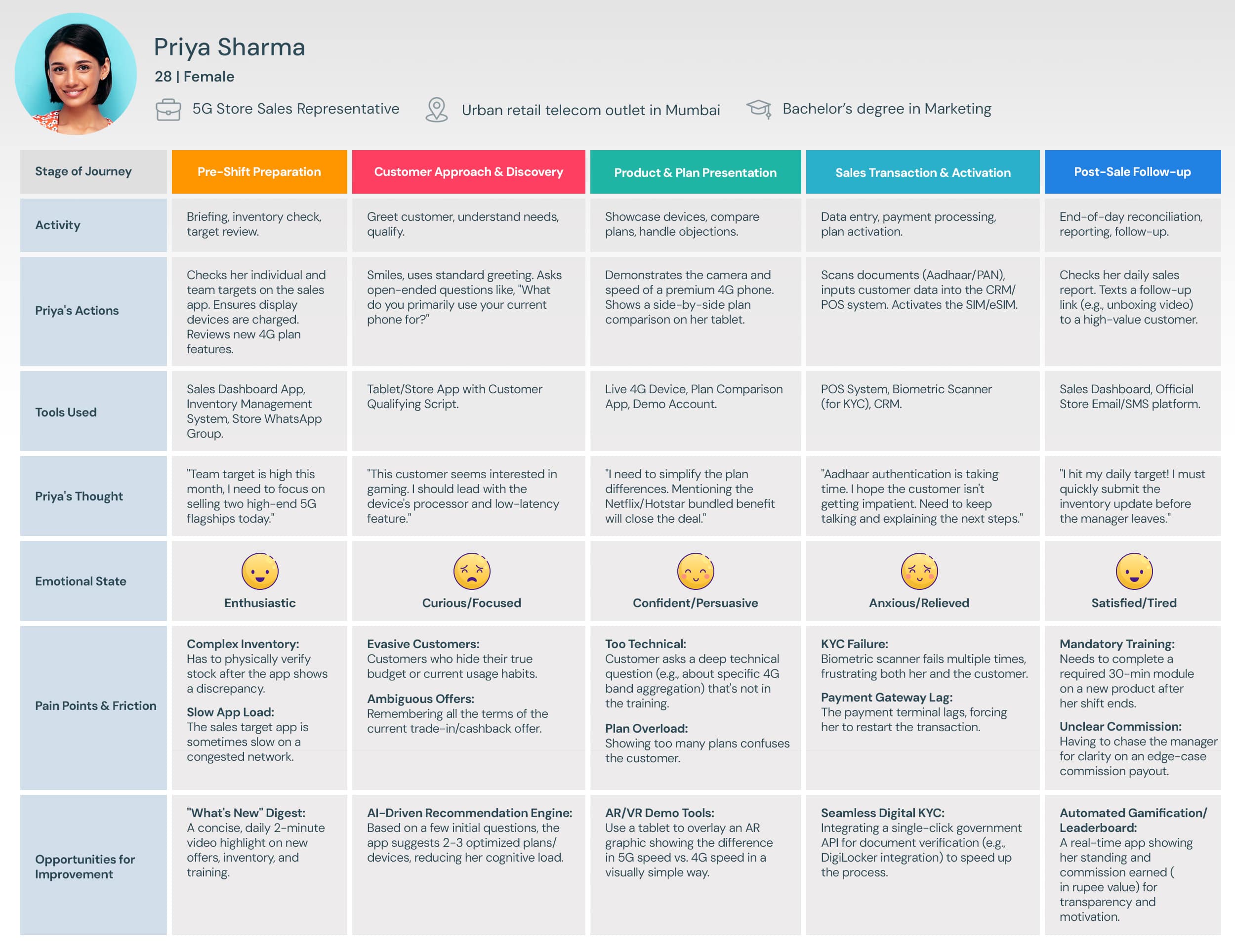
& User Journey Maps
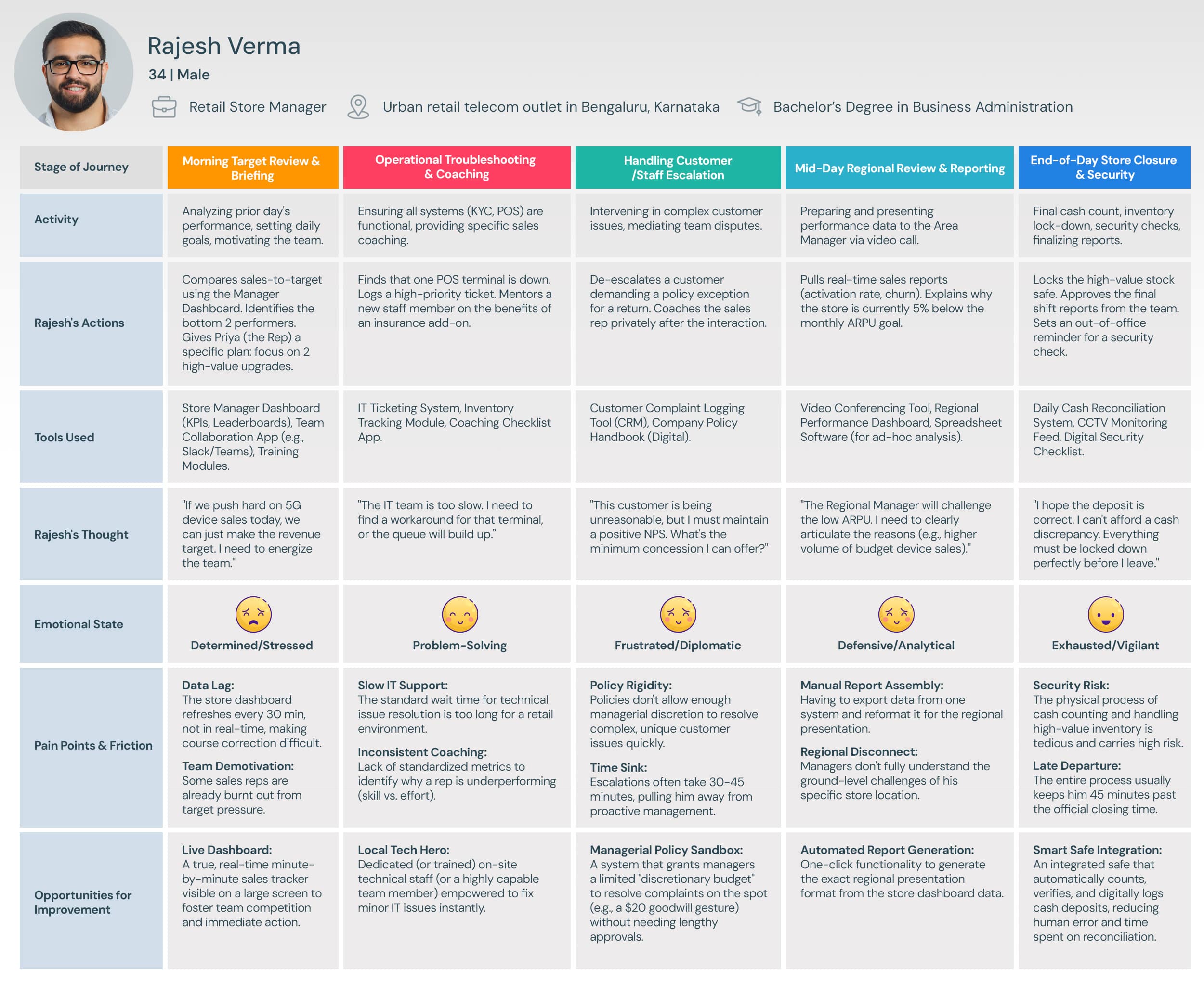
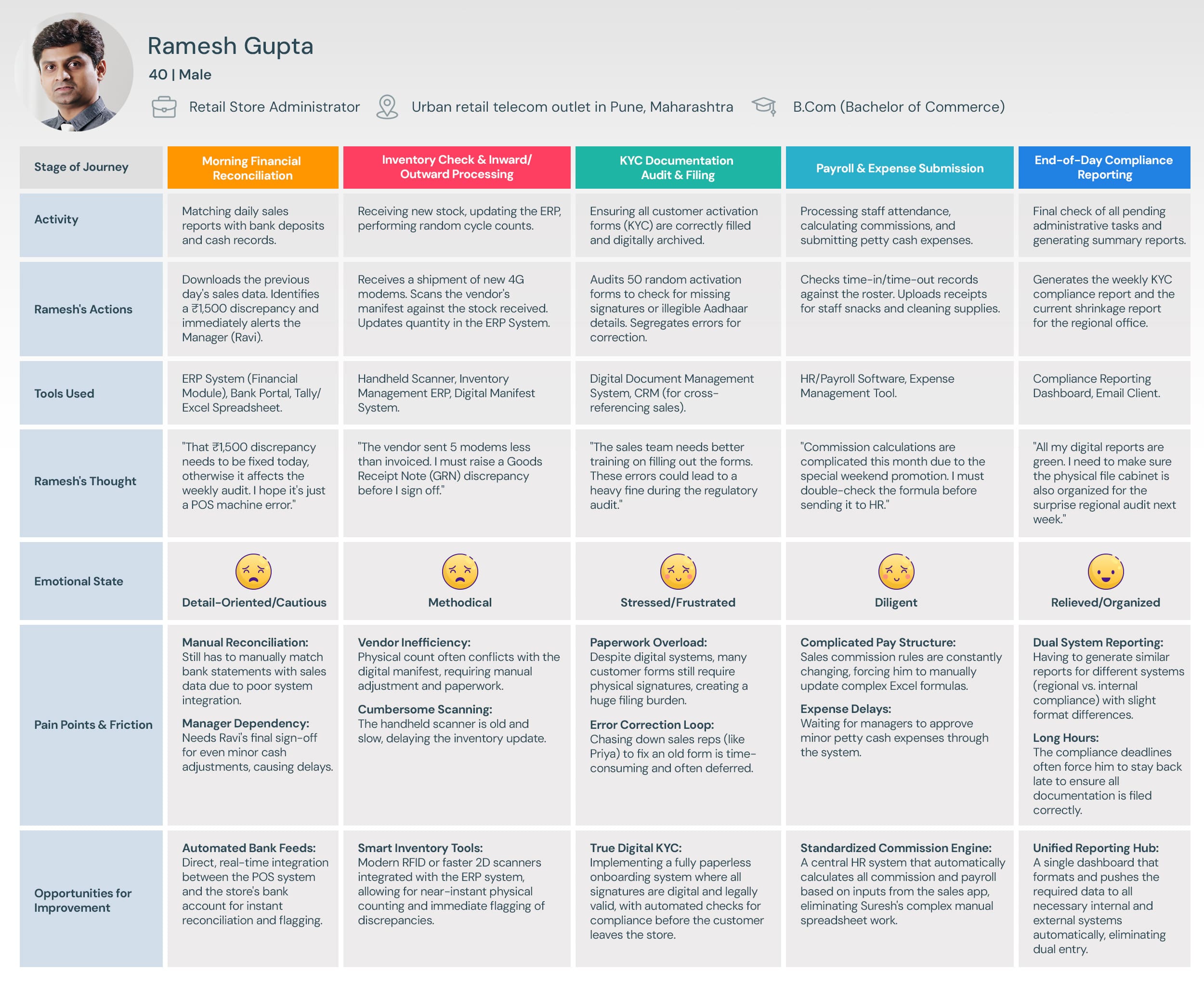
My interviews with the store manager and sales representative provided critical, detailed information.
This foundation allowed me to successfully create the resulting personas and journey maps.
Personas
User Journey Maps
Information
Architecture.
Information Architecture (IA) is rarely a “one size fits all” discipline. Even within the same software ecosystem, different users approach the system with vastly different mental models, goals, and time constraints.
To illustrate this, let’s look at two distinct workflows for a retail application: the Sales Representative and the Store Manager. By analyzing the sitemaps and user flows for these two personas, we can see how IA must shift to accommodate specific user needs.
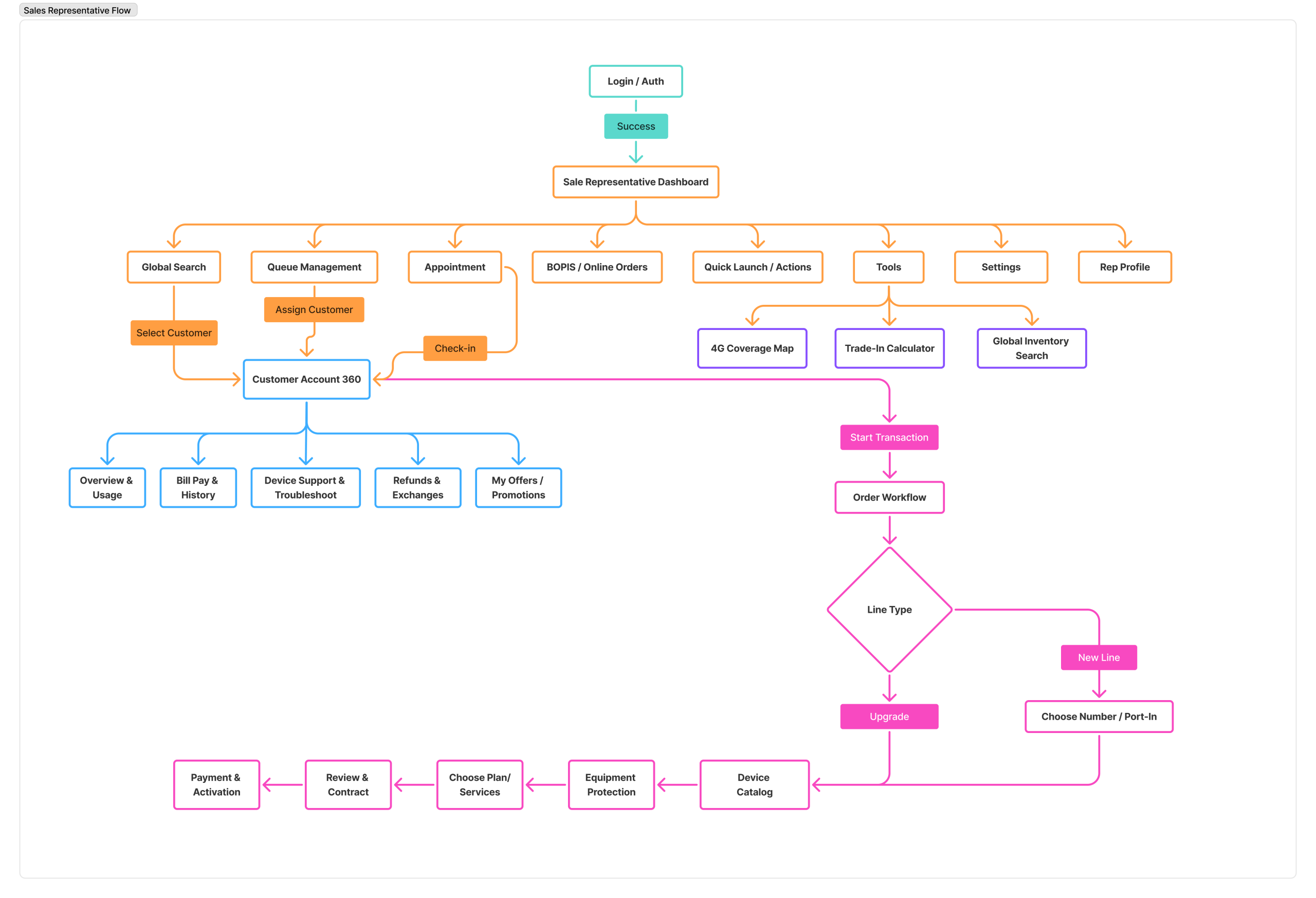
1. The Sales Representative: The “Tunnel” Architecture
The Sales Representative’s primary goal is efficiency and conversion. Their IA is designed to reduce friction and guide the user through a linear process.
The Hub-and-Spoke Model
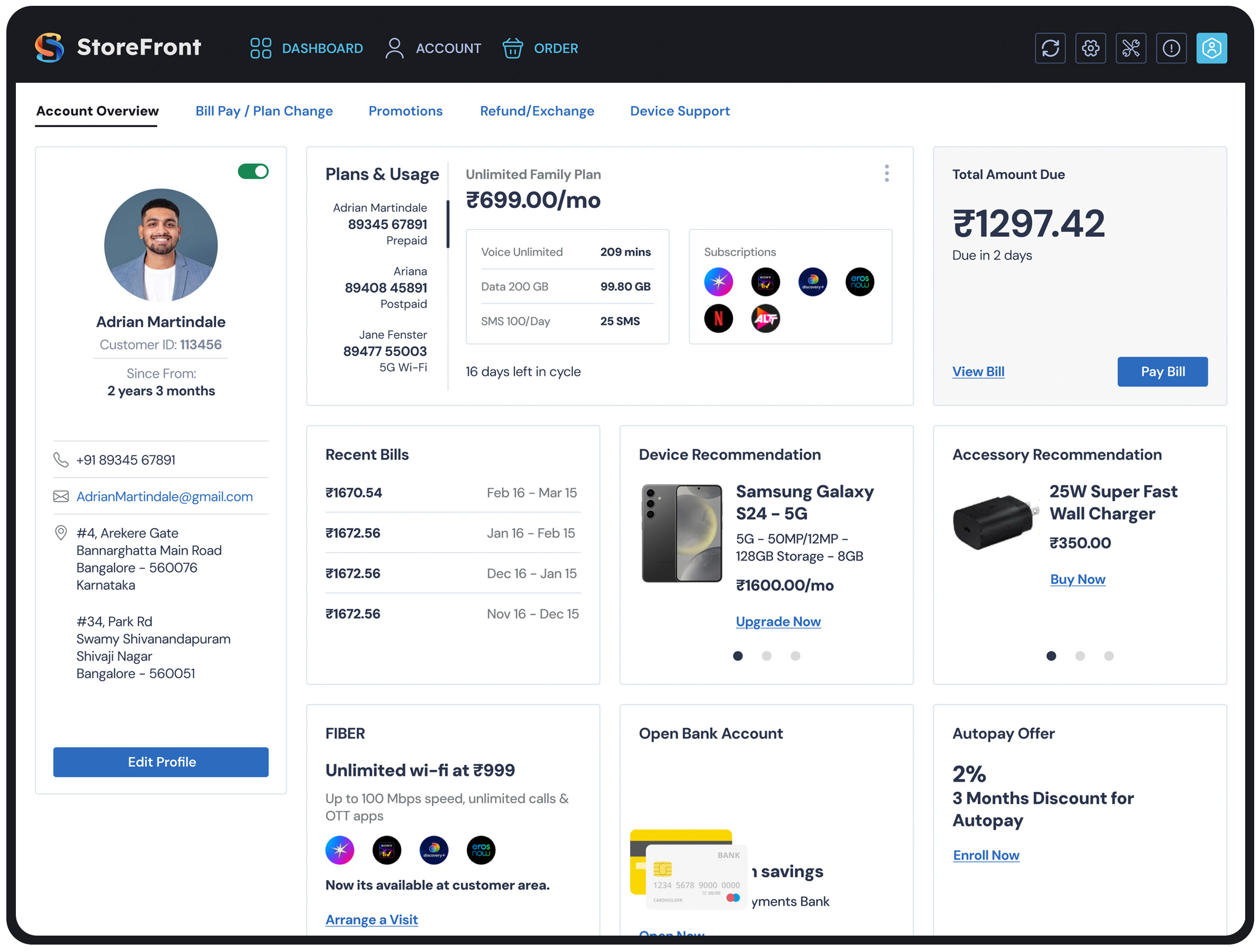
Looking at the Sales Representative Flow, the architecture begins with a Dashboard acting as a central hub. However, unlike a managerial dashboard designed for monitoring, this dashboard is designed for action initiation.
- Quick Launch & Tools: The presence of
Quick LaunchandTools(like the Trade-In Calculator) indicates an IA prioritized for speed. The user needs immediate access to utility features without digging through menus. - Customer Account 360: This is the critical anchor point. The IA consolidates
Overview,Bill Pay, andTroubleshootingunder one parent node. This prevents the rep from hopping between disparate sections of the app to answer a single customer question.
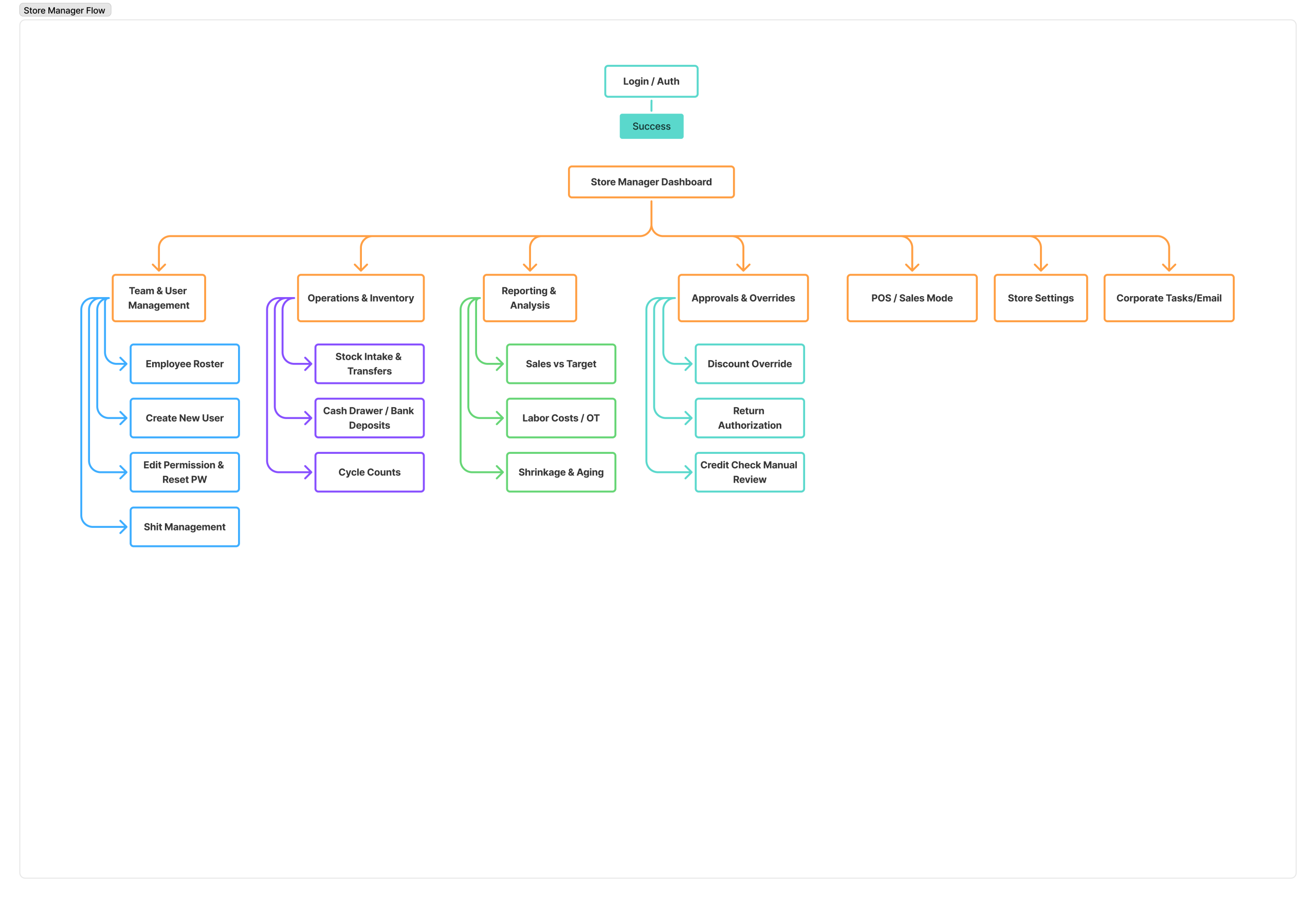
2. The Store Manager: The “Broad and Shallow” Architecture
The Store Manager’s primary goal is oversight and administration. Their flow is less about completing a single linear task and more about managing multiple concurrent buckets of information.
Categorical Grouping
The Store Manager Flow utilizes a broad, shallow hierarchy. Notice that there are no deep, multi-step tunnels like the Sales flow. Instead, the IA is organized into distinct administrative silos:
- Team & User Management: (Rosters, Permissions)
- Operations & Inventory: (Stock, Cash Drawer)
- Reporting & Analysis: (Sales vs Targets, Labor Costs)
- Approvals & Overrides: (Discounts, Returns)
Why this works: This structure supports “Berry-picking” behavior. Managers often need to jump in, approve a discount, check a labor report, and jump out. They need high-level visibility across many categories rather than a deep dive into one specific transaction.
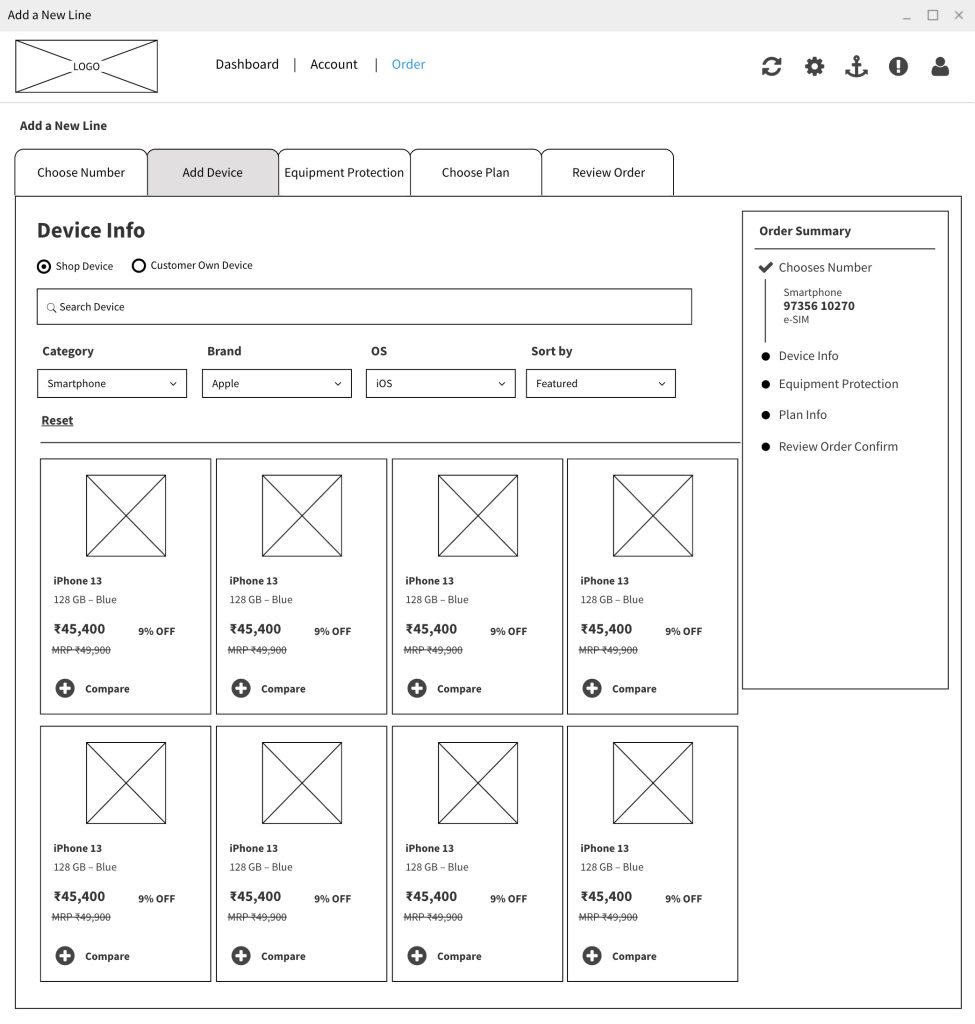
Wireframing
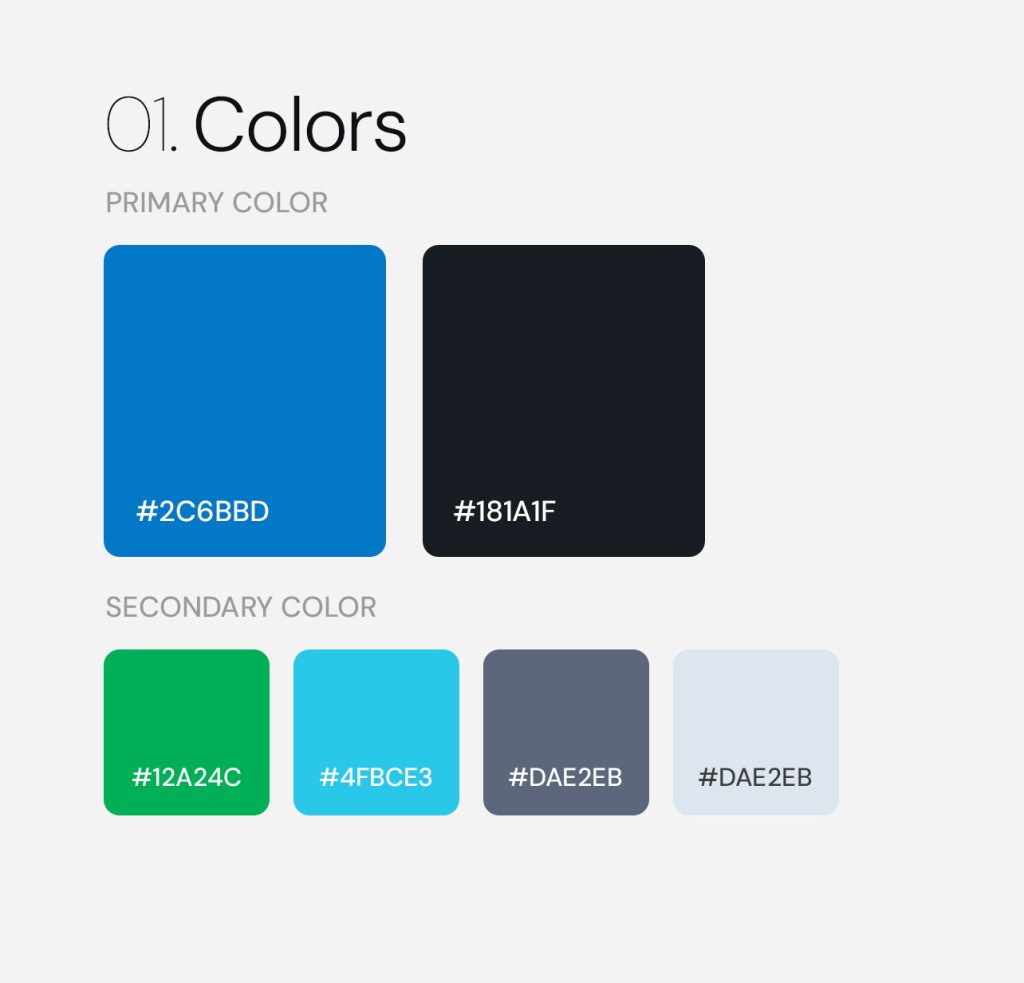
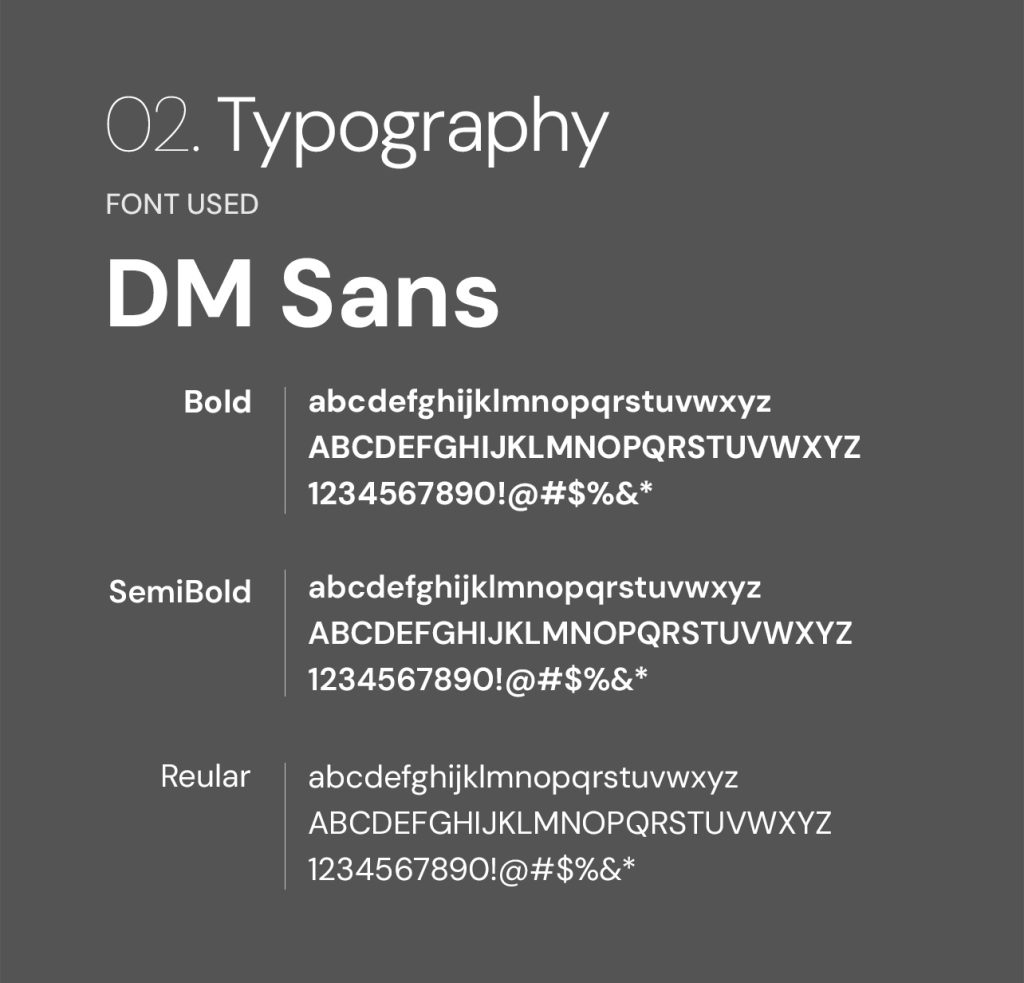
Style Guide
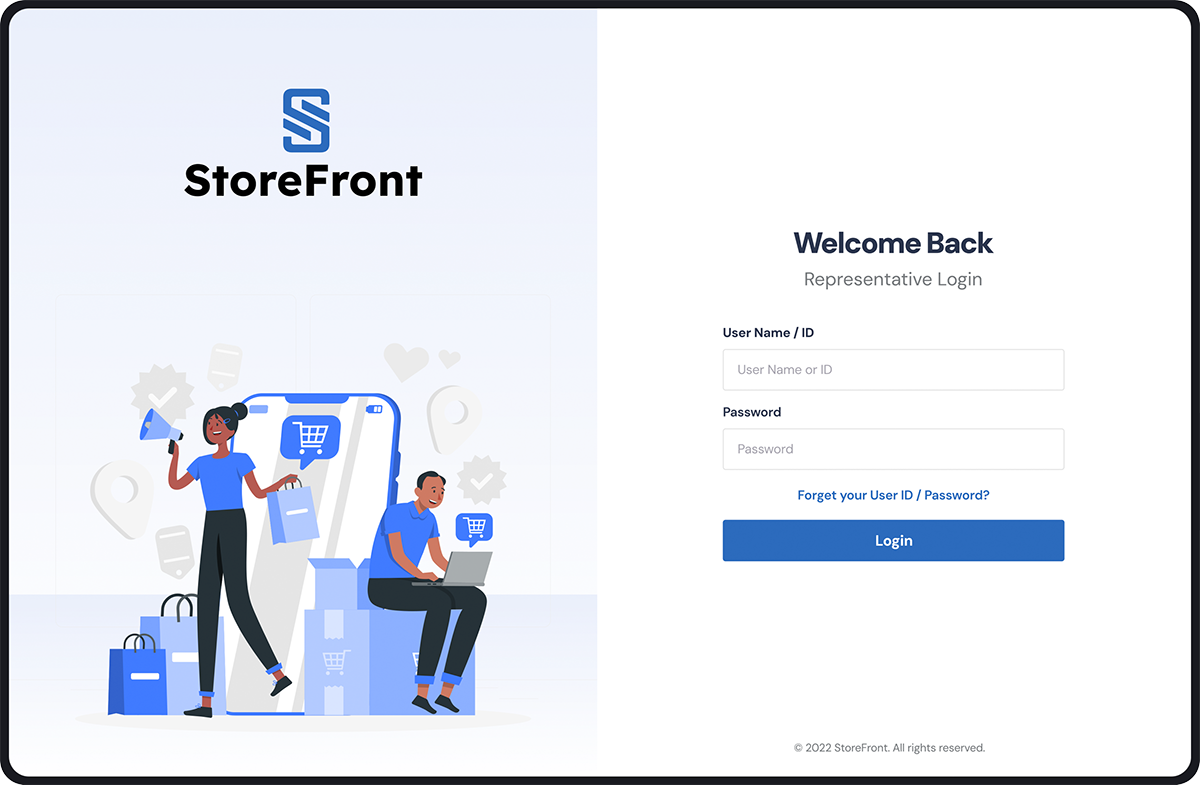
Visual Design
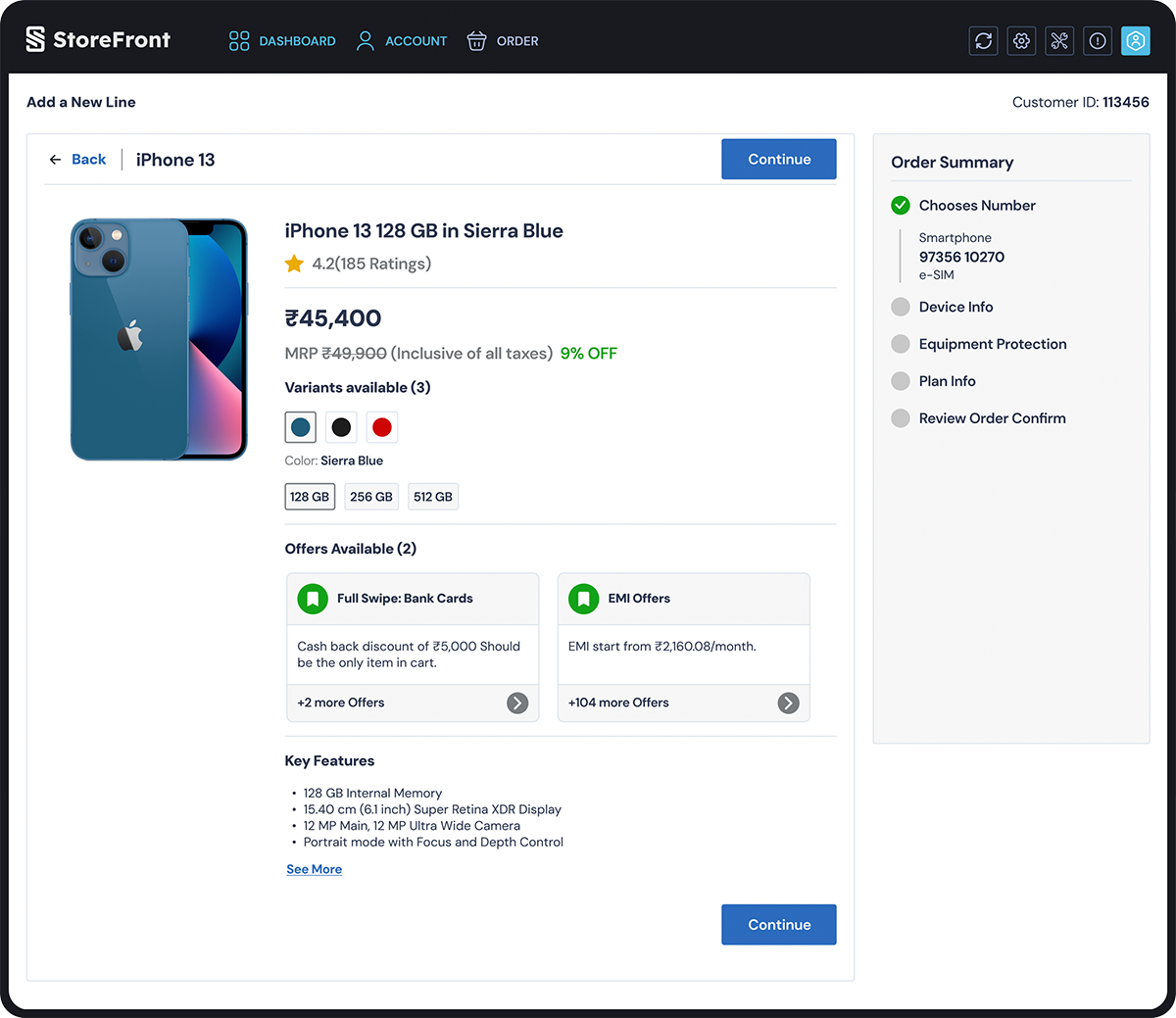
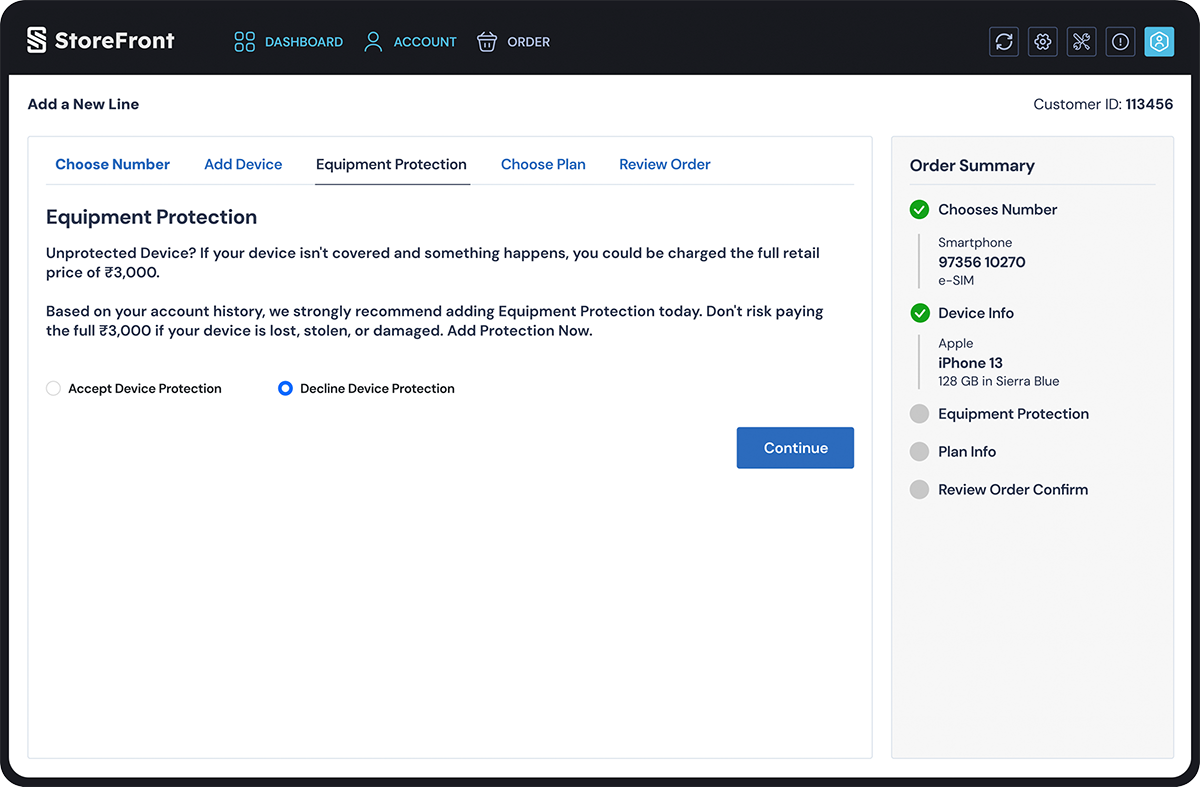
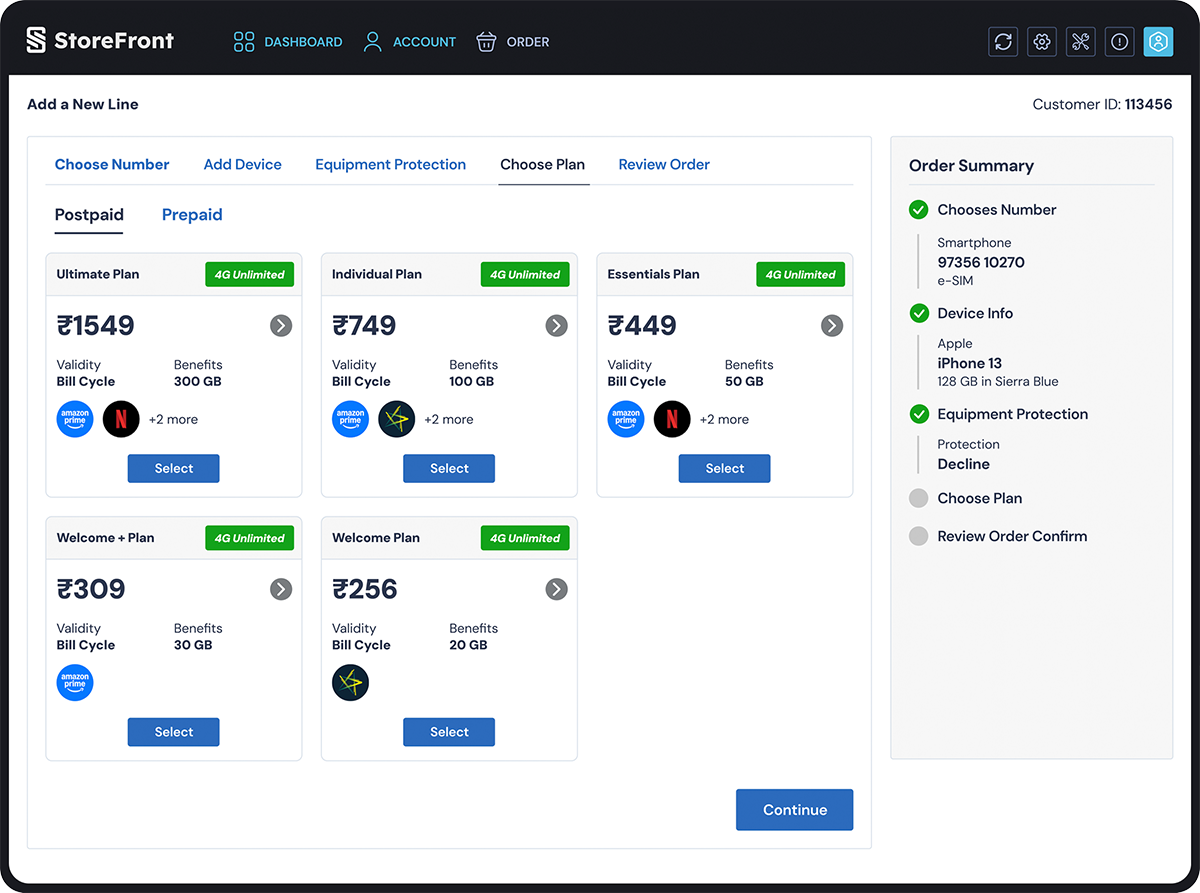
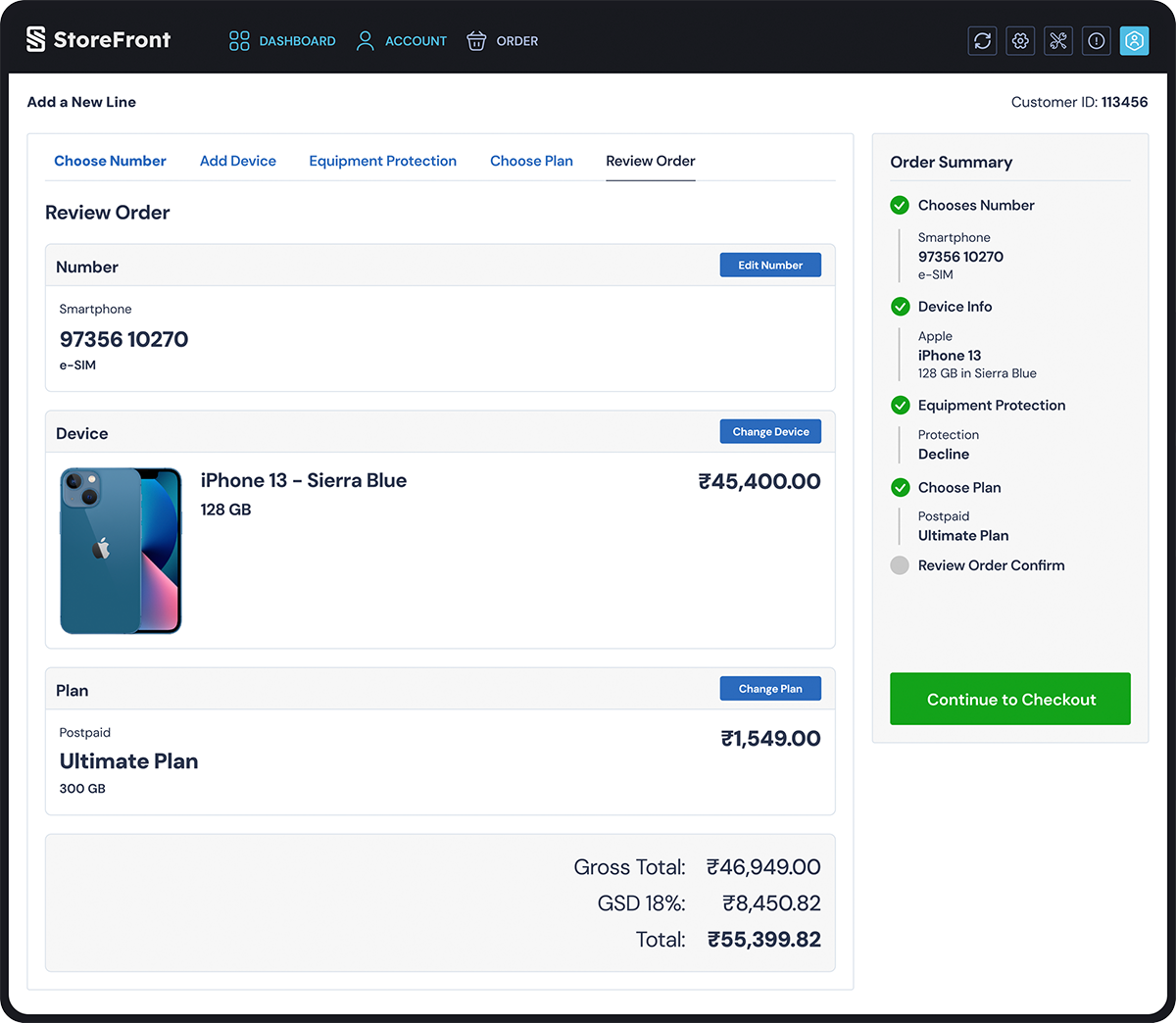
To me, Visual Design is more than just aesthetics—it’s a communication tool. I use typography, color theory, and spacing to create a clear visual hierarchy that guides the user’s eye to what matters most.