Get In Touch
10/A, Indira Gandhi Street, Sengeniammal Nagar,
Orlean Pet, Pondicherry – 605005. (INDIA)
Work Inquiries
venki@venkidesigns.com
Ph: +91.994.440.0361
STRATEGY | UI/UX | MOBILE APP

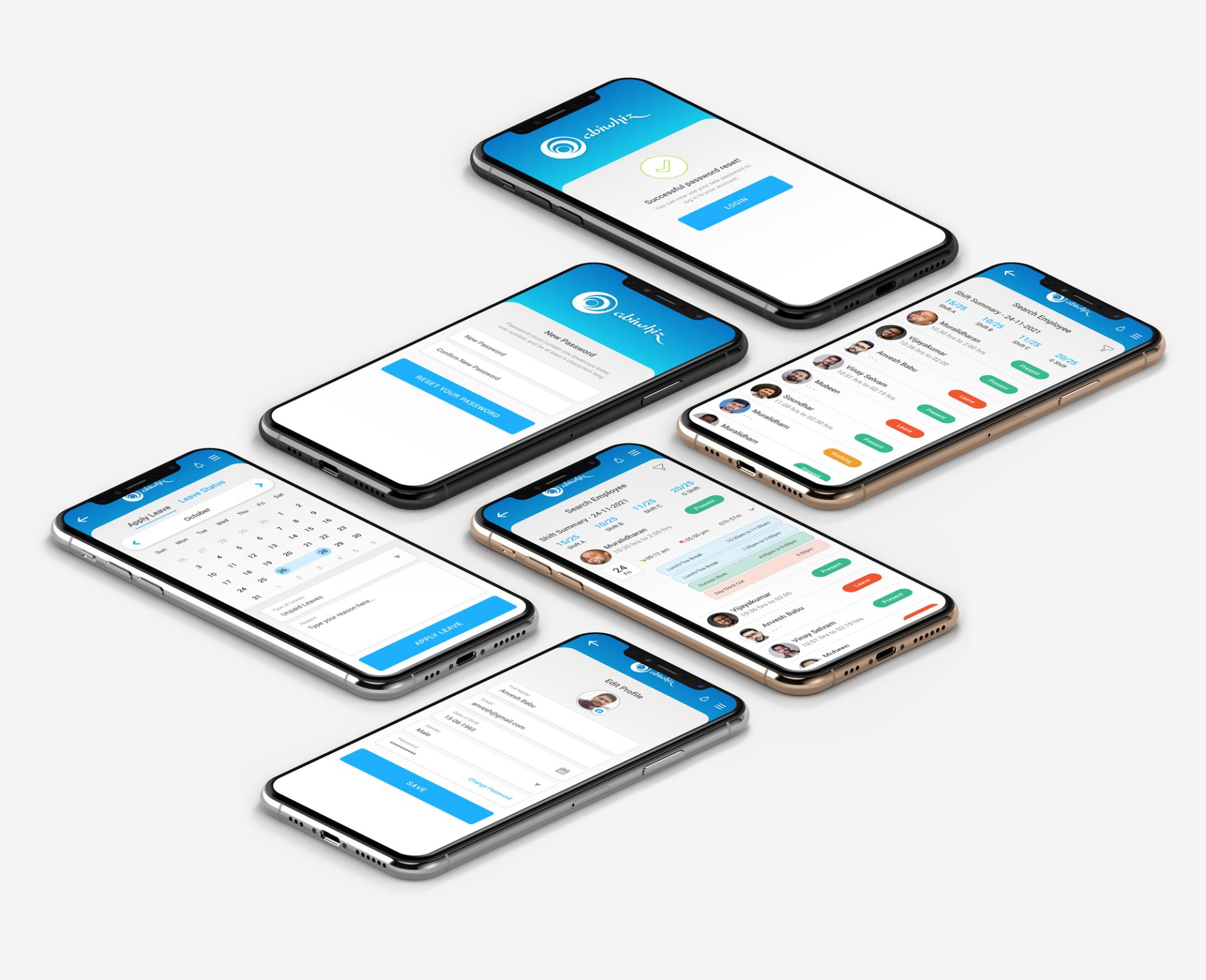
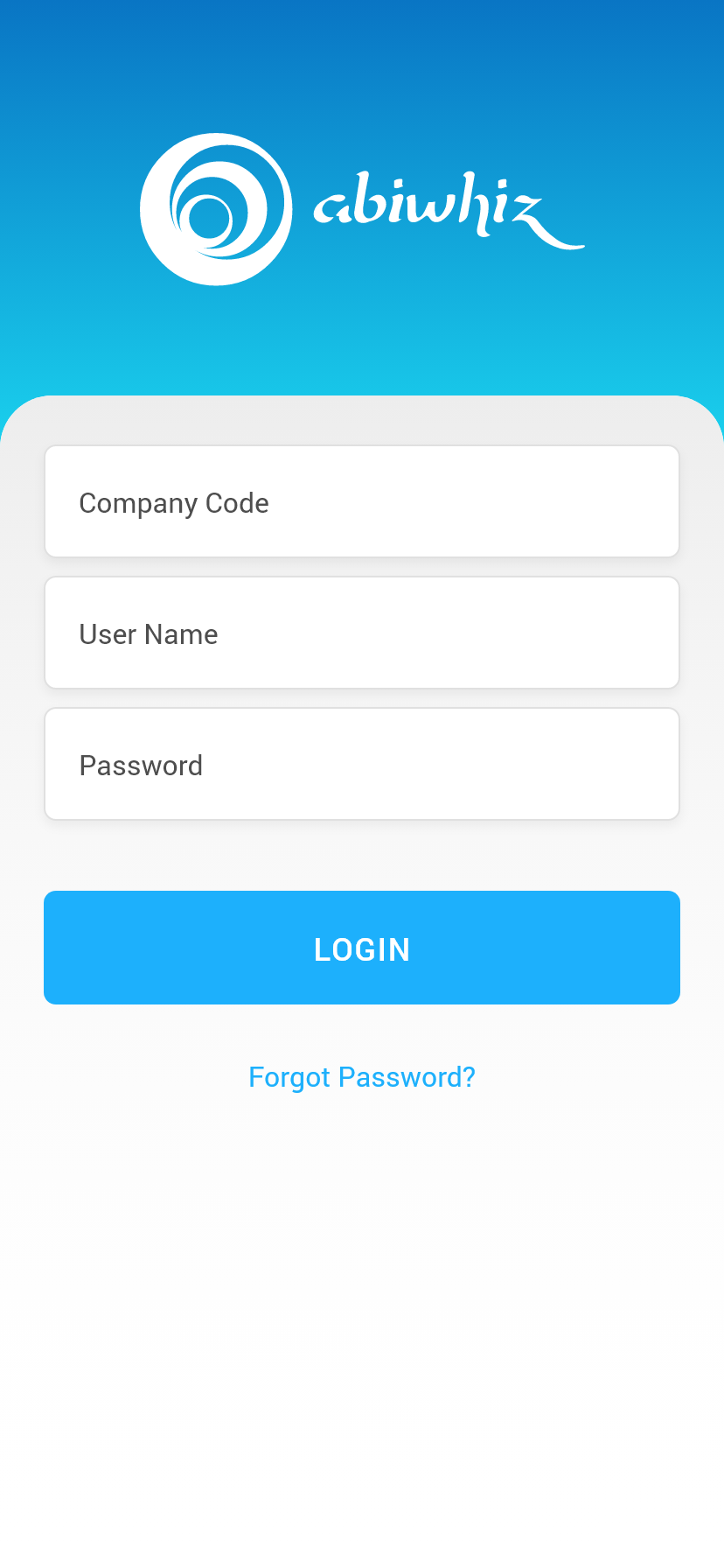
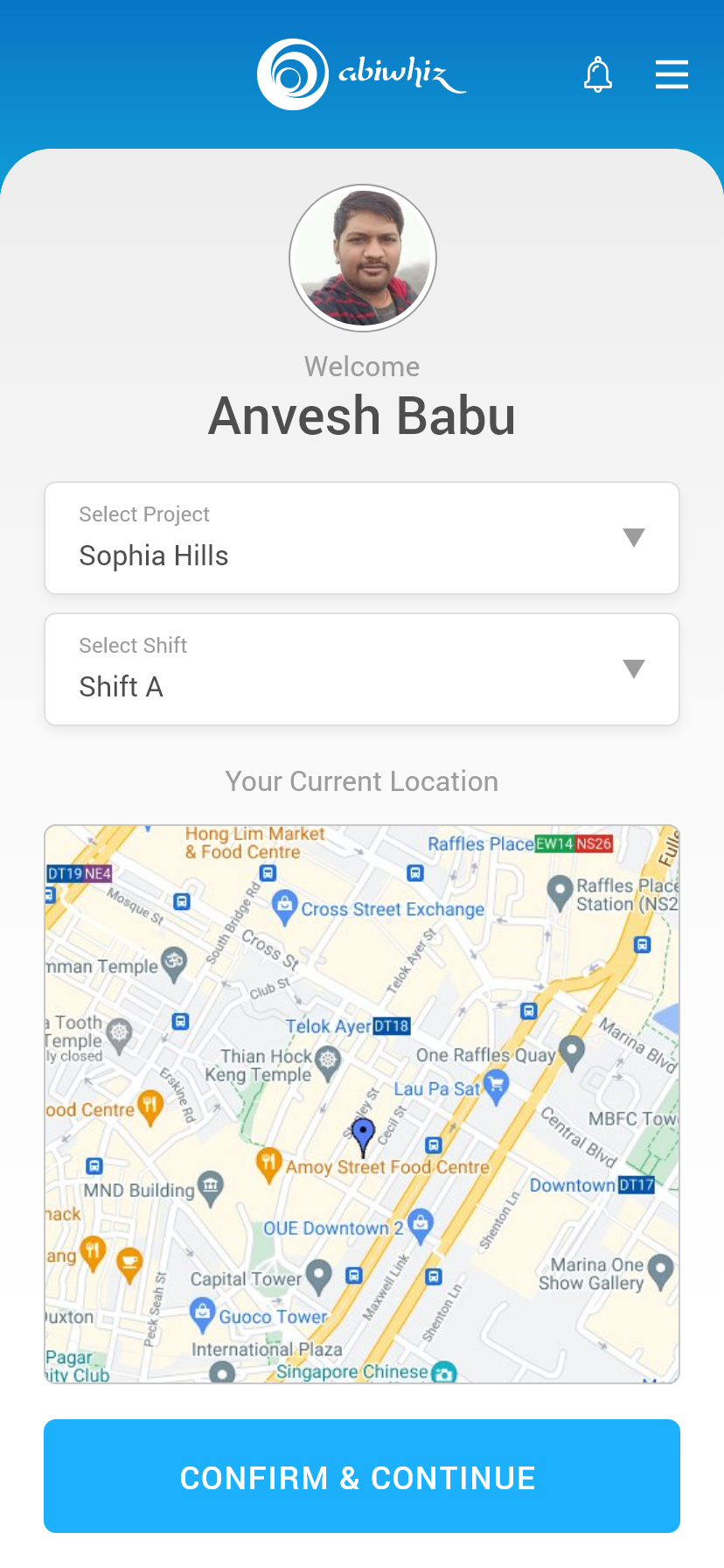
Abiwhiz Attendance and Shift Scheduling Mobile app

Translating the robust capabilities of the “Workin Time” web-based attendance software into a streamlined mobile application requires a rigorous, human-centered design approach. The goal for the ABI WHIZ TMS mobile app is to eliminate friction from daily time tracking while automating complex backend processes—specifically shift management, overtime (OT) calculations, and lateness tracking.

abi-UI-UX-01

Project Overview

  • While the web-based “Workin Time” platform serves as the administrative heavy-lifter, the ABI WHIZ  mobile app acts as the agile, on-the-go companion. It is designed to reduce the cognitive load on employees logging hours and empower managers with real-time decision-making capabilities.

    Key Objectives:

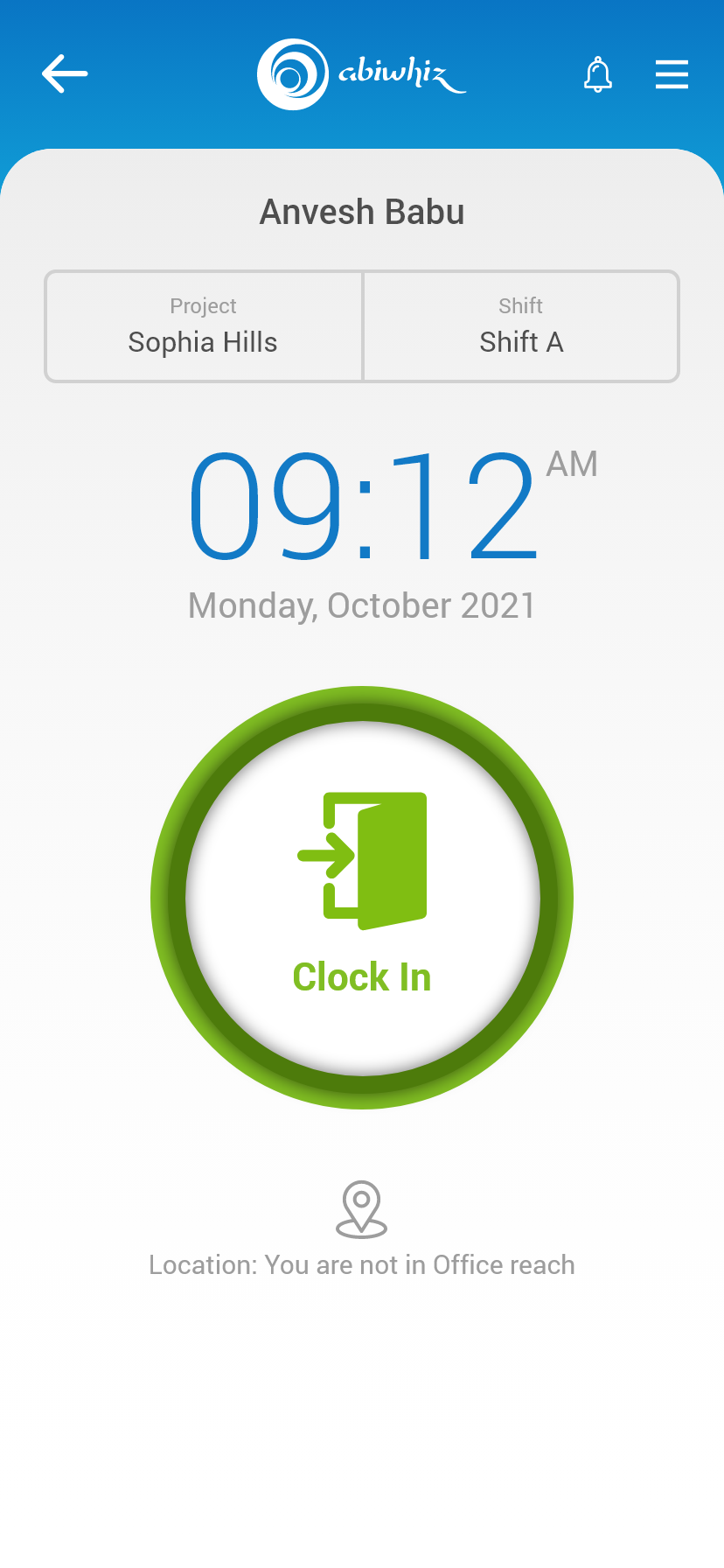
    • Zero-Friction Time Capture: Reduce clock-in/clock-out actions to a single, accessible tap utilizing mobile-native features (biometrics, geofencing).

    • Proactive Automation: Use intelligent agents to automatically calculate OT and flag lateness without manual reconciliation.

    • Self-Service Empowerment: Allow employees to manage shift swaps, request time off, and view real-time hour accumulations directly from their devices.

Problem Statement

In enterprise environments relying on shift-based labor, time and attendance tracking is often hindered by legacy, desktop-bound systems. The existing web-based “Workin Time” platform, while robust in backend processing, creates operational friction at the floor level.

Employees are forced to use communal kiosks or dedicated terminals to log hours, creating bottlenecks during shift changes. Furthermore, the manual reconciliation of shift swaps, overtime (OT) approvals, and lateness tracking forces managers to spend excessive time on administrative data entry rather than active team leadership.

The core challenge is bridging the gap between a powerful backend system and the dynamic, on-the-go reality of the workforce.

The Human Problem (End-Users)

Floor employees experience high cognitive load and anxiety regarding their timekeeping. Without mobile access, they lack real-time visibility into their accumulated hours, upcoming shift changes, and approaching OT thresholds. This disconnect leads to accidental lateness, missed punches, and a lack of autonomy over their own schedules, ultimately reducing trust in the payroll process.

The Business Problem (Management & Admin)

For shift managers and HR, relying on delayed data from a web portal prevents proactive decision-making. Lateness is often only flagged after the fact, and overtime is frequently accumulated without prior approval due to a lack of immediate notification. This results in inflated labor costs, compliance risks, and hours wasted cross-referencing timesheets with shift schedules.
abi-UI-UX-04
THE SOLUTION

Context-aware experience. By leveraging native mobile capabilities.

To resolve the operational bottlenecks of a centralized, web-bound system, the ABI WHIZ TMS mobile application introduces a decentralized, context-aware experience. By leveraging native mobile capabilities—such as location services, biometrics, and push notifications—the app transforms timekeeping from a mandatory administrative chore into an invisible, frictionless part of the daily workflow.

The solution is built on four core UX pillars designed to empower both the floor employee and the shift manager.

1. Context-Aware, Zero-Friction Time Capture

We eliminate the queue at the physical punch clock by bringing the terminal to the employee’s pocket, secured by modern authentication.

  • Geofenced Prompts: As the employee enters the worksite radius, a lock-screen notification prompts them to clock in.

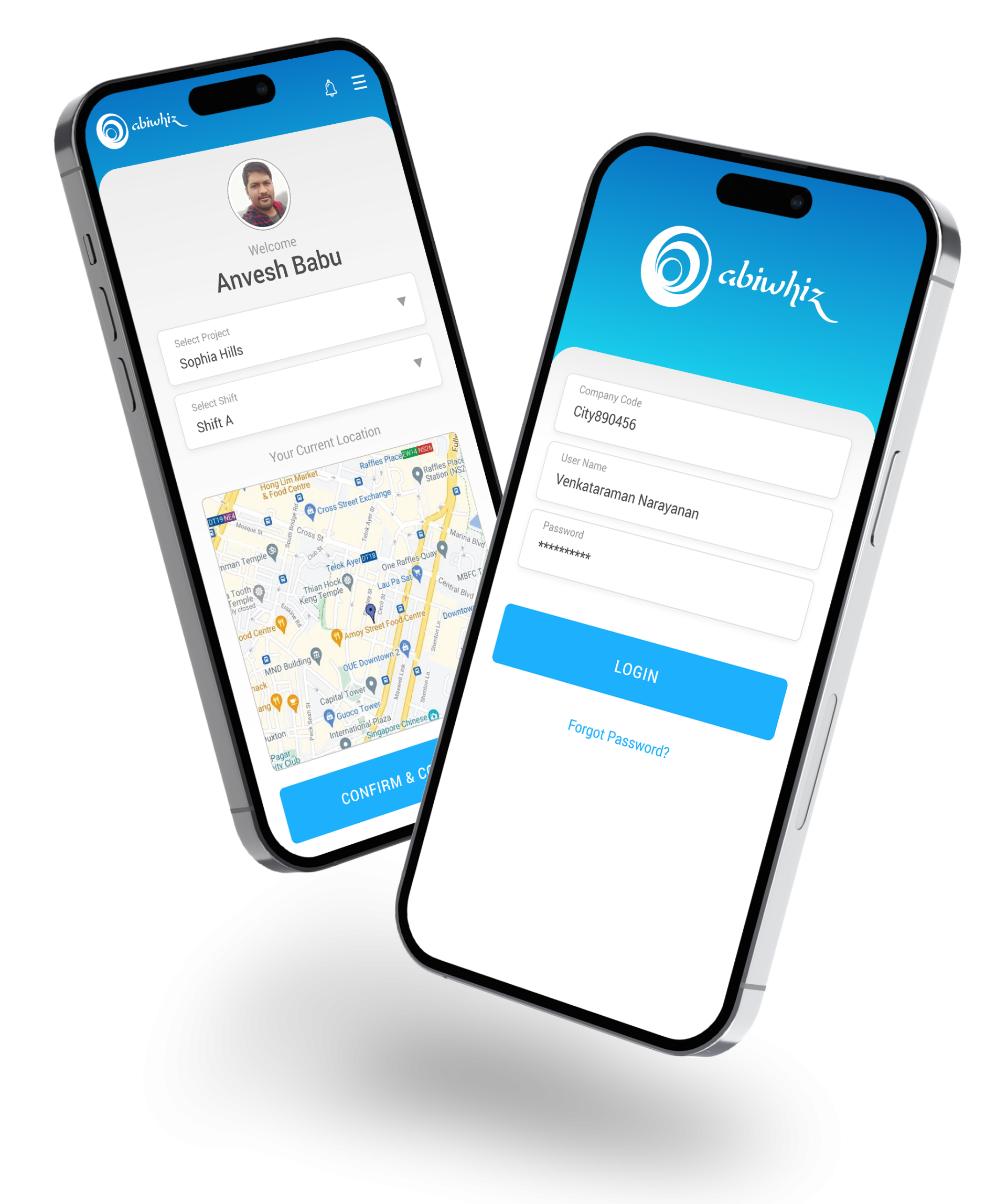
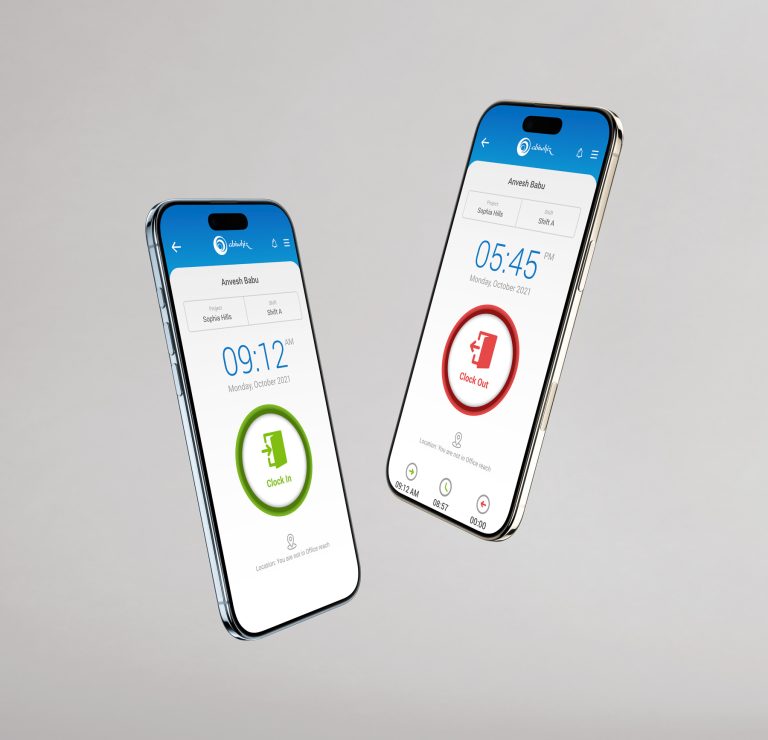
  • One-Tap Biometrics: Users can clock in or out instantly using FaceID or TouchID, ensuring the person logging the time is the actual employee (eliminating “buddy punching”) without requiring manual PIN entry.

  • Offline Mode: For environments with poor connectivity (like basements or warehouses), the app securely stores encrypted timestamp data locally and syncs automatically once a connection is re-established.

2. Proactive Automation for OT & Lateness

Instead of managers discovering overtime or lateness after the fact, the system acts as an intelligent, real-time assistant.

  • Grace-Period UI: Employees running late see a dynamic countdown to their grace-period expiration, reducing anxiety while setting clear expectations.

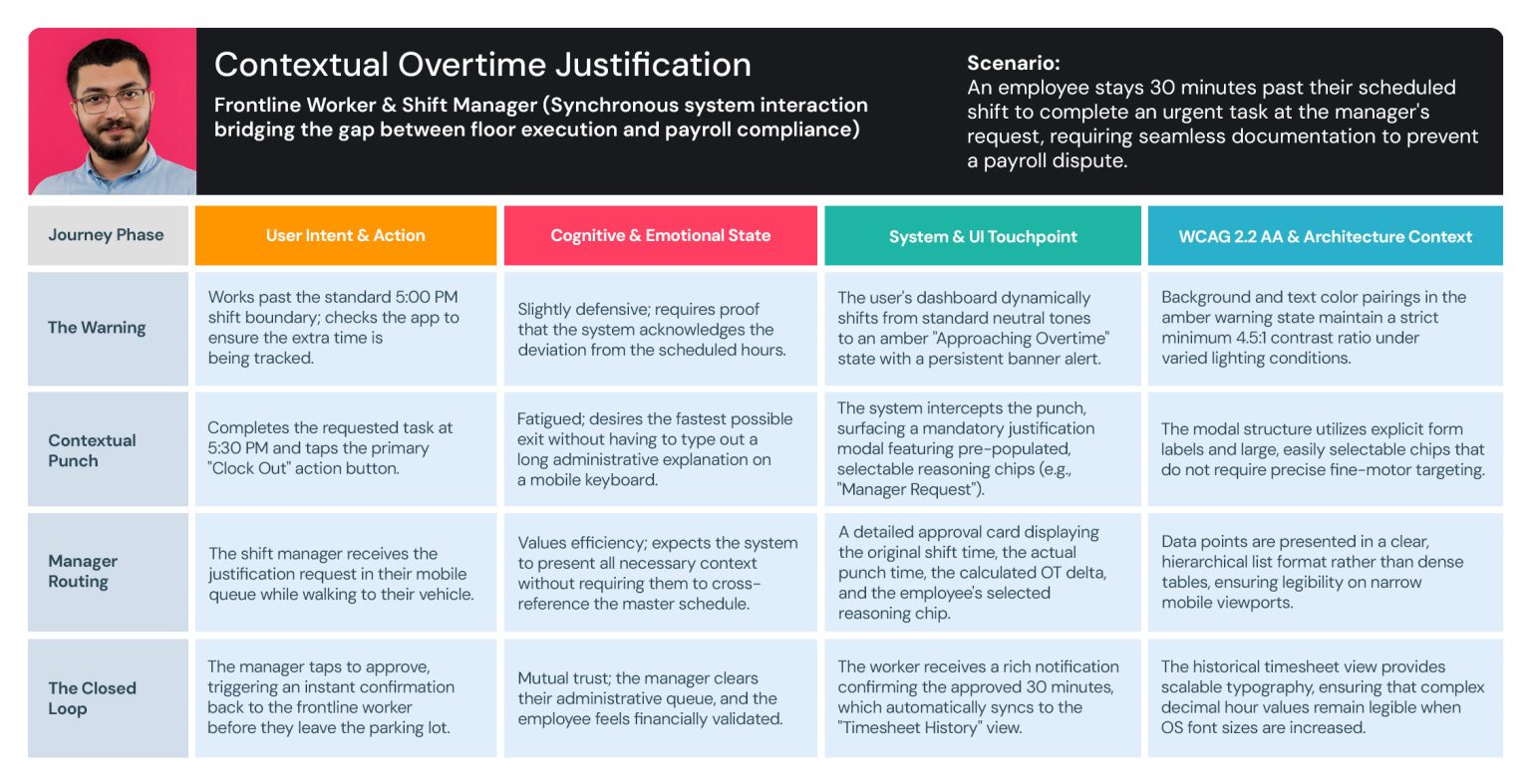
  • Predictive OT Alerts: As an employee nears their standard hour limit, the UI transitions to an amber state. If they cross into overtime without pre-approval, the app immediately prompts them to submit a justification, which is instantly routed to the manager.

  • Managerial “Swipe-to-Approve”: Managers receive actionable push notifications for pending OT or timesheet edits. Using a simple card-stack UI, they can swipe right to approve or left to deny, clearing their queue in seconds directly from the floor.

3. Employee Autonomy & The Shift Marketplace

We reduce the cognitive load on employees by giving them complete transparency and control over their schedules.

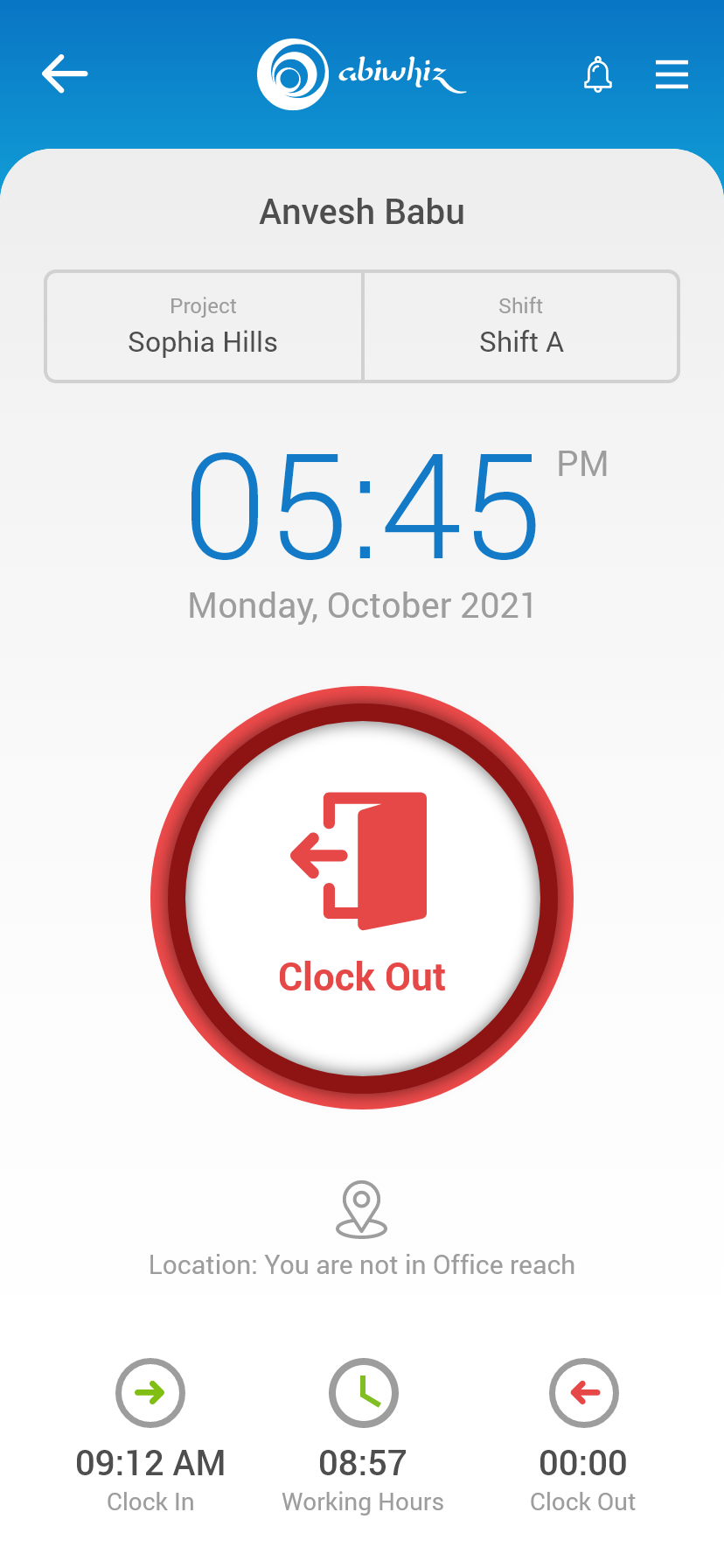
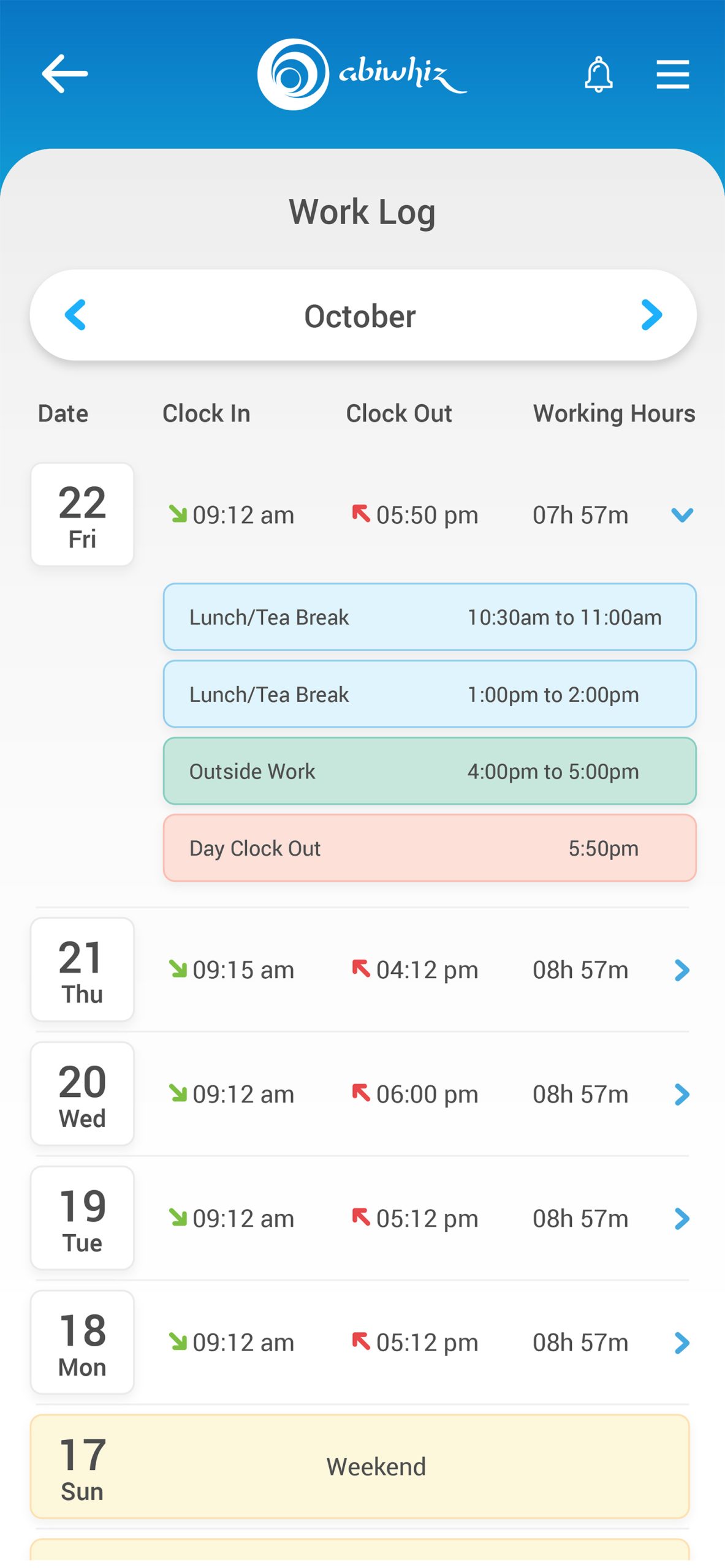
  • The “Now” Dashboard: Upon opening the app, the employee sees exactly what they need for that moment—their current shift status, accumulated hours for the week, and their next scheduled working day.

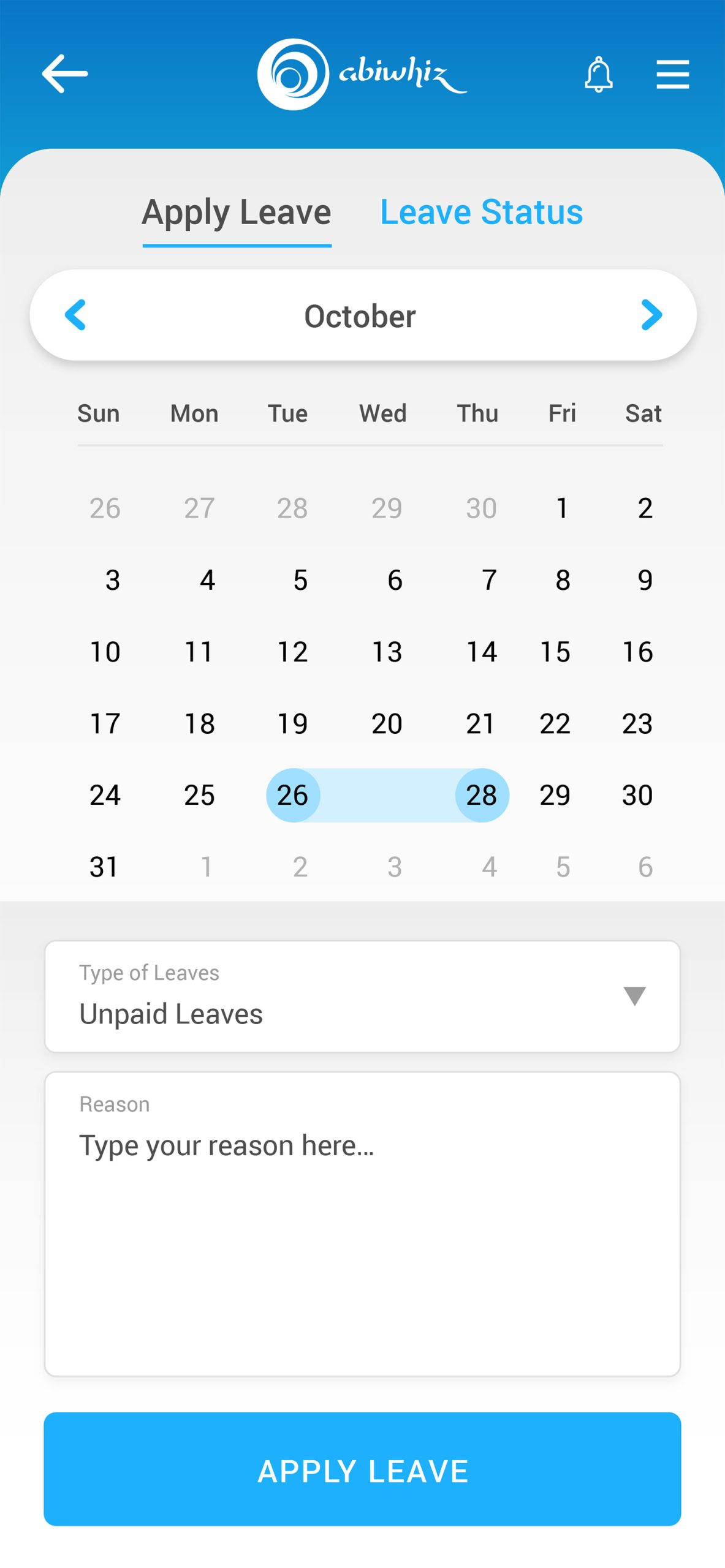
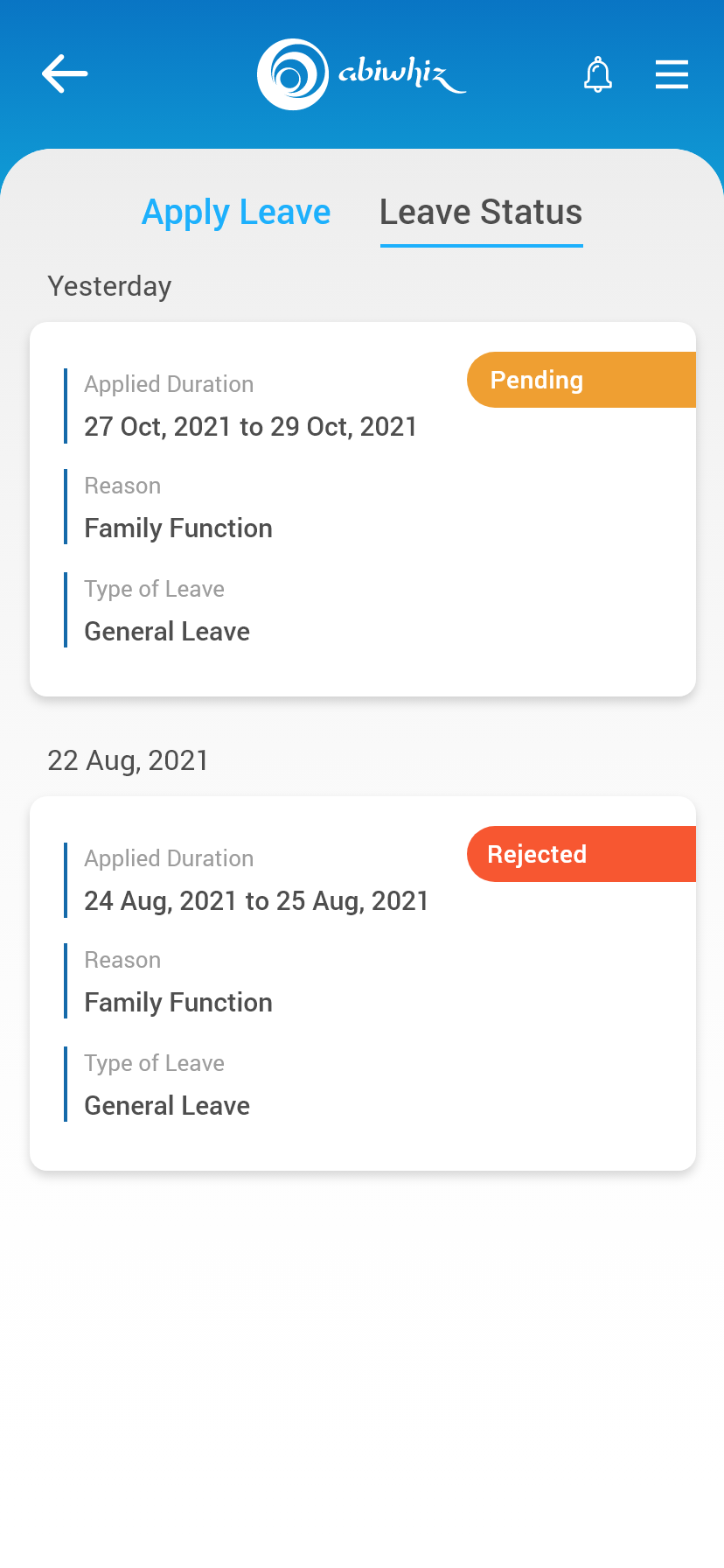
  • Self-Service Shift Management: Employees can propose shift swaps, claim open shifts, or request time off through a visual calendar. Once a peer accepts a swap, it is automatically routed to the manager for a one-tap approval, updating the main roster in real time.

4. Inclusive & Accessible Foundation

Because this is an enterprise tool used by a diverse workforce, the UI is engineered to be universally usable, adhering strictly to WCAG 2.2 Level AA standards.

  • High Contrast & Legibility: Critical data points (time, status, shift locations) use a clean sans-serif typography with strong contrast ratios to ensure readability in harsh lighting conditions (e.g., bright sunlight on a loading dock).

  • Error Prevention: Destructive actions (like canceling a requested shift swap) require confirmation steps to prevent accidental data loss.

  • Component Scalability: The interface is built to support dynamic text sizing, ensuring that older users or those with visual impairments can scale their system fonts without breaking the layout.

The Business Impact (ROI)

By deploying this human-centered mobile solution, the business achieves:

  1. Reduced Labor Leakage: Minute-accurate biometric punches eliminate estimated time entries and “buddy punching.”

  2. Lower Administrative Overhead: Managers reclaim hours previously spent cross-referencing timesheets, allowing them to focus on floor operations.

  3. Higher Employee Satisfaction: Transparency and self-service tools foster trust and reduce payroll-related anxiety.

DEEP UNDERSTANDING

Operational Realities

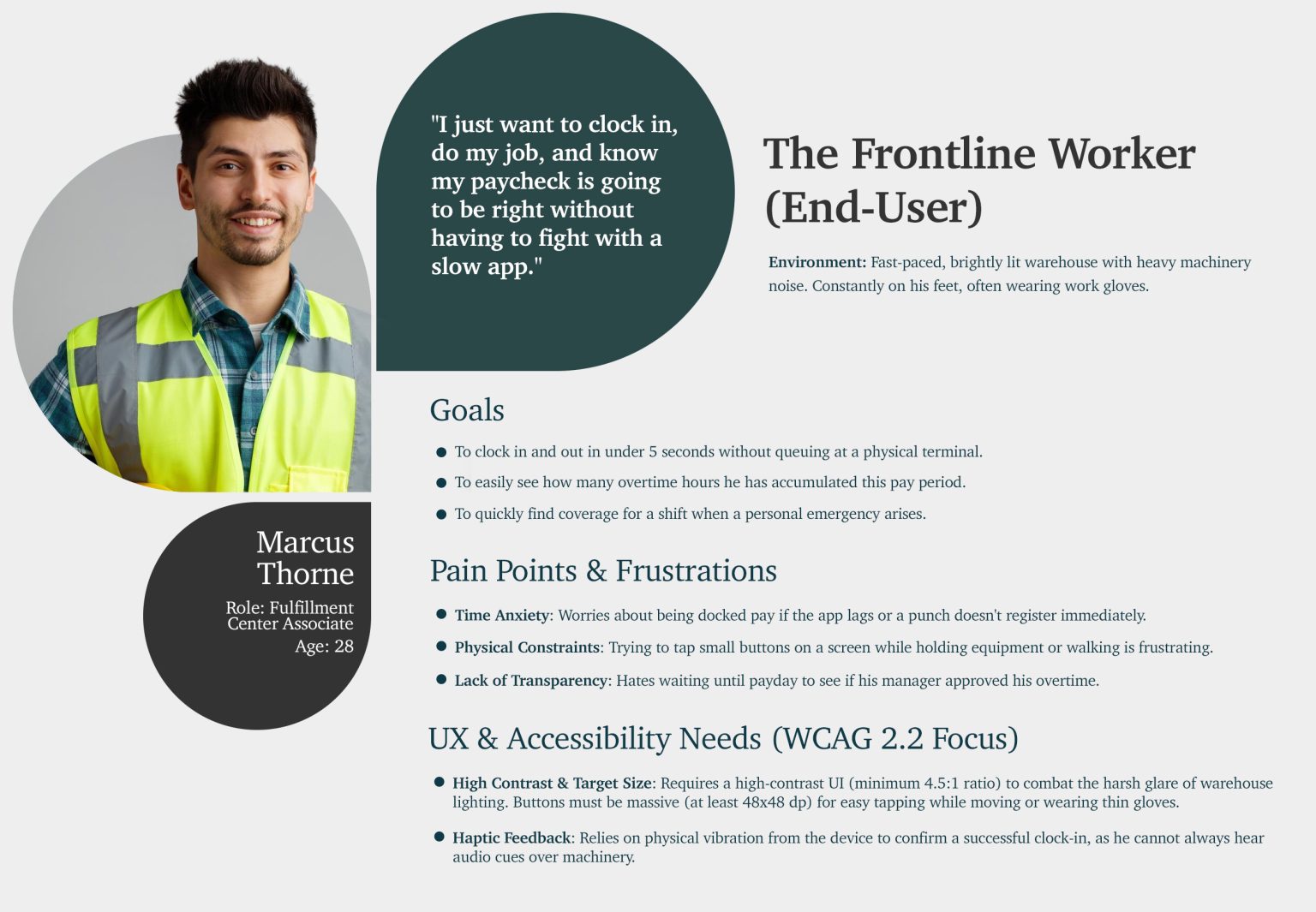
Archetype 1: The Deskless Floor Employee

These individuals are the backbone of operations—working in manufacturing, logistics, retail, hospitality, or field services.

  • The Environmental Context: They do not sit at a desk. They are on their feet, walking across expansive facilities, holding equipment, or navigating chaotic environments.

    • UX Implication: The app must be highly optimized for one-handed use. Primary actions (like clocking in) must live within easy thumb reach, and text must be legible from an arm’s length under varying light conditions (e.g., dimly lit warehouses or bright outdoor docks).

  • The Psychological Context (The Anxiety of Time): Time tracking is tied directly to their livelihood. Am I late? Will I get a penalty? Did my punch actually register? Why hasn’t my manager approved my shift swap yet?

    • UX Implication: The app must offer absolute reassurance through instant feedback. A successful clock-in should provide immediate haptic (vibration) feedback, clear visual confirmation, and an unambiguous status state changes on the dashboard.

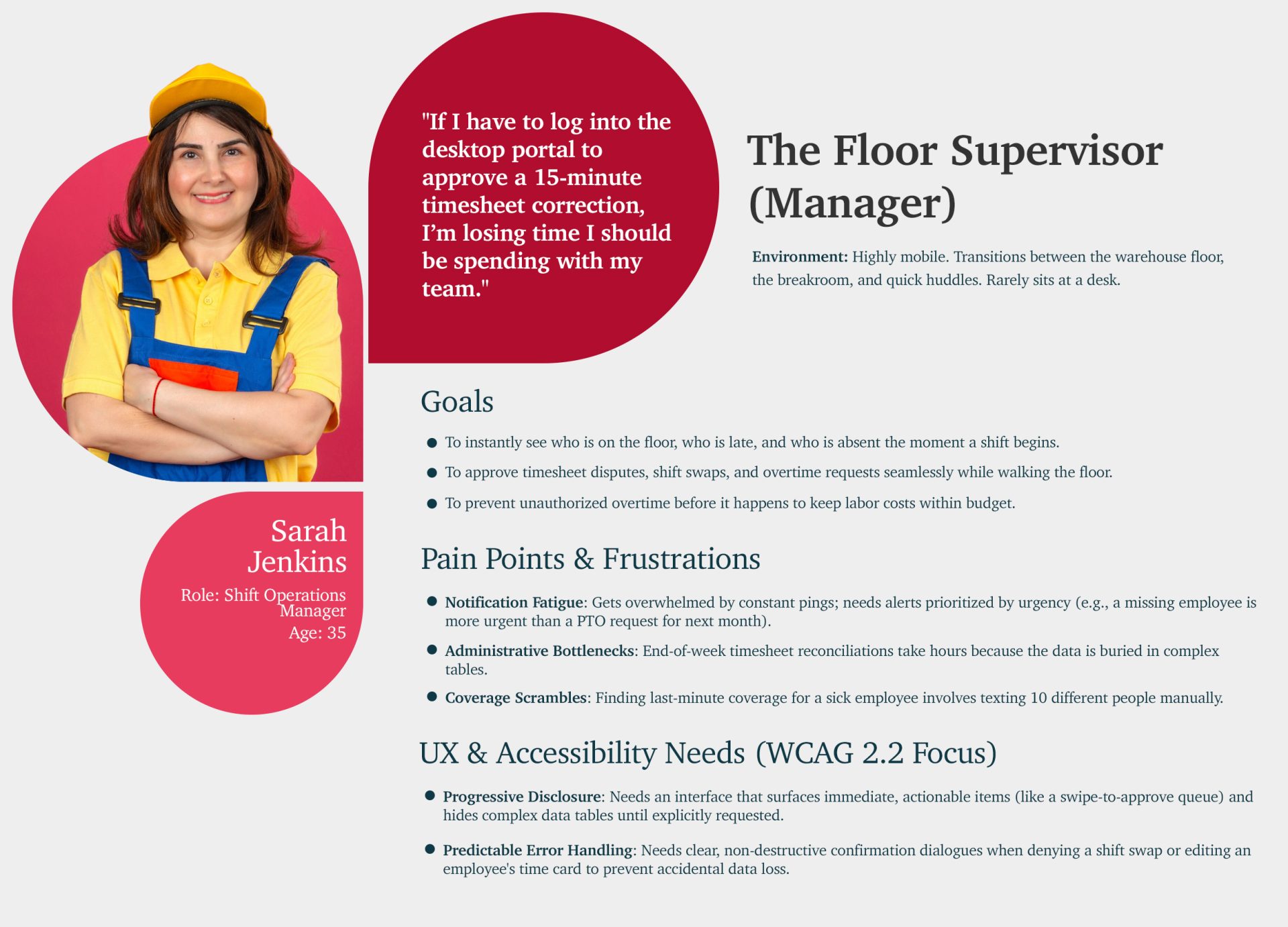
Archetype 2: The On-the-Move Shift Manager

Managers are caught between operational demands and corporate cost constraints. They are responsible for safety, productivity, and labor budgets.

  • The Operational Reality: They rarely have time to sit down at a desktop computer to review timesheets. They manage from the floor, handling fires, greeting customers, or troubleshooting machinery.

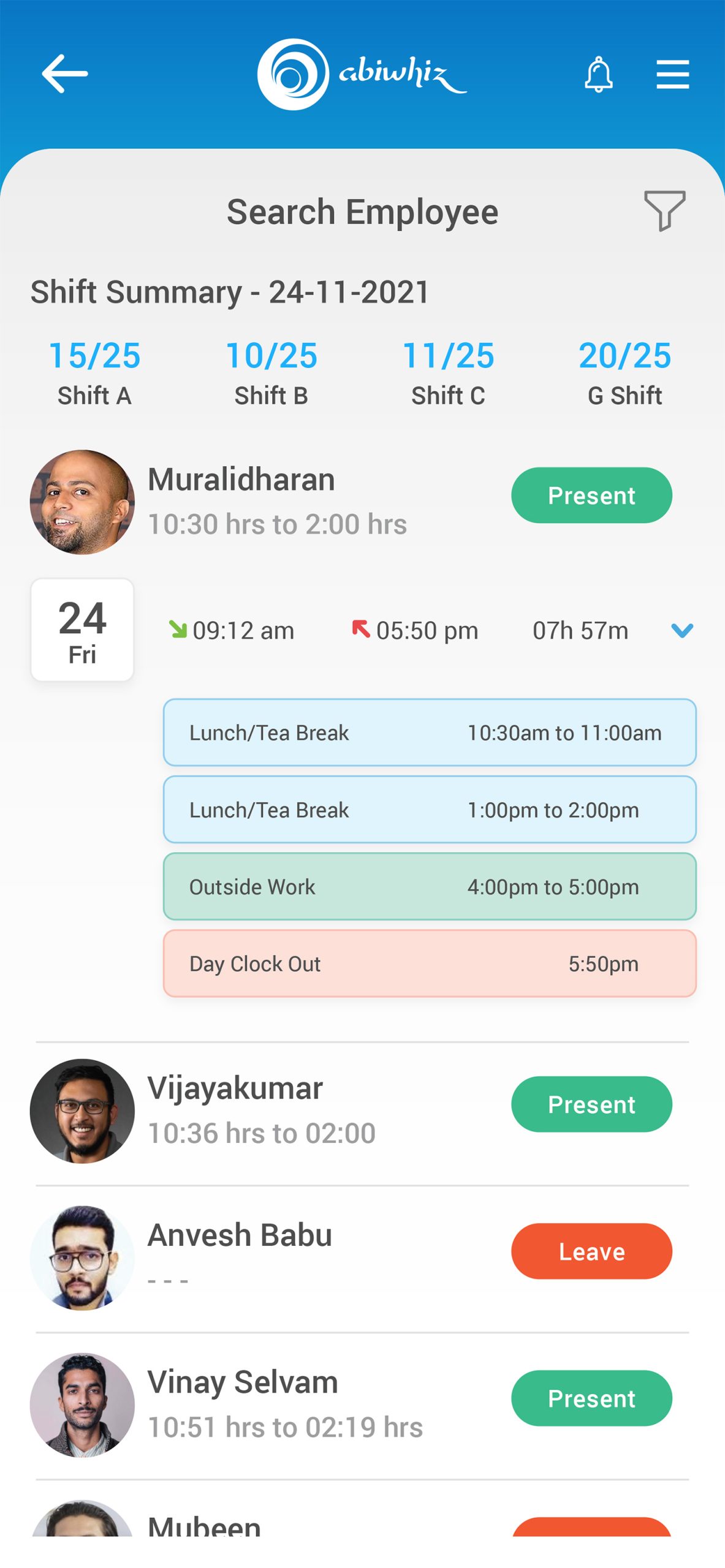
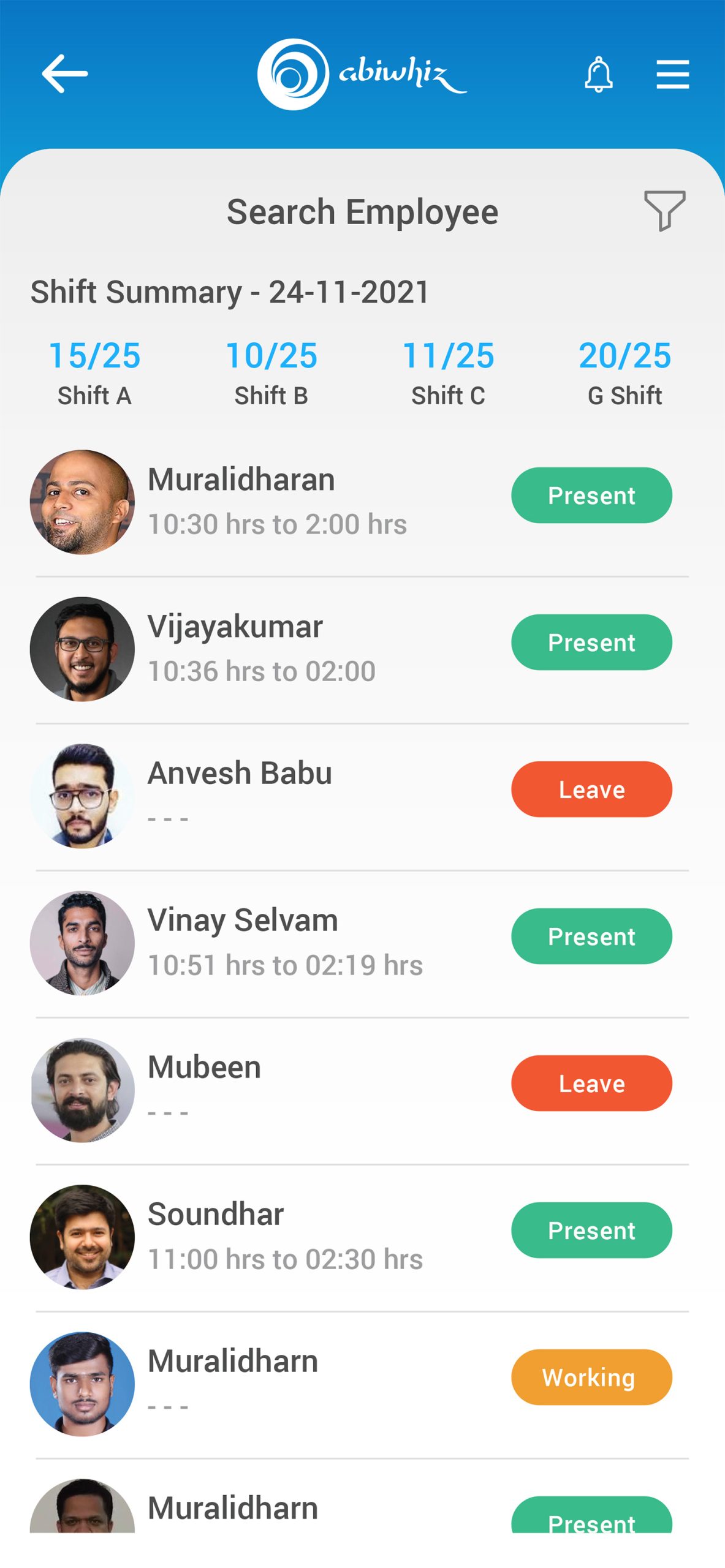
    • UX Implication: They need a summary-first interface. Instead of complex data tables, they require high-level, scannable visual indicators (e.g., “3 Late Today”, “2 Pending OT Approvals”).

  • The Administrative Burden: Reconciling time cards at the end of the week is universally loathed. It is tedious, low-value work that takes them away from leading their teams.

    • UX Implication: The application must utilize progressive disclosure. Micro-actions (like approving a simple, justified overtime request) should be executable via rich push notifications or a rapid-fire swipe interface, leaving deep-dive data tables only for complex disputes.

abi-UI-UX-05
I MADE A

Personas & User Journey Maps

My interviews with the Business Users and Users provided critical, detailed information. This foundation allowed me to successfully create the resulting personas and journey maps.

Personas

Personas

Empathy is the foundation of great design. I develop UX Personas to humanize our target audience, allowing us to step into the user’s shoes. Understanding their ‘why’ helps me design interfaces that don’t just look good, but feel relevant and intuitive to the people using them.

ABI-persnaa-01
The Frontline Worker (End-User)
ABI-persnaa-02
The Floor Supervisor (Manager)
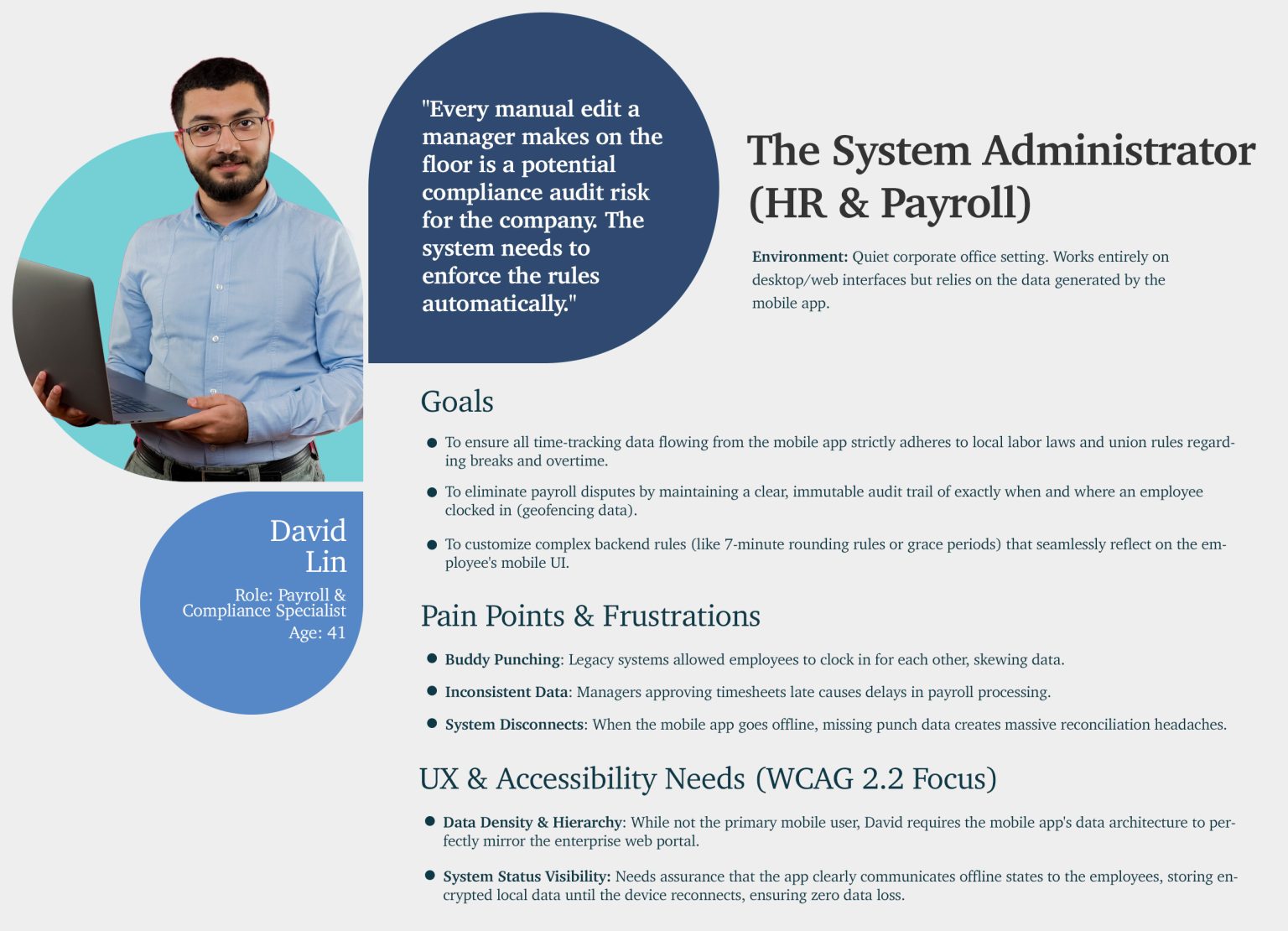
The System Administrator (HR & Payroll)
empathy-map-img

Empathy Map

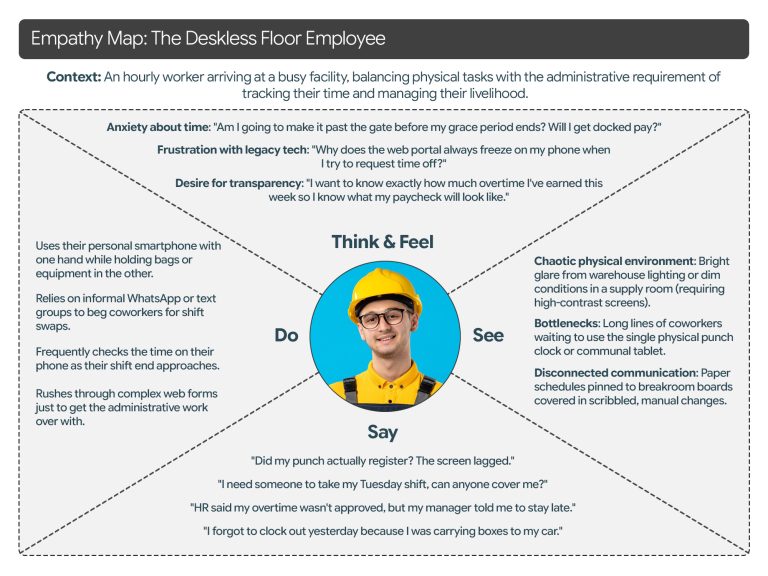
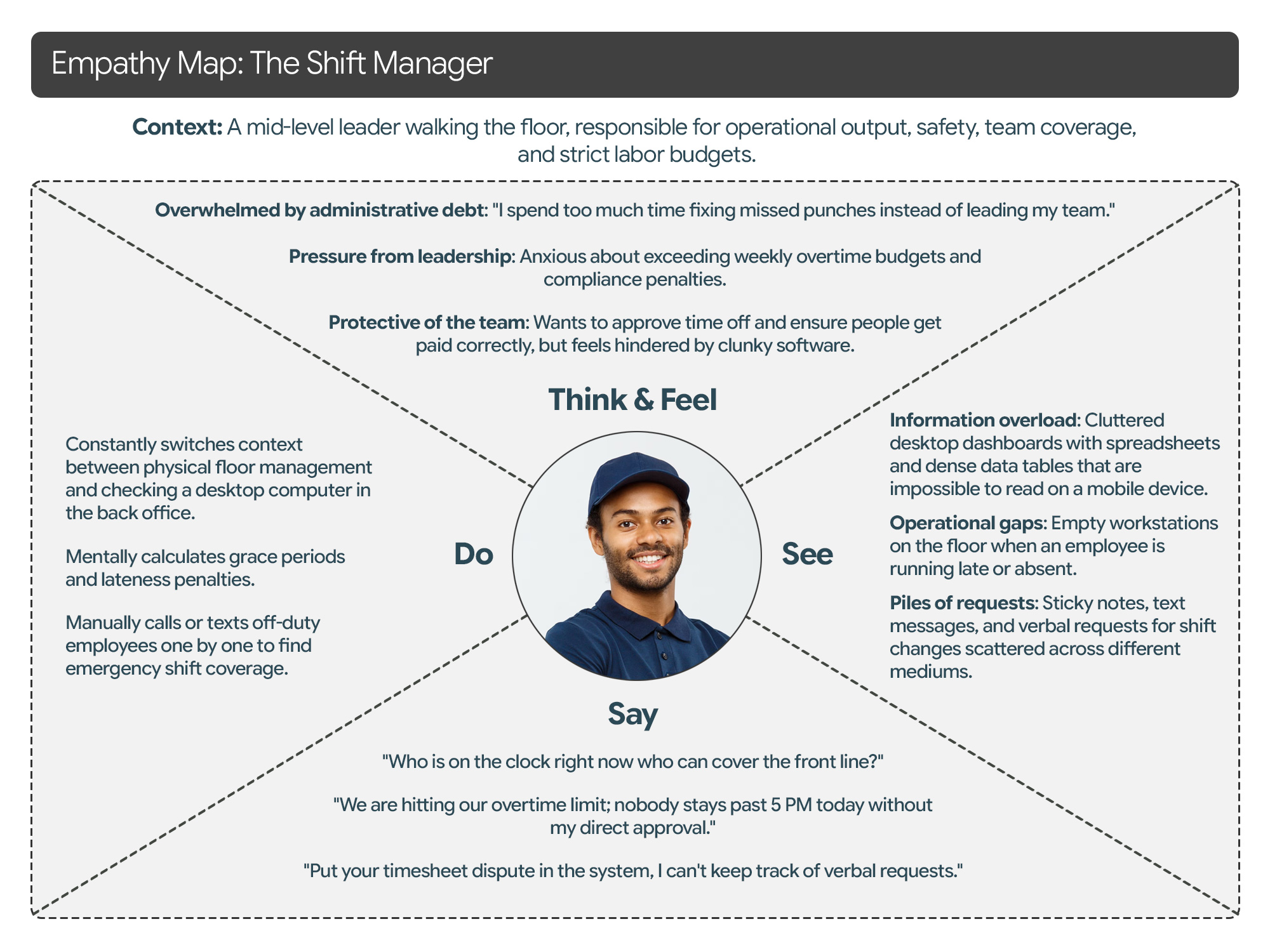
To truly design a “delightful” and human-centered product, we must look beyond functional requirements and map the emotional landscape of our users. Below is a detailed Empathy Map for each of your three core personas, focusing on their sensory experiences and internal motivations.

ABI-Empathy-Map-01
Empathy Map: The Deskless Floor Employee
ABI-Empathy-Map-02
Empathy Map: The Shift Manager
User-Journey-Maps

User Journey Maps

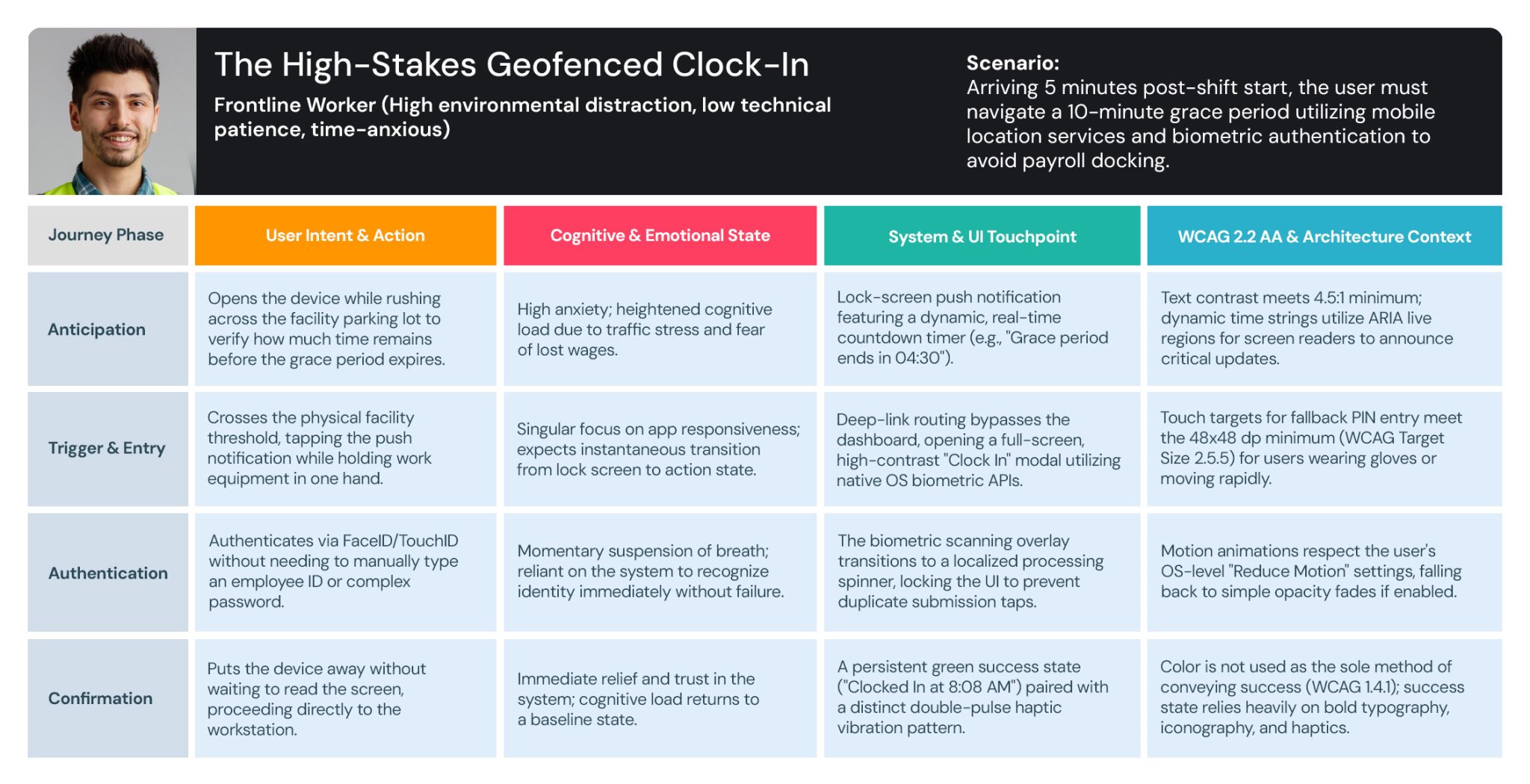
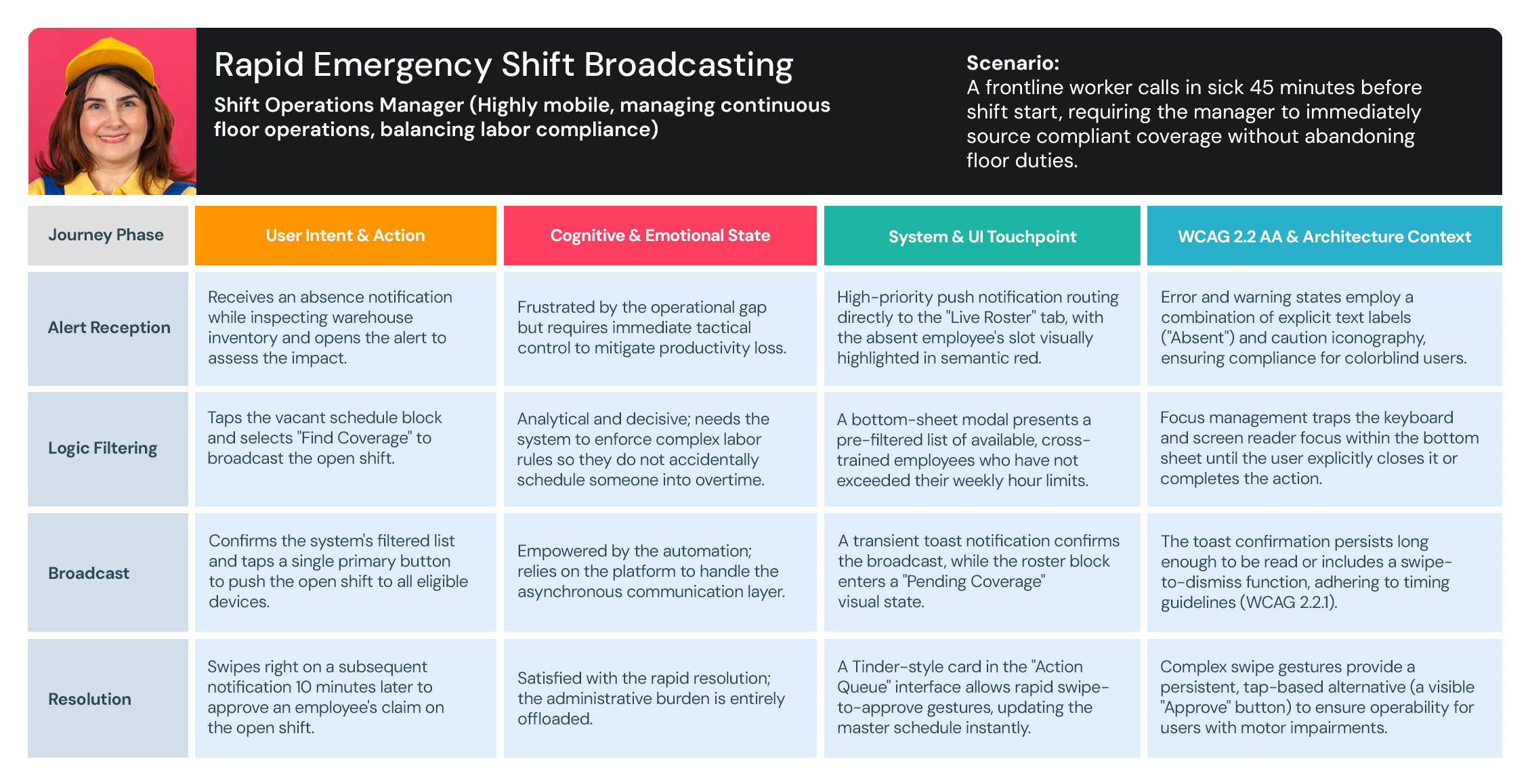
I use User Journey Maps to visualize the end-to-end experience and uncover hidden friction points. By mapping out every touchpoint—from discovery to conversion—I identify where users get frustrated or lose interest. This allows us to turn ‘drop-off points’ into opportunities for engagement.

user-journey-maps-01-ABI
The High-Stakes Geofenced Clock-In
user-journey-maps-02-ABI
Rapid Emergency Shift Broadcasting
user-journey-maps-03-ABI
Contextual Overtime Justification
THE BLUEPRINT

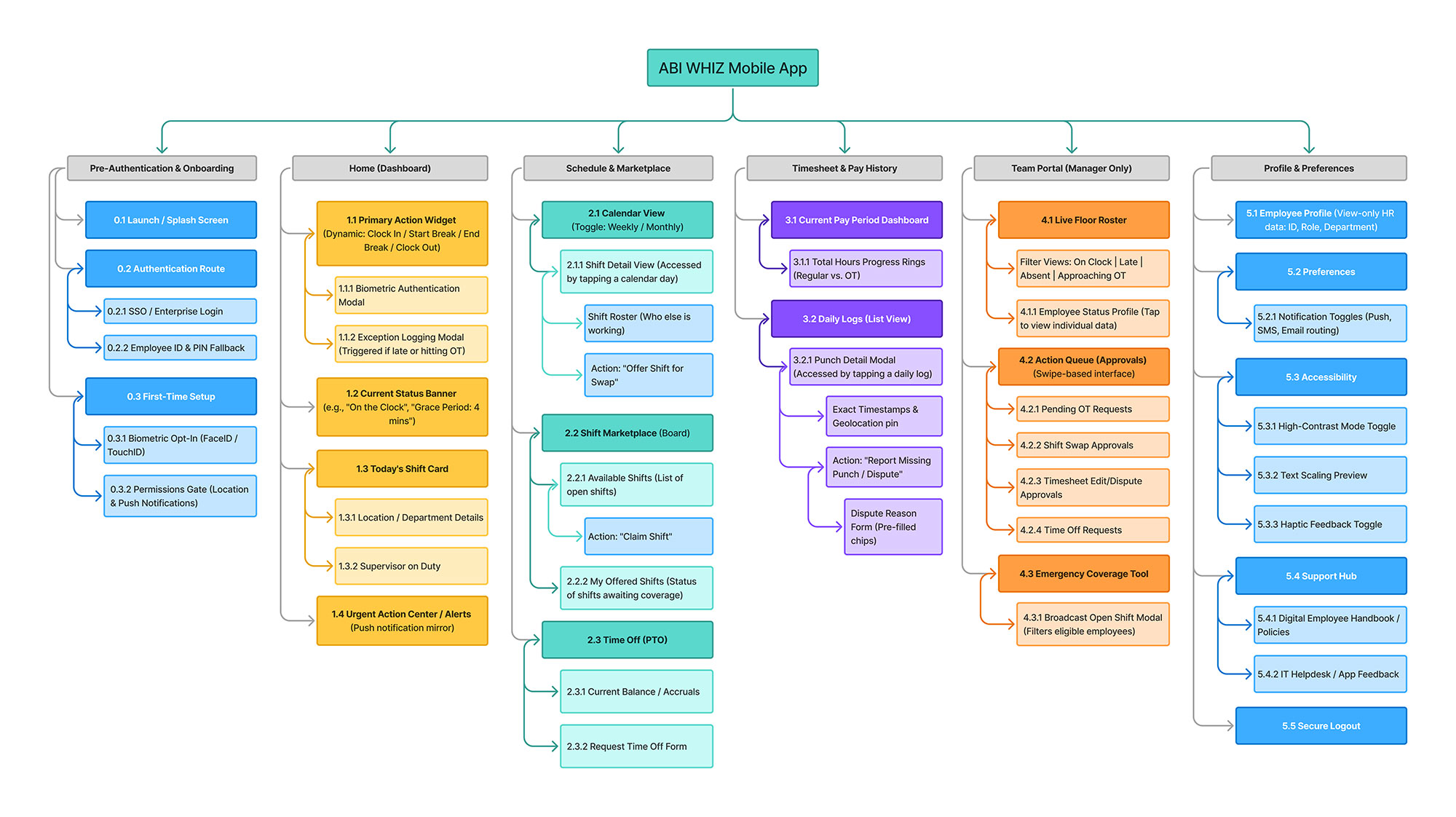
Information Architecture

Key Takeaways from this Sitemap:

This hierarchy represents the navigation paths and screen relationships for the ABI WHIZ TMS mobile app, utilizing a flat, bottom-tab navigation model to ensure users are never more than three taps away from a core function.

ABI WHIZ Mobile App

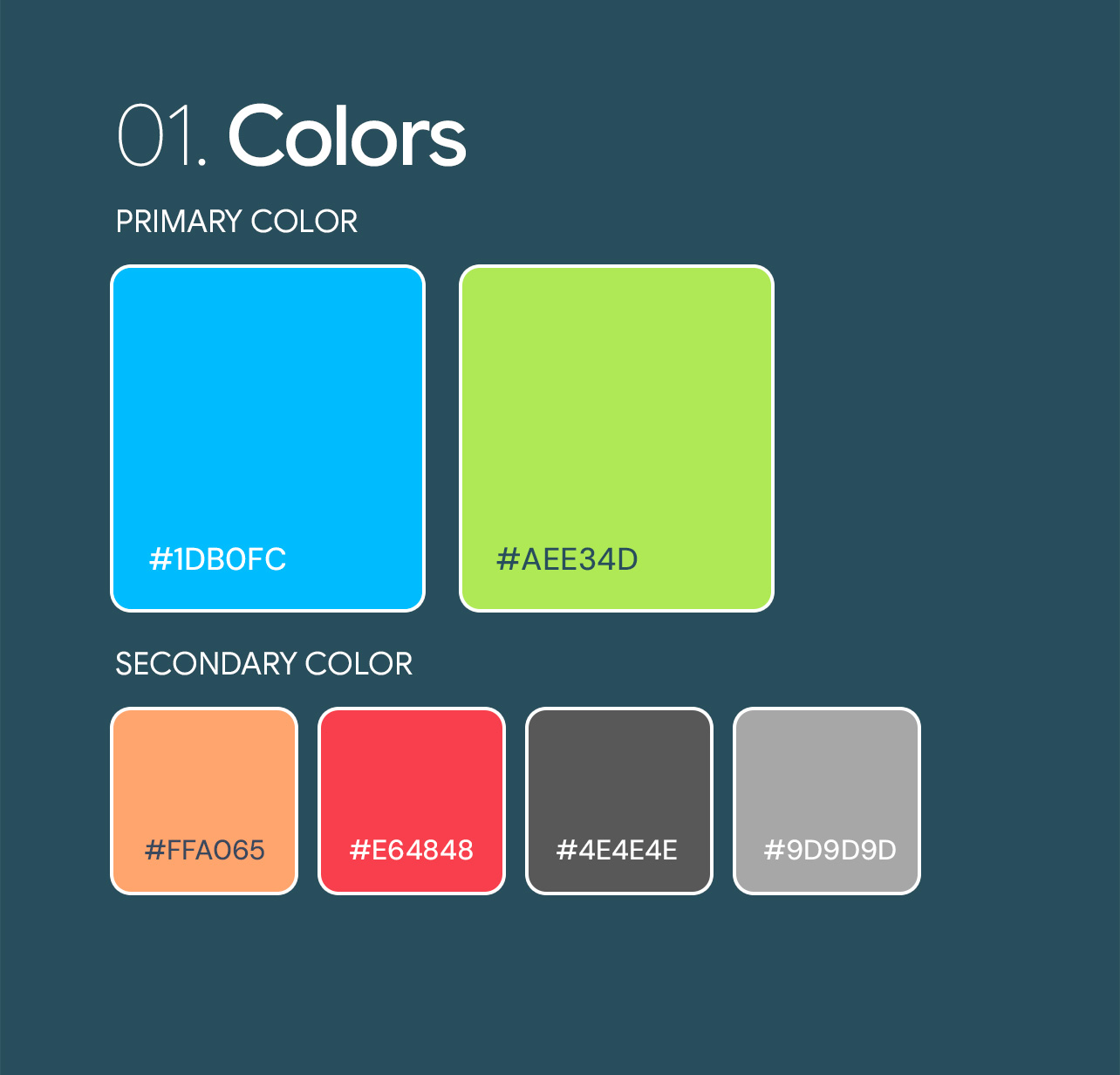
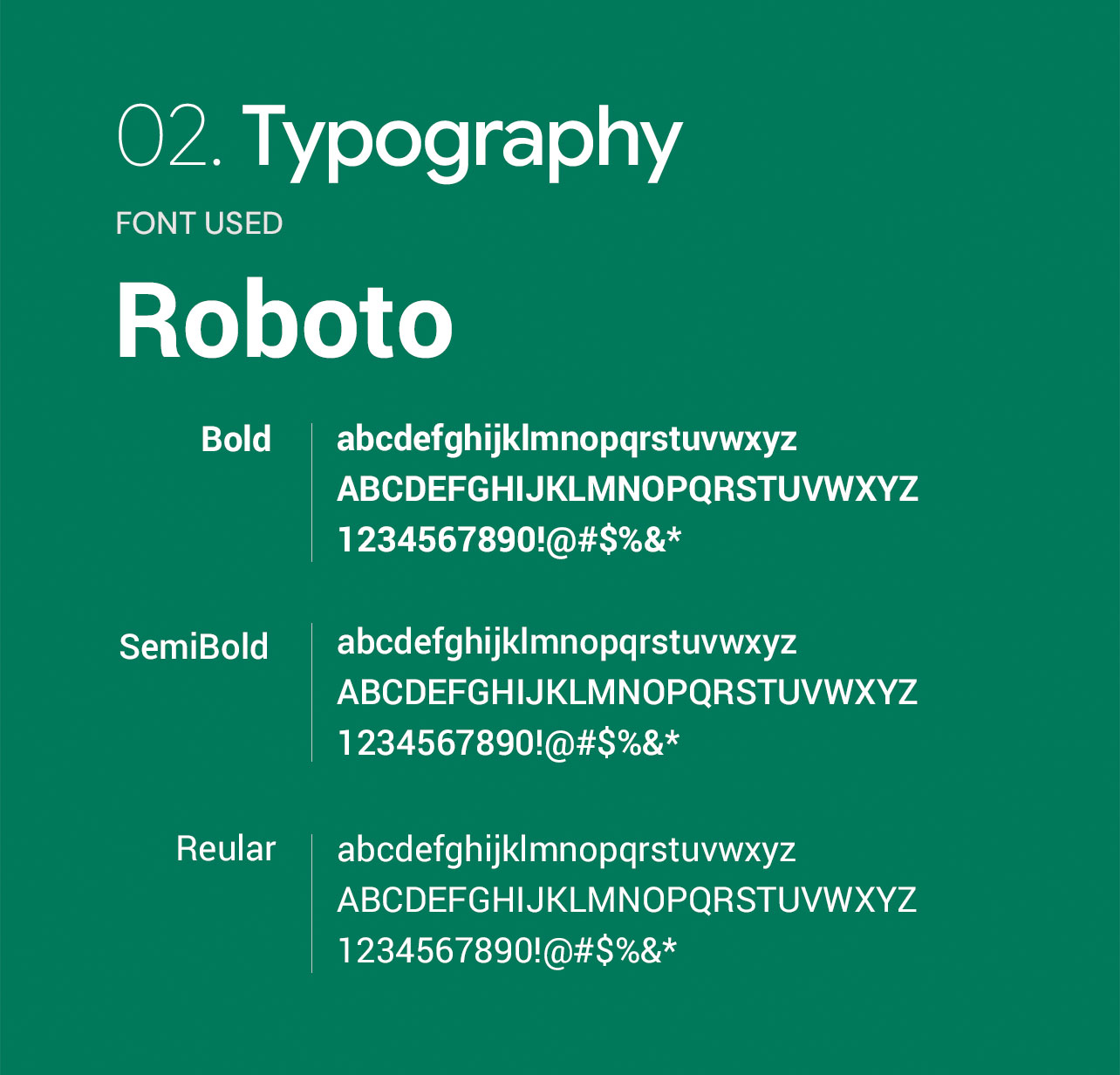
Style Guide

I developed a comprehensive design system that eliminated inconsistencies and cut down production time, allowing the team to focus on delivering a superior user experience.

THE

Visual Design

To me, Visual Design is more than just aesthetics—it’s a communication tool. I use typography, color theory, and spacing to create a clear visual hierarchy that guides the user’s eye to what matters most.

  • Get in touch
    Work Inquiries
    +91 99444 00361
  • Assistance hours:
    Monday – Friday
    10 am to 8 pm ISD
  • Post address
    10/A, Indira Gandhi Street,
    Sengeniammal Nagar, Orlean Pet
    Pondicherry – 605005. (INDIA)
  • Sign up for the newsletter

This website stores cookies on your computer. Cookie Policy