Get In Touch
10/A, Indira Gandhi Street, Sengeniammal Nagar,
Orlean Pet, Pondicherry – 605005. (INDIA)
Work Inquiries
venki@venkidesigns.com
Ph: +91.994.440.0361
STRATEGY | UI/UX | DESKTOP APP

Vertex Desktop
– Remote Access App

I design concepts for remote access applications that seamlessly connect Mac, PC, Linux workstations, and servers. My designs focus on security, utilizing secure outbound connections to ensure users get full desktop access without ever exposing their machines to the public internet.

VertexDesktop-04

Project Overview

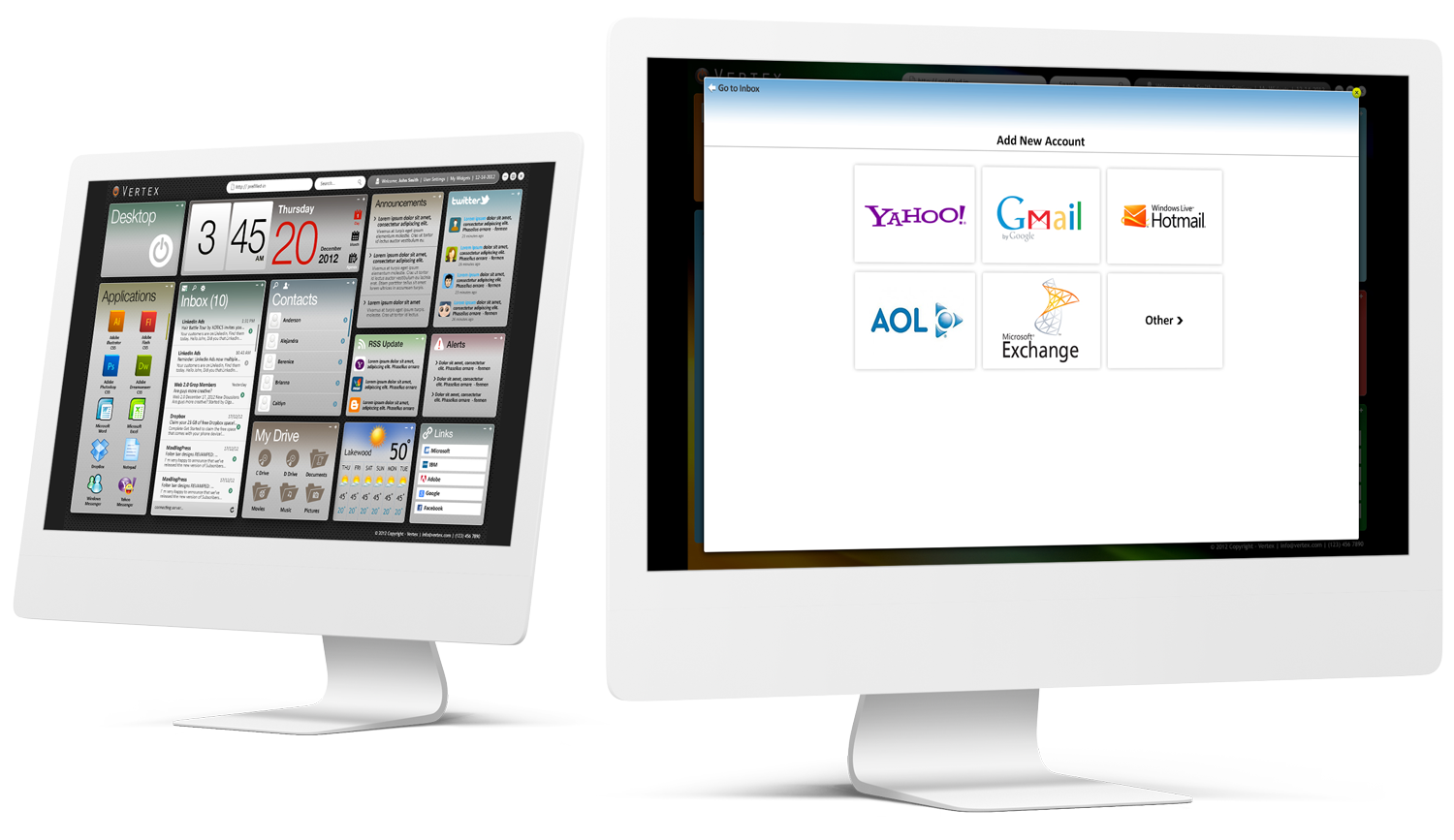
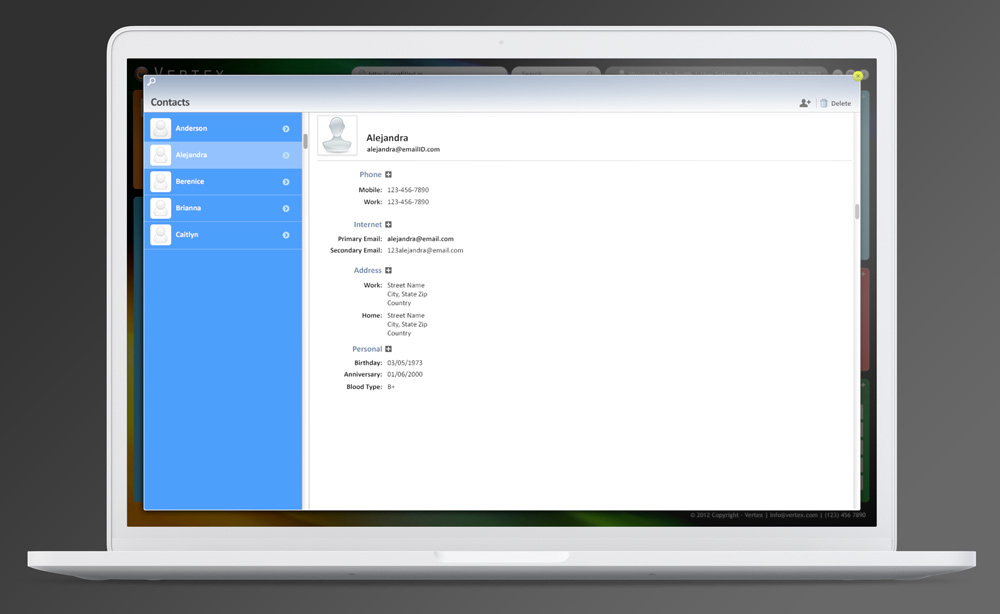
Vertex Desktop is a next-generation remote desktop application that reimagines how professionals connect to their workstations. Instead of acting as a traditional pixel-relay, Vertex transforms a Mac, PC, Linux machine, or headless server into a private, discoverable resource.

The core value proposition relies on a secure outbound-only connection. This allows users to access their machines from anywhere via a modern browser without opening inbound firewall ports, altering router settings, or exposing their hardware to the public internet.
VertexDesktop-05

Problem Statement

Traditional remote desktop tools suffer from two major flaws:

  1. Security Vulnerabilities: Methods like port-forwarding leave inbound ports open, exposing machines to automated internet scans, bots, and brute-force attacks.

  2. High Friction for Users: Setting up a secure VPN or configuring router settings is highly technical and frustrating for non-IT professionals.

The Challenge: How do we design an interface that makes setting up an advanced, zero-exposure network tunnel feel as simple as logging into an email account?

VertexDesktop-06
THE SOLUTION

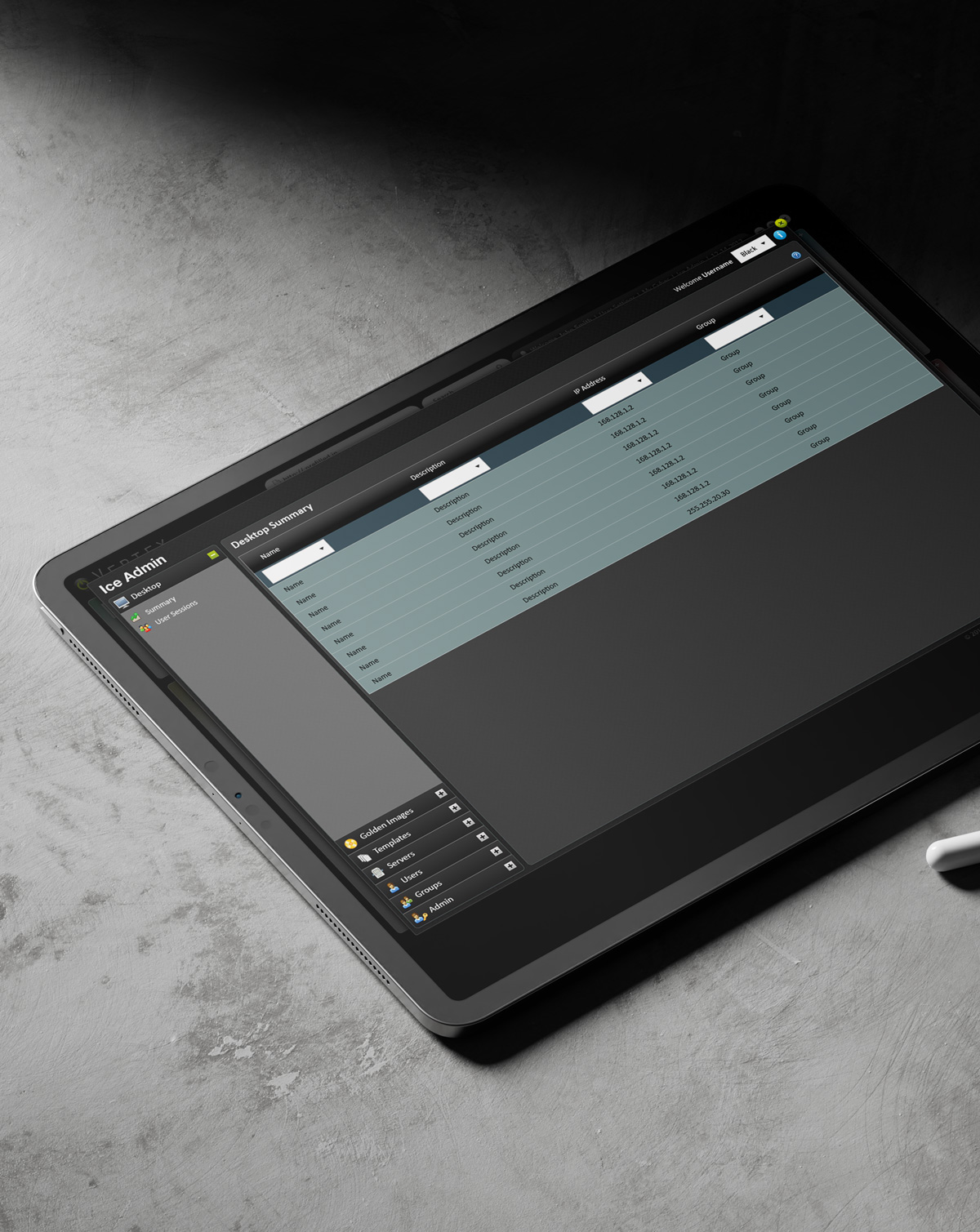
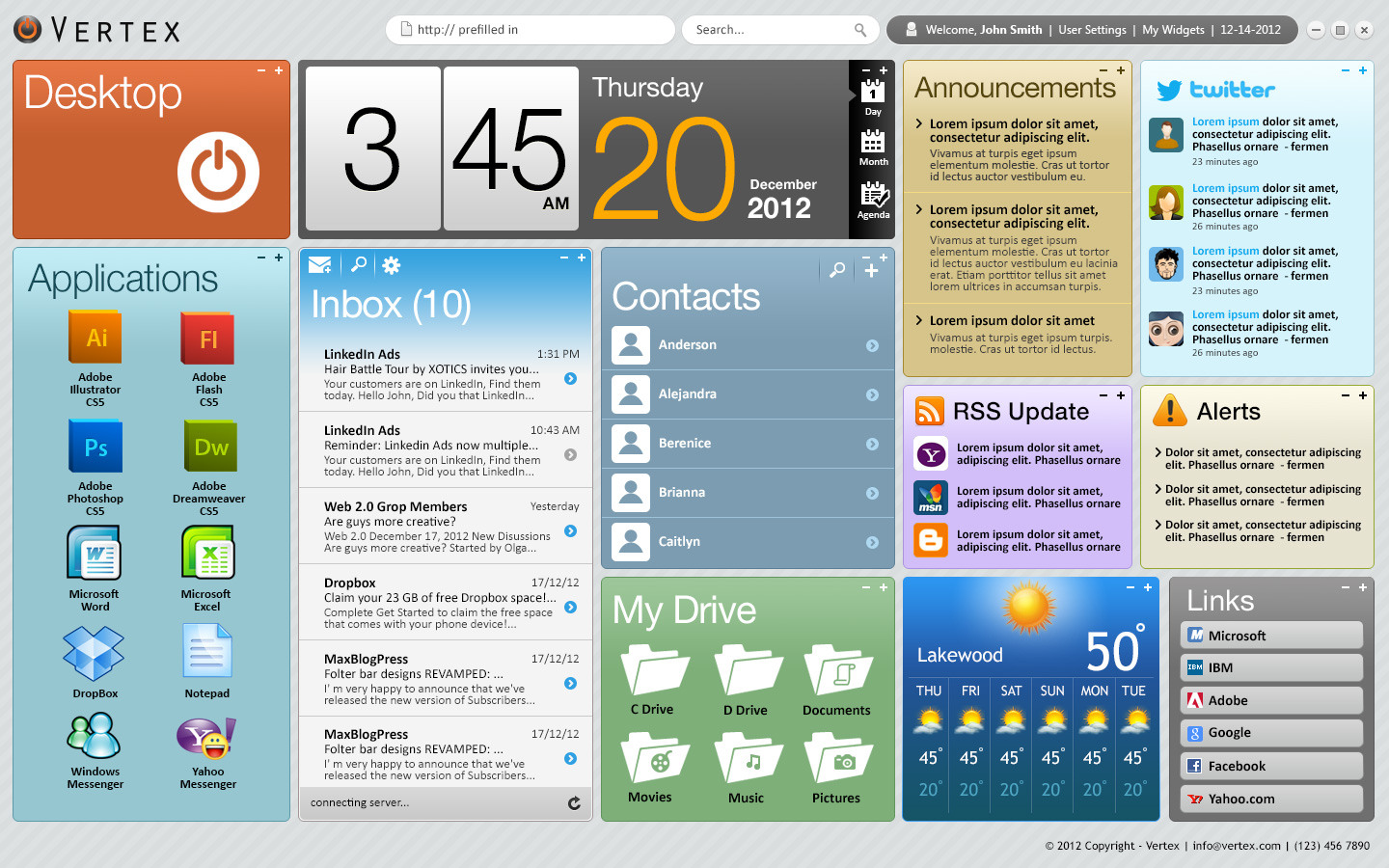
Give users a clean, grid-based overview of all their "Surfaced" machines.

Seamless access built on outbound-only connections. Vertex Desktop bridges the gap by using a lightweight “NodeRunner” agent. Instead of waiting for an inbound connection, the machine makes a secure outbound connection to the Vertex cloud. The result? The desktop remains invisible to the internet, while the user gets frictionless, encrypted remote access from any modern browser.

Target Audience & Personas

  • The Hybrid Developer: Needs to access their powerful Linux workstation at the office from their lightweight laptop at home.

  • The IT Administrator: Manages a fleet of headless Windows servers and needs secure, audit-friendly access without opening firewall ports.

  • The Creative Professional: Requires remote access to a high-end Mac Studio for rendering, but needs to cap bandwidth to prevent network lag.

User Flow & Information Architecture

Keep the flow as minimal as possible for a “Zero-Config” feel.

The 3-Step Onboarding Flow:

  1. Install: User downloads the lightweight NodeRunner agent on their host machine.

  2. Authorize: User authenticates via web (SSO/Magic Link) to pair the machine to their account—no router changes needed.

  3. Connect: User logs into the Vertex web dashboard from anywhere and launches the remote session directly in the browser.

DEEP UNDERSTANDING

The Industry of Remote Desktop Access

Remote desktop software is a technology that allows a user to access, view, and control a computer or device from a remote location over a network connection. The software captures mouse and keyboard inputs from the local user (the client) and transmits them to the remote computer (the server), while continuously sending the display output back to the client’s screen. This creates a seamless experience, allowing the user to operate the machine exactly as if they were sitting directly in front of it.

Core Industry Use Cases

The remote desktop application industry serves several critical functions across modern business environments:

  • IT Support & Administration: Help desks utilize remote desktop tools to troubleshoot software, update configurations, and manage systems without physical intervention. Modern cloud-based tools can establish diagnostic connections in seconds and support multi-platform environments, including mobile devices.
  • Remote & Flexible Work: Organizations use remote access to allow employees to tap into on-premises infrastructure, legacy software, or high-powered workstations from home. This reduces hardware costs and provides business continuity during disruptions.
  • Healthcare Operations: Medical professionals use these applications to access electronic health records (EHRs) and diagnostic tools securely from various locations, facilitating immediate data retrieval during emergencies and enabling remote specialist consultations.
VertexDesktop-07
I MADE A

Personas & User Journey Maps

My interviews with the Business Users and Users provided critical, detailed information. This foundation allowed me to successfully create the resulting personas and journey maps.

Personas

Personas

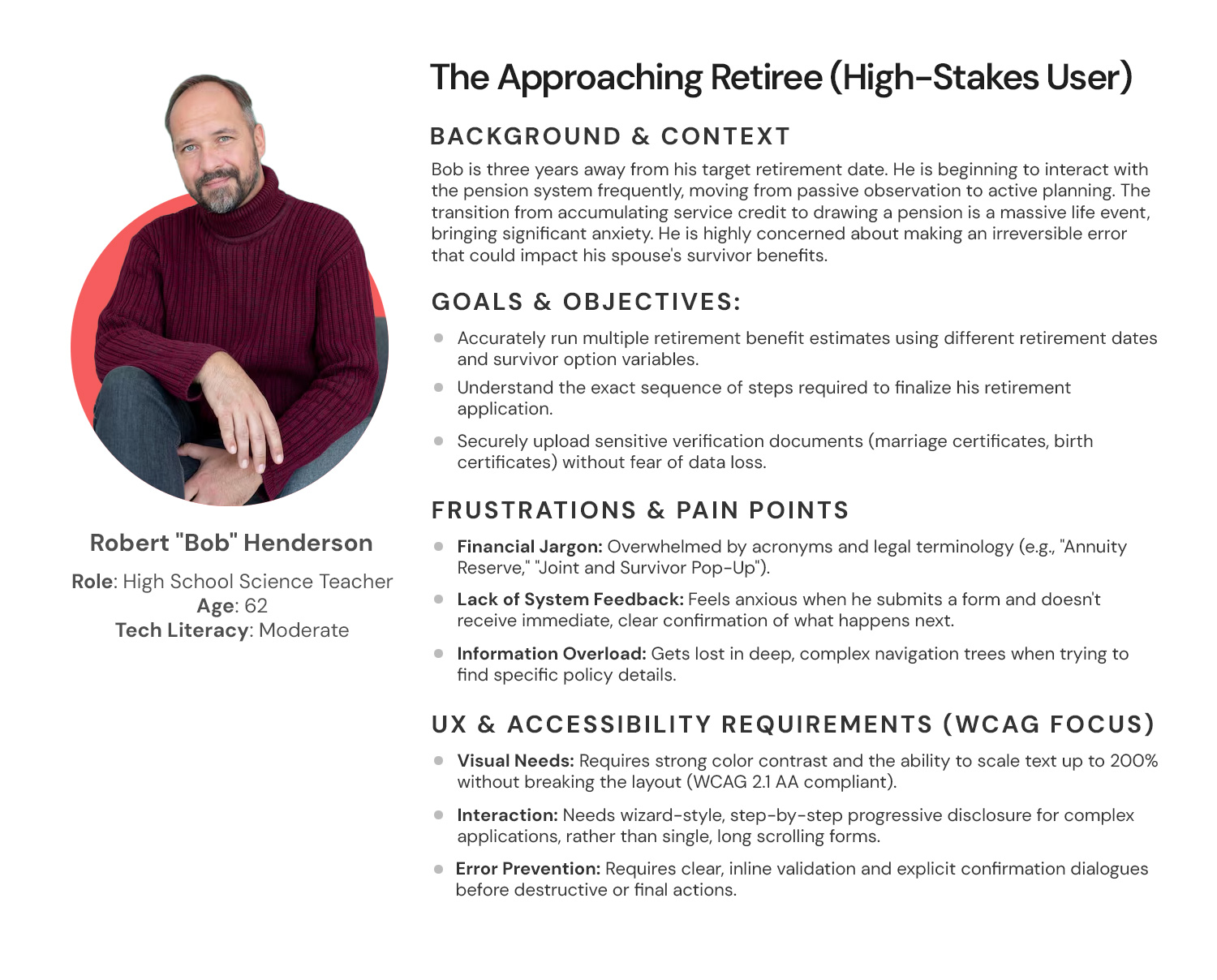
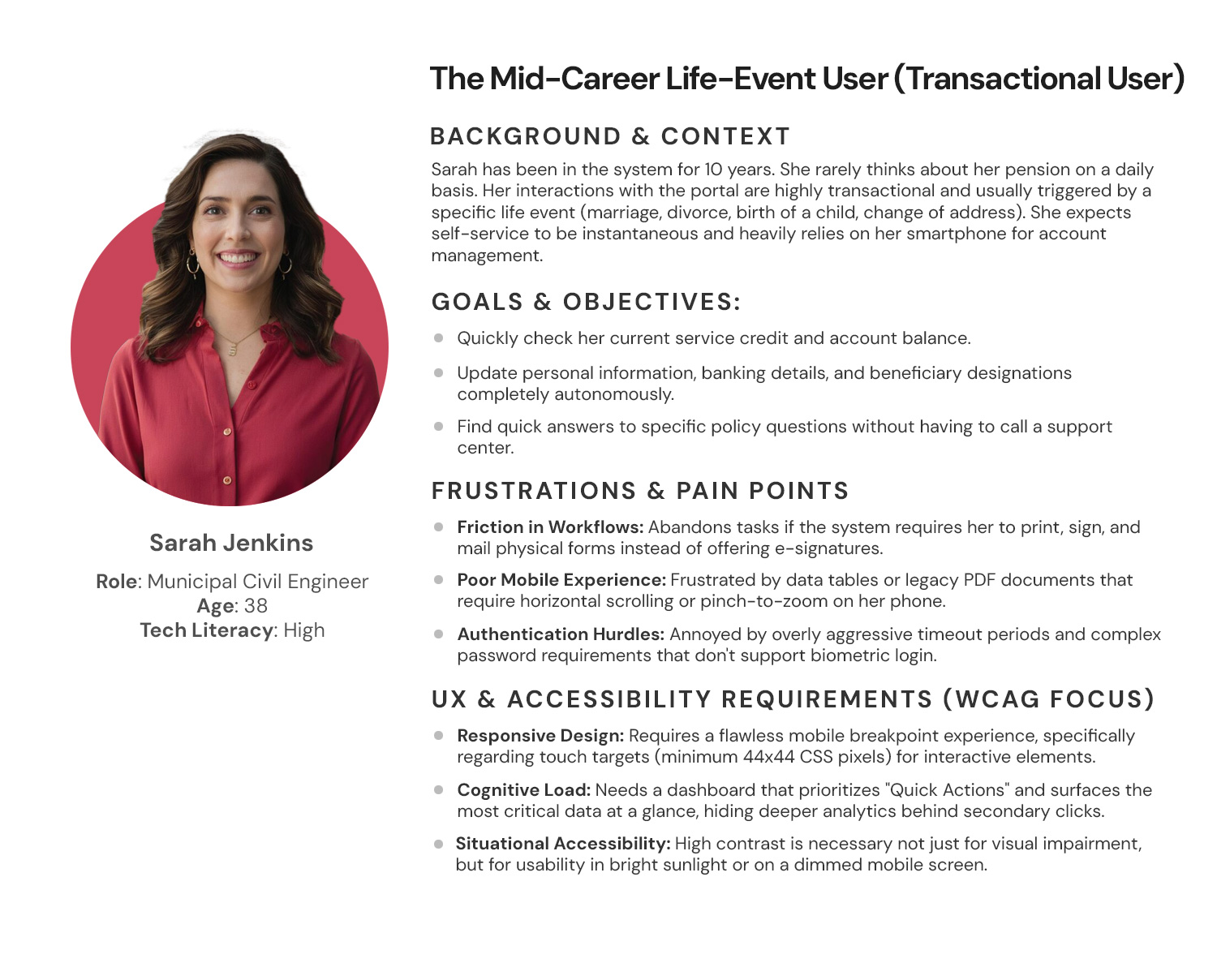
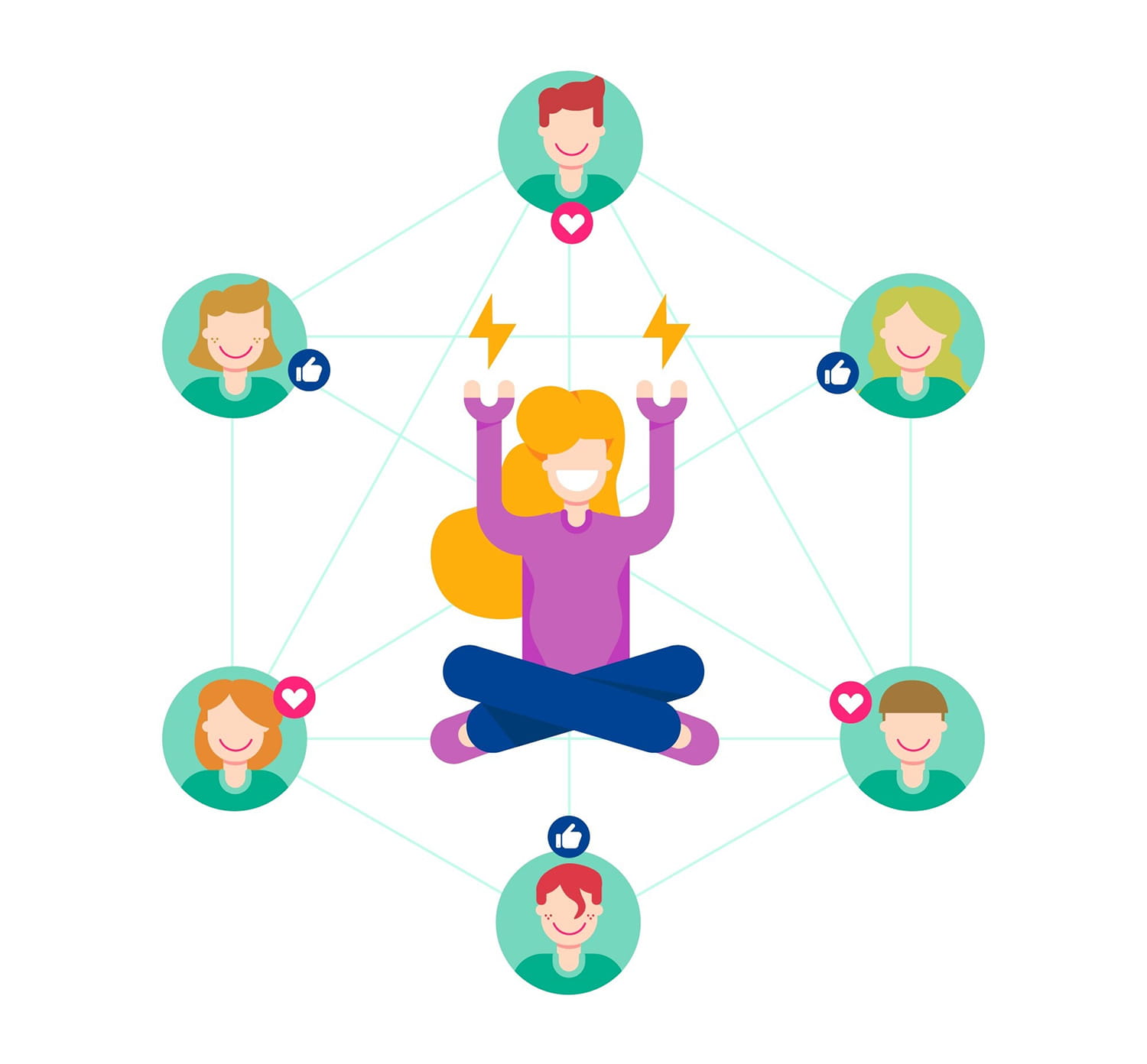
Empathy is the foundation of great design. I develop UX Personas to humanize our target audience, allowing us to step into the user’s shoes. Understanding their ‘why’ helps me design interfaces that don’t just look good, but feel relevant and intuitive to the people using them.

Vertex-Personas-01
Persona 1: The Approaching Retiree (High-Stakes User)
Vertex-Personas-02
Persona 2: The Mid-Career Life-Event User (Transactional User)
Vertex-Personas-03
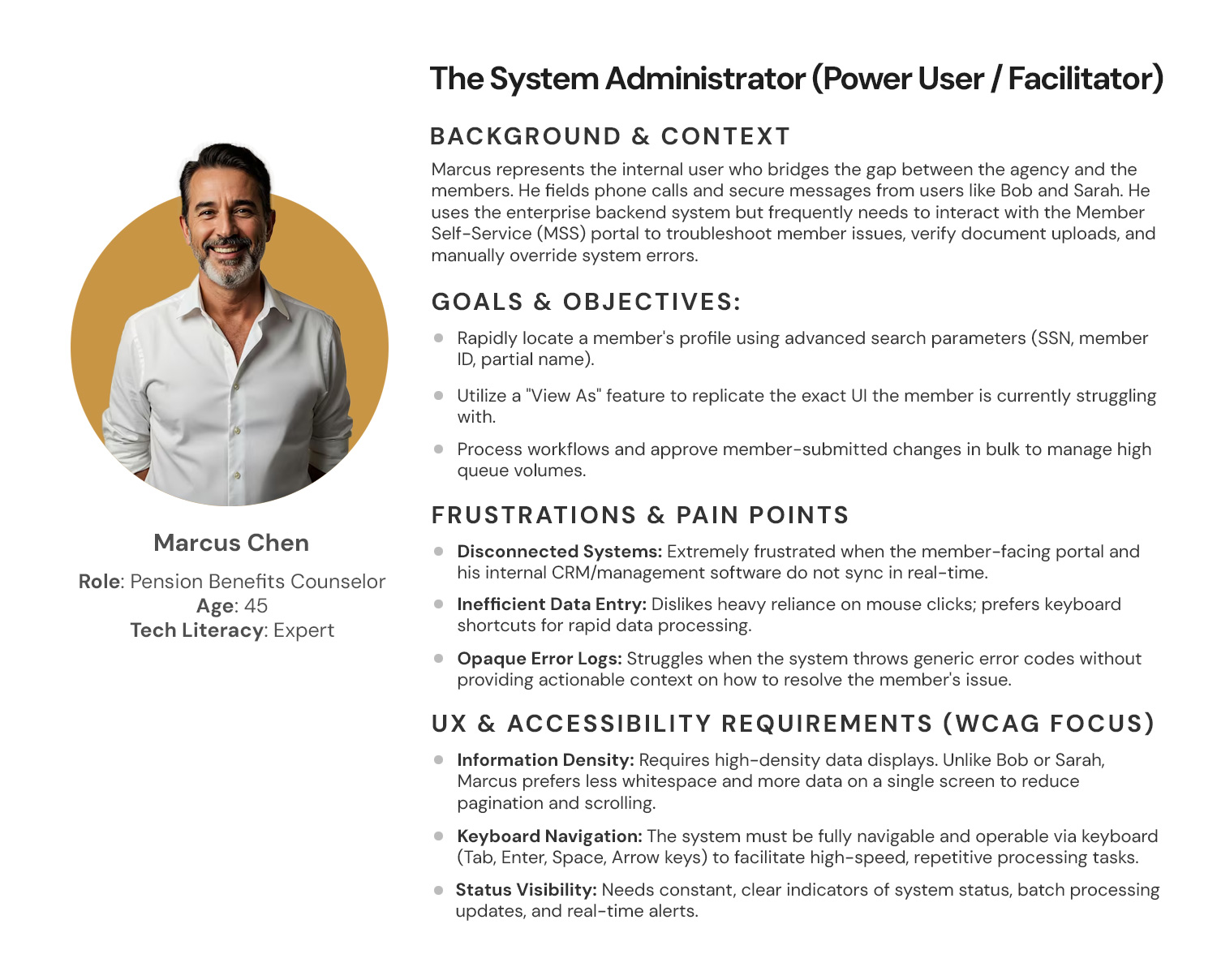
Persona 3: The System Administrator (Power User / Facilitator)
empathy-map-img

Empathy Map

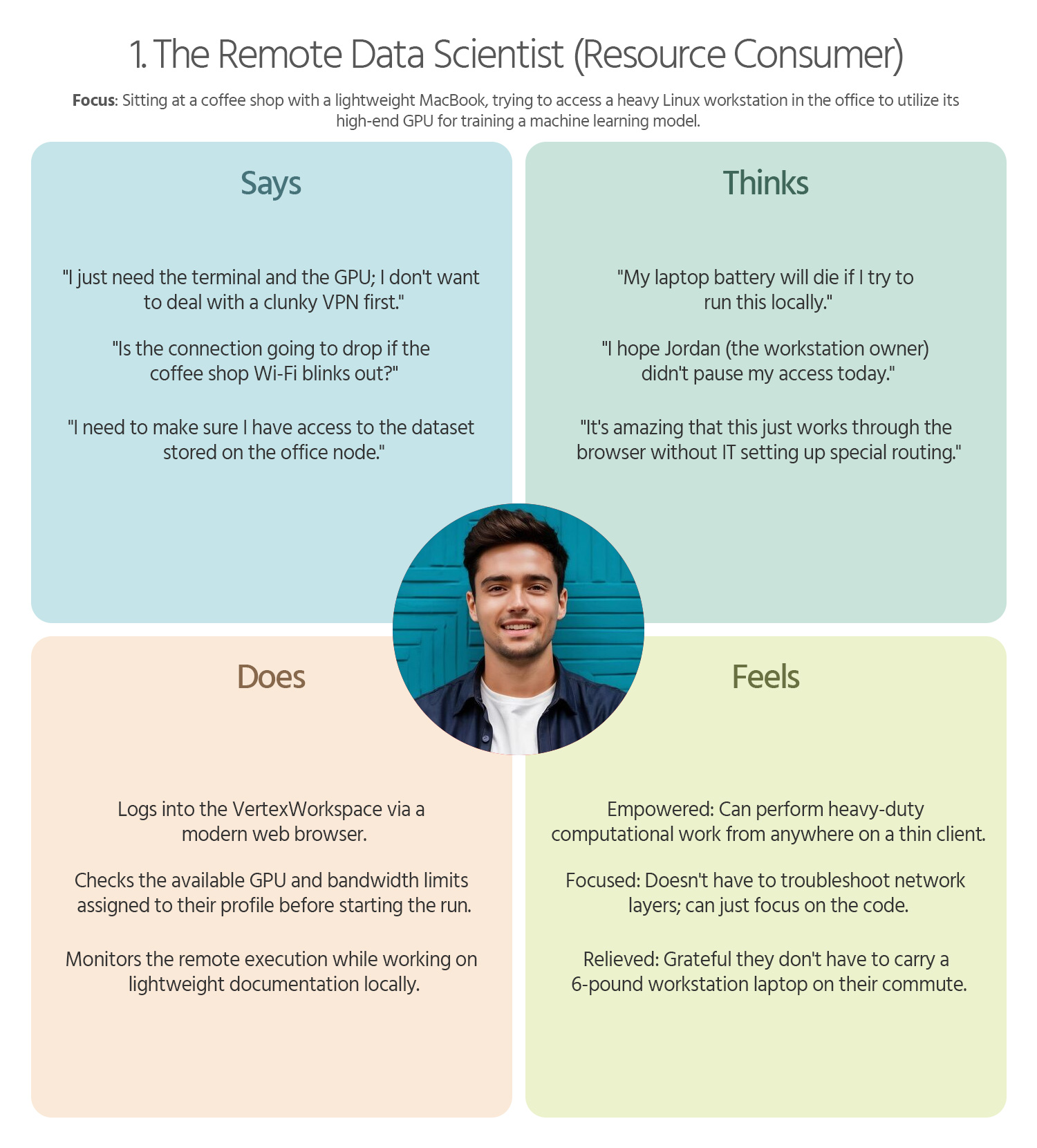
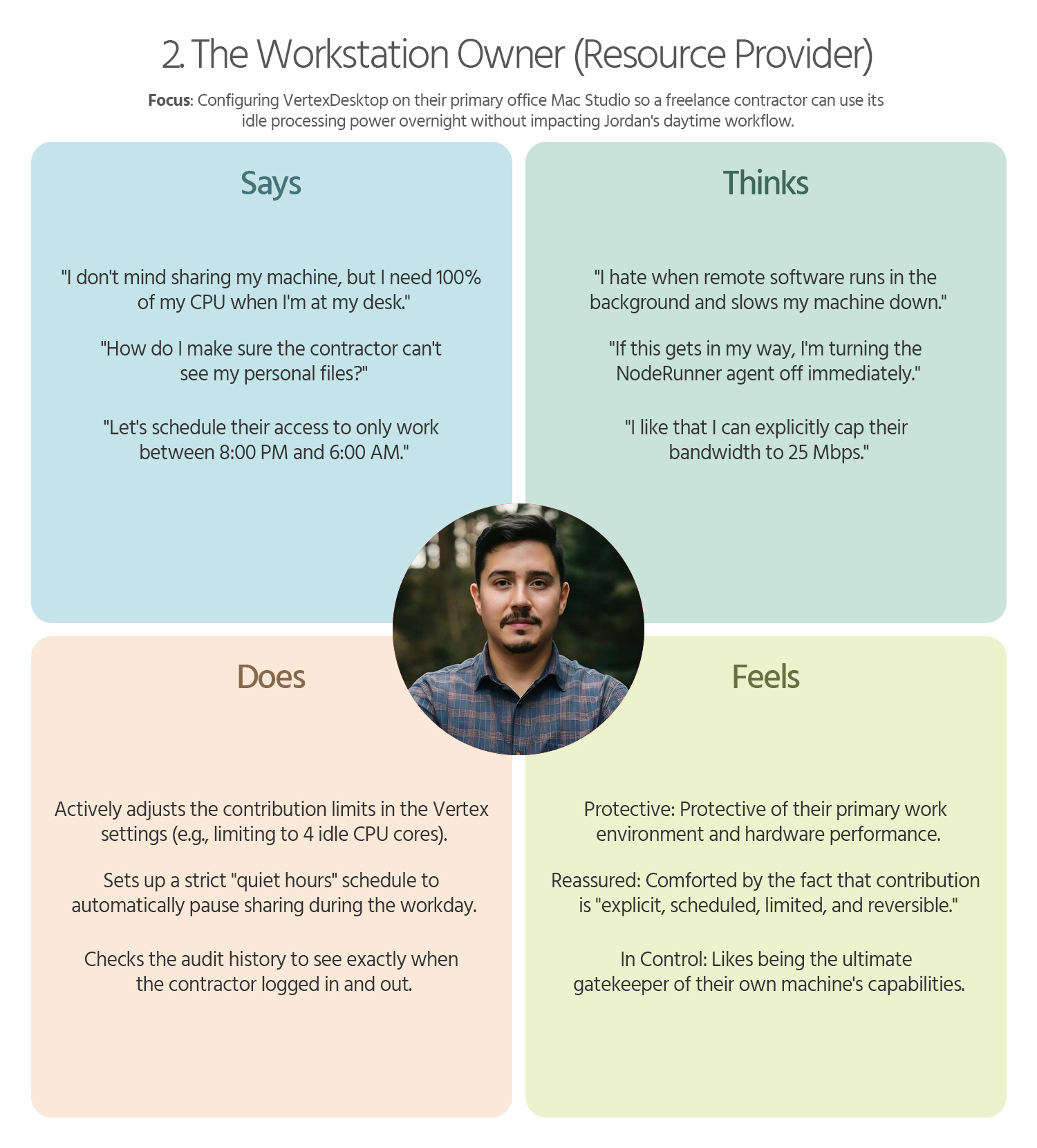
To truly design a “delightful” and human-centered product, we must look beyond functional requirements and map the emotional landscape of our users. Below is a detailed Empathy Map for each of your three core personas, focusing on their sensory experiences and internal motivations.

Vertex-Empathy-Map-01
1. The Remote Data Scientist (Resource Consumer)
Vertex-Empathy-Map-02
2. The Workstation Owner (Resource Provider)
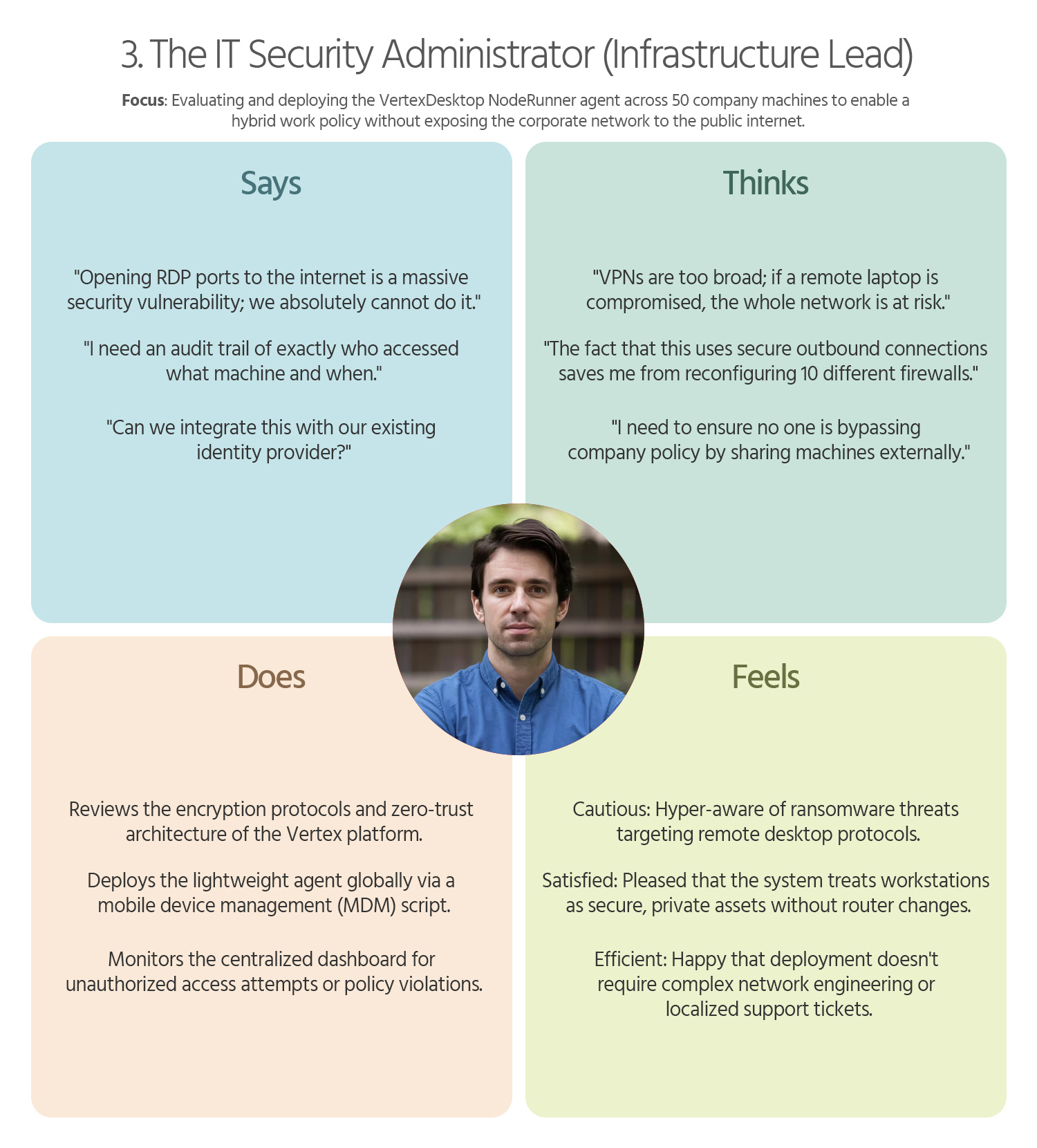
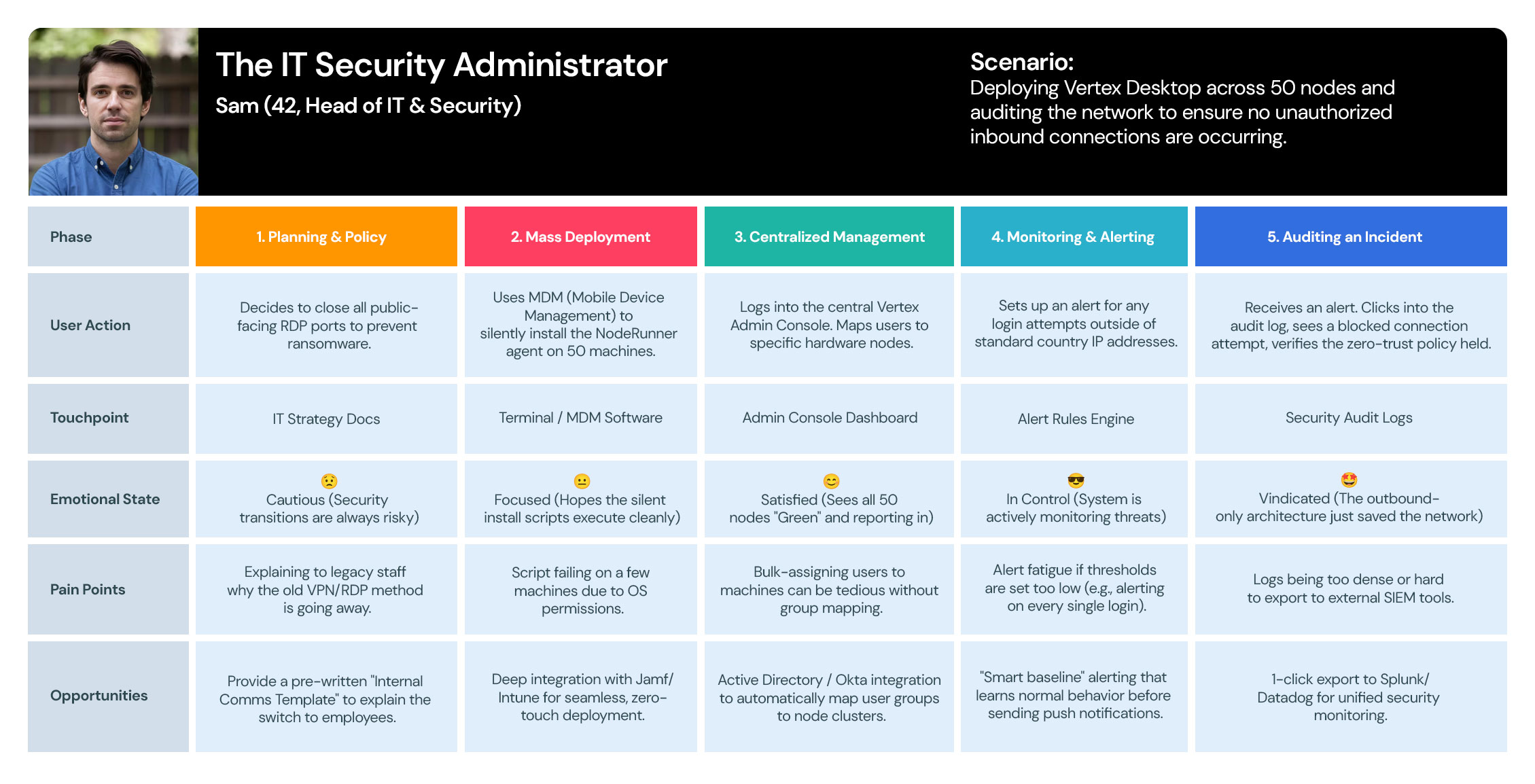
3. The IT Security Administrator (Infrastructure Lead)
user-journey-maps

User Journey Maps

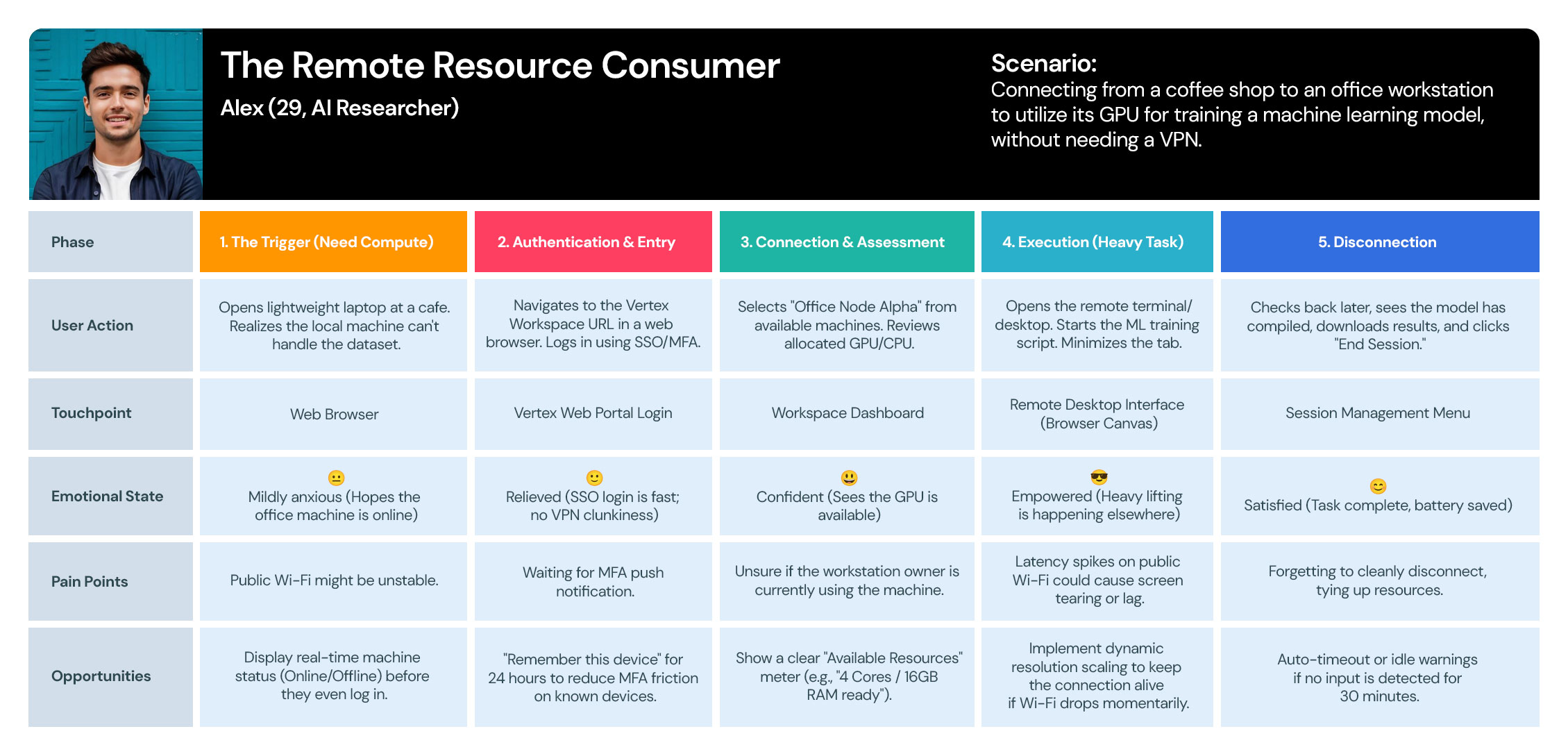
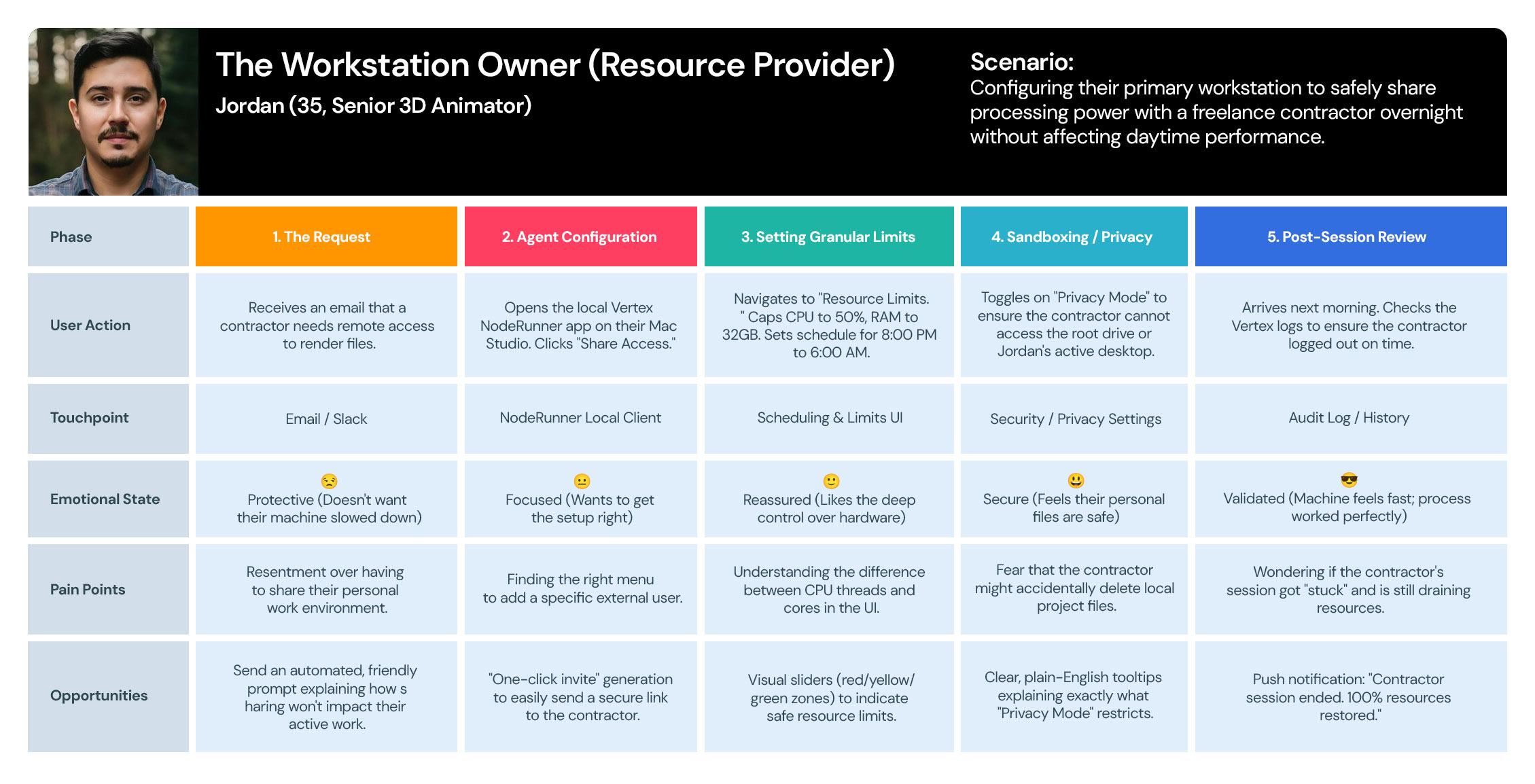
I use User Journey Maps to visualize the end-to-end experience and uncover hidden friction points. By mapping out every touchpoint—from discovery to conversion—I identify where users get frustrated or lose interest. This allows us to turn ‘drop-off points’ into opportunities for engagement.

Vertex-User-Journey-Maps-01
User Journey 1:The Remote Resource Consumer
User Journey 2: The Workstation Owner (Resource Provider)
Vertex-User-Journey-Maps-03
User Journey 3: The IT Security Administrator

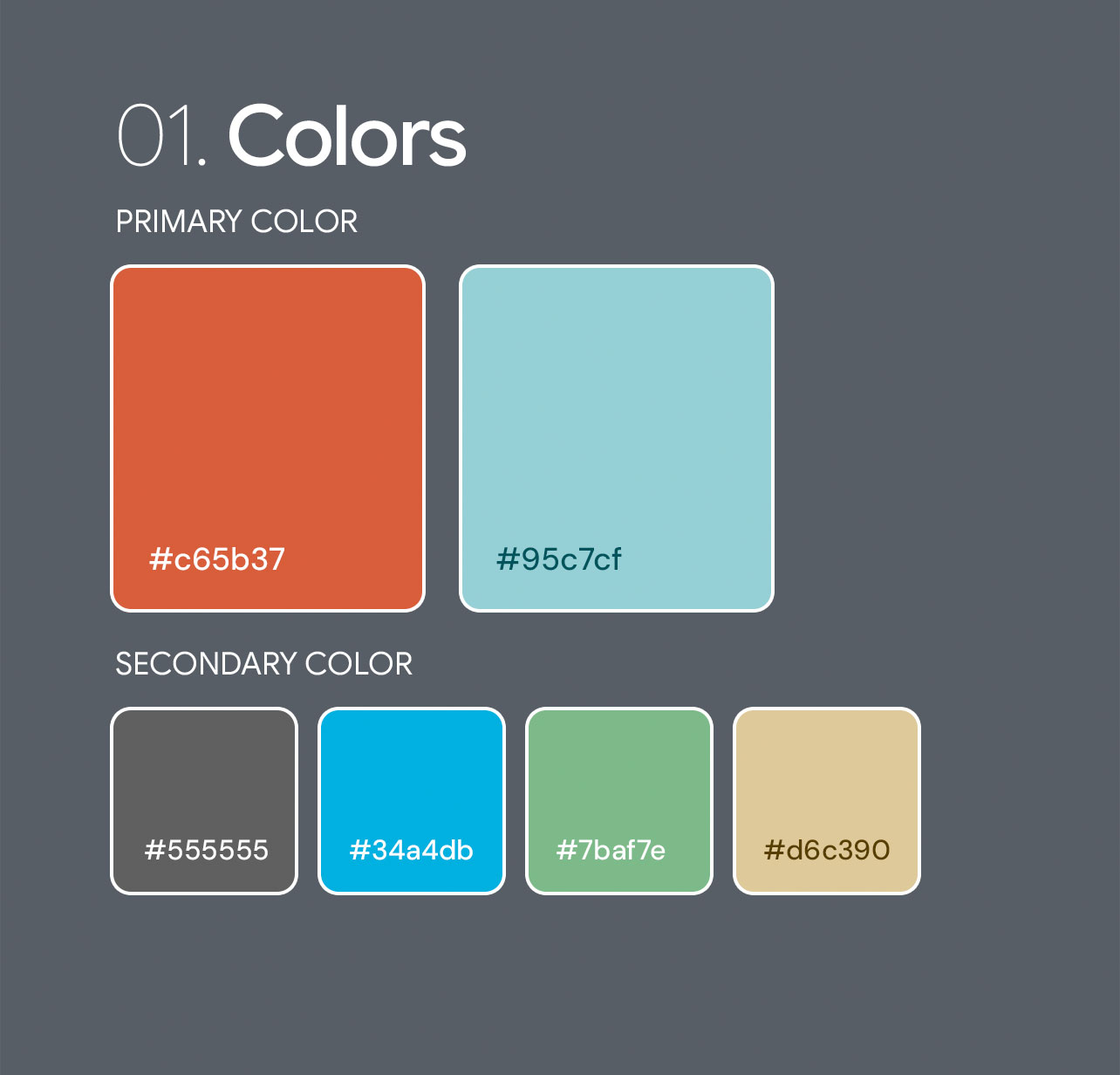
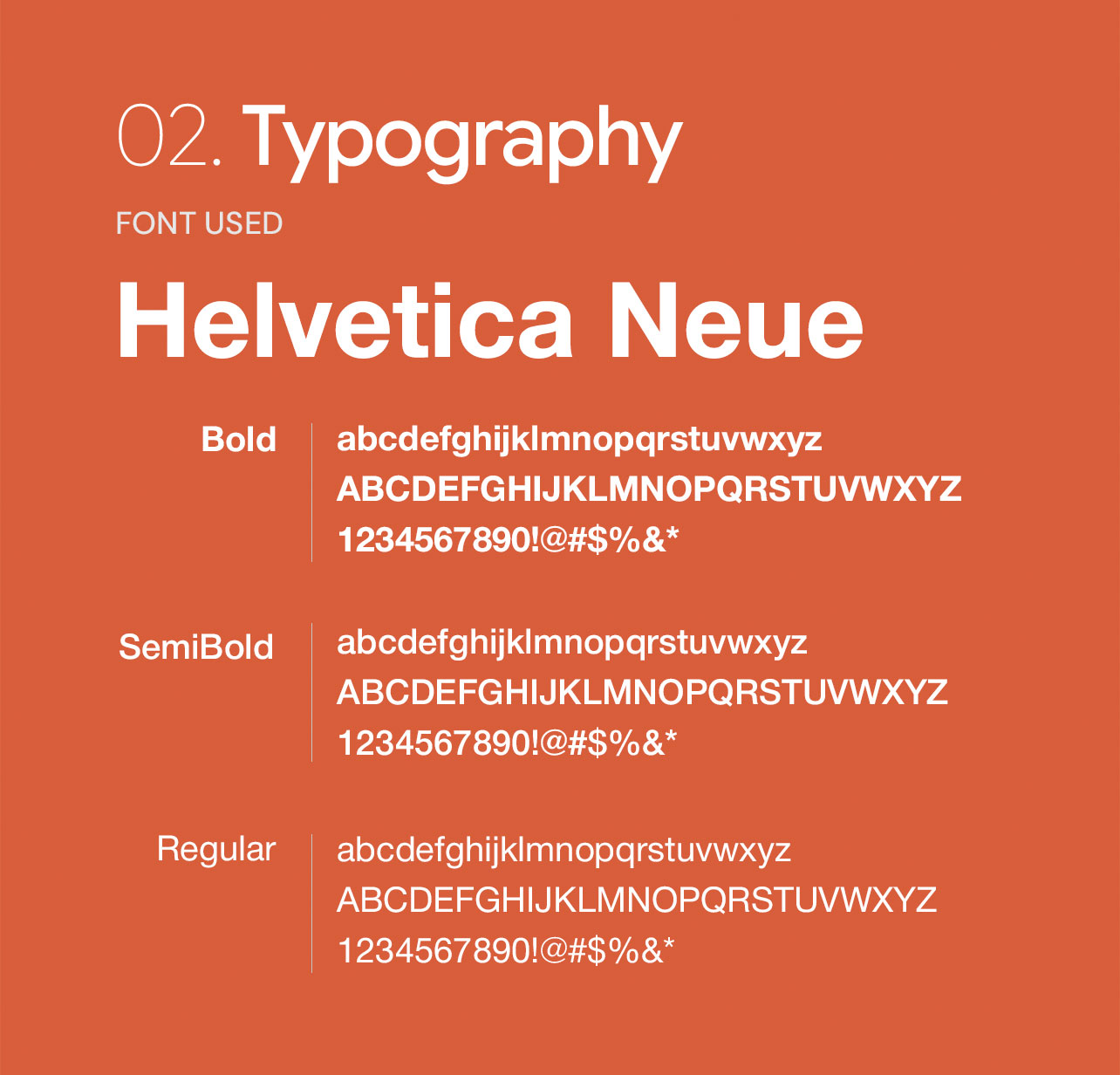
Style Guide

I developed a comprehensive design system that eliminated inconsistencies and cut down production time, allowing the team to focus on delivering a superior user experience.

THE

Visual Design

To me, Visual Design is more than just aesthetics—it’s a communication tool. I use typography, color theory, and spacing to create a clear visual hierarchy that guides the user’s eye to what matters most.

  • Get in touch
    Work Inquiries
    +91 99444 00361
  • Assistance hours:
    Monday – Friday
    10 am to 8 pm ISD
  • Post address
    10/A, Indira Gandhi Street,
    Sengeniammal Nagar, Orlean Pet
    Pondicherry – 605005. (INDIA)
  • Sign up for the newsletter