Veterinary Practice Management App
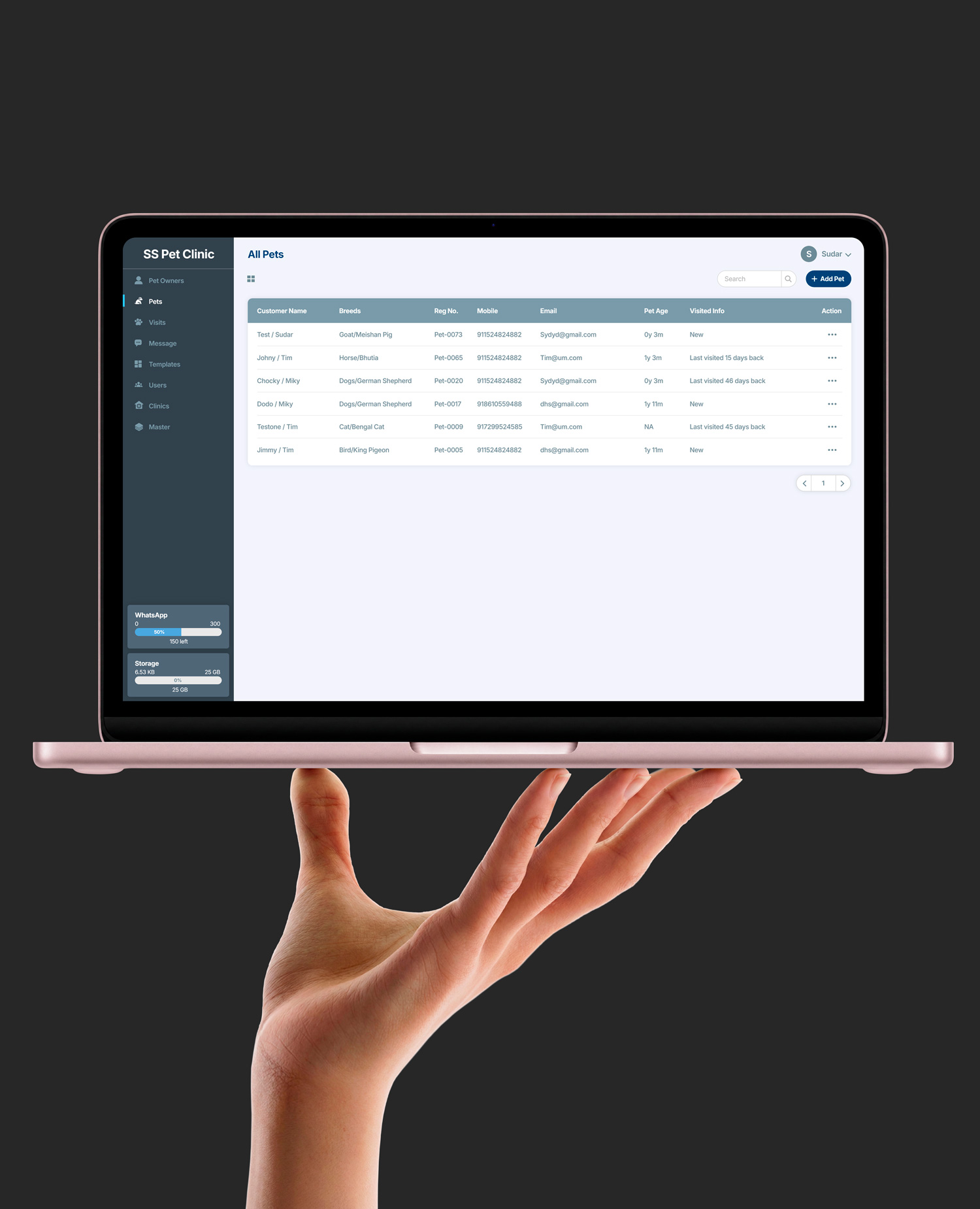
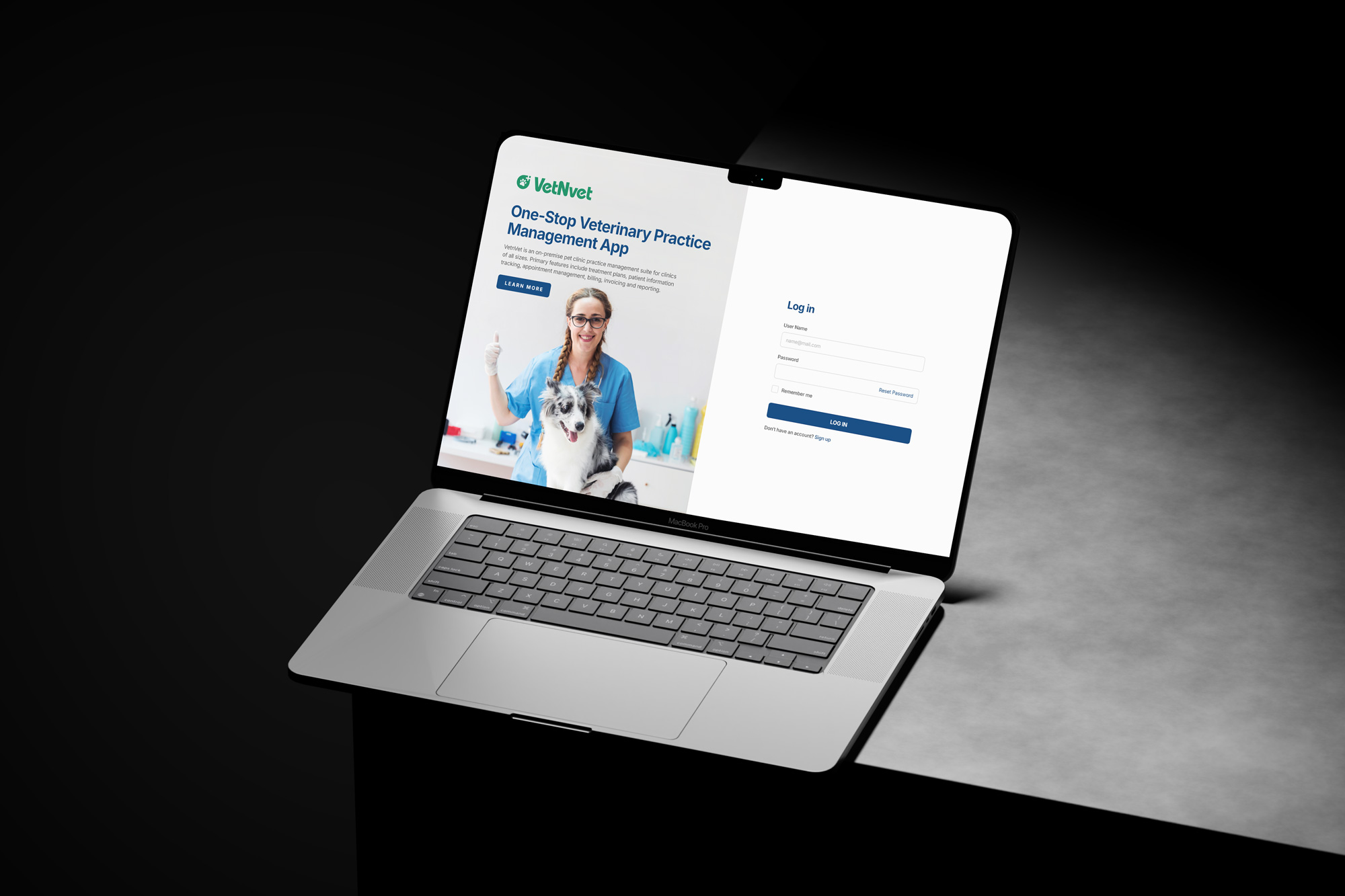
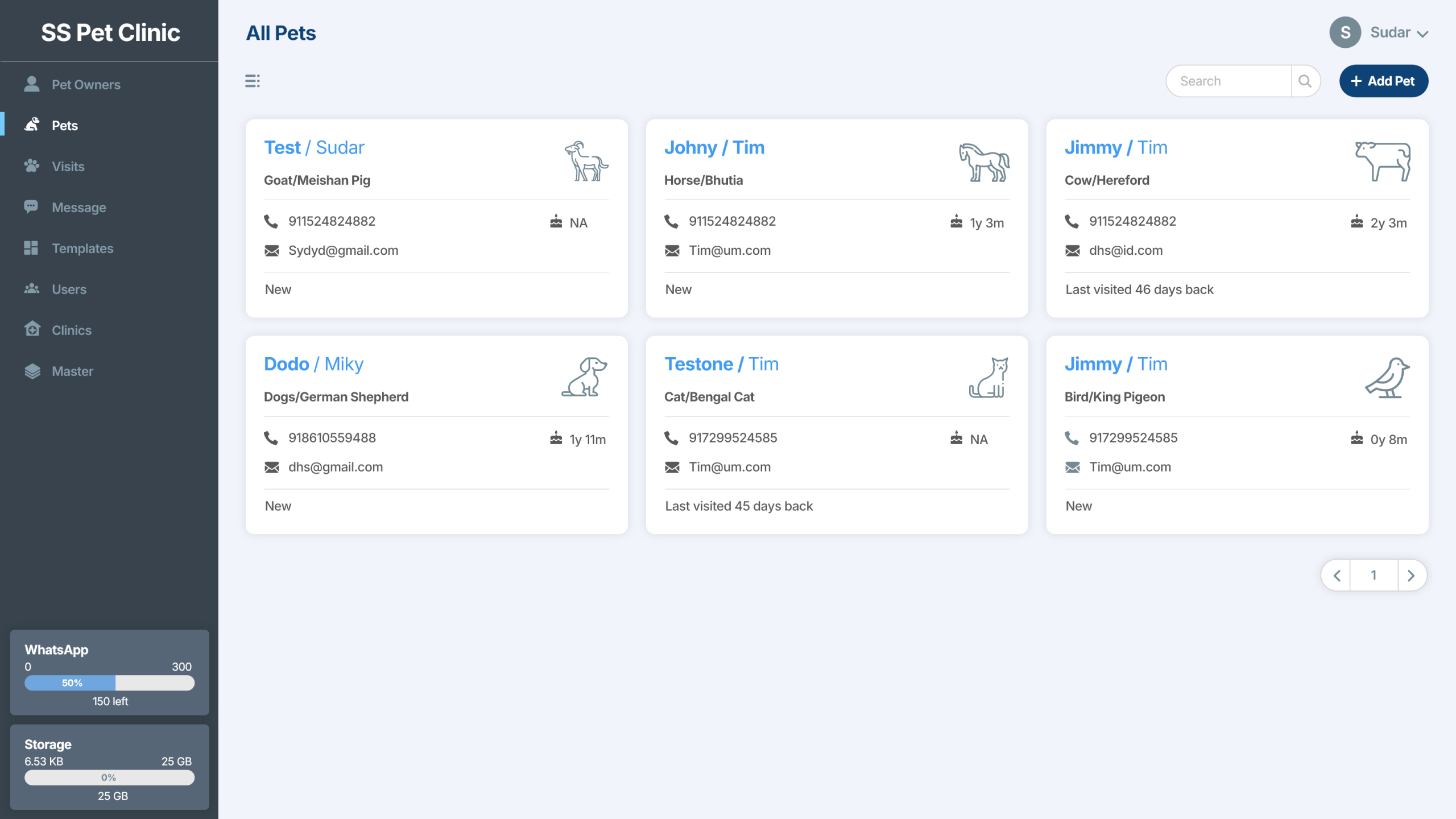
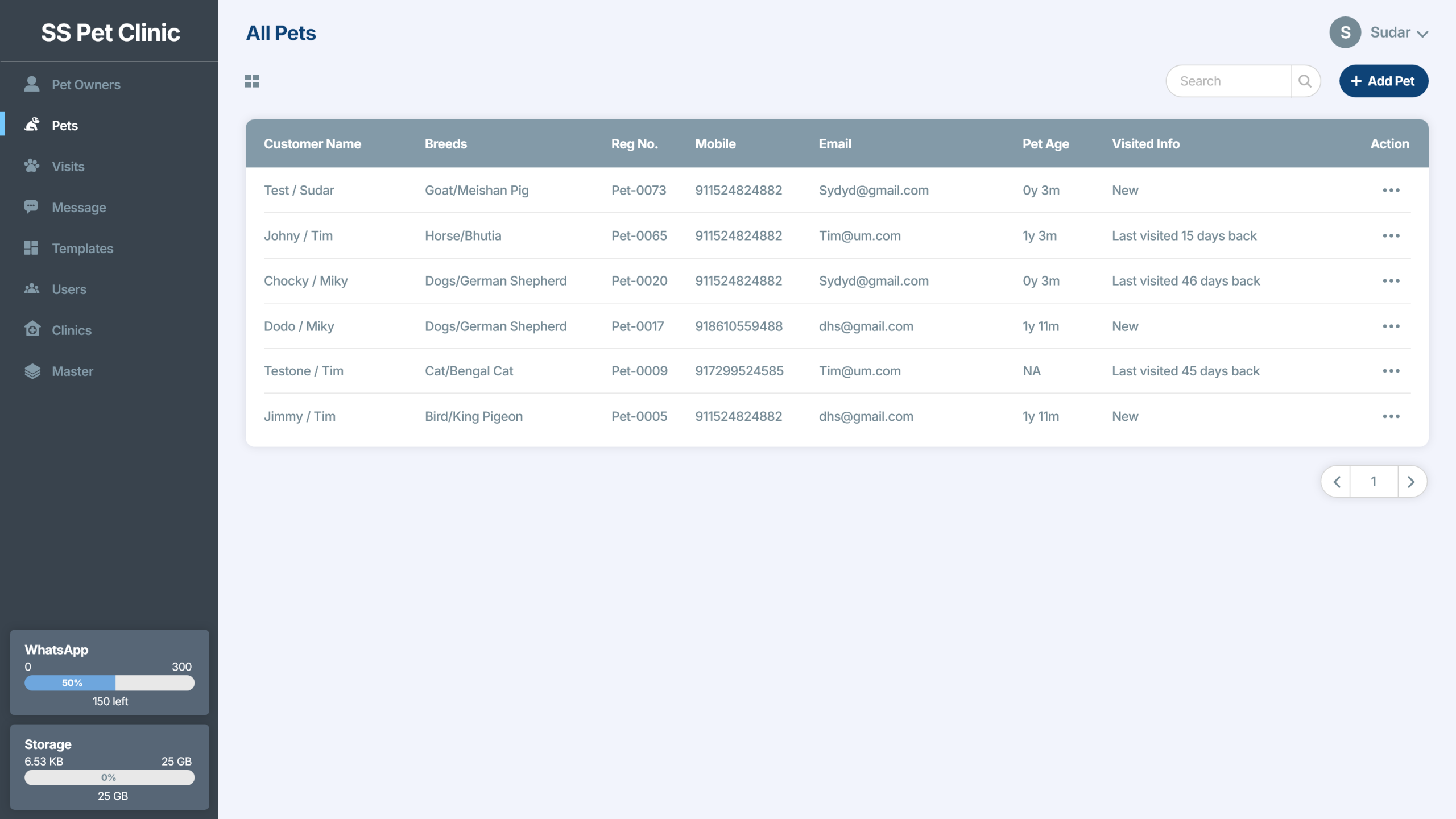
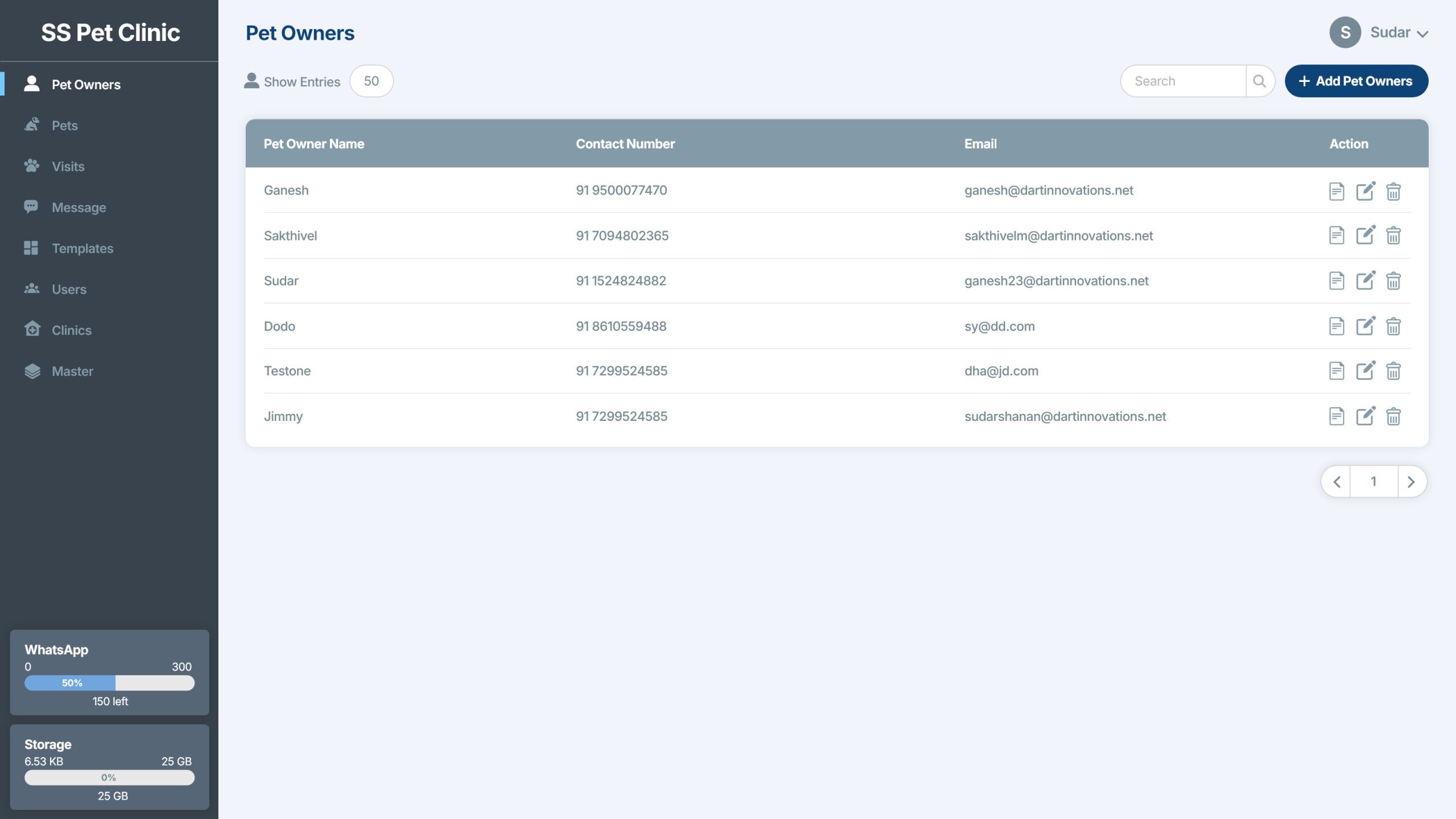
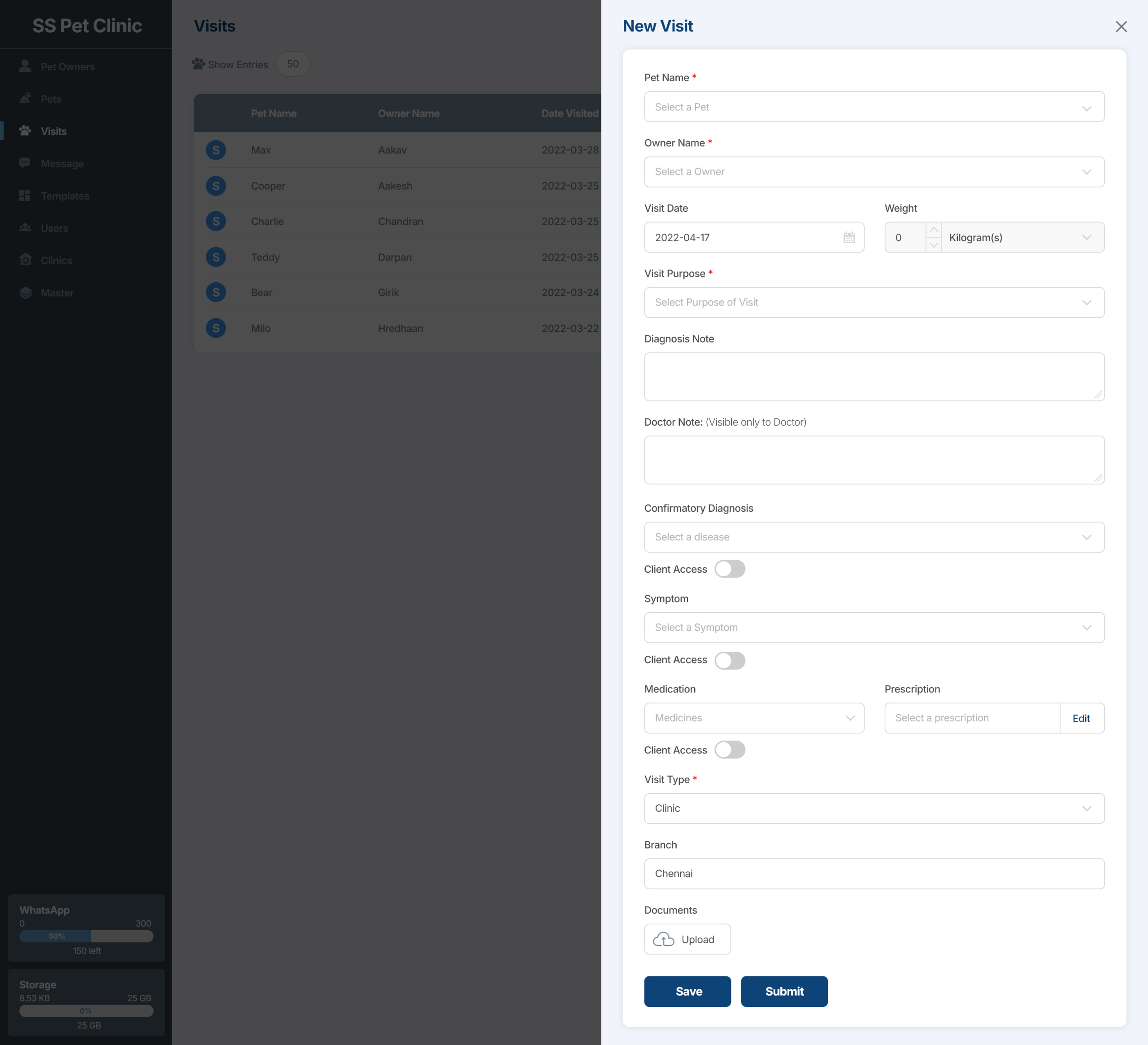
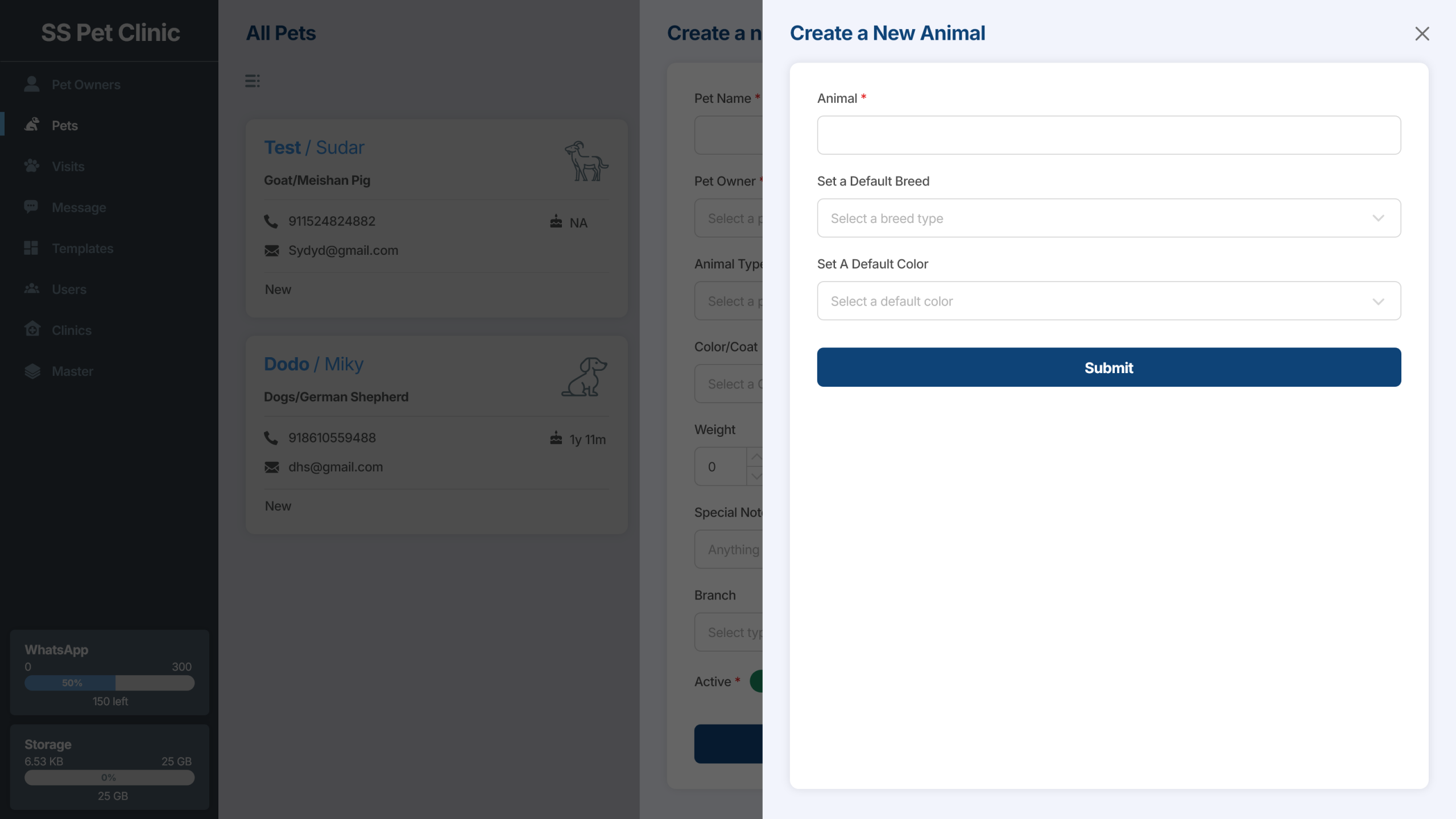
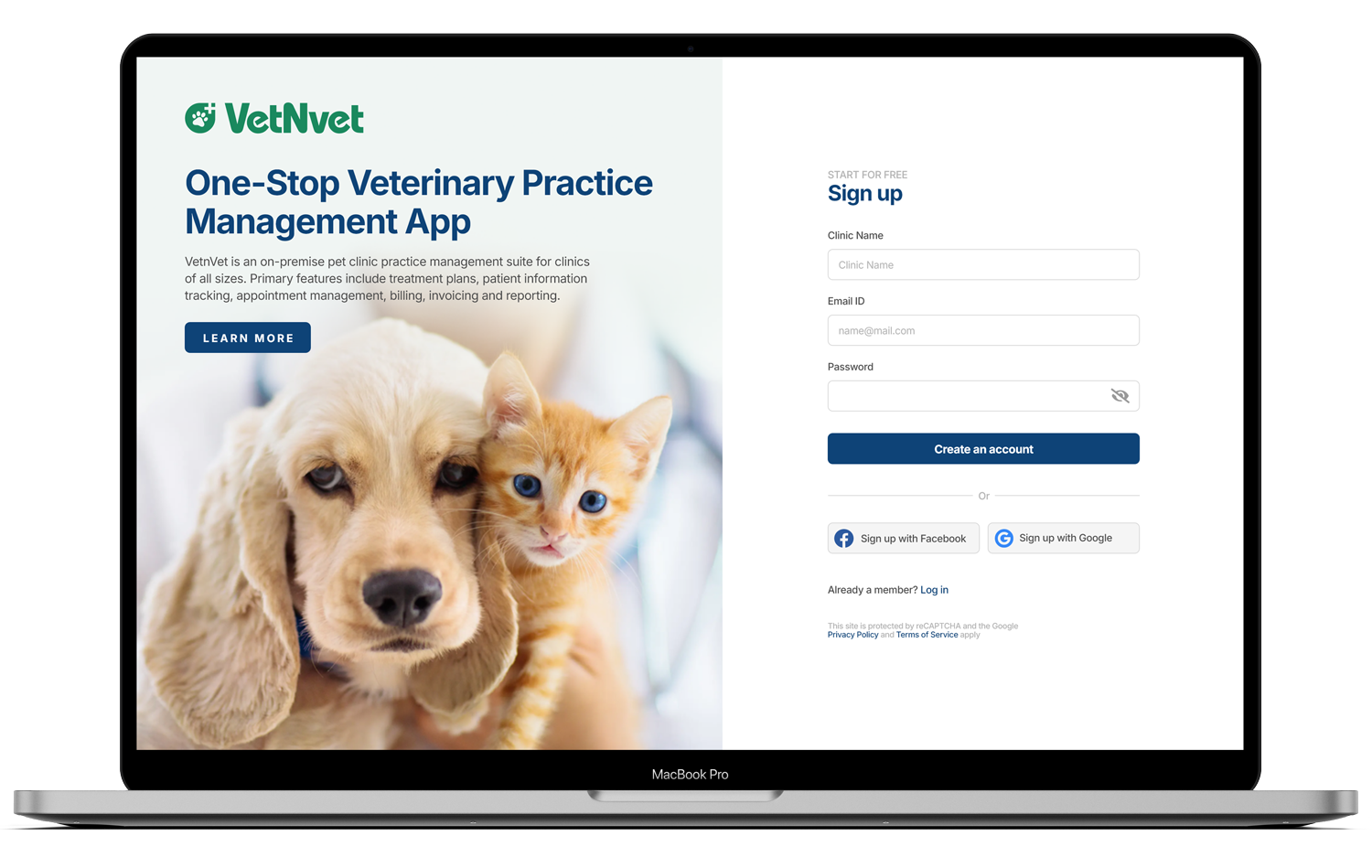
On-premise practice management solution designed for veterinary clinics of all sizes. The platform streamlines daily operations with core capabilities that include appointment scheduling, patient record tracking, treatment planning, billing, and reporting.
Project Overview
Strategic Goals & Objectives
To solve these problems, the project is driven by three distinct tiers of goals:
UX/UI & Human-Centered Goals
-
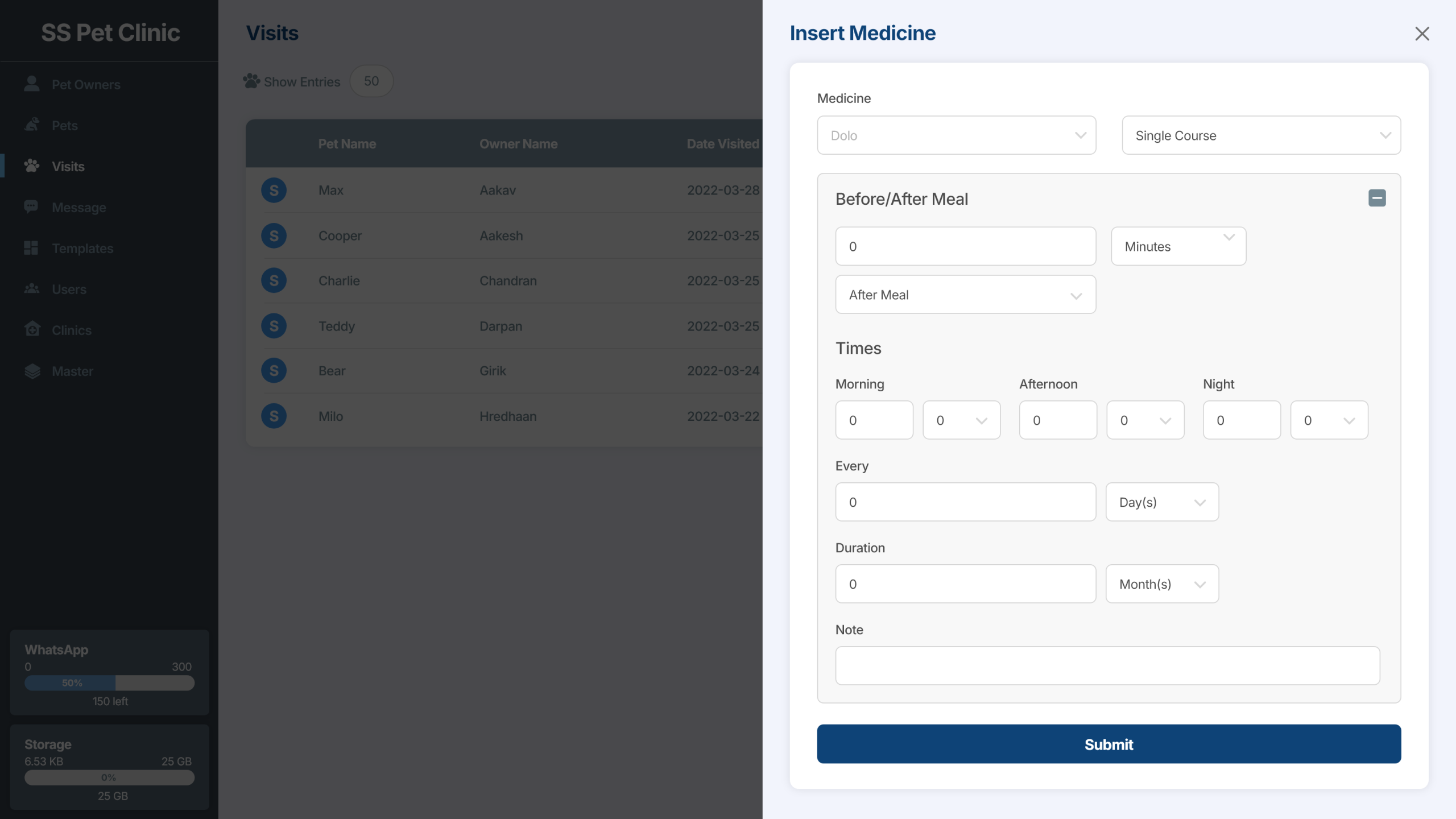
Reduce Cognitive Load: Streamline complex clinical data entry (like SOAP notes and treatment plans) using progressive disclosure and clean information architecture so veterinarians can chart faster.
-
Prevent Critical Errors: Design distinct, high-contrast visual cues for patient allergies, medication dosages, and critical alerts to prevent medical or billing errors.
-
Universal Accessibility: Ensure the entire platform adheres strictly to WCAG 2.1 and 2.2 Level AA standards. This includes full keyboard navigability for fast-typing front desk staff, screen-reader compatibility, and accessible color contrast ratios for high-glare clinical environments.
-
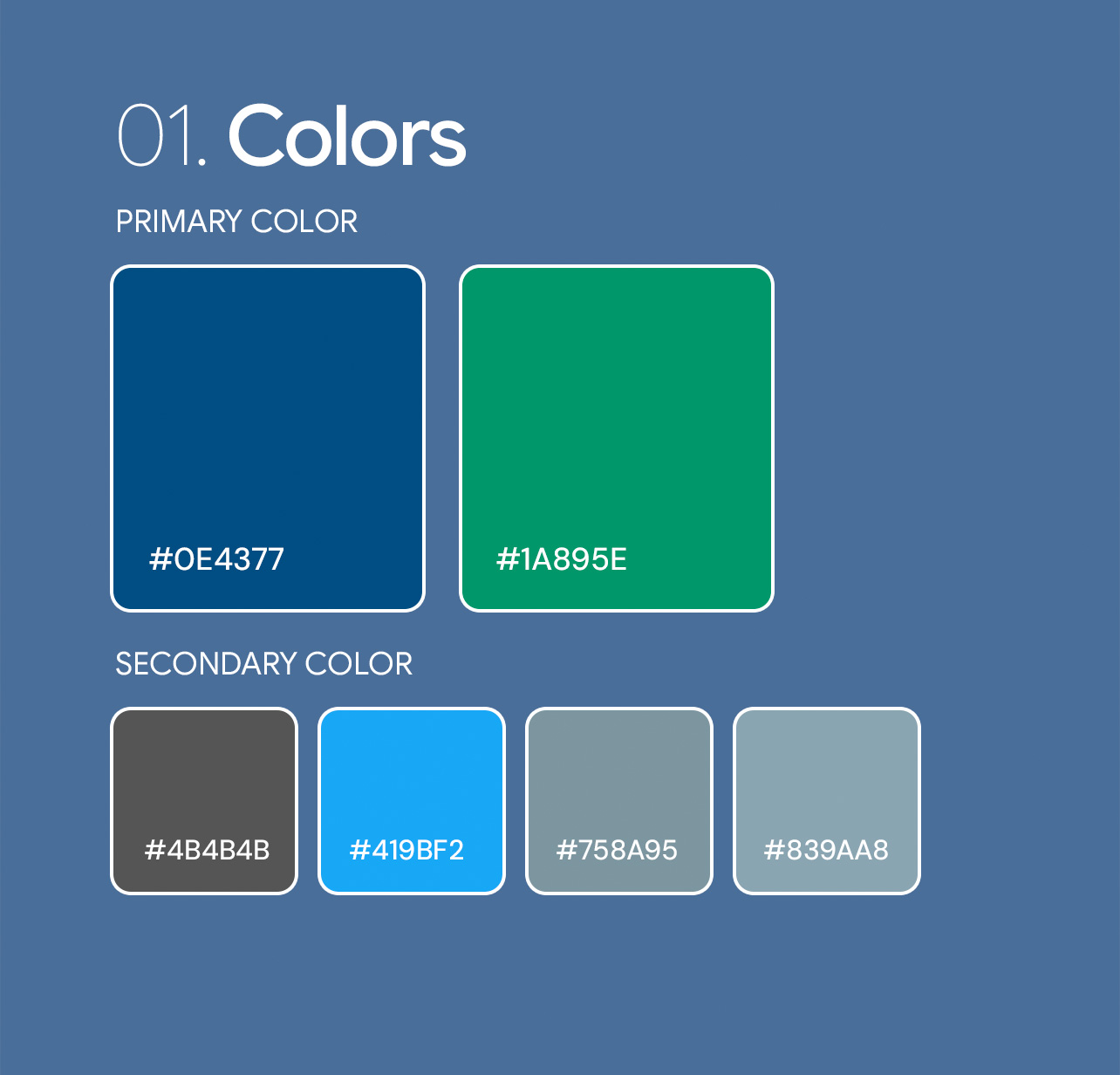
Design Scalability: Establish a robust, custom UI style guide and component library to ensure visual consistency across all current and future modules.
Problem Statement
Veterinary clinics operate in high-pressure, fast-paced environments where providing exceptional animal care is the top priority. However, clinical and administrative teams are frequently hindered by fragmented, legacy software systems. These disjointed platforms force users to navigate cluttered interfaces, redundant data entry processes, and disconnected workflows, ultimately shifting their focus away from patient care and onto administrative overhead.
Key User Pain Points
High Cognitive Load: Complex, non-intuitive interfaces require users to recall workflows rather than recognizing them, leading to increased mental fatigue and errors during fast-paced clinical charting.
Accessibility Barriers: Existing on-premise systems often ignore digital accessibility standards, failing to meet WCAG 2.1 and 2.2 Level AA guidelines. This creates friction for staff requiring keyboard-only navigation at the front desk or those viewing screens in high-glare clinical environments.
Workflow Inefficiencies: The lack of seamless integration between scheduling, electronic medical records (EMR), and financial modules creates frustrating bottlenecks and requires excessive clicks to complete standard tasks.
Information Silos: Critical patient data, treatment plans, and financial estimates are stored in disparate areas, preventing veterinarians from getting a rapid, holistic view of a patient’s health history.
A Unified, Human-Centered Practice Management Ecosystem
To resolve the friction of fragmented clinic operations, the solution is a centralized, on-premise application designed from the ground up using Human-Centered Design (HCD) principles. By prioritizing intuitive information architecture, digital accessibility, and role-based workflows, the platform transforms a cluttered administrative burden into a streamlined clinical tool.
Core Design Pillars
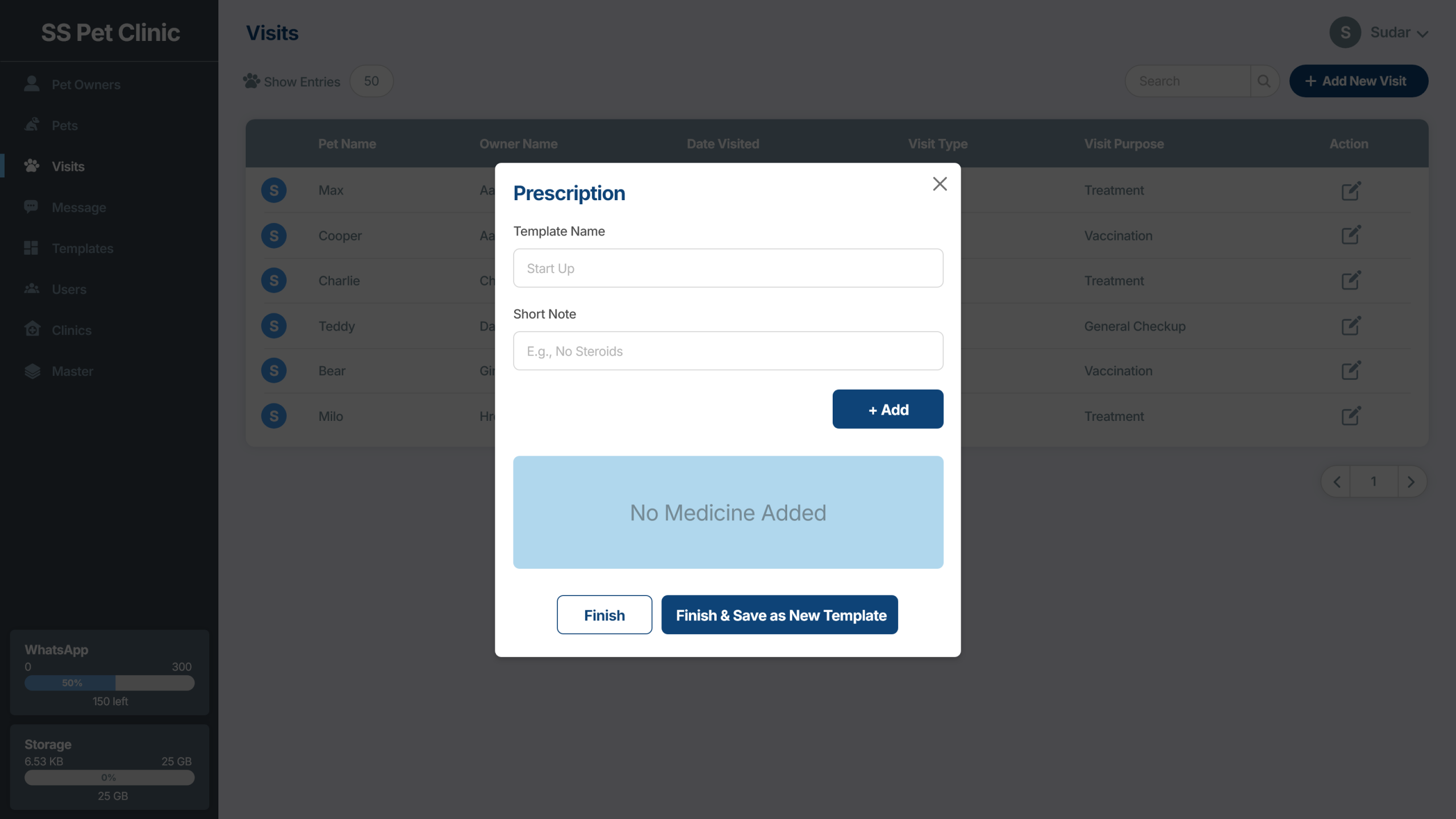
1. Progressive Disclosure to Reduce Cognitive Load Instead of overwhelming users with data-dense screens, the UI employs progressive disclosure. Complex EMR interfaces and SOAP charting tools are broken down into logical, bite-sized steps. Users only see the information and tools necessary for their immediate context, drastically reducing mental fatigue and charting errors.
2. Universal Accessibility (WCAG 2.2 Level AA) The platform is engineered to be fully inclusive, treating accessibility as a baseline rather than an afterthought:
Keyboard-First Navigation: Optimized for front desk staff who rely on rapid keyboard shortcuts to manage high-volume bookings and checkouts without a mouse.
High-Contrast UI: Built with accessible color contrast ratios to ensure readability in high-glare clinical environments, alongside distinct visual cues for critical alerts (e.g., patient allergies).
Screen-Reader Compatibility: Semantic HTML structure and ARIA labels ensure the on-premise web components are fully navigable via assistive technologies.
3. A Unified Workflow Ecosystem The solution dismantles data silos by creating a seamless thread from the front desk to the exam room. An appointment booking automatically generates an active clinical encounter, and the veterinarian’s treatment plan feeds directly into the front desk’s invoicing system, eliminating redundant data entry and missed charges.
Role-Specific UX Interventions
For Veterinarians: A holistic “Patient Dashboard” that surfaces historical trends, lab results, and active treatment plans at a single glance. Quick-charting templates replace manual typing, allowing vets to maintain eye contact with the pet and owner.
For Front Desk Staff: A highly responsive, drag-and-drop calendar interface with smart conflict resolution. Integrated billing modules allow for one-click invoice generation based on the doctor’s clinical notes.
For Veterinary Technicians: Tablet-optimized, touch-friendly interfaces with large touch targets for quickly logging vitals, administering medications, and updating records while handling anxious animals.
The Users and the Industry
To build a truly effective practice management tool, we must look beyond standard enterprise workflows and deeply understand the physical environments, emotional realities, and cognitive loads of the people working in veterinary medicine.
The Industry Context: A High-Stakes Environment
Veterinary clinics are unique ecosystems. They are simultaneously emergency rooms, retail pharmacies, boarding facilities, and customer service centers.
The Emotional Toll: The industry suffers from notoriously high rates of burnout and compassion fatigue. Software should be a supportive tool, not an additional source of daily frustration.
Split Attention: Unlike a traditional office setting, veterinary staff rarely sit uninterrupted at a desk. Their attention is constantly split between an unpredictable animal, an anxious pet owner, and the screen.
Regulatory Rigor: Clinics must maintain strict legal compliance regarding medical records, controlled substance tracking, and hazardous waste, demanding a system that prevents errors by design.
Empathizing with the Users: Cognitive & Physical Realities
A human-centered approach requires designing for the state the user is in, not just the task they are performing.
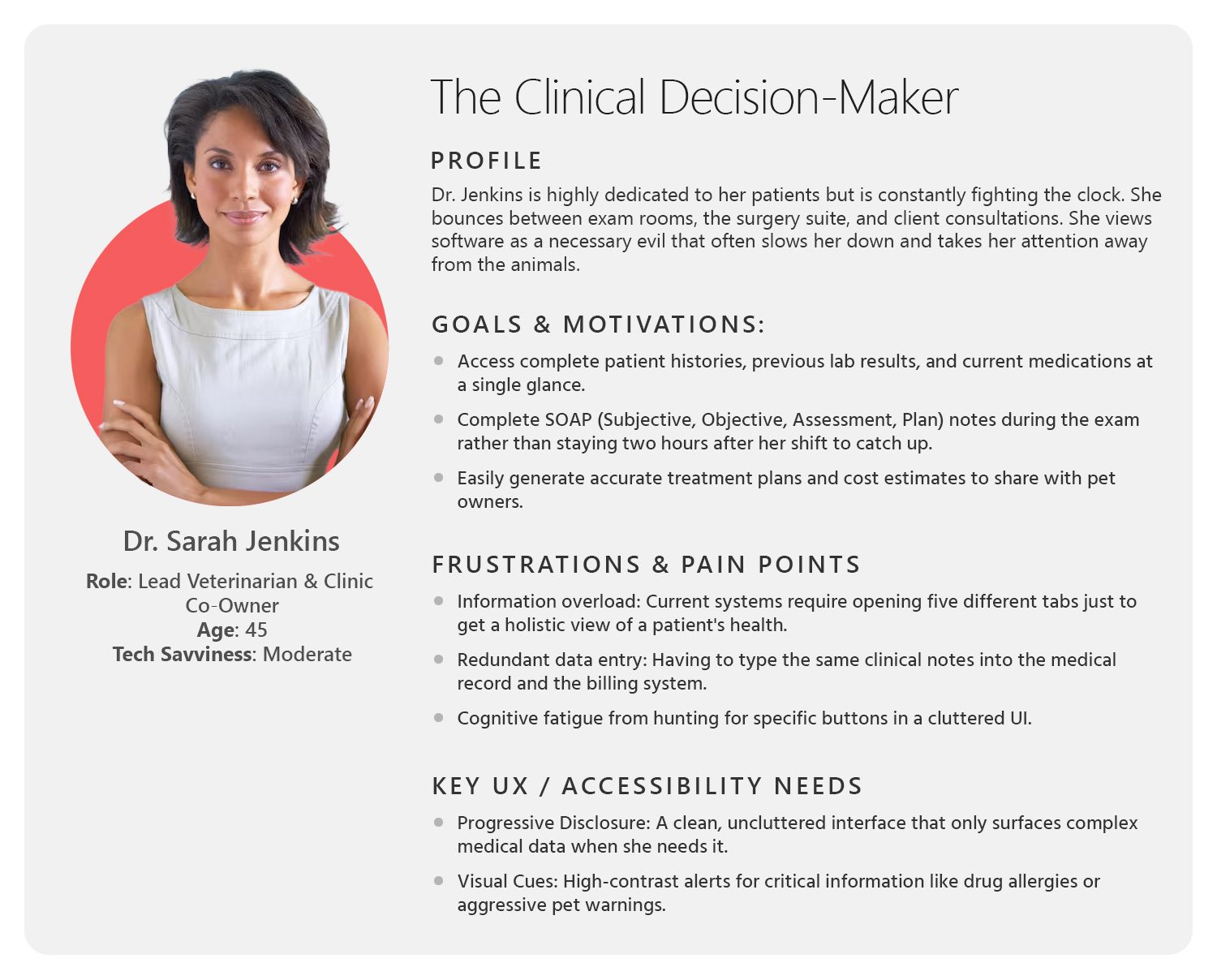
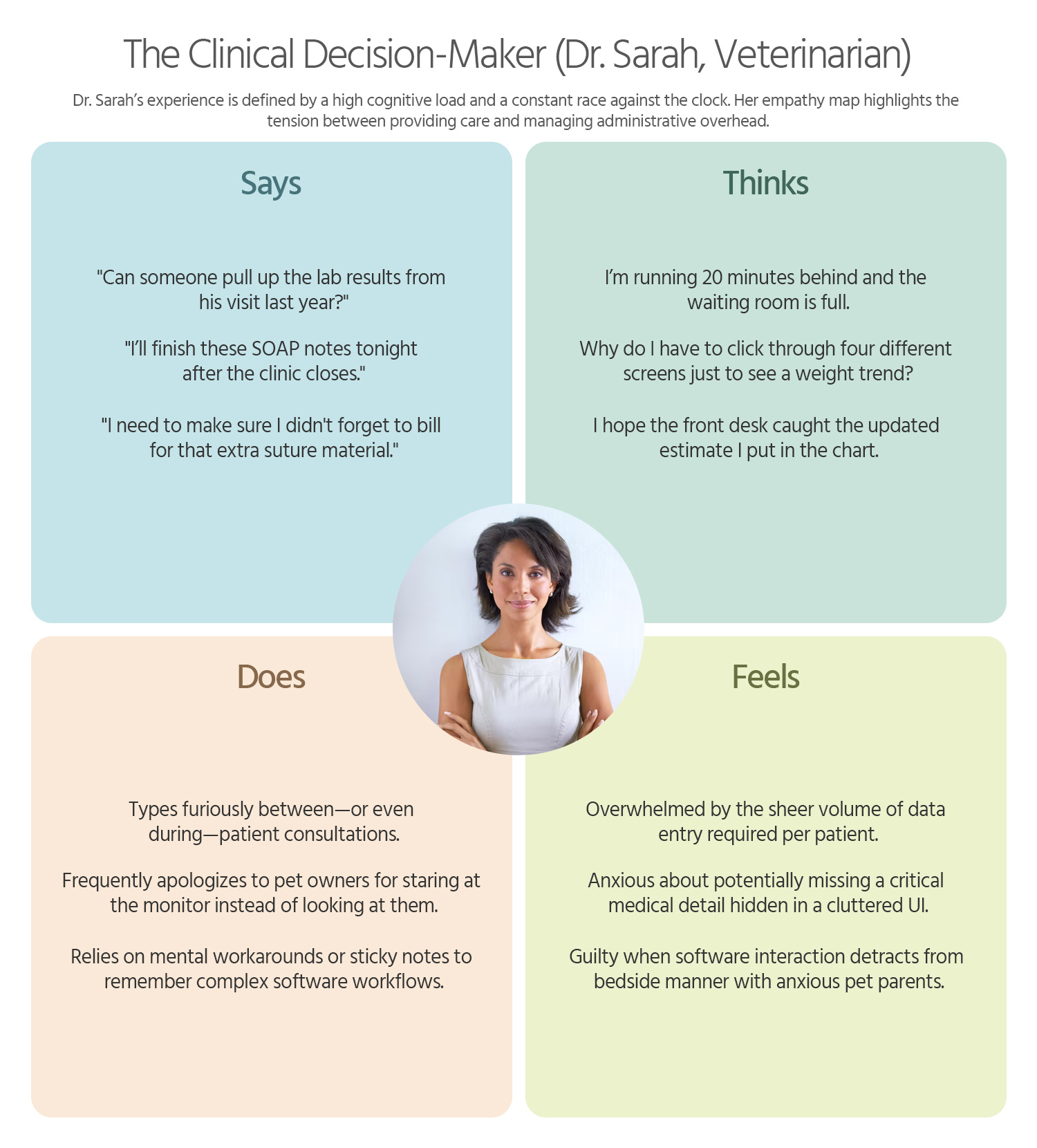
1. The Veterinarian (The Clinical Decision-Maker)
Context: Time-poor, often moving rapidly from room to room. Their hands are frequently occupied examining animals.
Cognitive State: High cognitive load. They need to synthesize past medical histories, current vitals, and lab results instantly to make accurate diagnoses.
Design Implication: EMR interfaces must utilize progressive disclosure and high information density without clutter. Critical data (allergies, aggressive behavior warnings) requires high-contrast visual cues that register in a fraction of a second.
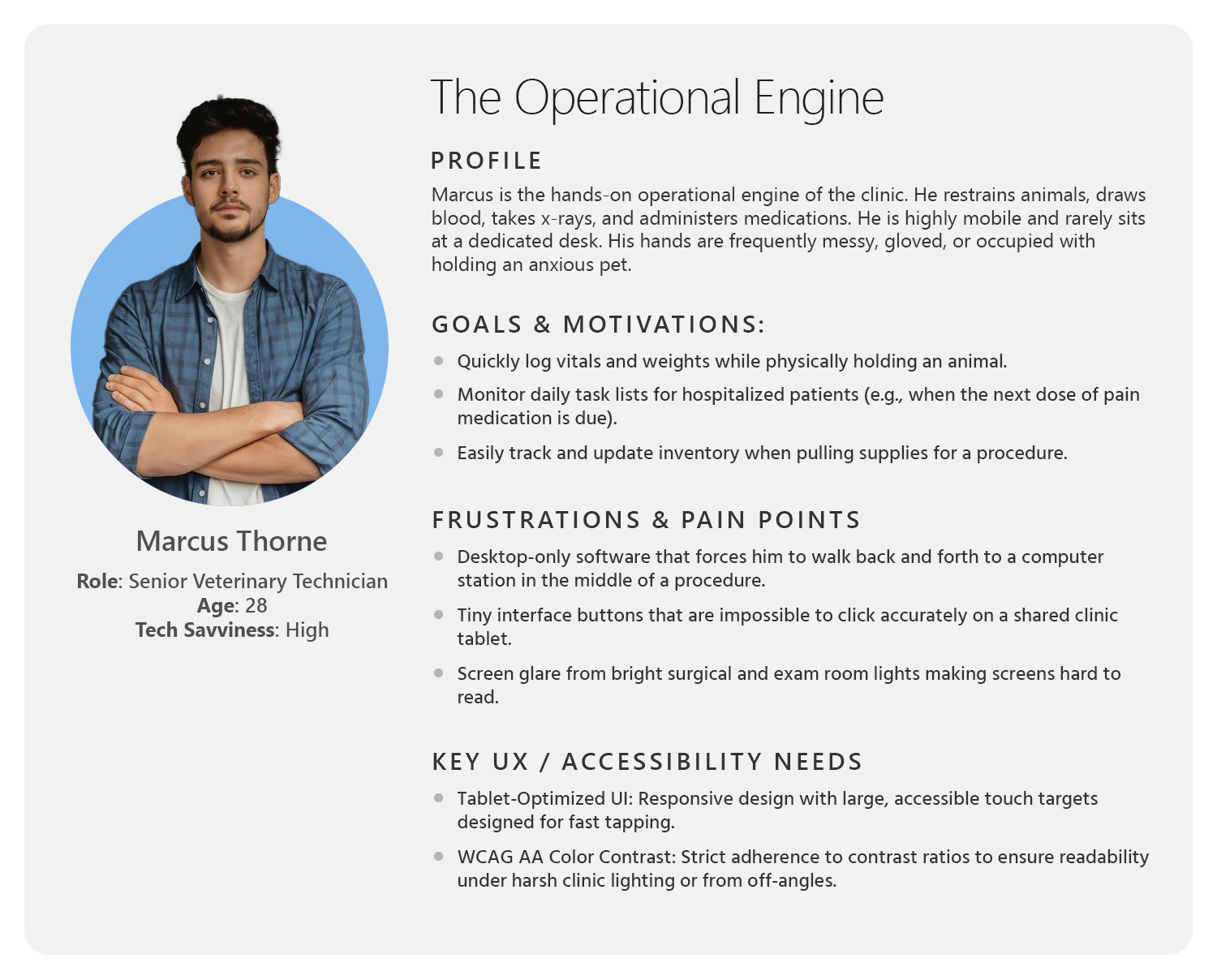
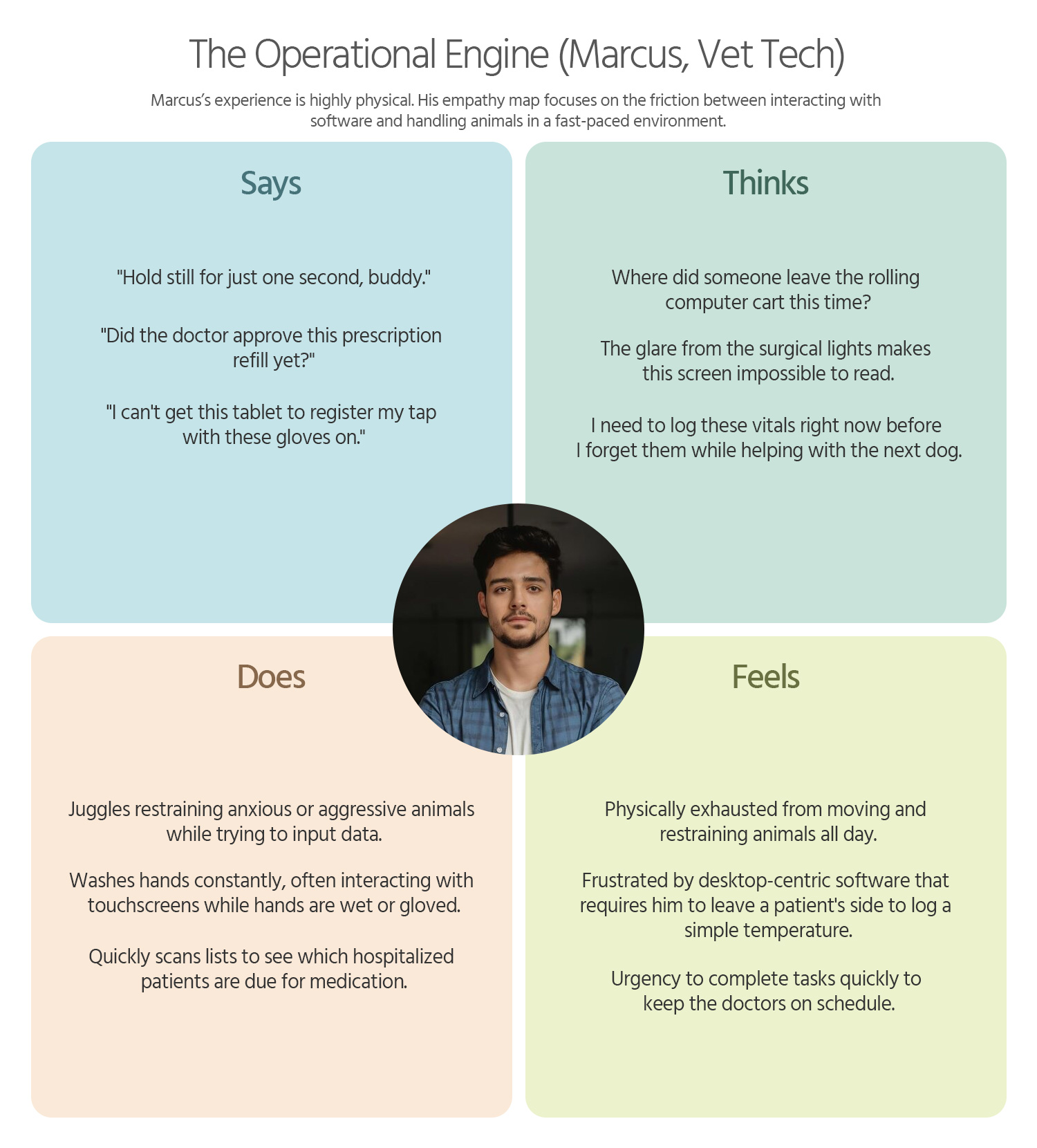
2. The Veterinary Technician (The Operational Engine)
Context: Highly mobile. They are drawing blood, taking x-rays, and administering medications, often while physically restraining animals.
Cognitive State: Task-focused and physically constrained. They are often wearing gloves or have messy hands.
Design Implication: Interfaces for techs must be tablet-optimized with large, accessible touch targets. WCAG-compliant color contrast is critical here, as screens are often viewed from off-angles or under bright surgical lights.
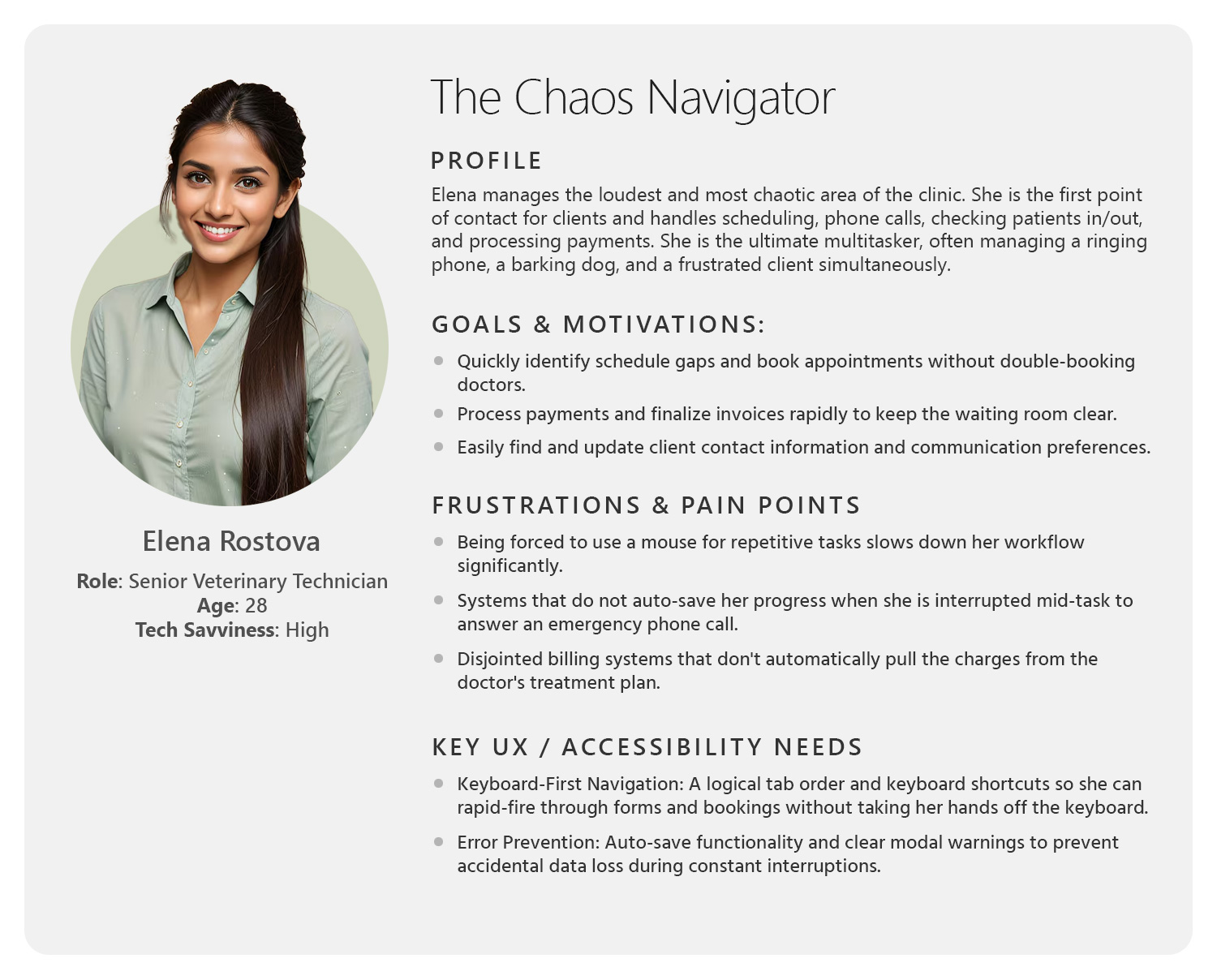
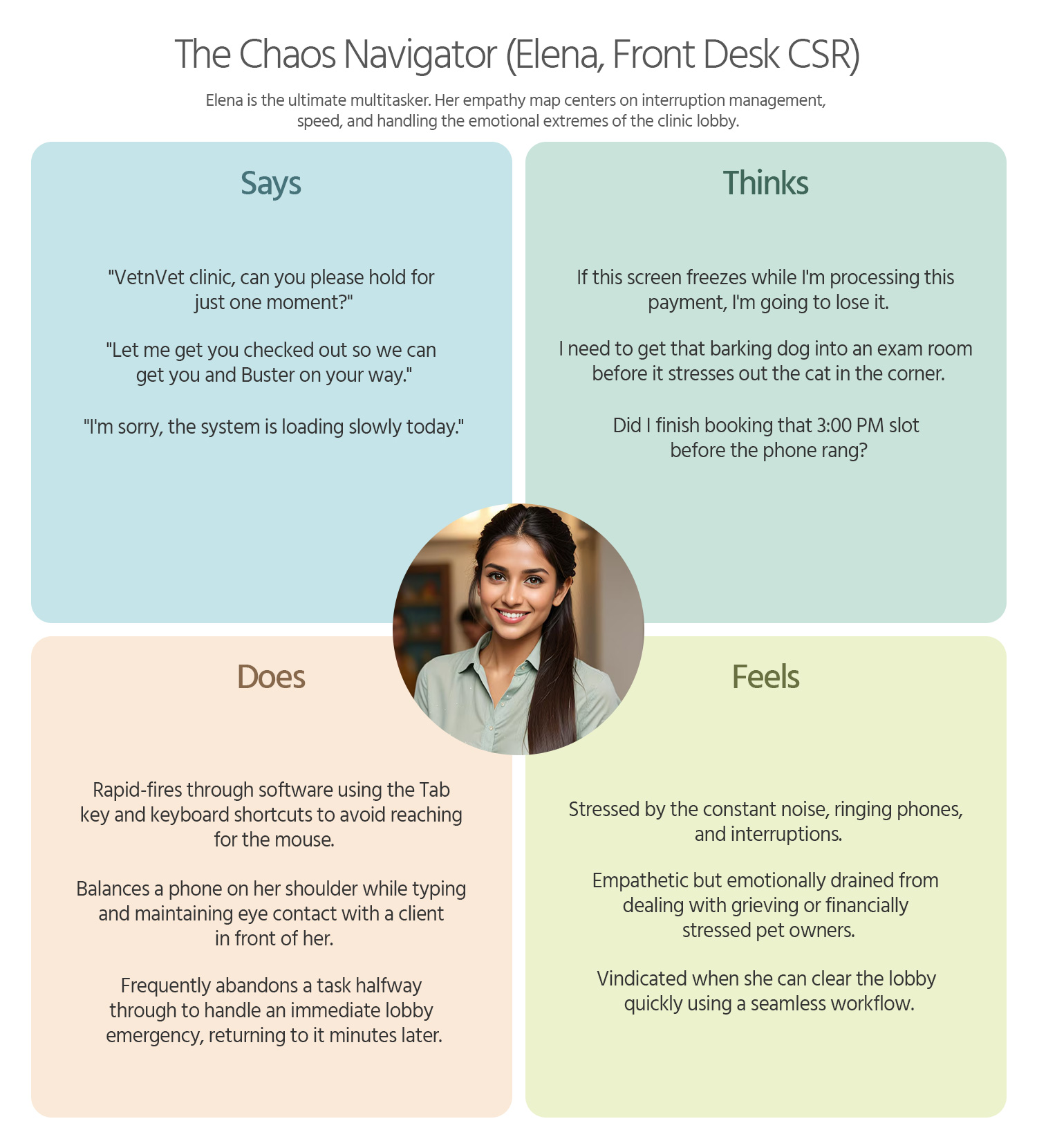
3. The Front Desk / Client Service Representative (The Chaos Navigator)
Context: The loudest, busiest part of the clinic. They manage ringing phones, process payments, and console grieving pet owners—often simultaneously.
Cognitive State: Constantly interrupted. High risk for data-entry errors due to multitasking.
Design Implication: The UI must support rapid, keyboard-first navigation for power users. The system must use intelligent error-prevention (e.g., auto-saving drafts, modal warnings for scheduling conflicts) to ensure work isn’t lost during constant interruptions.
Personas & User Journey Maps
My interviews with the Business Users and Users provided critical, detailed information. This foundation allowed me to successfully create the resulting personas and journey maps.
Personas
Empathy is the foundation of great design. I develop UX Personas to humanize our target audience, allowing us to step into the user’s shoes. Understanding their ‘why’ helps me design interfaces that don’t just look good, but feel relevant and intuitive to the people using them.
Empathy Map
To truly design a “delightful” and human-centered product, we must look beyond functional requirements and map the emotional landscape of our users. Below is a detailed Empathy Map for each of your three core personas, focusing on their sensory experiences and internal motivations.
User Journey Maps
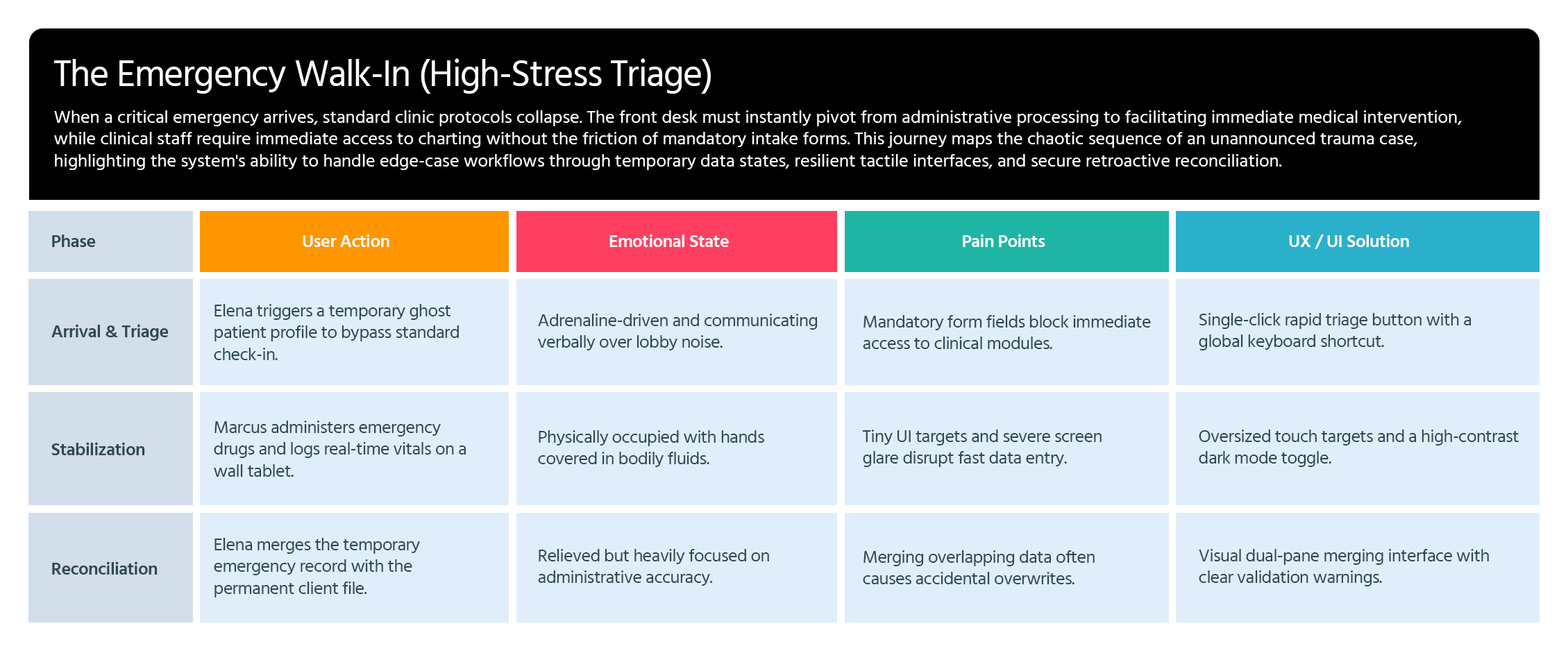
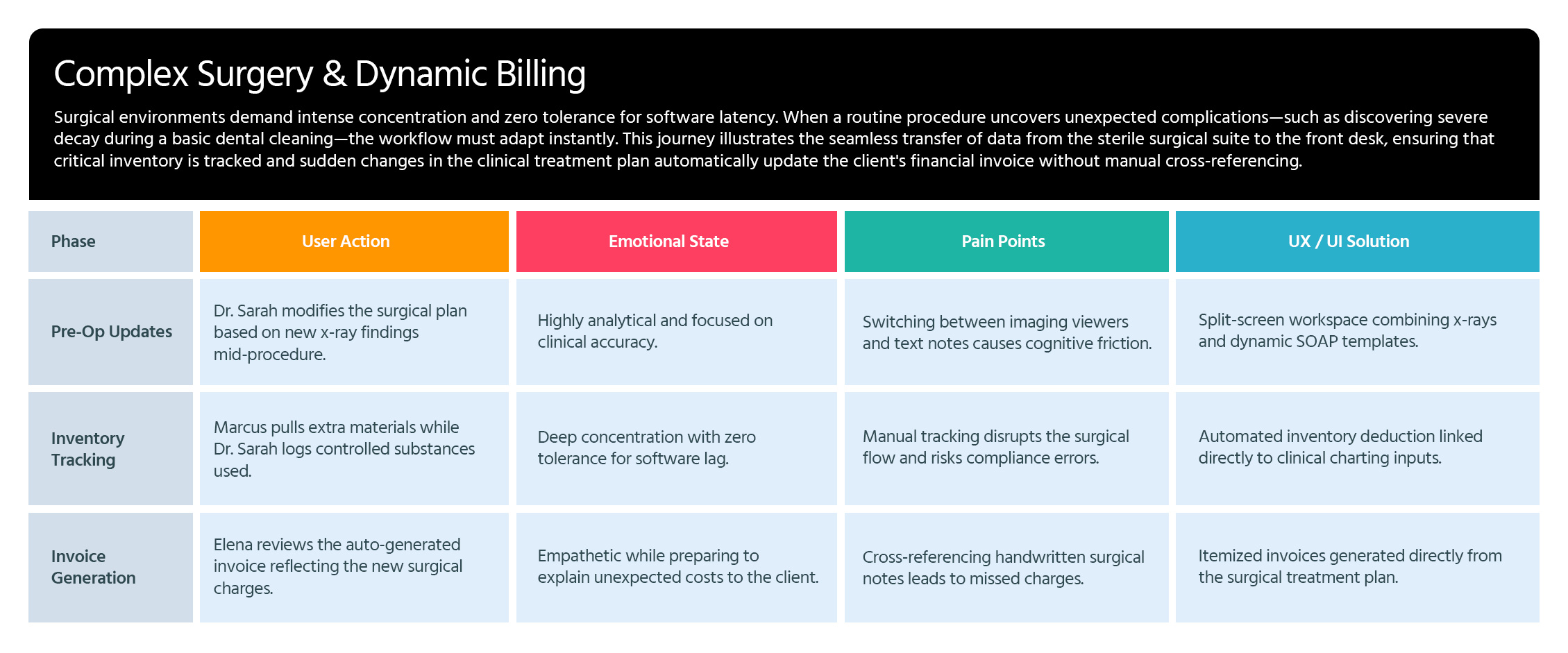
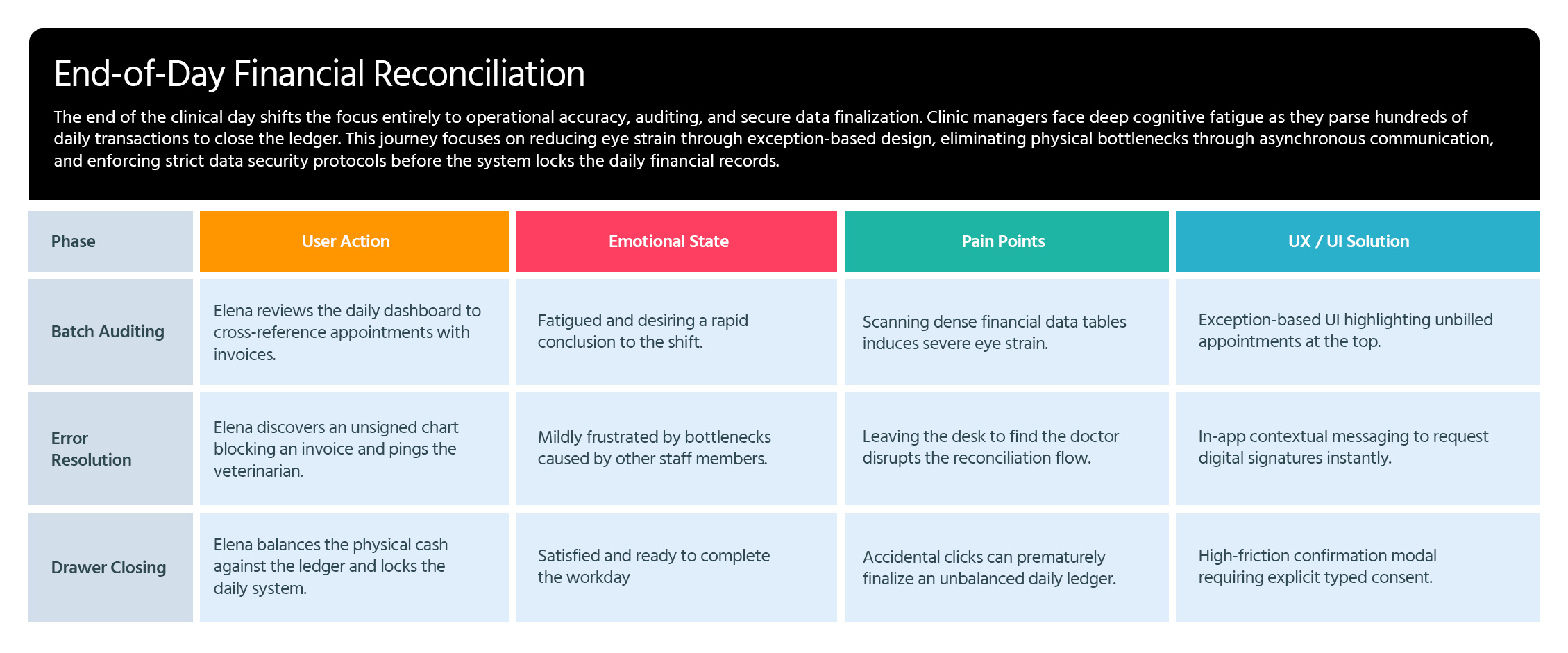
I use User Journey Maps to visualize the end-to-end experience and uncover hidden friction points. By mapping out every touchpoint—from discovery to conversion—I identify where users get frustrated or lose interest. This allows us to turn ‘drop-off points’ into opportunities for engagement.