Get In Touch
10/A, Indira Gandhi Street,
Sengeniammal Nagar, Orlean Pet,
Pondicherry – 605005. (INDIA)
Work Inquiries
info@venkidesigns.com

Strategy | UI/UX | Web App | Mobile App

Workplace Safety & Security Camera App

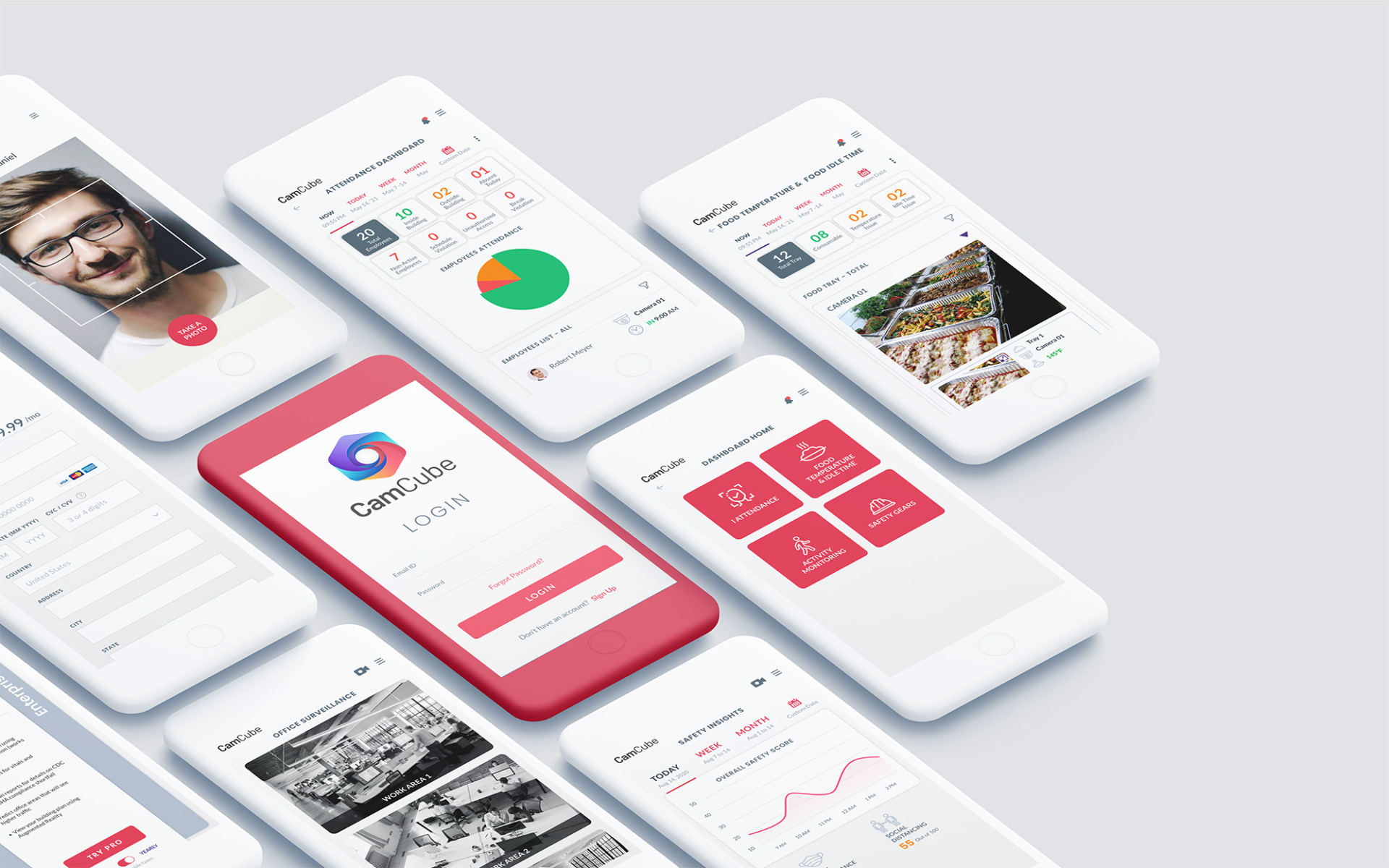
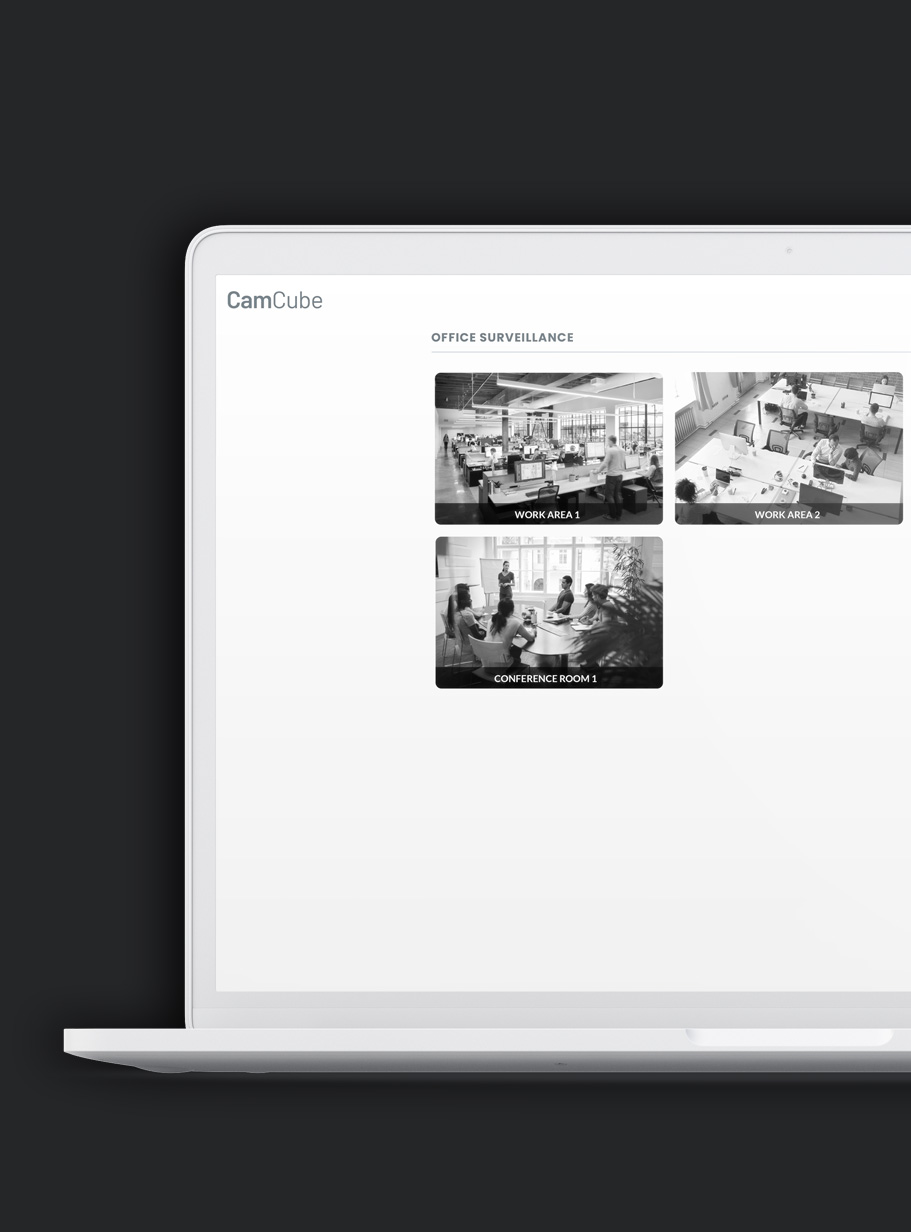
The CamCube Safety and Security Camera App is an intelligent, centralized command center designed to transform standard surveillance into a proactive operational asset. By layering advanced Artificial Intelligence over your existing CCTV infrastructure, CamCube automates critical health and safety protocols, monitors real-time compliance, and optimizes facility access—all through a single, intuitive interface.

camcube-home

Project Overview

The CamCube Safety and Security Camera App is a next-generation enterprise solution designed to bridge the gap between traditional surveillance and modern operational intelligence. By transforming existing CCTV hardware into an AI-powered ecosystem, CamCube provides a unified dashboard for real-time safety, health compliance, and streamlined facility access.

Design

UI/UX Design, Art Direction

Strategy

Brand Strategy, UX Strategy

Client

CamCube

Problem Statement

The Core Conflict: Current workplace safety monitoring relies on fragmented, “dumb” video feeds and manual oversight. Security personnel are often overwhelmed by “monitor fatigue,” where staring at dozens of static screens leads to a 90% drop in incident detection after just 20 minutes.

When AI is introduced, it often creates a new problem: “Alert Blindness.” Systems provide too much raw data without clear hierarchy, making it difficult for users to distinguish between a minor compliance glitch and a critical safety emergency.

Key Pain Points:

  • Cognitive Overload: Managing disparate systems for entry, CCTV, and health compliance forces users to jump between multiple tabs and interfaces, slowing down response times.
  • Lack of Actionable Insights: Existing dashboards show what is happening but fail to provide a clear next step for the operator.
  • Accessibility & Mobility Gaps: Critical safety alerts are often tethered to a desktop workstation, leaving floor managers in the dark while they are away from their desks.
  • High Barrier to Entry: Complex enterprise software often requires extensive training, leading to low adoption rates and improper use of safety features.
The Solution

The Intelligent Command Center

The solution centers on Proactive Visibility. I’ve replaced the traditional “wall of video” with a Heads-Up Display (HUD) approach. The UI doesn’t just show video; it interprets it, highlighting only what requires human intervention.

Key Solution Pillars:

1. The Unified Single-Pane-of-Glass Dashboard

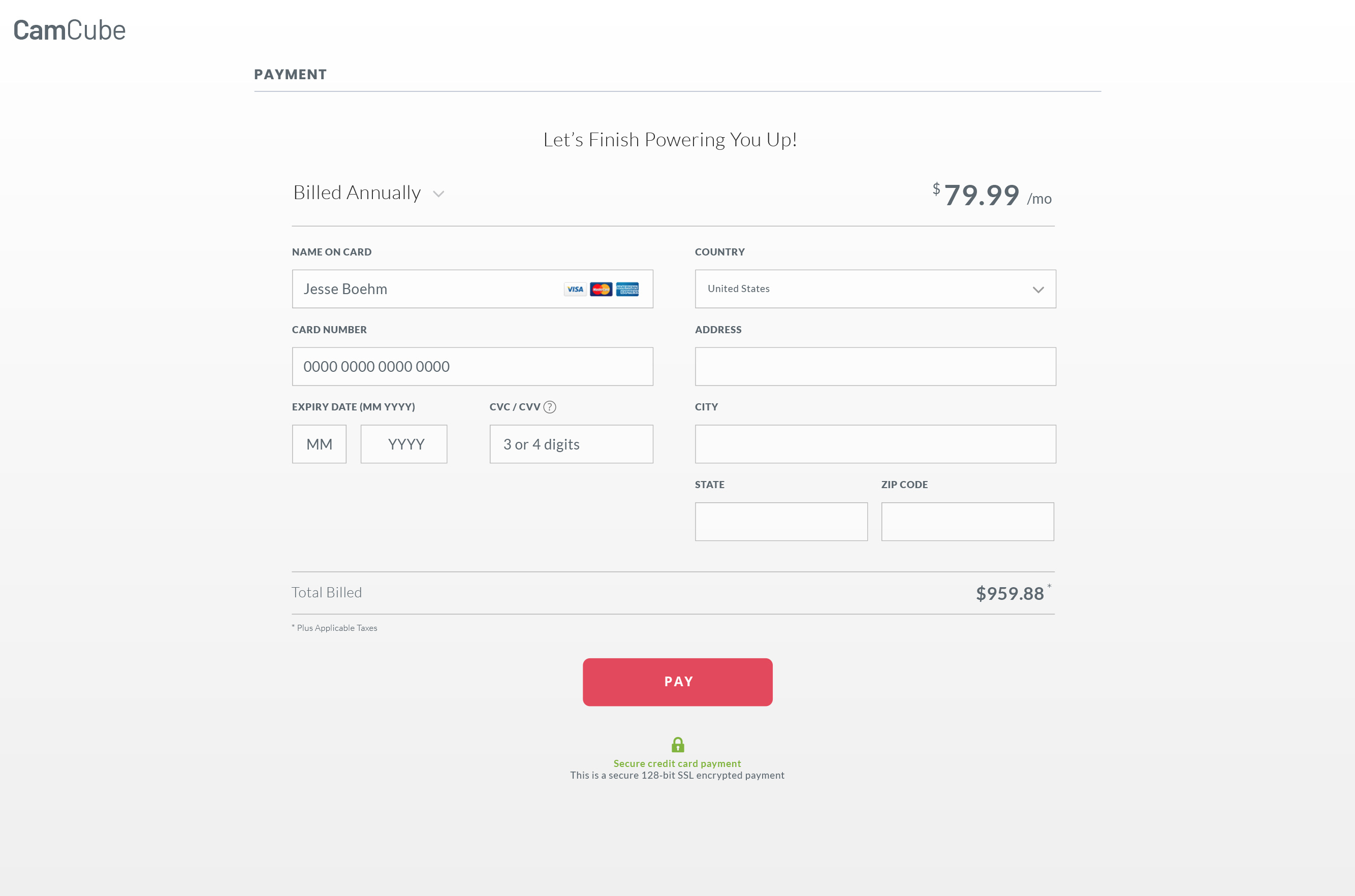
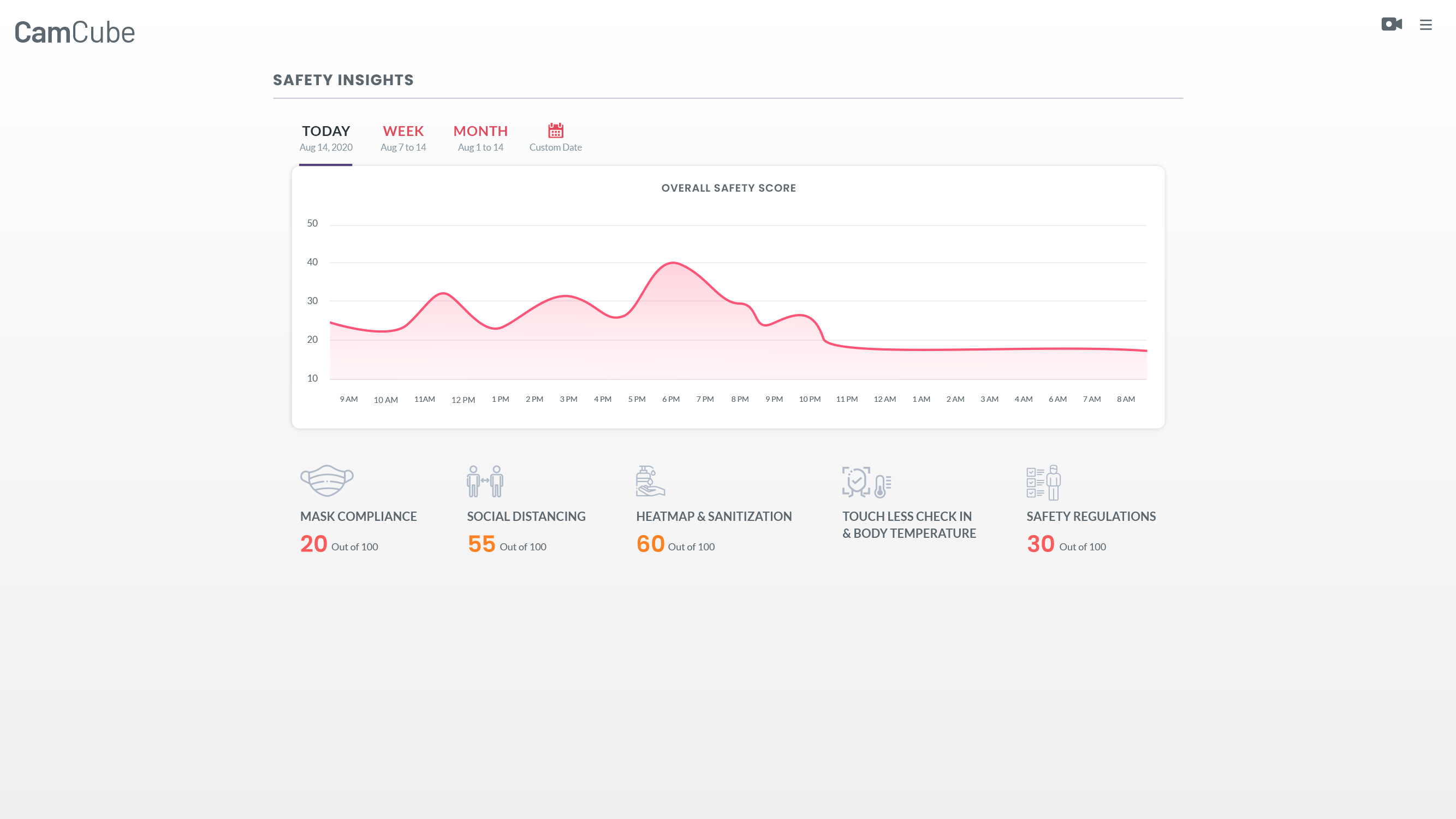
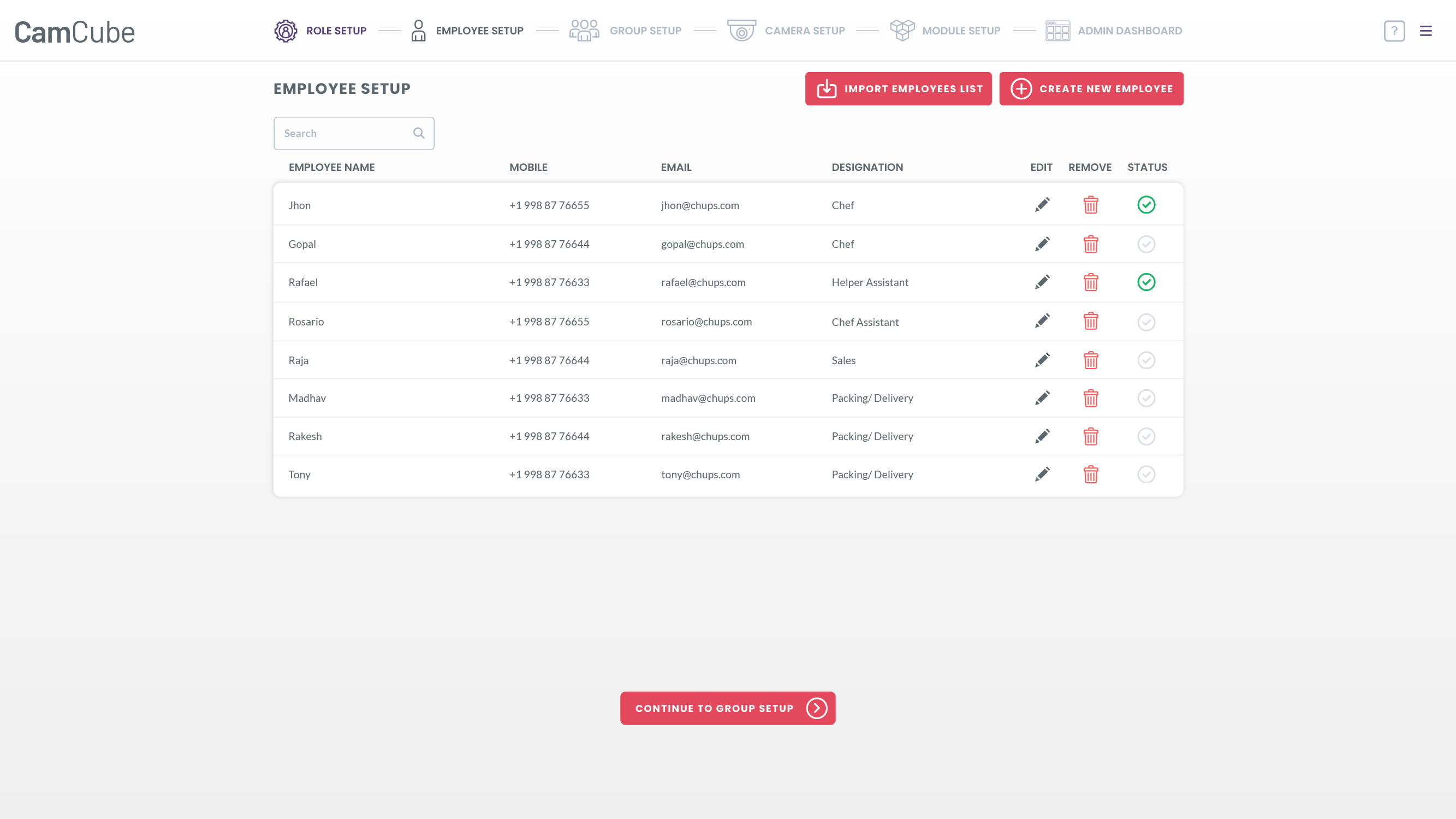
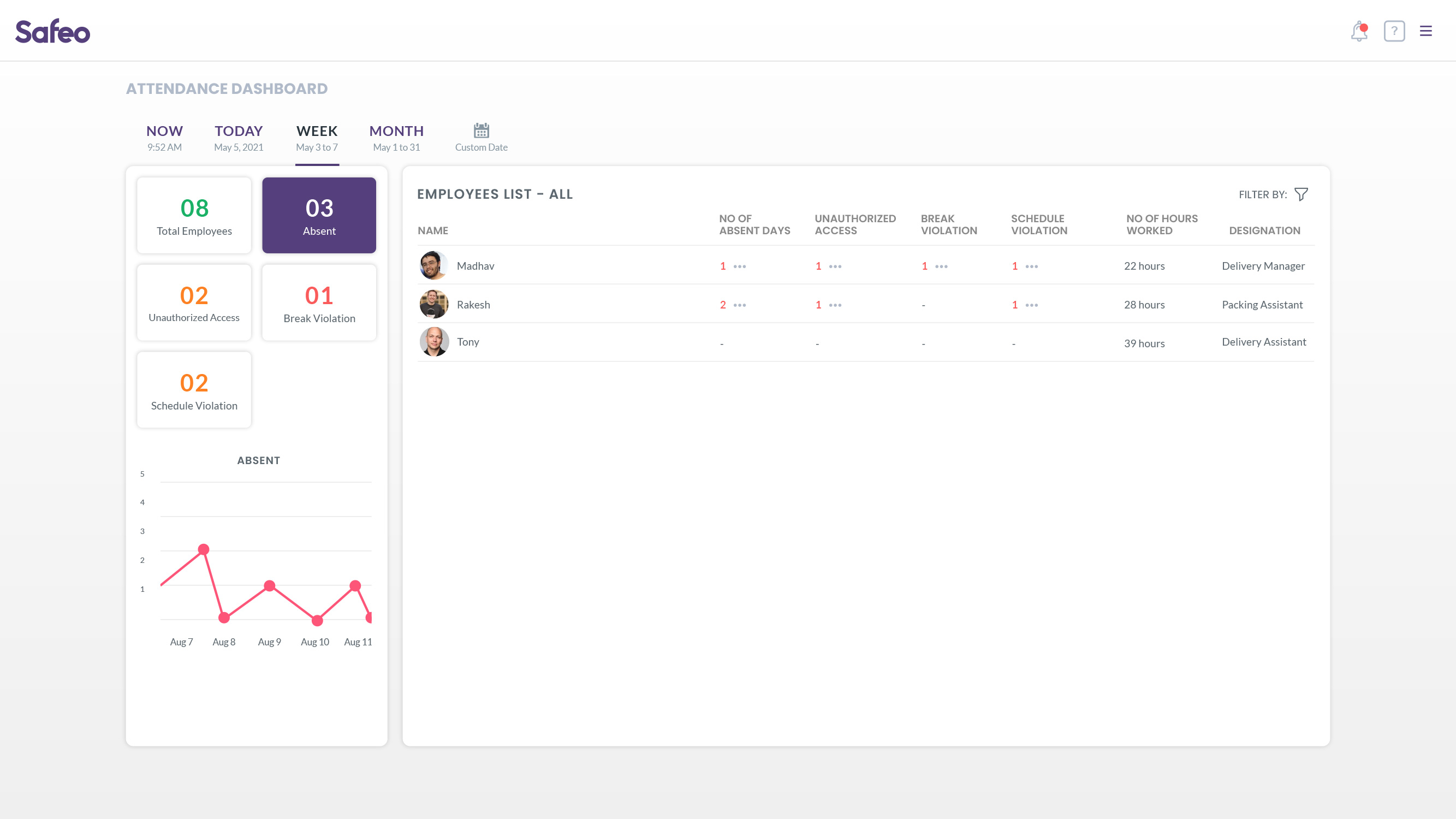
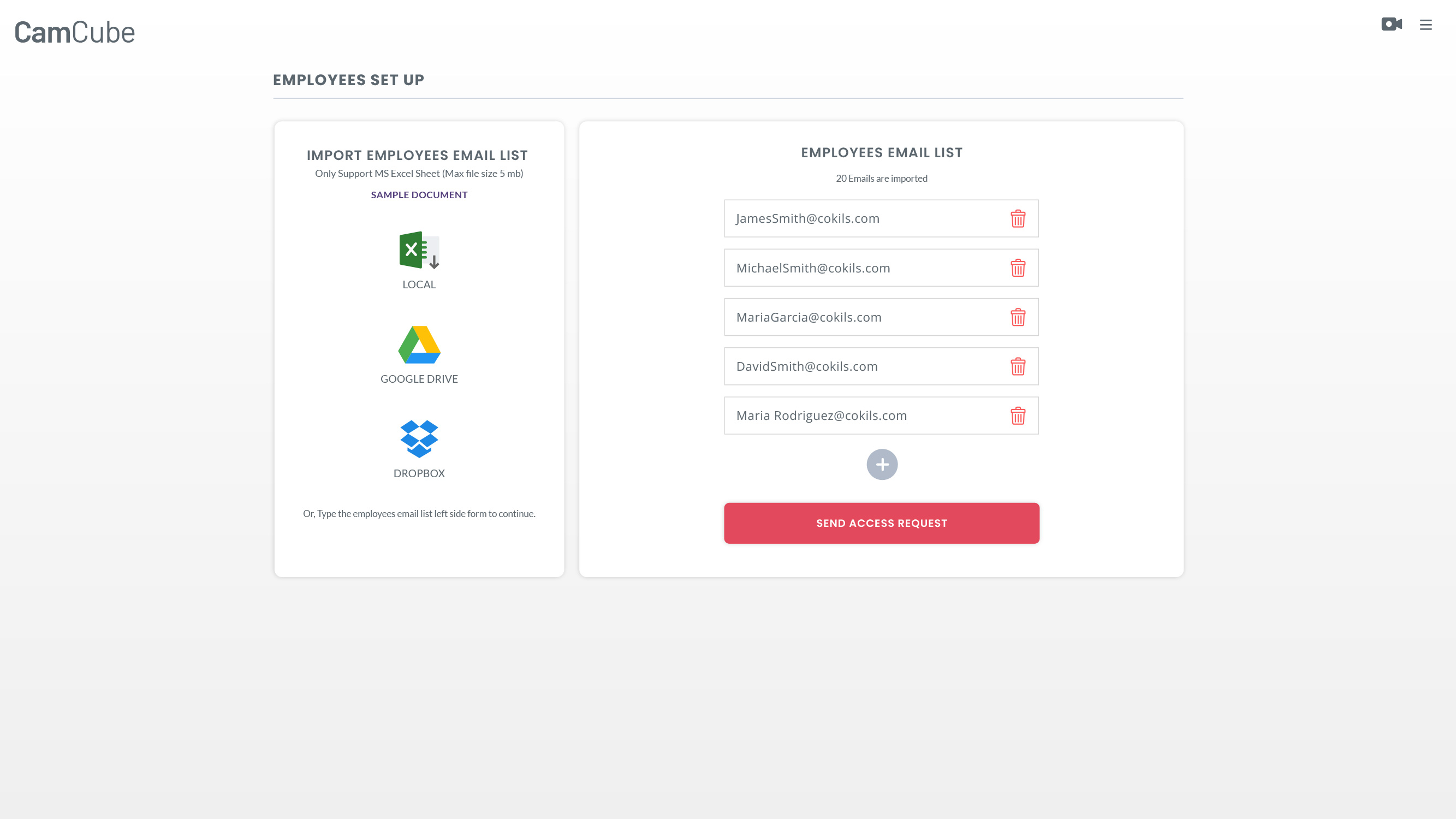
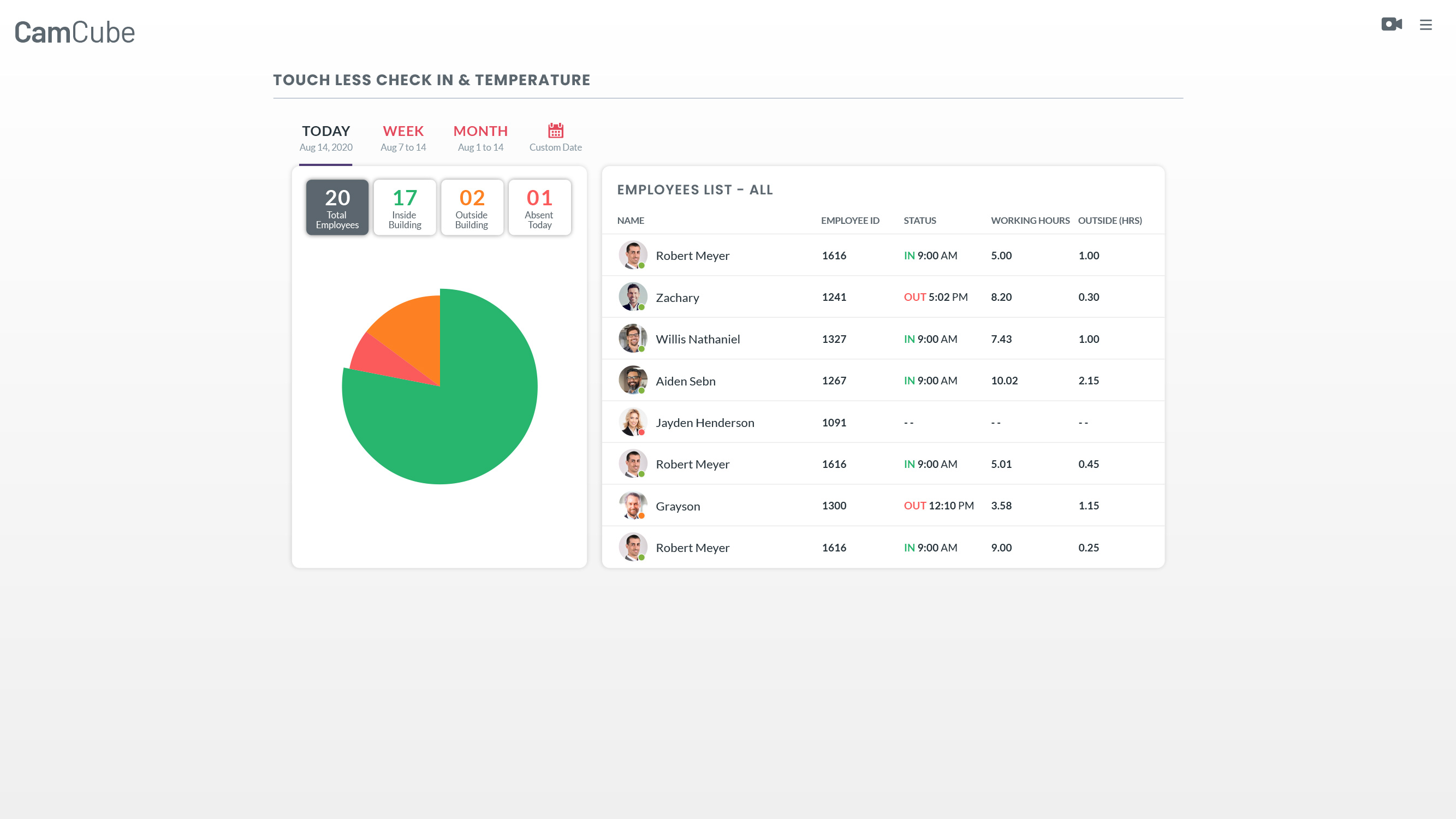
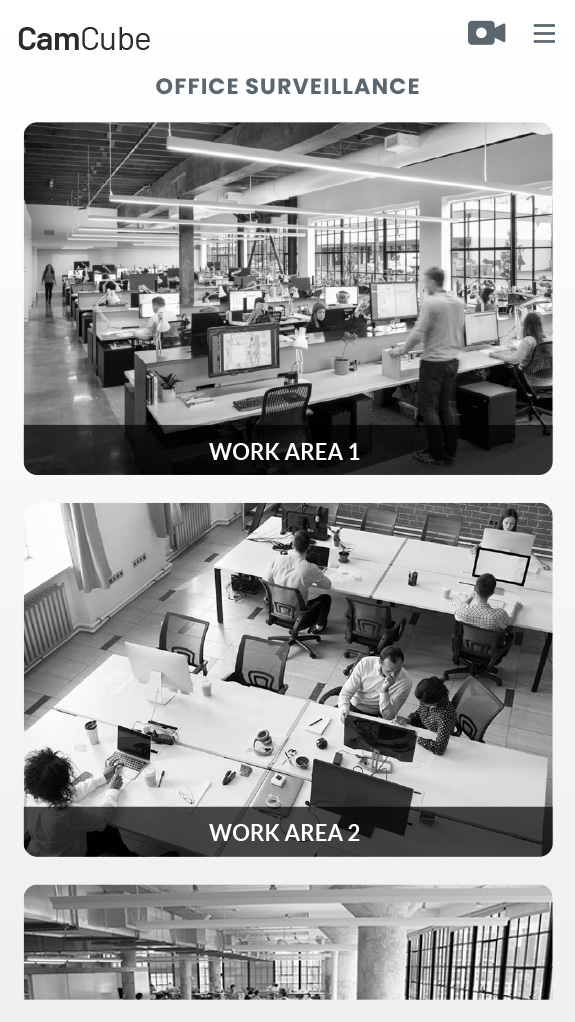
We eliminate “tab-switching” by consolidating CCTV feeds, AI health analytics, and entry logs into a single, cohesive interface.

  • Contextual Widgets: Real-time stats (e.g., current occupancy, PPE compliance rate) provide an instant pulse of the facility.
  • Integrated Entry Logs: Access events are tied directly to video snapshots, allowing for instant verification.

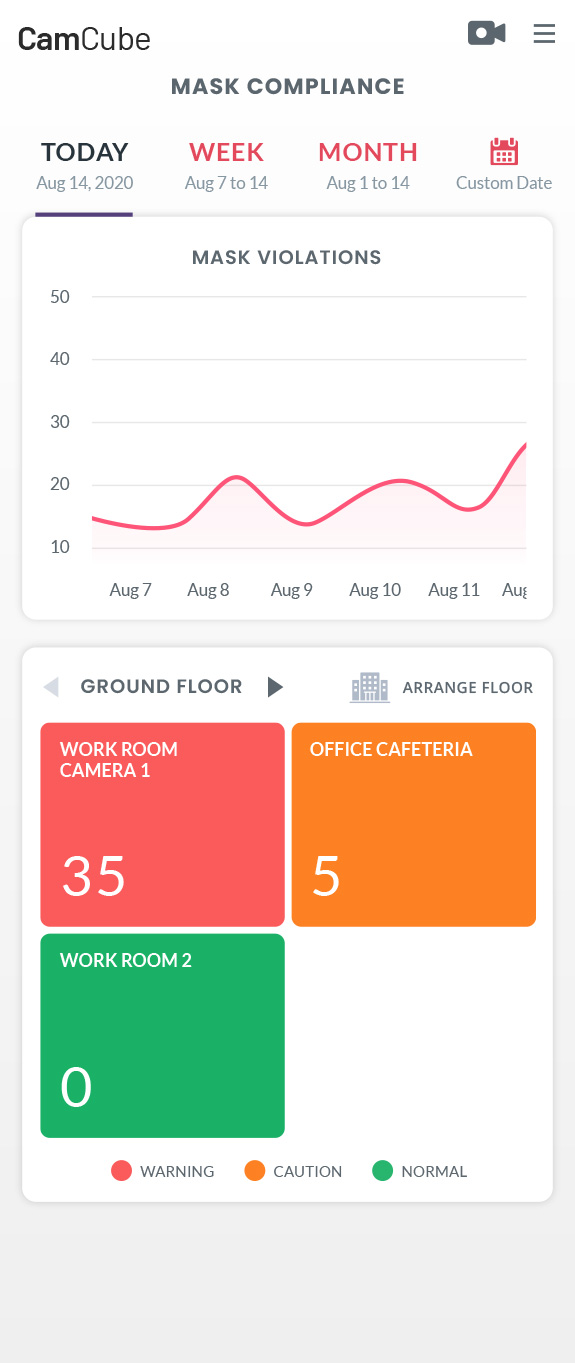
2. Tiered Alert Intelligence (The “Red-to-Green” System)

To combat alert fatigue, we implemented a prioritized notification framework:

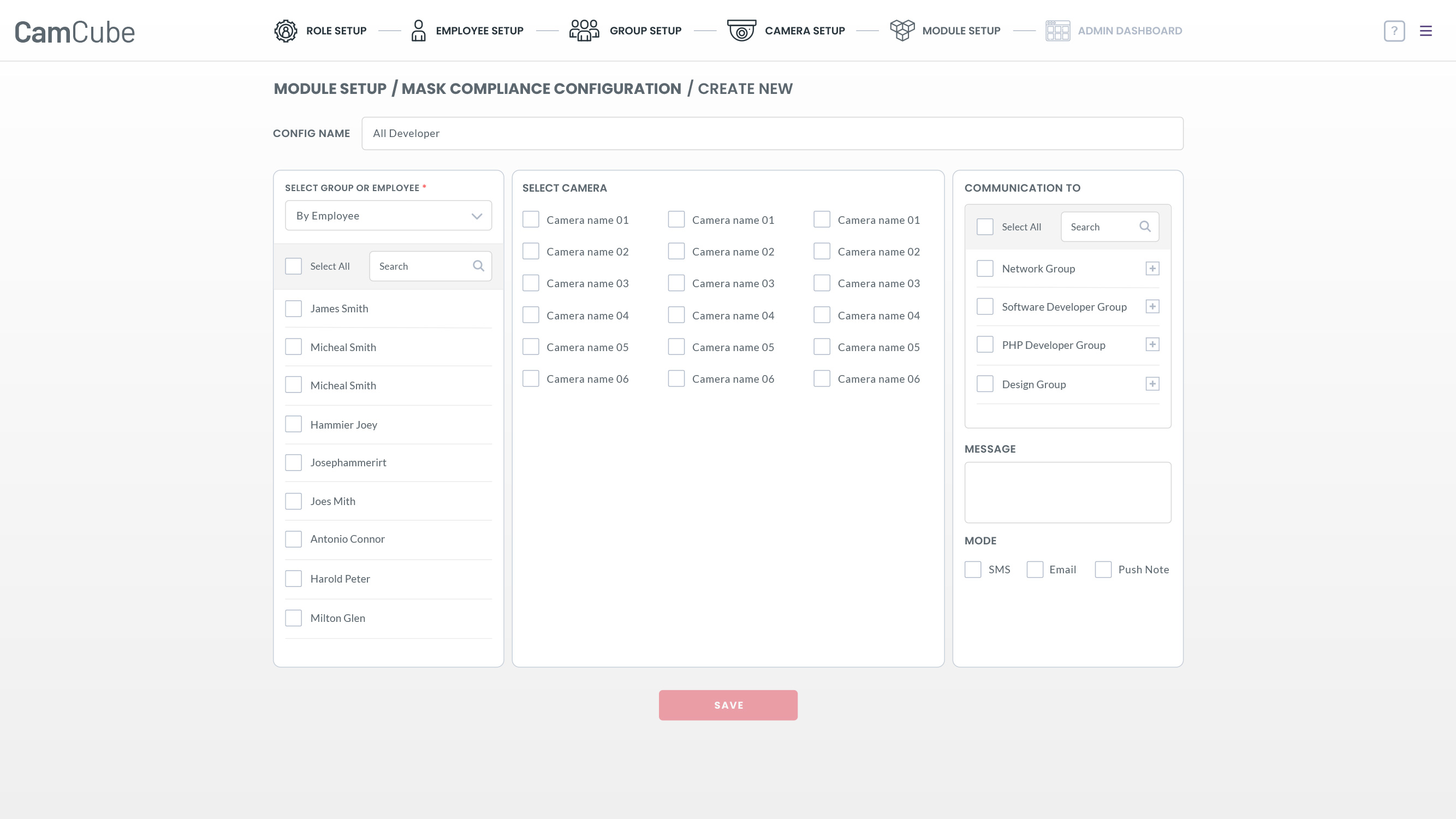
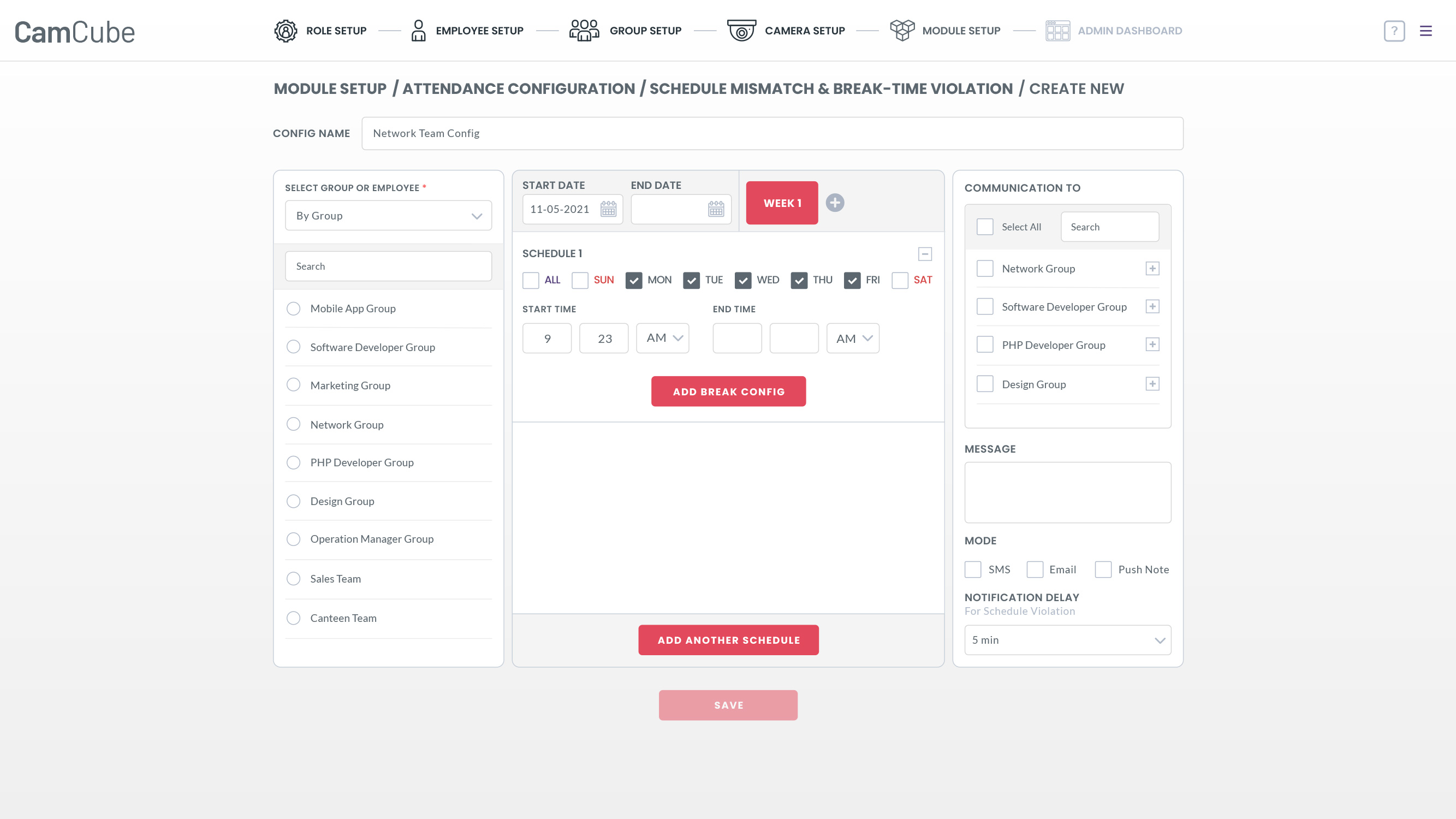
  • Critical (Red): Immediate safety breaches (e.g., unauthorized zone entry). These trigger a persistent overlay and haptic feedback on mobile.
  • Warning (Yellow): Compliance lapses (e.g., missing mask). These are queued in a sidebar for review without interrupting the main workflow.
  • Informational (Blue/Green): Routine data (e.g., successful check-ins). These are logged silently for end-of-day reporting.

3. “Click-to-Action” Workflow

Every AI-detected incident is paired with a Suggested Action.

  • Example: If a fall is detected, the UI instantly highlights the camera feed, provides the exact GPS/Room coordinates, and displays a “Contact Emergency Services” shortcut.

4. Mobile-First Safety Extensions

Safety happens on the floor, not behind a desk.

  • Edge Notifications: Push alerts to security wearables and smartphones ensure that the right person is notified based on their physical proximity to the incident.
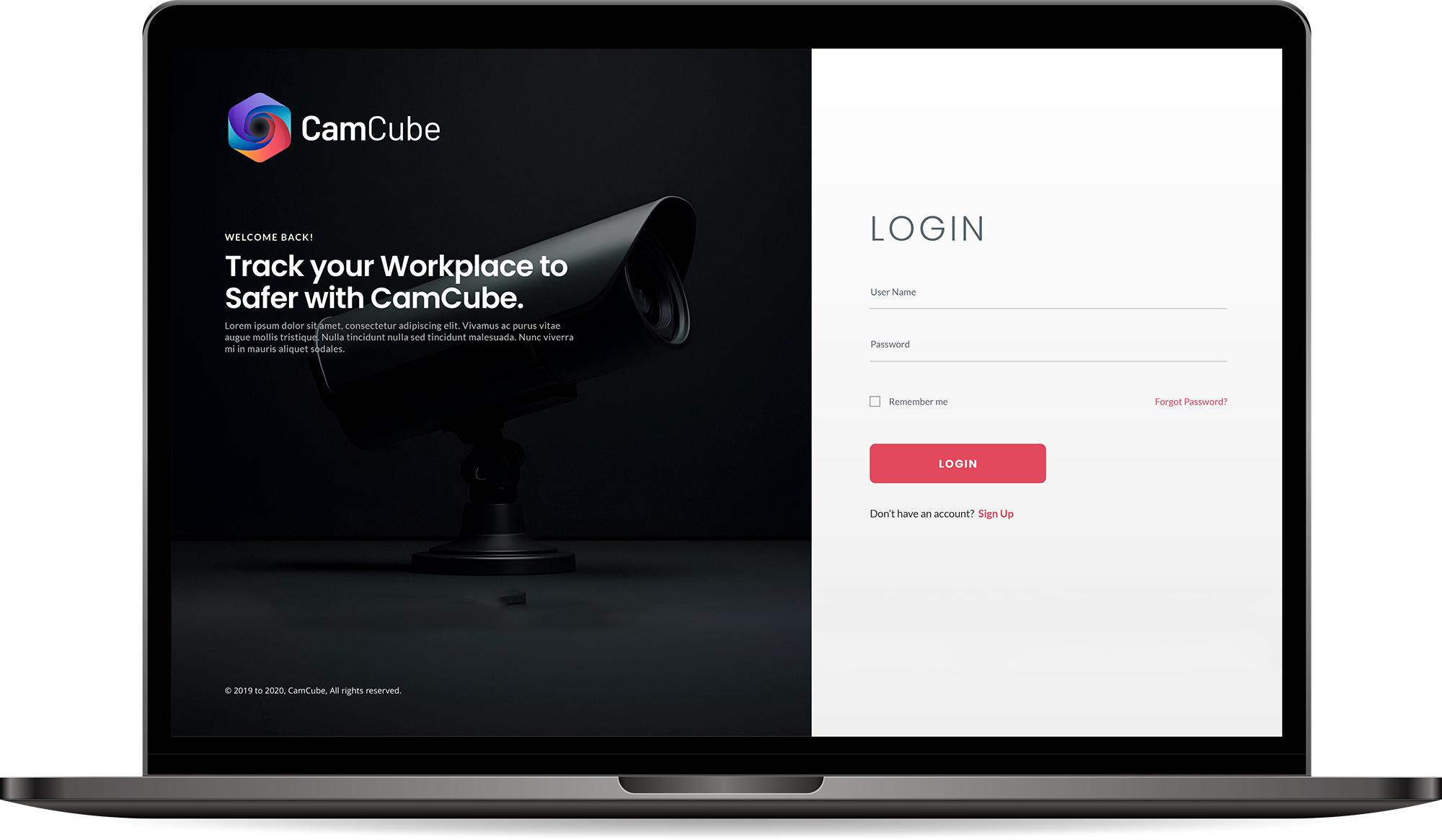
Deep Understanding

The Users and the Industry

The Industry Evolution: From Passive to Predictive

The security industry is undergoing a paradigm shift. We’ve moved past the era of “Record and Review.”

  • The Compliance Burden: With tightening OSHA and global health regulations, enterprises face massive liabilities. Safety is no longer just a “cost center”—it’s a data-driven requirement.
  • The AI Integration Gap: Most industries have the hardware (CCTV) but lack the intelligence. There is a massive demand for software that acts as a “Force Multiplier” for existing staff.

  • The Post-Pandemic Standard: Hybrid work and health monitoring have become permanent fixtures in facility management, requiring more sophisticated entry and tracking systems.
I made a

Personas
& User Journey Maps

My interviews with the Business Users and Callers provided critical, detailed information. This foundation allowed me to successfully create the resulting personas and journey maps.

Personas

Personas

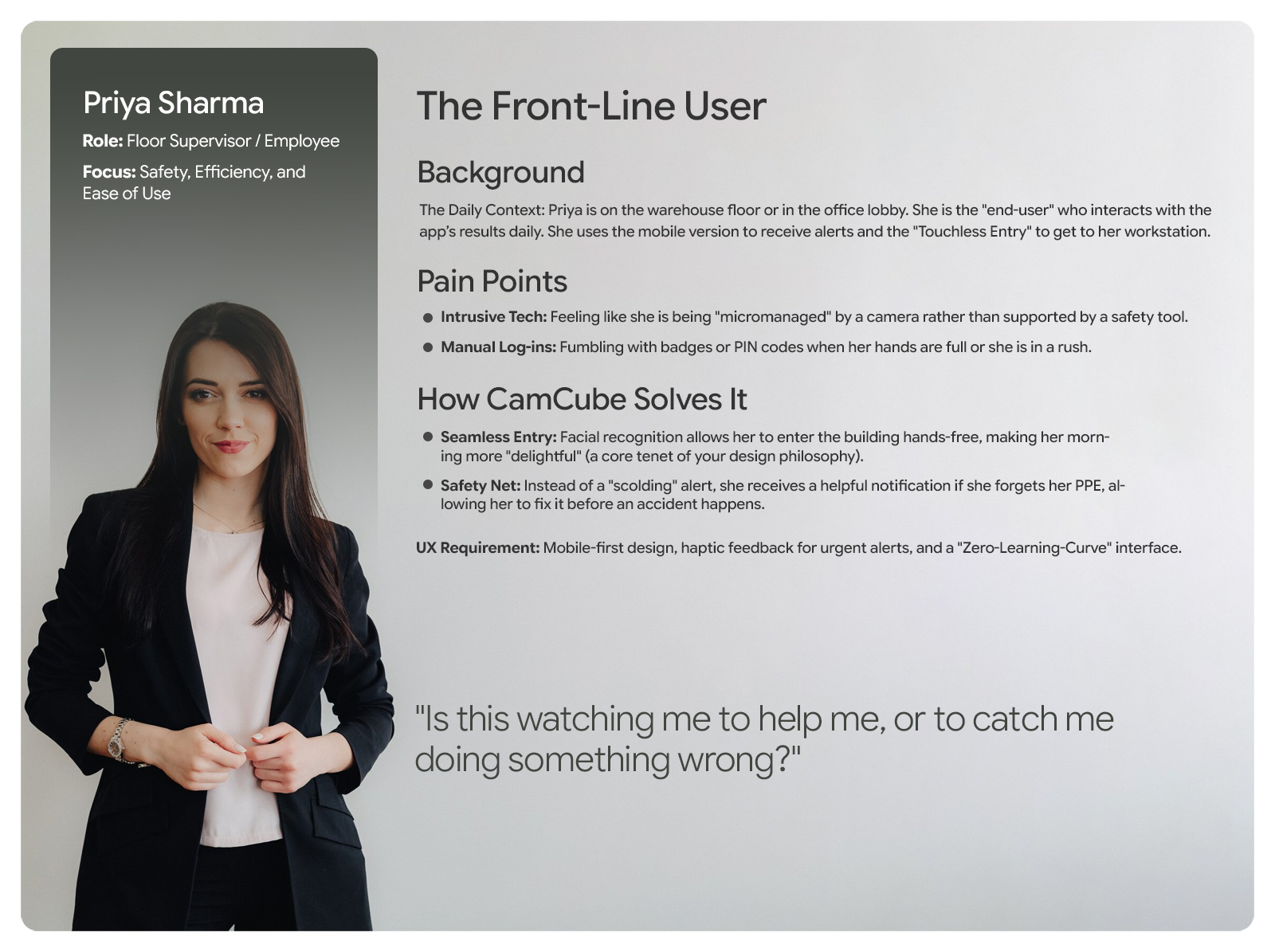
Empathy is the foundation of great design. I develop UX Personas to humanize our target audience, allowing us to step into the user’s shoes. Understanding their ‘why’ helps me design interfaces that don’t just look good, but feel relevant and intuitive to the people using them.
CamCube-Persnaa
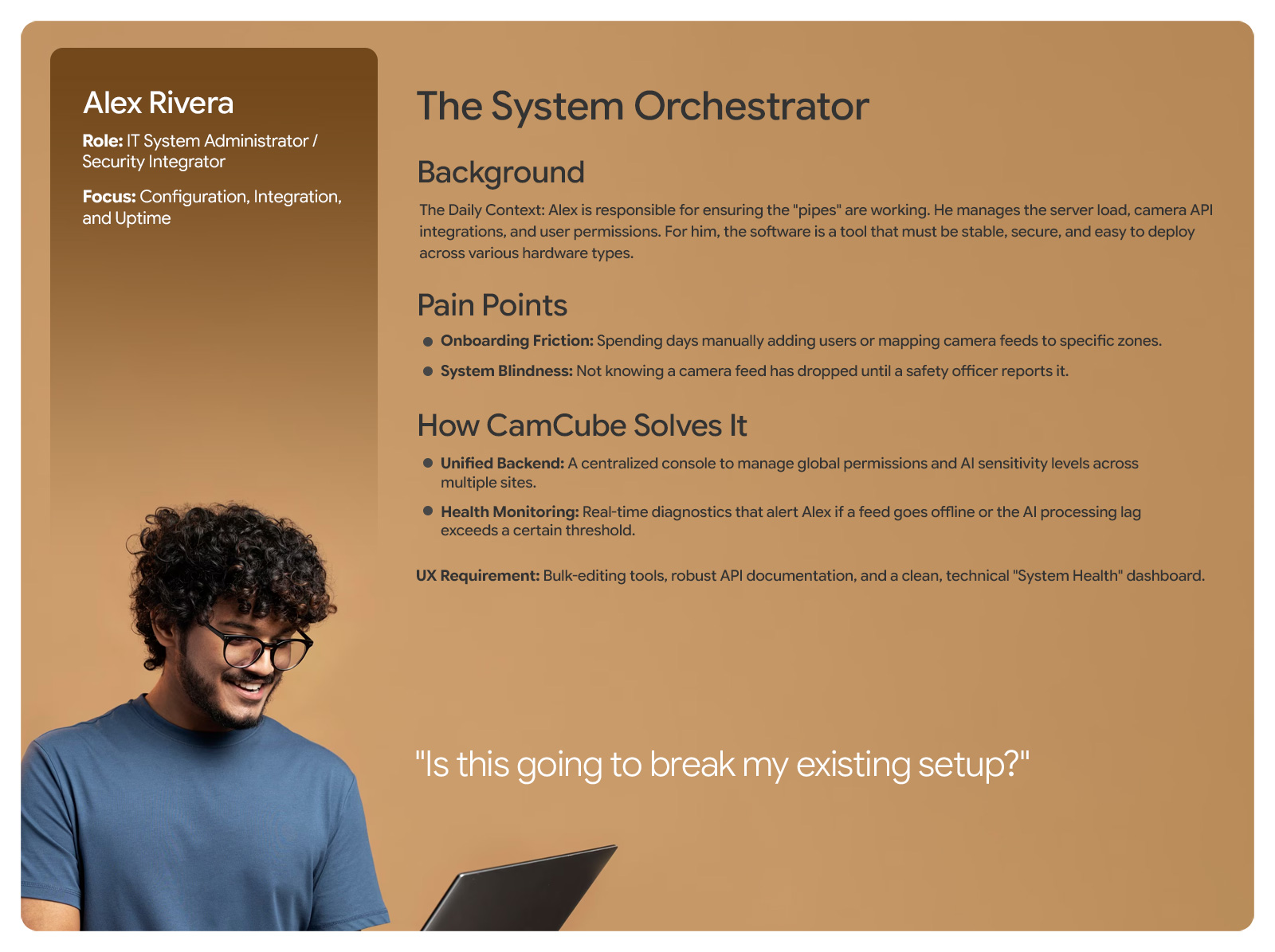
The System Orchestrator - Persona
CamCube-Persnaa
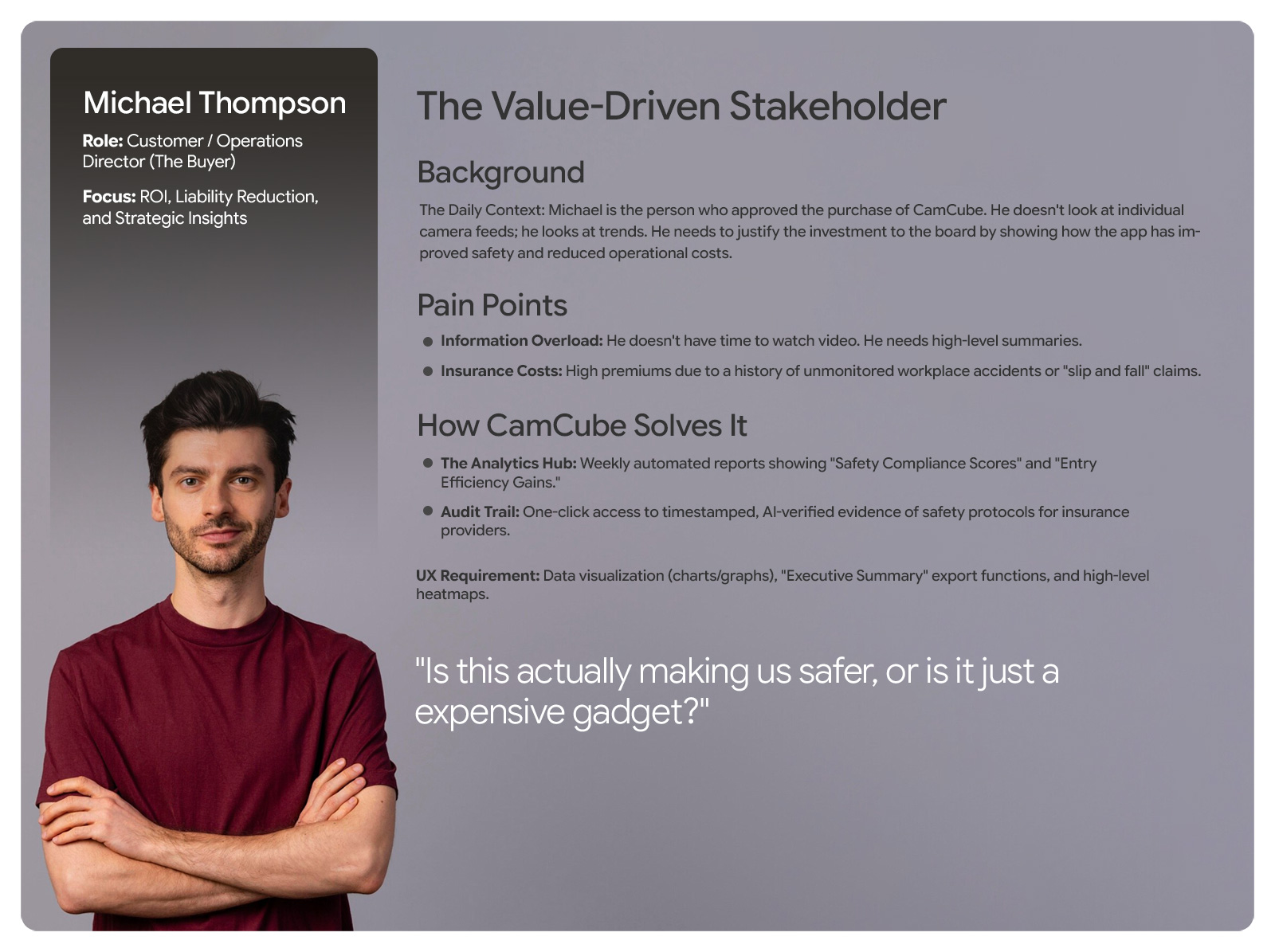
The Value-Driven Stakeholder - Persona
CamCube-Persnaa
The Front-Line User - Persona
Empathy Map

Empathy Map

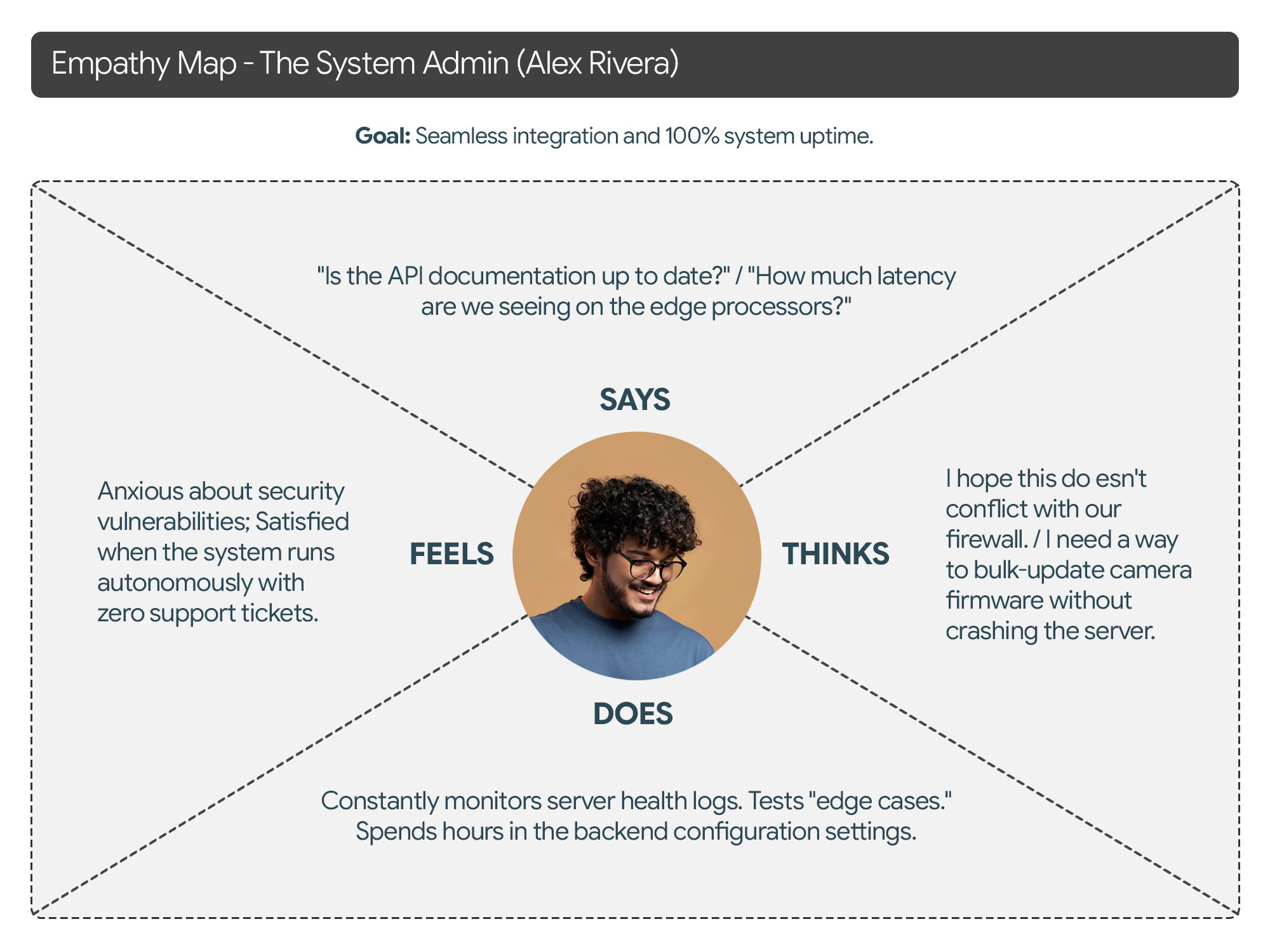
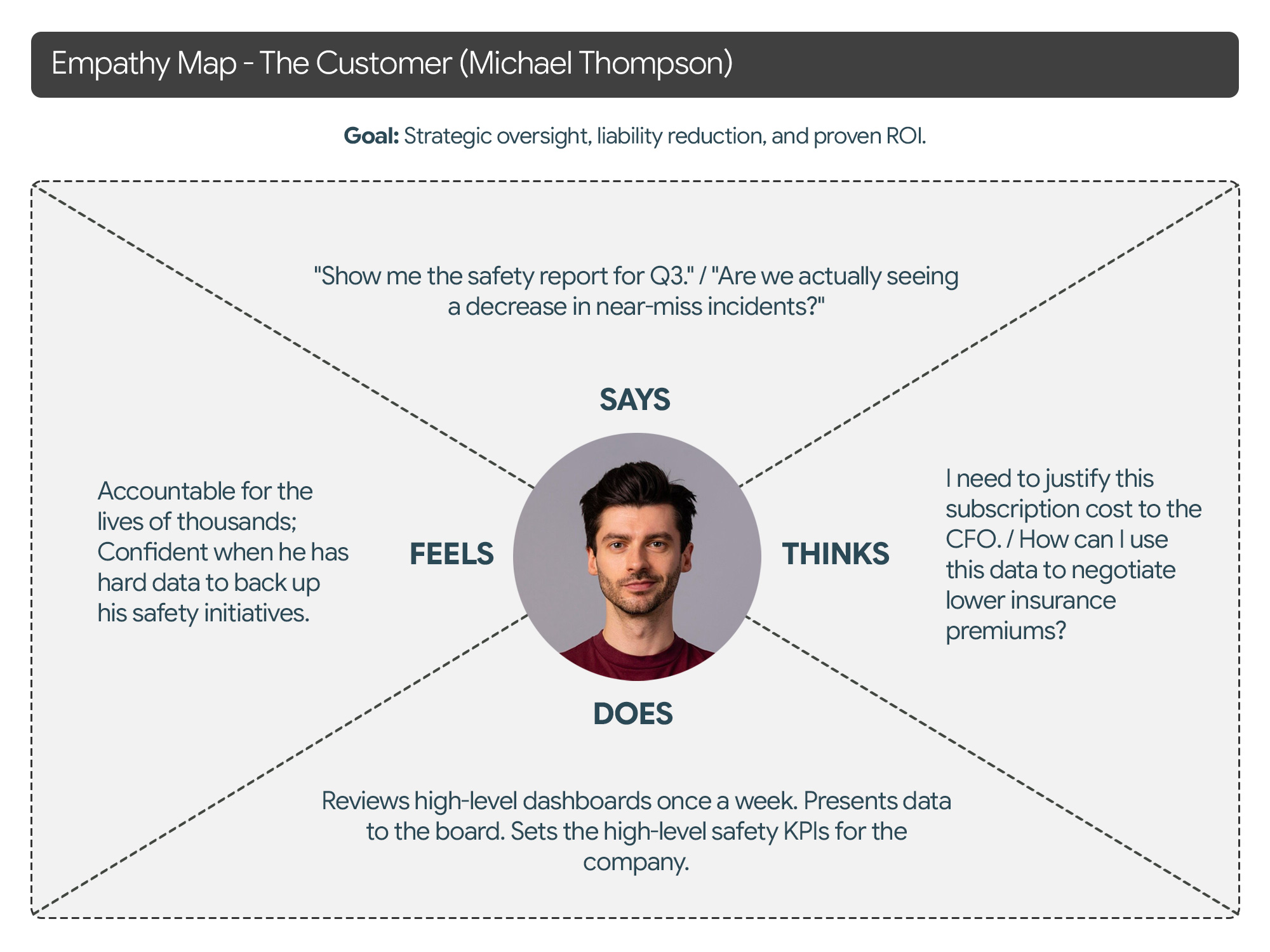
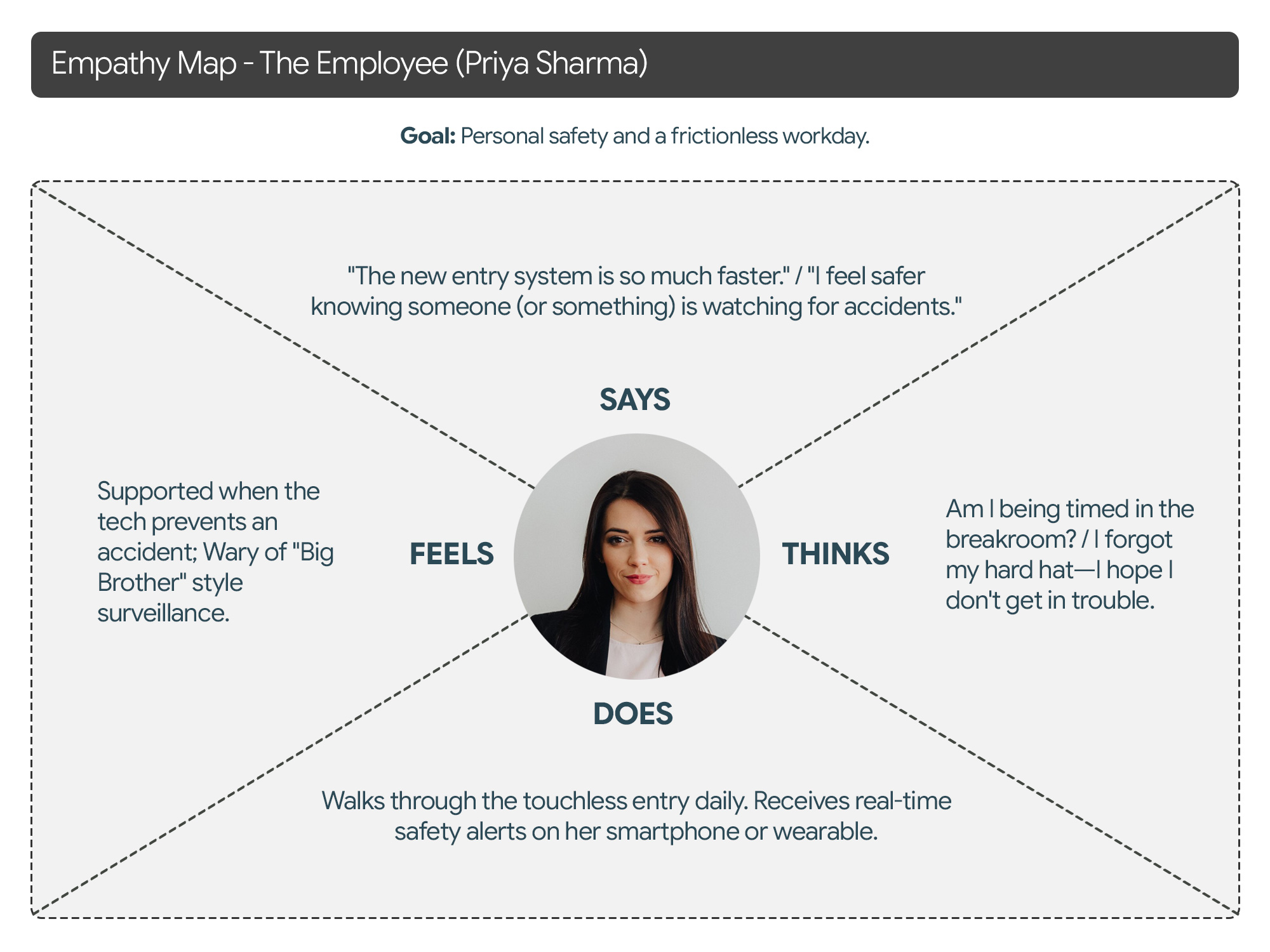
To truly design a “delightful” and human-centered product, we must look beyond functional requirements and map the emotional landscape of our users. Below is a detailed Empathy Map for each of your three core personas, focusing on their sensory experiences and internal motivations.
CamCube-Empathy-Map-01
Empathy Map - The System Admin (Alex Rivera)
Empathy Map - The Customer (Michael Thompson)
Empathy Map - The Employee (Priya Sharma)
User-Journey-Maps-img

User Journey Maps

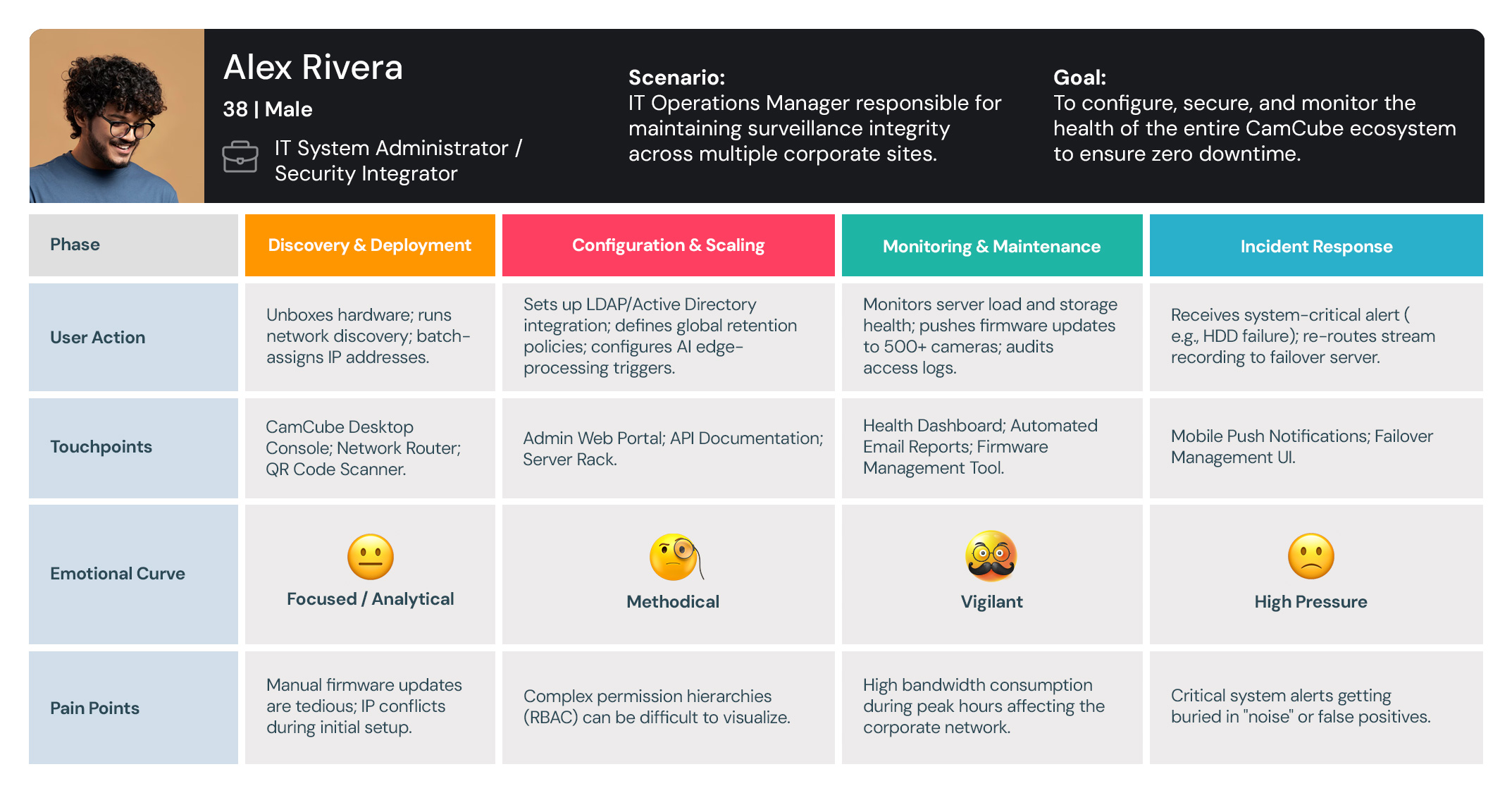
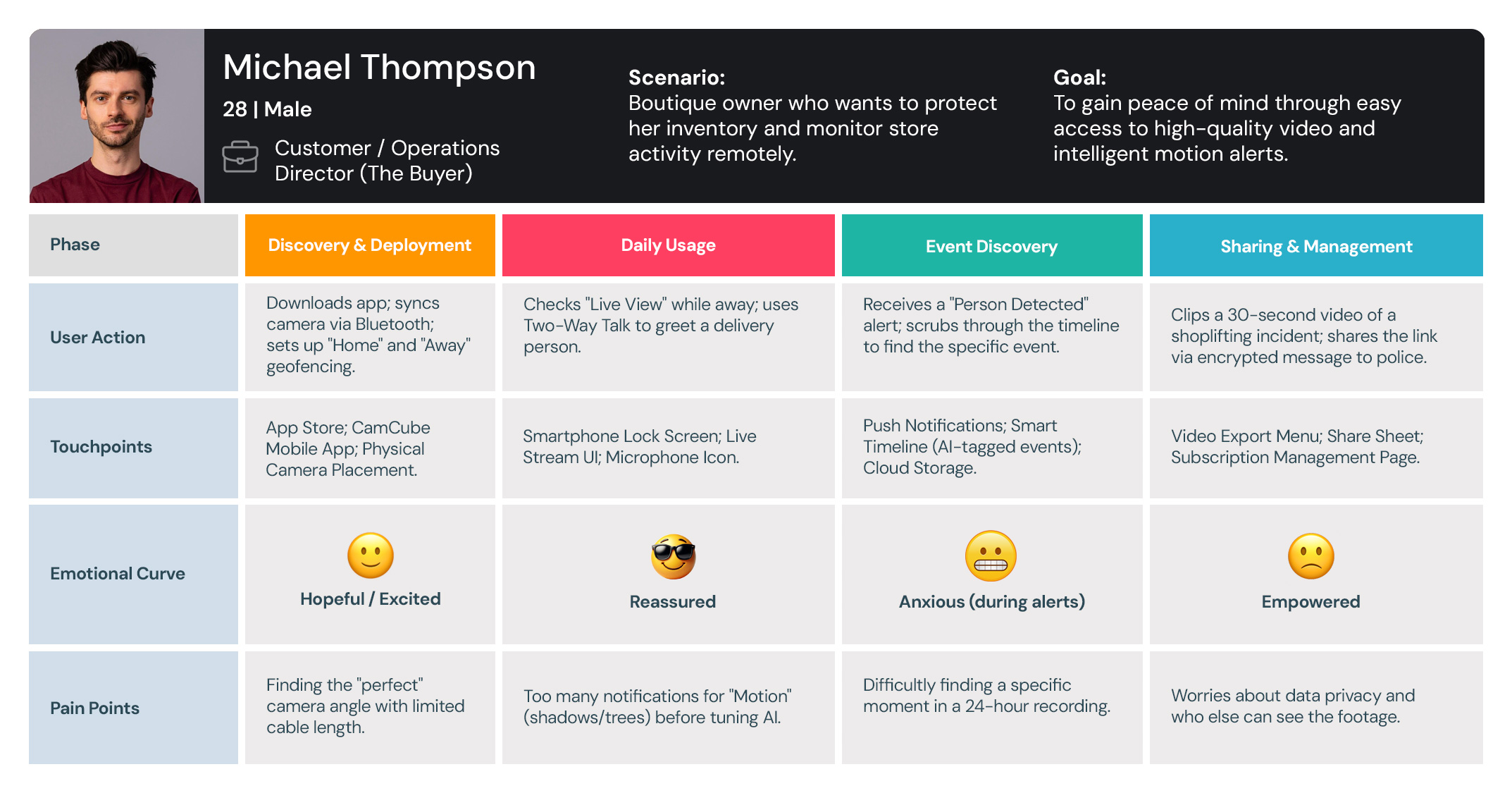
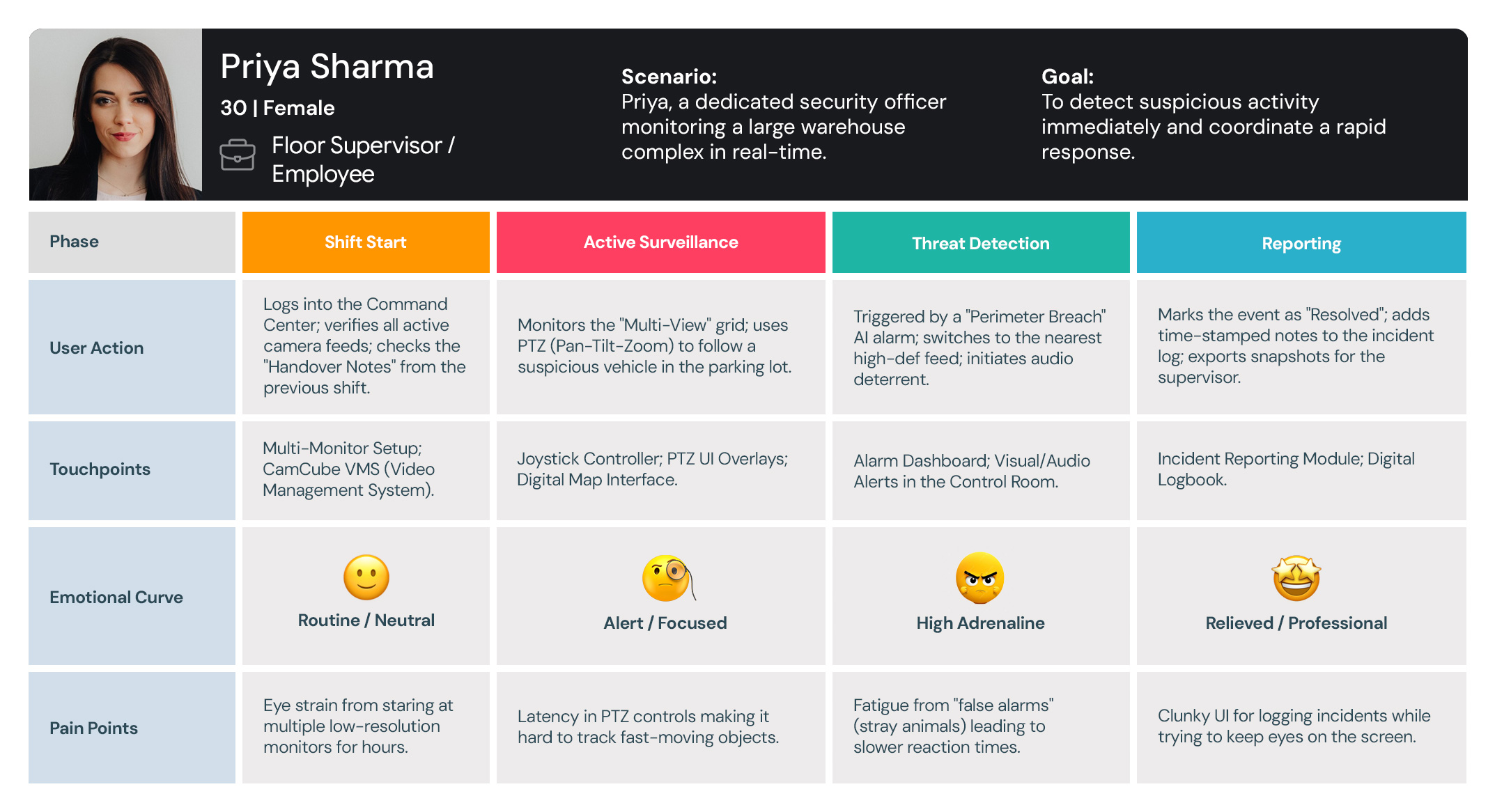
I use User Journey Maps to visualize the end-to-end experience and uncover hidden friction points. By mapping out every touchpoint—from discovery to conversion—I identify where users get frustrated or lose interest. This allows us to turn ‘drop-off points’ into opportunities for engagement.
User-journey-maps
IT System Administrator / Security Integrator - User Journey Maps
User-journey-maps
Customer / Operations Director (The Buyer) - Journey Maps
Floor Supervisor / Employee - User Journey Maps

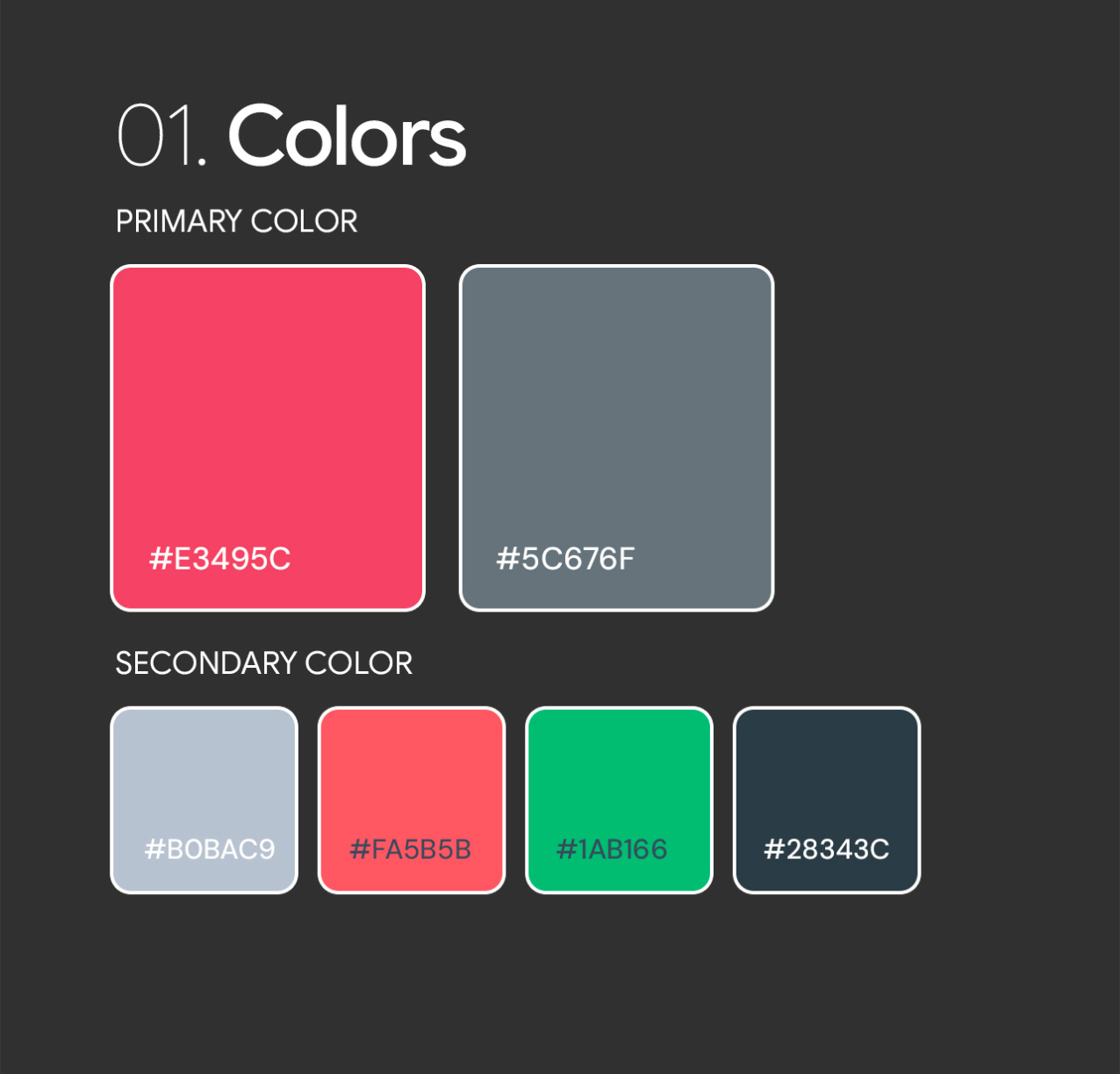
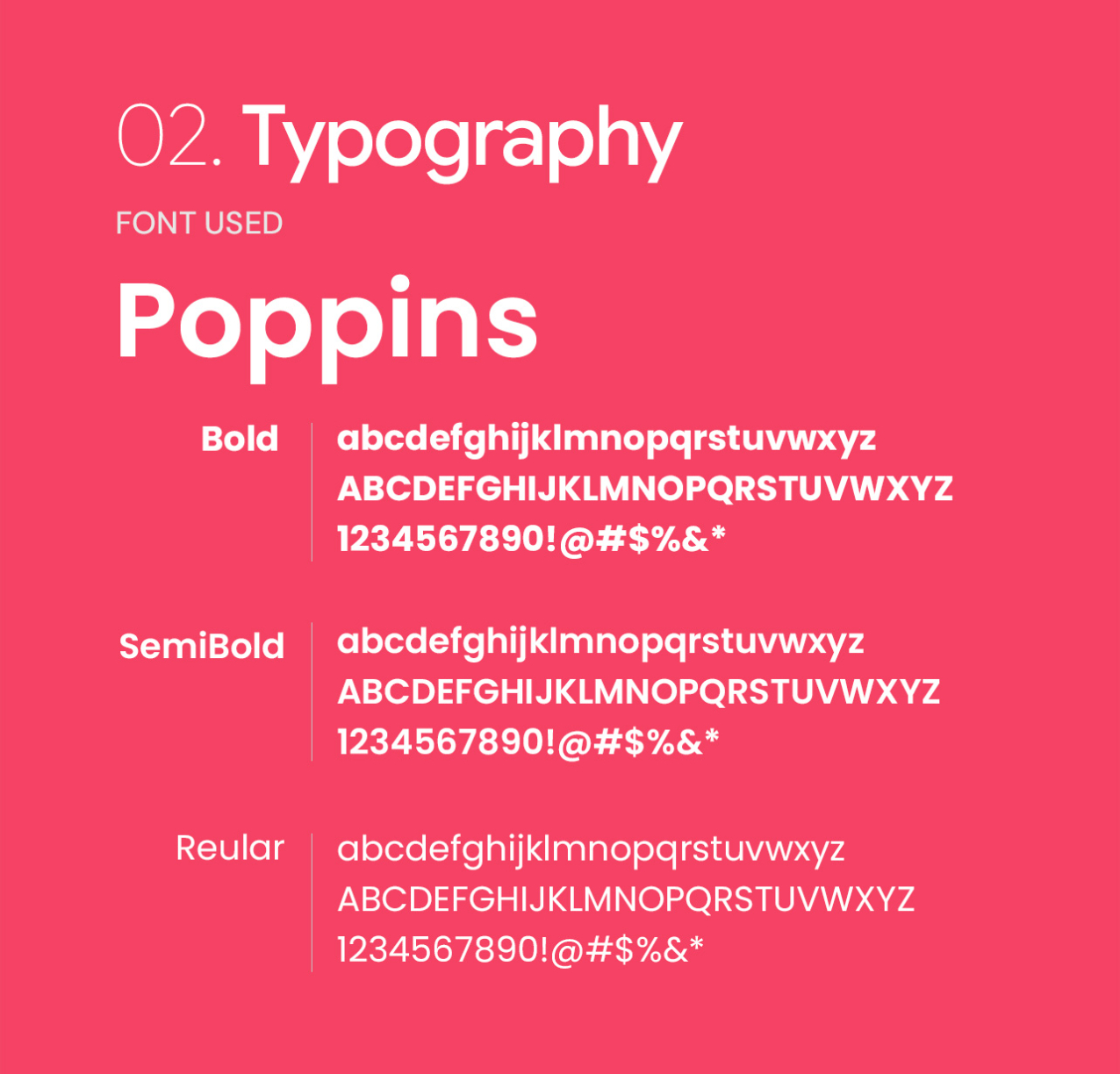
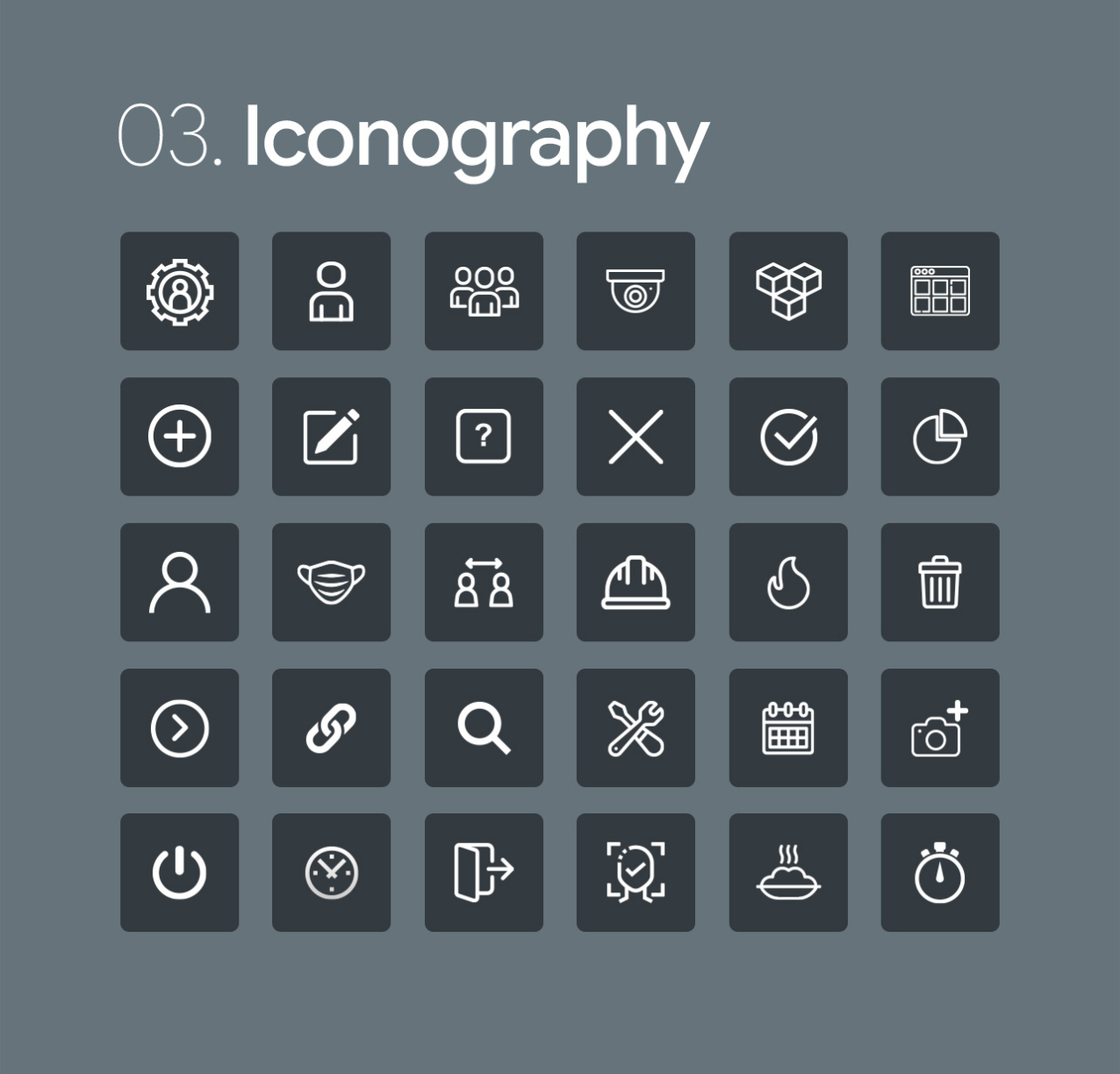
Style Guide

I developed a comprehensive design system that eliminated inconsistencies and cut down production time, allowing the team to focus on delivering a superior user experience.
CamCube-color
CamCube-iconography
The

Visual Design

To me, Visual Design is more than just aesthetics—it’s a communication tool. I use typography, color theory, and spacing to create a clear visual hierarchy that guides the user’s eye to what matters most.

  • Address

    VenkiDesigns
    10/A, Indira Gandhi Street,
    Sengeniammal Nagar, Orlean Pet
    Pondicherry – 605005. (INDIA)
  • Sign up for the newsletter

This website stores cookies on your computer. Cookie Policy